Bubuka
This user manual provides essential information for the proper use and care of your Blur Audio CD. Please read through the instructions to ensure optimal enjoyment and longevity of your product.
Setup jeung pamakéan munggaran
- Unboxing: Carefully remove the Audio CD from its packaging. Inspect the disc for any visible damage or scratches.
- Penanganan Cakram: Hold the CD by its edges or by placing a finger through the center hole to avoid touching the playing surface.
- Lebetkeun: Open the disc tray of your compatible CD player (e.g., home stereo, car CD player, computer CD/DVD drive). Place the CD with the label side facing up onto the tray spindle. Ensure it is seated correctly.
- Tutup Baki: Gently close the disc tray. The player should automatically recognize the disc.

Figure 1: Front cover of the Blur Audio CD.
Parentah Operasi
Once the CD is loaded, use your CD player's controls for playback:
- Puter / Reureuh: Press the 'Play' button to start playback. Press 'Pause' to temporarily stop, and 'Play' again to resume.
- Langkung Lacak: Use the 'Next Track' or 'Previous Track' buttons to navigate between songs.
- Maju gancang / Mundur: Hold down the 'Next Track' or 'Previous Track' buttons to fast forward or rewind within a song.
- Eureun: Press the 'Stop' button to end playback and reset the disc to the beginning.
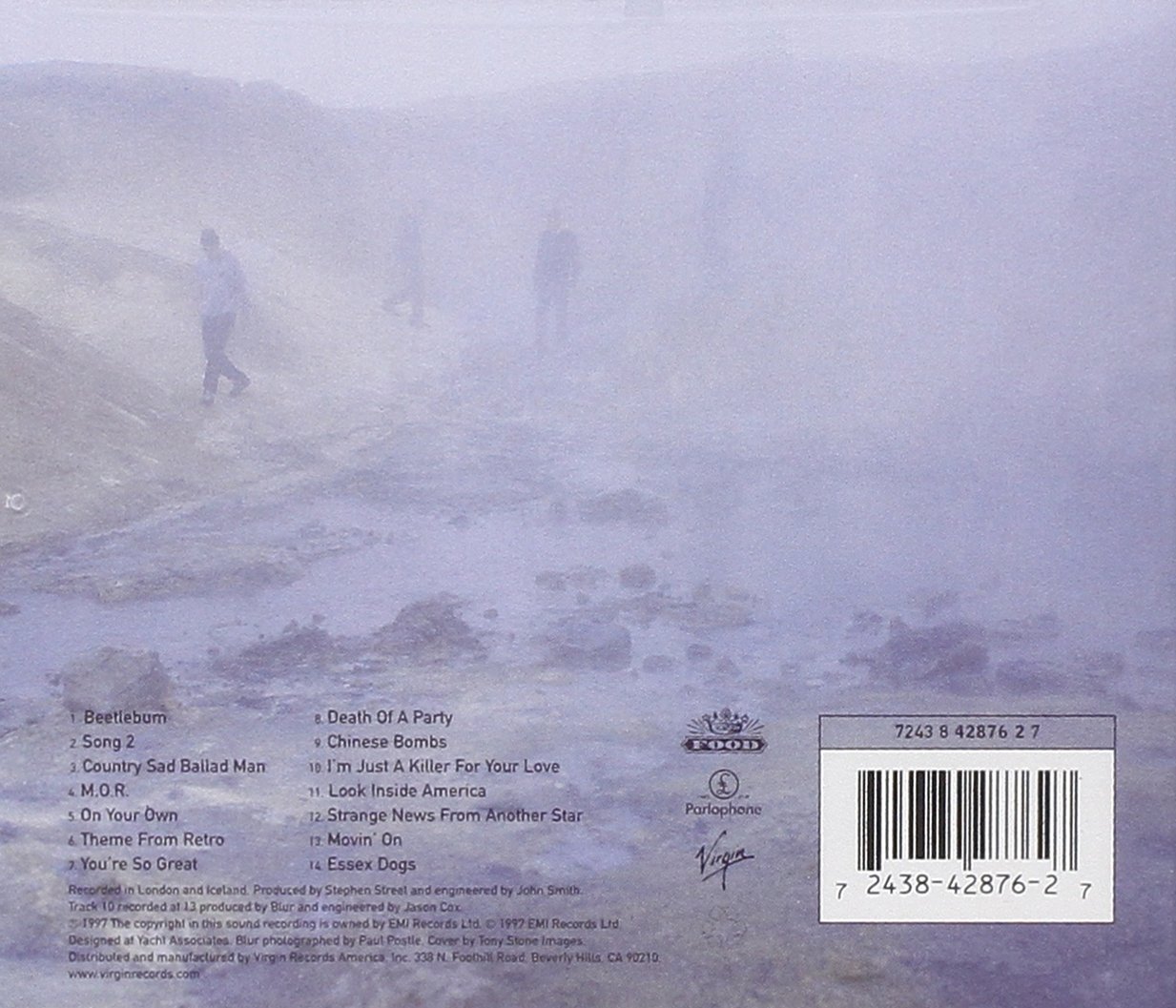
Figure 2: Back cover of the Blur Audio CD with tracklist and production details. For more information, visit www.virginrecords.com.
Daptar lagu
The Blur Audio CD features the following tracks:
- Beetlebum
- Lagu 2
- Country Sad Man
- M.O.R.
- On Your Own
- Theme from Retro
- You're So Great
- Death of a Party
- Chinese Bombs
- I'm Just a Killer For Your Love
- Look Inside America
- Strange News from Another Star
- Movin' On
- Essex Dogs
Perawatan sareng Pangropéa
- beberesih: If the disc becomes dirty, gently wipe the playing surface (the shiny side) with a soft, lint-free cloth. Wipe from the center outwards in a straight line, not in a circular motion. Do not use abrasive cleaners or solvents.
- Panyimpenan: Store the CD in its original jewel case or a suitable CD wallet to protect it from dust, scratches, and direct sunlight. Avoid exposing the disc to extreme temperatures or high humidity.
- Penanganan: Always handle the disc by its edges. Avoid bending the disc or placing heavy objects on it.
Pamérésan masalah
If you encounter issues with your Blur Audio CD, consider the following:
- Disc Skipping or Not Playing:
- Check the disc for visible scratches, smudges, or dirt. Clean the disc as described in the 'Care and Maintenance' section.
- Ensure the disc is correctly seated in the CD player's tray.
- Try playing another audio CD to determine if the issue is with the player or the disc.
- Disk Teu Kawanoh:
- Verify that the disc is inserted correctly (label side up).
- Ensure your player is compatible with standard audio CDs.
- Pareuman terus hurungkeun deui pamuter CD atanapi komputer anjeun.
Spésifikasi produk
| Fitur | Rincian |
|---|---|
| Dimensi produk | 4.84 x 5.59 x 0.51 inci |
| Item Beurat | 3.1 ons |
| Produsén | Wb / Parlophone |
| Nomer Modél Item | 42876 |
| Tanggal Rilis Asli | 1997 |
| Tanggal Kahiji Sadia | 12 Désémber 2006 |
| Label | Wb / Parlophone |
| ASIN | B000000WDA |
| Jumlah Cakram | 1 |
Inpormasi Tambahan
For further details about the Blur Audio CD or other products, please refer to the official product page or contact the manufacturer.
Manual ieu kanggo tujuan inpormasi wungkul. Spésifikasi tiasa robih tanpa aya bewara.


