1. Bubuka
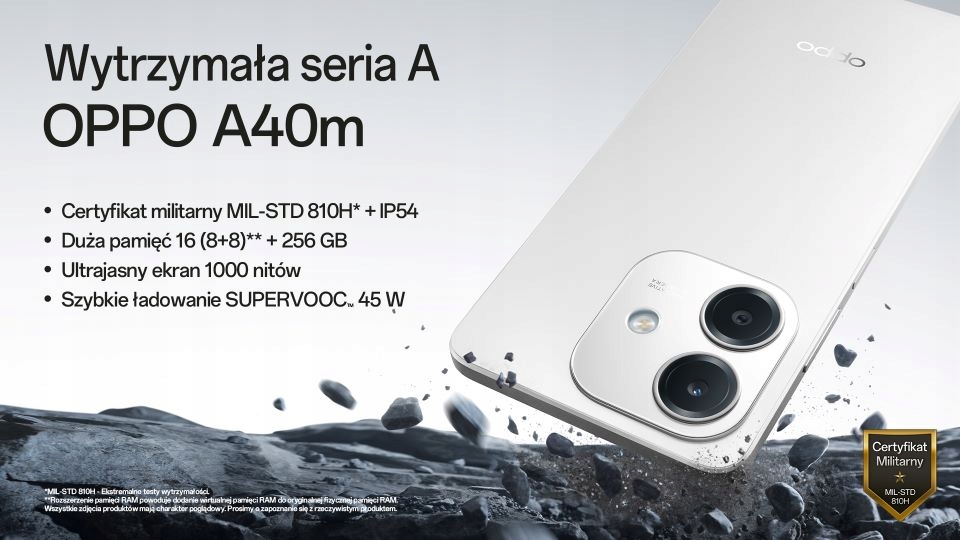
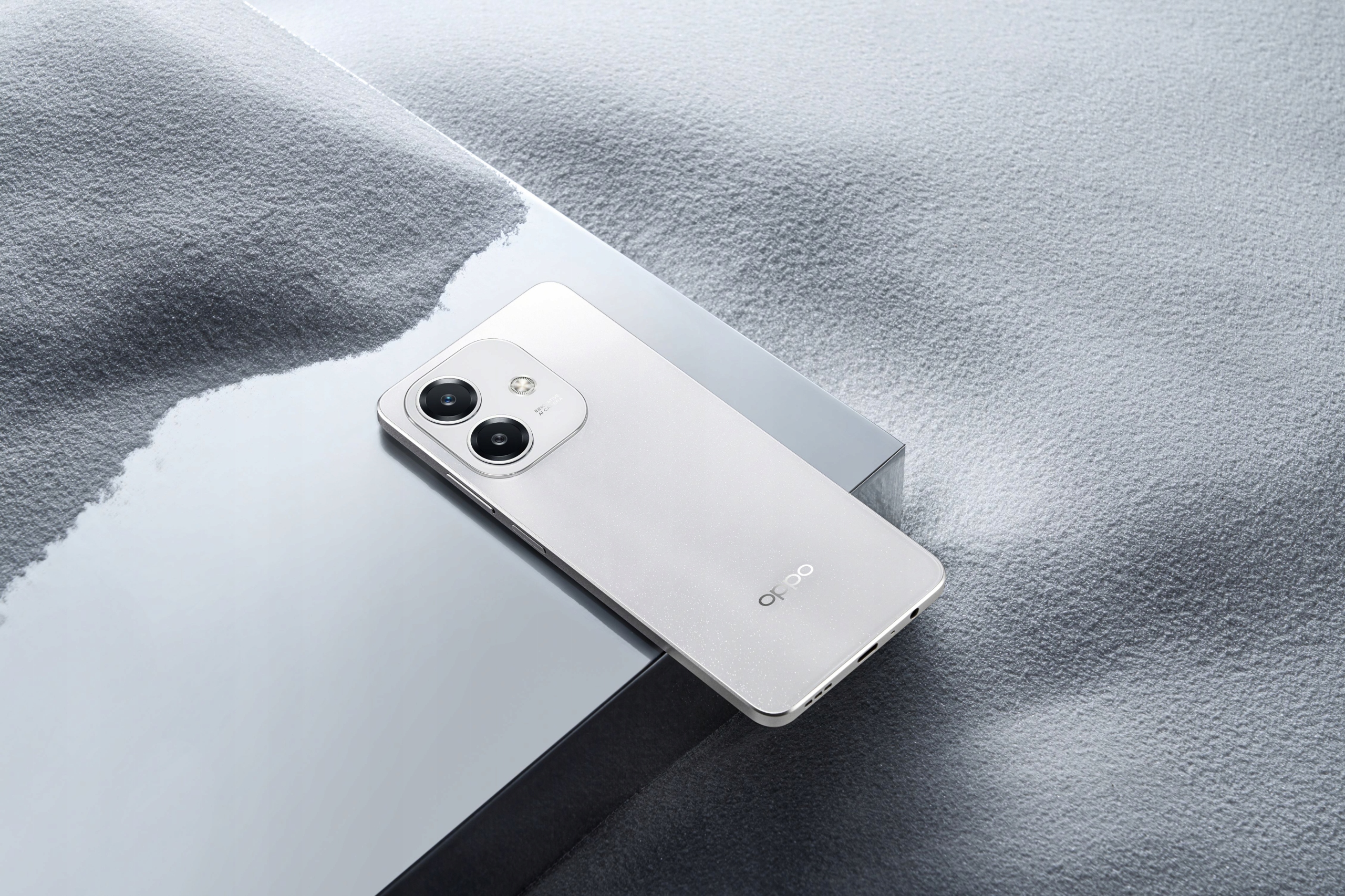
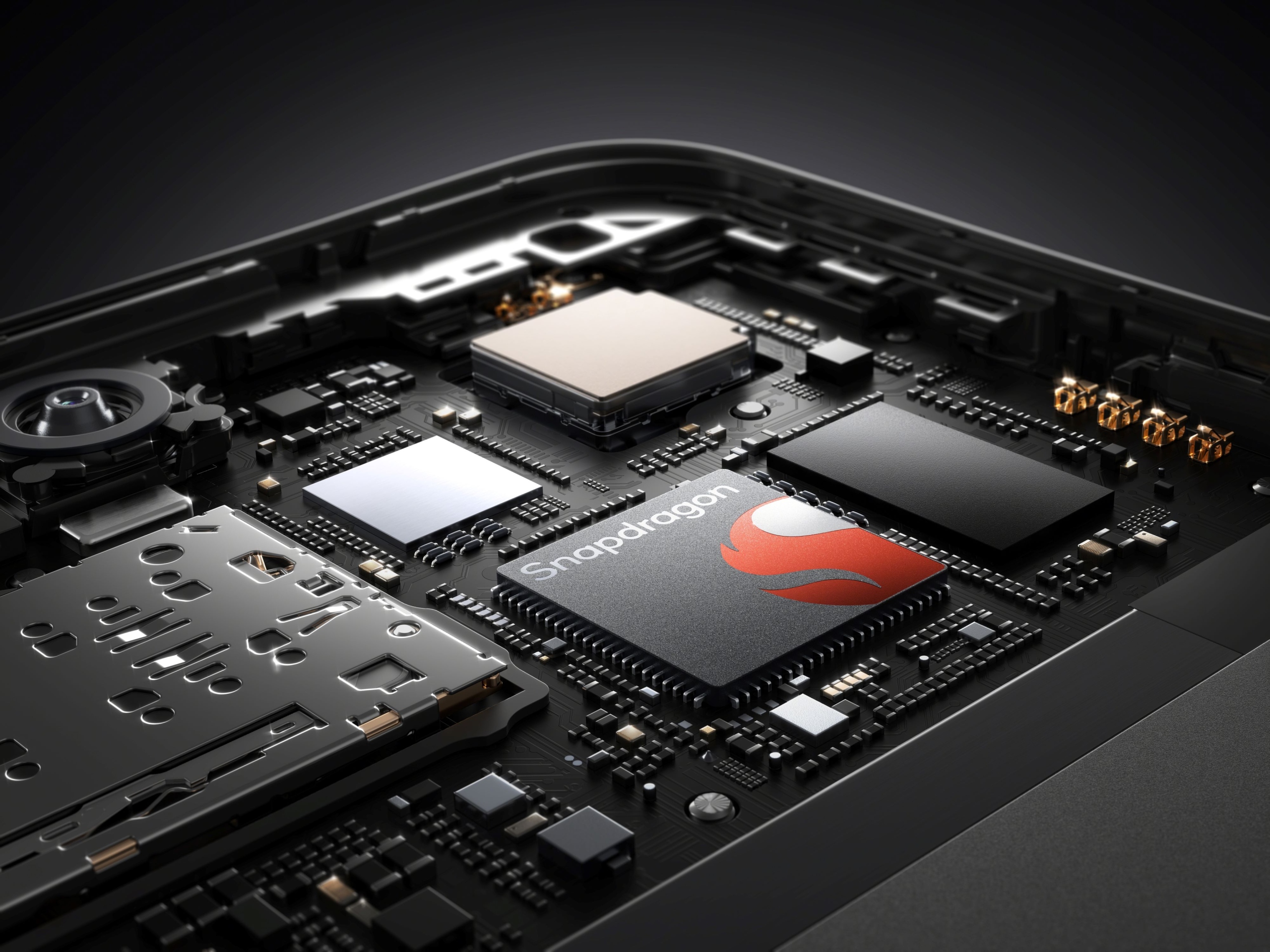
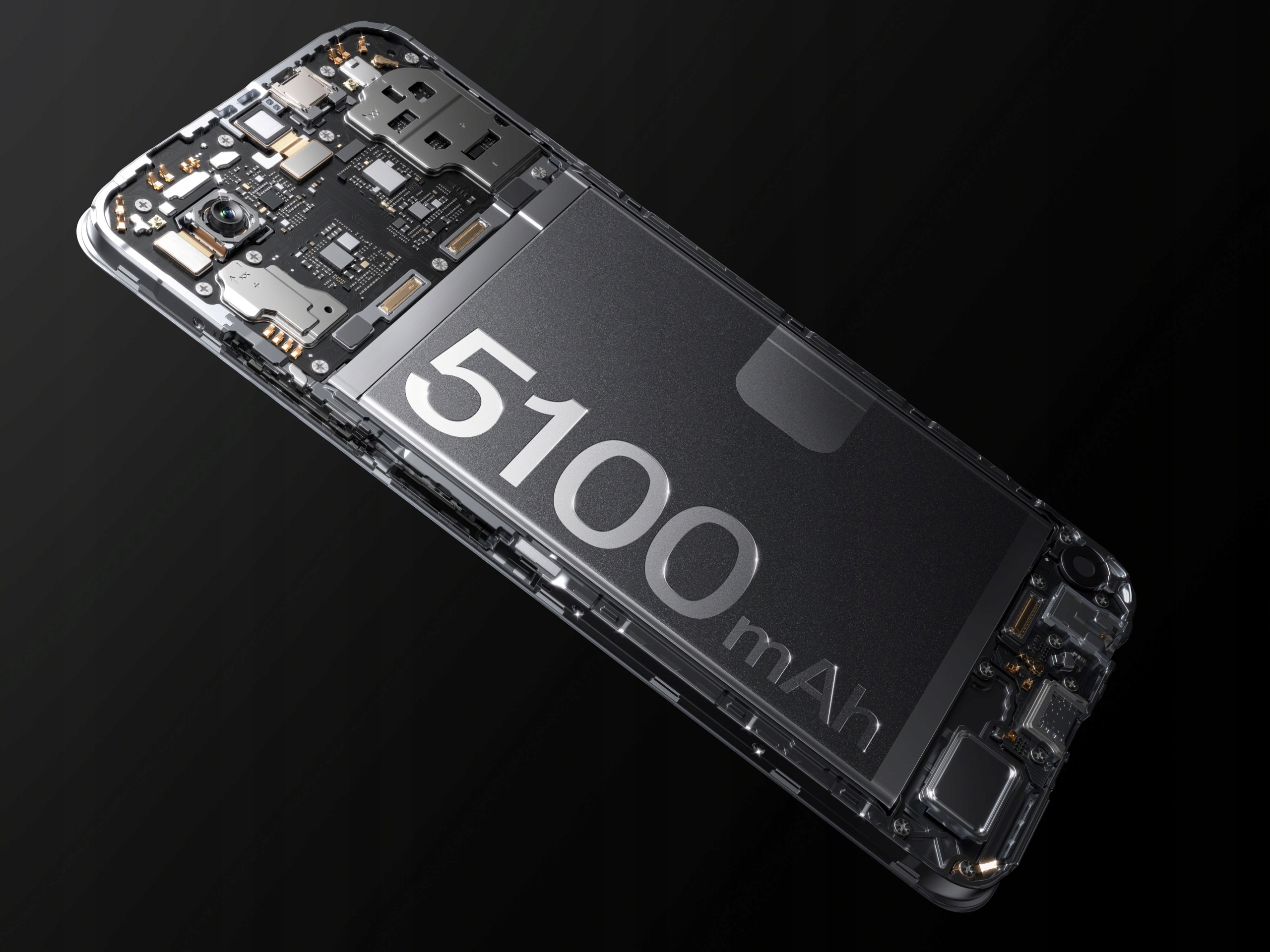
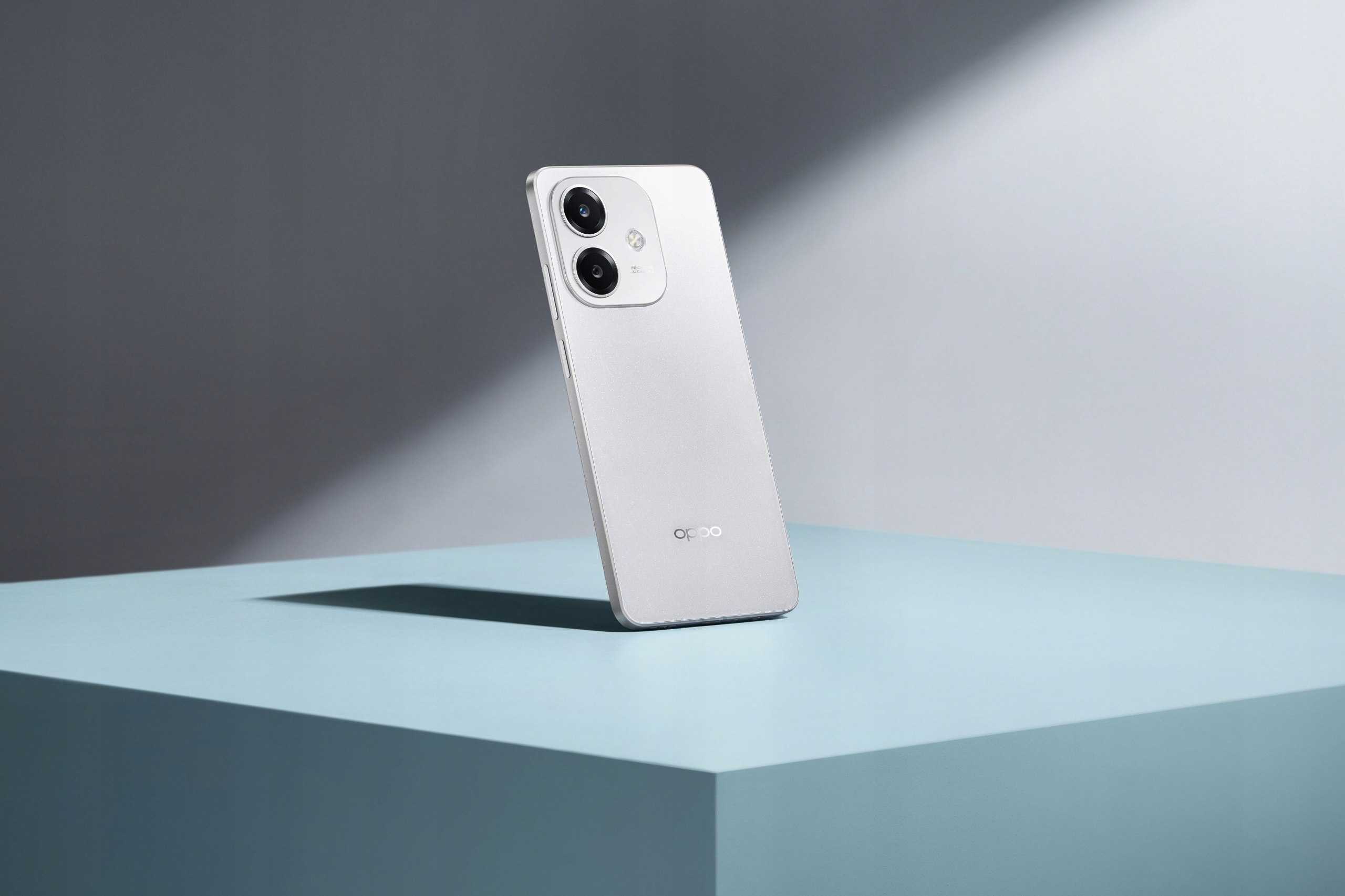
The OPPO A40m is a robust and feature-rich smartphone designed for reliable performance and durability. It boasts a MIL-STD 810H military standard certification and IP54 water resistance, making it resilient against drops, shocks, and fluid exposure. Powered by a Snapdragon® 6s 4G Gen1 processor, it offers smooth operation and ample storage with 8GB RAM (expandable with +8GB virtual RAM) and 256GB ROM, further expandable up to 1TB via microSD. The device features a vibrant 6.67-inch 1000-nit ultra-bright display with a 90Hz refresh rate and Splash Touch technology for responsive interaction even with wet hands. Capture stunning photos with its 50MP main camera and 5MP front camera, and enjoy fast charging with the 5100mAh battery and 45W SUPERVOOC™ technology.

2. Eusi Paket
Mangga cék kotak pikeun item di handap ieu:
- OPPO A40m Smartphone
- Kabel USB (Tipe-C)
- SIM Ejector Tool (SIM needle)
- Reduced Instruction Manual
Lamun aya item nu leungit atawa ruksak, mangga ngahubungan pangecér Anjeun.
3. Spésifikasi
| Fitur | Spésifikasi |
|---|---|
| merek | OPPO |
| Modél | A40m |
| Ram | 8 GB (expandable with +8 GB virtual RAM) |
| Rom | 256 GB (expandable up to 1 TB via microSD) |
| Prosesor | Snapdragon® 6s 4G Gen1 |
| Ukuran tampilan | 6.67 inci |
| Resolusi tampilan | 720x1604 |
| Tipe Layar | Full Screen, 1000 NIT ultra-bright, 90Hz refresh rate, Touch Screen, Splash Touch |
| Kapasitas batré | 5100 mAh (Teu Tiasa Dicopot) |
| Ngecas | SUPERVOOC™ 45W Fast Charging (Type-C Interface) |
| Kaméra tukang | 50 MP (Single lens) |
| Kaméra hareup | 5 MP (Single lens) |
| Téhnologi Biometrics | Sénsor Sidik Sidik Sisi |
| Palabuhan Headphone | 3.5mm Jack |
| Jumlah Kartu SIM | 2 slot Kartu SIM |
| Sistem Operasi | Android |
| Daya tahan | MIL-STD 810H Military Standard, IP54 Water Resistance |
| NFC | 360° NFC |
| Ngecas nirkabel | No |
| Asalna | Daratan Cina |
4. Setup Guide
4.1. Nyelapkeun Kartu SIM sareng Kartu MicroSD
- Locate the SIM card tray on the side of your OPPO A40m.
- Selapkeun alat SIM ejector kana liang leutik gigireun baki jeung dorong gently nepi baki pops kaluar.
- Teundeun kartu Nano-SIM anjeun jeung/atawa kartu microSD kana slot nu ditunjuk dina baki. Pastikeun kontak emas nyanghareup ka handap.
- Taliti selapkeun deui baki kana telepon nepi ka ngaklik kana tempatna.
4.2. Daya Awal Hurung sareng Setup
- Press and hold the Power button (located on the side) until the OPPO logo appears.
- Turutan pitunjuk dina layar pikeun milih basa anjeun, nyambung ka jaringan Wi-Fi, sareng nyetél akun Google anjeun.
- You will be guided through setting up security features like the side-mounted fingerprint sensor and screen lock.
5. Parentah Operasi
5.1. Daya Hurung / Pareum sareng Balikan deui
- Daya Hurung: Press and hold the Power button until the device vibrates and the OPPO logo appears.
- Pareum listrik: Press and hold the Power button, then tap "Power off" on the screen.
- Uihan deui: Press and hold the Power button, then tap "Restart" on the screen.
5.2. Ngecas Alat Anjeun
The OPPO A40m supports SUPERVOOC™ 45W fast charging. Use the provided USB Type-C cable and a compatible 45W SUPERVOOC™ charger for optimal charging speeds. The device can charge from 0% to 50% in approximately 30 minutes.
- Sambungkeun kabel USB ka port Type-C telepon.
- Sambungkeun tungtung kabel anu hiji deui kana adaptor daya, teras colokkeun adaptor kana stop kontak.
- The phone will display a charging indicator.
5.3. Fitur tampilan
The 6.67-inch display offers a 1000-nit ultra-bright experience and a 90Hz refresh rate for smooth visuals. The Splash Touch feature ensures the screen remains responsive even when wet.
5.4. Pamakéan kaméra
The OPPO A40m is equipped with a 50MP main lens and a 5MP front lens.
- Nyandak Poto: Open the Camera app. By default, the 50MP main lens operates in a 12.5MP mode for enhanced light sensitivity. To capture more detailed photos, switch to the dedicated 50MP mode within the camera settings.
- Kaméra hareup: The 5MP front camera features AI Smart portrait retouching, allowing you to customize your natural look.
- ganda-View Video: This feature allows you to record video simultaneously from both the front and rear cameras, automatically combining the footage into a single video.
5.5. Fungsi NFC
The 360° NFC feature provides a convenient digital wallet experience for contactless payments and other NFC-enabled interactions.
5.6. Turbo Flashlight
Access the Turbo Flashlight from your quick settings panel. It is 70% brighter than previous generations, providing enhanced illumination when needed.
6. Pangropéa
- Apdet parangkat lunak: Rutin pariksa sareng pasang apdet sistem pikeun mastikeun kinerja optimal, kaamanan, sareng aksés ka fitur anyar.
- beberesih: Use a soft, lint-free cloth to clean the screen and body of the phone. Avoid harsh chemicals. For ports, use a soft brush to gently remove dust.
- Perlindungan Lingkungan: While the OPPO A40m is MIL-STD 810H certified and IP54 water resistant, avoid exposing it to extreme temperatures, direct sunlight for prolonged periods, or corrosive liquids.
- Perawatan batré: To prolong battery life, avoid fully discharging the battery frequently. Use the original charger and cable.
7. Cara ngungkulan
- Alat Teu Ngabales: Upami telepon anjeun ngabeku, pencét sareng tahan tombol Daya salami sakitar 10-15 detik pikeun maksa ngamimitian deui.
- Masalah ngecas: Ensure the charging cable and adapter are securely connected. Try a different outlet or charger if available.
- Konektipitas Jaringan: Check if Airplane Mode is off. Restart your phone. If issues persist, contact your network provider.
- Performance Lambat: Close unused apps, clear cache, or restart your device. Consider uninstalling rarely used applications.
- Is this phone 5G LTE? The OPPO A40m is equipped with a Snapdragon® 6s 4G Gen1 processor, indicating it supports 4G LTE networks. It does not support 5G connectivity.
8. Tips pamaké
- Leverage Durability: Don't be afraid to use your OPPO A40m in challenging environments. Its MIL-STD 810H and IP54 ratings mean it's built to withstand more than typical smartphones.
- Fast Charging Advantage: Utilize the 45W SUPERVOOC™ charging for quick power boosts, especially when you're short on time.
- Detailed Photography: For photos requiring maximum detail, remember to switch to the 50MP mode in the camera app.
- Ngalegaan Panyimpenan: If you find yourself running out of space, take advantage of the microSD card slot to expand storage up to 1TB.
9. Garansi jeung Rojongan
For warranty information and technical support, please refer to the warranty card included with your product or visit the official OPPO websitus. Anjeun ogé tiasa ngahubungi titik pameseran anjeun pikeun pitulung.


