
Hyrje
This manual provides essential information for setting up, operating, maintaining, and troubleshooting your Samsung Galaxy Note 8 SM-N950U smartphone. Please read through these instructions carefully to ensure optimal performance and longevity of your device.
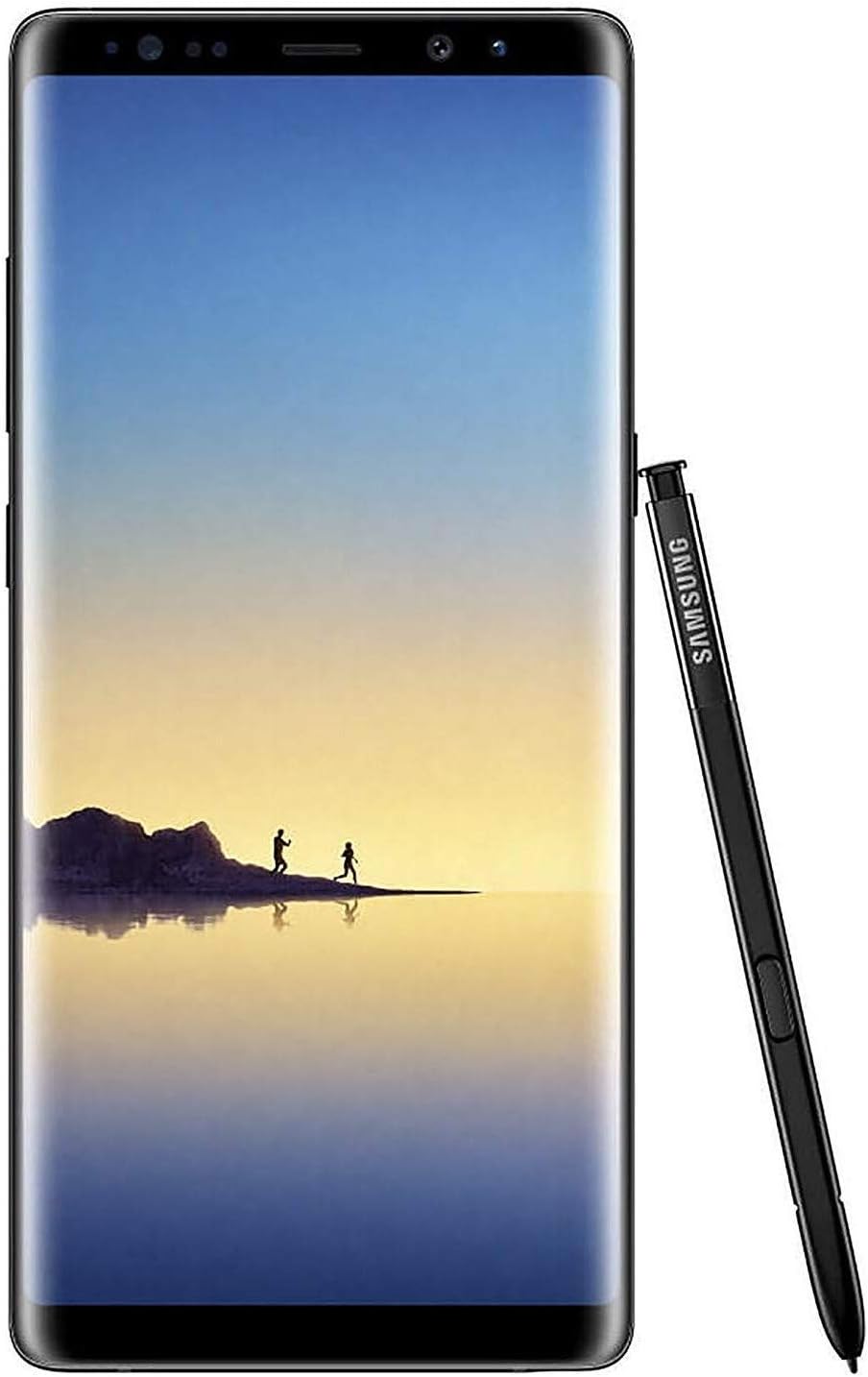
Imazhi: Përpara view e Samsung Galaxy Note 8, shfaqjeasing its large display and the S Pen stylus.
1. Konfigurimi
1.1 Përmbajtja e paketës
Verifikoni që paketa juaj përmban artikujt e mëposhtëm:
- Samsung Galaxy Note 8 SM-N950U device
- S Pen
- Kabllo USB Type-C
- Adaptues udhëtimi (karikues)
- Mjet për nxjerrjen e kartës SIM
- Earbuds (AKG Tuned)
- USB Connector (USB Type-C to USB Type-A)
- Micro USB Connector (USB Type-C to Micro USB)
- S Pen Nibs and Tweezer
1.2 Vendosja e kartës SIM dhe kartës MicroSD
- Locate the SIM/microSD card tray on the top edge of the device.
- Fut mjetin e nxjerrjes së kartës SIM në vrimën e vogël në tabaka për ta nxjerrë atë.
- Place your Nano-SIM card into the designated slot with the gold contacts facing down.
- (Optional) If using a microSD card for expanded storage, place it into the microSD card slot.
- Vendoseni me kujdes tabakanë në pajisje derisa të fiksohet në vendin e saj.
1.3 Ndezja dhe Konfigurimi Fillestar
- Press and hold the Power/Bixby key on the right side of the device until the Samsung logo appears.
- Ndiqni udhëzimet në ekran për të përfunduar konfigurimin fillestar, duke përfshirë përzgjedhjen e gjuhës, lidhjen Wi-Fi, konfigurimin e llogarisë Google dhe cilësimet e sigurisë.
2. Përdorimi i pajisjes suaj
2.1 Shfaqja dhe Navigimi
The Galaxy Note 8 features a 6.3-inch Quad HD+ Super AMOLED Infinity Display. Navigate using touch gestures, the navigation bar at the bottom of the screen, or the S Pen.
2.2 Funksionaliteti i S Pen
The S Pen is integrated into the device for enhanced productivity and creativity.
- Komanda Ajrore: Remove the S Pen to automatically launch Air Command, providing quick access to features like Create Note, Smart Select, Screen Write, Live Message, and Translate.
- Memo për fikjen e ekranit: Jot down notes directly on the black screen without unlocking your phone.
- Vizatim dhe shkrim: Use the S Pen for precise drawing, writing, and editing.
2.3 Karakteristikat e kamerës
The device is equipped with a dual 12MP rear camera system (wide-angle and telephoto) and an 8MP front camera.
- Fokus i drejtpërdrejtë: Rregulloni turbullimin e sfondit para ose pas bërjes së një fotoje.
- Kapja e dyfishtë: Take a wide-angle and a close-up shot simultaneously.
- Stabilizimi optik i imazhit (OIS): Reduces blur in photos and videos.

Imazh: Pjesa e pasme view of the Samsung Galaxy Note 8, highlighting the dual camera setup and fingerprint sensor, with the S Pen detached.
2.4 Menaxhimi i baterive
The Galaxy Note 8 features a 3300 mAh battery. To optimize battery life:
- Rregulloni ndriçimin e ekranit dhe cilësimet e kohës së pritjes së ekranit.
- Enable Power Saving Mode from the Quick Settings panel.
- Mbyllni aplikacionet e papërdorura që funksionojnë në sfond.
- Use Wi-Fi instead of mobile data when available.
2.5 Ruajtja
The device comes with 64GB of internal storage, expandable via microSD card up to 256GB (card sold separately).
3. Mirëmbajtja
3.1 Përditësimet e softuerit
Kontrolloni dhe instaloni rregullisht përditësimet e softuerit për t'u siguruar që pajisja juaj ka veçoritë, përditësimet e sigurisë dhe përmirësimet më të fundit të performancës. Shkoni te Cilësimet > Përditësimi i softuerit > Shkarko dhe instalo.
3.2 Pastrimi i pajisjes suaj
Përdorni një leckë të butë pa push për të pastruar ekranin dhe trupin e telefonit tuaj. Shmangni kimikatet e ashpra ose materialet gërryese.
4. Troubleshooting
4.1 Pajisja nuk ndizet
- Ensure the battery is charged. Connect the device to its charger for at least 10 minutes before attempting to power on.
- Perform a soft reset by holding the Power key and Volume Down key simultaneously for about 10 seconds.
4.2 Aplikacionet që bllokohen ose ngrijnë
- Clear the cache and data for the problematic app via Cilësimet > Aplikacionet > [Emri i Aplikacionit] > Hapësira e ruajtjes.
- Çinstaloni dhe riinstaloni aplikacionin.
- Ensure your device software is up to date.
4.3 Jetëgjatësi e dobët e baterisë
- Review përdorimi i baterisë në Cilësimet > Kujdesi për pajisjen > Bateria për të identifikuar aplikacionet që konsumojnë shumë energji.
- Reduce screen brightness and disable unnecessary features like Always On Display.
- Consider a factory reset if the issue persists after trying other solutions (back up your data first).
5. Specifikimet
| Veçori | Detaj |
|---|---|
| Numri i modelit | SM-N950U |
| Ekrani | 6.3-inch Quad HD+ Super AMOLED (1440 x 2960) |
| Sistemi Operativ | Android |
| Përpunues | Snapdragon |
| RAM | 6 GB |
| Ruajtja e brendshme | 64 GB |
| Hapësirë ruajtëse e zgjerueshme | microSD deri në 256 GB |
| Kamera e pasme | Dual 12 MP (Wide-angle, Telephoto) with OIS |
| Kamera e përparme | 8 MP |
| Kapaciteti i baterisë | 3300 mAh |
| Dimensionet | 6 x 8 x 2 inç |
| Pesha | 10.6 ons |
| Lidhshmëria | Wi-Fi, 4G, Bluetooth, GPS |
| Jack Audio | 3.5 mm |
6. Garancia dhe Mbështetja
For warranty information, technical support, or service inquiries, please refer to the official Samsung webfaqen e internetit ose kontaktoni shërbimin ndaj klientit të Samsung. Ruajeni provën e blerjes për kërkesat e garancisë.
You can visit the official Samsung Store for additional resources and product information: Dyqani Samsung