Uvod
This manual provides essential instructions for the safe and efficient use of your Philips TAT5000 True Wireless Bluetooth Earbuds. Please read this guide thoroughly before operating the device and retain it for future reference. These earbuds feature Adaptive Noise Canceling Pro, 6-mic call technology, and Bluetooth 5.4 multipoint connectivity, designed for a superior audio experience.
Kaj je v škatli
- Philips TAT5000 True Wireless Earbuds (Left and Right)
- etui za polnjenje
- Polnilni kabel USB-C
- Ušesni nastavki (majhni, srednji, veliki)
- Uporabniški priročnik

Image: Philips TAT5000 True Wireless Earbuds shown inside their open charging case, ready for use.
Nastavitev
1. Polnjenje slušalk in etuija
Before first use, fully charge the earbuds and charging case. Connect the USB-C charging cable to the charging port on the case and to a power source. The charging indicators on the case will show the charging status. A full charge provides up to 40 hours of total playtime (10 hours from earbuds + 30 hours from case with ANC off). A 15-minute quick charge provides approximately 3 hours of playtime.

Image: The Philips TAT5000 charging case, closed, displaying its USB-C charging port on the front.
2. Seznanjanje z vašo napravo
- Prepričajte se, da so slušalke napolnjene in nameščene v polnilni škatlici.
- Odprite polnilno ohišje. Slušalke bodo samodejno prešle v način seznanjanja.
- V napravi (pametnem telefonu, tablici, prenosniku) omogočite Bluetooth in poiščite nove naprave.
- Select "Philips TAT5000" from the list of available devices to connect.
- For Android devices, Google Fast Pair allows for instant connection. For Windows devices, Microsoft Swift Pair offers quick pairing.
- The earbuds support Bluetooth 5.4 multipoint connectivity, allowing connection to two devices simultaneously.
3. Izbira pravih ušesnih nastavkov
Choose the soft silicone eartips (S/M/L) that provide the most comfortable and secure fit for optimal sound quality and noise cancellation performance.
Navodila za uporabo
1. Vklop/izklop
- Vklop: Odprite ohišje za polnjenje in slušalke se bodo samodejno vklopile.
- Ugasniti: Slušalke vstavite nazaj v polnilno ohišje in zaprite pokrov. Samodejno se bodo izklopile.
2. Music Playback (Touch Controls)
- Predvajanje/pavza: Enkrat se dotaknite zaslona na dotik na kateri koli slušalki.
- Naslednja skladba: Dvakrat se dotaknite zaslona na dotik na desni slušalki.
- Prejšnja skladba: Dvakrat se dotaknite zaslona na dotik na levi slušalki.
3. Call Management (Touch Controls)
- Sprejmi/končaj klic: Enkrat se dotaknite zaslona na dotik na kateri koli slušalki.
- Zavrni klic: Pritisnite in držite zaslon na dotik na kateri koli slušalki 2 sekundi.
4. Načini nadzora hrupa
The earbuds feature Adaptive Noise Canceling Pro. Tap the touch panel (specific earbud/pattern may vary, refer to app for customization) to cycle through modes:
- Adaptive Noise Canceling (ANC): Zmanjša hrup v okolju.
- Način zavedanja: Omogoča vam, da slišite svojo okolico.
- Quick Awareness: Amplifies voices for quick conversations without removing earbuds.
5. Aplikacija za slušalke Philips
Prenesite aplikacijo Philips Headphones za dodatne funkcije, vključno z:
- Prilagajanje krmilnih elementov na dotik.
- Adjusting Equalizer (EQ) settings.
- Managing ANC levels and modes.
- Prejemanje posodobitev vdelane programske opreme.
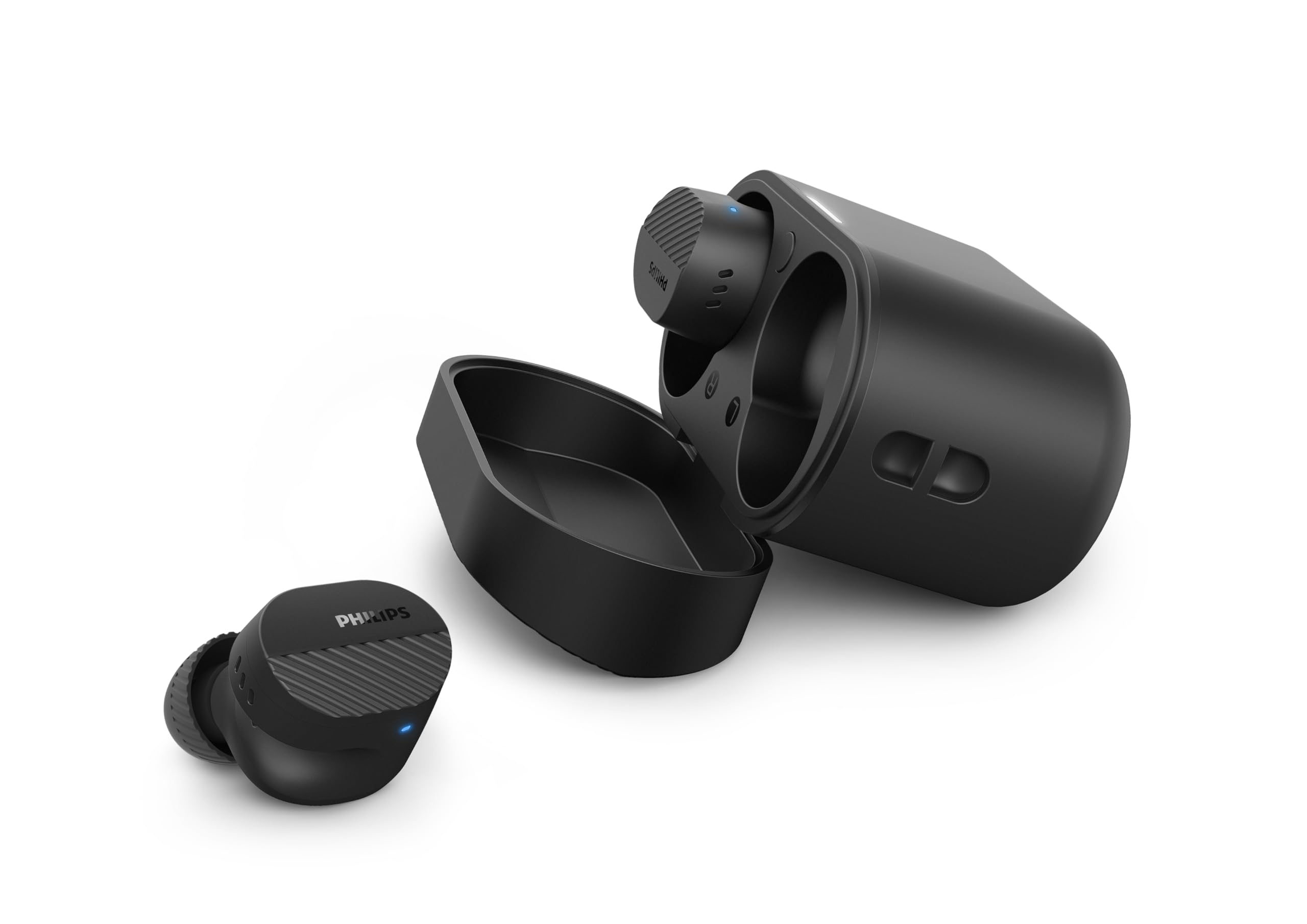
Image: A person holds the Philips TAT5000 earbuds in their charging case in one hand and a smartphone displaying the Philips Headphones app settings in the other, demonstrating app control.
Vzdrževanje
Čiščenje
- Slušalke in polnilno ohišje nežno obrišite z mehko, suho krpo, ki ne pušča vlaken.
- Odstranite ušesne nastavke in jih očistite z blagim milom in vodo, nato pa jih pred ponovno namestitvijo temeljito posušite.
- Ne uporabljajte abrazivnih čistil, alkohola ali kemičnih topil.
Vodoodpornost
The earbuds are IPX5 water resistant, meaning they are protected against sweat and splashes of water. They are not designed for submersion in water. Ensure the charging port is dry before charging.
Shranjevanje
Store the earbuds in their charging case when not in use to protect them and conserve battery life. Avoid extreme temperatures.
Odpravljanje težav
| Težava | Možen vzrok | rešitev |
|---|---|---|
| Slušalke se ne vklopijo | Nizka baterija | Slušalke postavite v polnilno ohišje in jih popolnoma napolnite. |
| Seznanitev z napravo ni mogoča | Bluetooth off, earbuds not in pairing mode, or device too far | Ensure Bluetooth is enabled on your device. Open the charging case to activate pairing mode. Move device closer to earbuds. Try forgetting the device in Bluetooth settings and re-pairing. |
| Brez zvoka ali slaba kakovost zvoka | Incorrect eartip size, low volume, or connection issue | Adjust eartips for a secure fit. Increase volume on your device. Reconnect earbuds to your device. |
| ANC ne deluje učinkovito | Improper fit, or ANC mode not active | Ensure earbuds are properly seated in your ears with the correct eartip size. Verify ANC is enabled via touch controls or the Philips Headphones App. |
| Polnilna torbica se ne polni | Pokvarjen kabel ali vir napajanja | Try a different USB-C cable and power adapter. Ensure the charging port is clean and dry. |
If issues persist, refer to the Philips Headphones App for further assistance or contact customer support.
Specifikacije
- Ime modela: TAT5000BK/00
- Povezljivost: Bluetooth 5.4
- Avdio gonilniki: 8mm Graphene-Coated Dynamic Driver
- Življenjska doba baterije: Up to 40 Hours Total (10 hours earbuds + 30 hours case, ANC off)
- Hitro polnjenje: 15 minut za 3 uri igranja
- Vodoodpornost: IPX5 (odporno na znoj in brizganje vode)
- Nadzorna metoda: Dotik
- Nadzor hrupa: Adaptive Noise Canceling Pro
- Teža: Approximately 4.16 ounces (earbuds and case)
- Vključene komponente: Slušalke, polnilni etui, kabel USB-C, ušesni nastavki, uporabniški priročnik
Garancija in podpora
Your Philips TAT5000 True Wireless Bluetooth Earbuds are covered by a limited warranty. Please refer to the warranty card included in your product packaging or visit the official Philips webZa podrobne garancijske pogoje, specifične za vašo regijo, obiščite spletno mesto.
For technical support, product registration, or frequently asked questions, please visit the Philips support webali se obrnite neposredno na Philipsovo službo za stranke. Kontaktne podatke običajno najdete na Philipsovi webspletnem mestu ali v dokumentaciji izdelka.


