1. Koniec produktuview
The Timex TW2W25300 is a digital watch featuring a unique design inspired by Utagawa Hiroshige's "Maples at Mama" woodblock print. This watch combines classic artistry with modern digital functionality, offering essential timekeeping features for daily use.
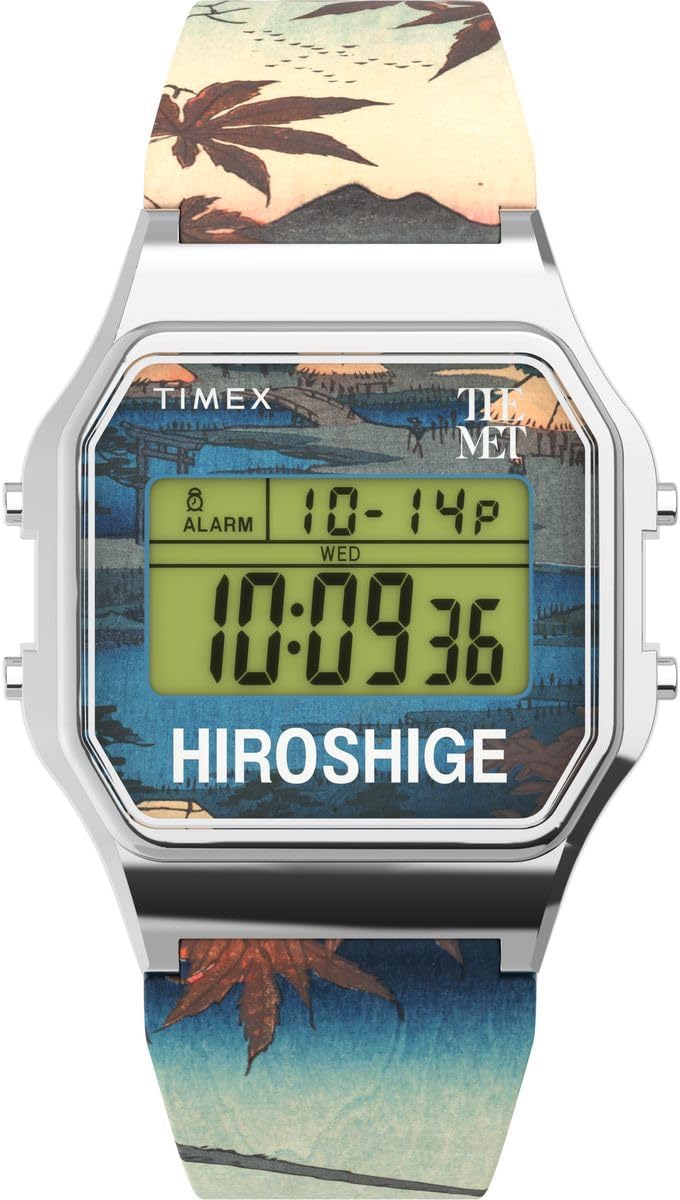
Rysunek 1: Przód view of the Timex TW2W25300 Digital Watch. The watch features a silver-colored case, a digital display, and a strap adorned with a detailed woodblock print.
Główne cechy:
- Wyświetlacz cyfrowy: Przejrzysty i łatwy do odczytania cyfrowy wyświetlacz czasu.
- Funkcja kalendarza: Displays day and date.
- Stoper: Do pomiaru czasu wydarzeń.
- Alarm: Programowalna funkcja alarmu.
- Lampka nocna Indiglo: Zapewnia oświetlenie w warunkach słabego oświetlenia.
- Wodoodporność: Rated for 3 bars (30 meters), suitable for splashes or brief immersion.
- Unikalny projekt: Features artwork from Utagawa Hiroshige's "Maples at Mama" on the strap.
2. Konfiguracja
Before using your Timex TW2W25300 watch, it is recommended to set the correct time and date.
2.1 Ustawianie czasu i daty
- Wejdź w tryb ustawień: Naciśnij i przytrzymaj USTAWIĆ button (usually located on the side of the watch) until the time display begins to flash.
- Dostosuj czas: Użyj TRYB or REGULOWAĆ button to change the flashing digits (hours, then minutes). Press USTAWIĆ ponownie, aby przejść do następnego ustawienia.
- Ustawić datę: Kontynuuj naciskanie USTAWIĆ to cycle through date settings (month, day, year). Use TRYB or REGULOWAĆ aby zmienić wartości.
- Exit Set Mode: Po wprowadzeniu wszystkich prawidłowych ustawień naciśnij USTAWIĆ one last time or wait for the display to stop flashing to exit the set mode.
Note: Specific button functions may vary slightly. Refer to the quick start guide included in the watch packaging for precise button layouts.
3. Instrukcja obsługi
Your Timex TW2W25300 watch offers several functions accessible via its buttons.
3.1 Korzystanie z lampki nocnej Indiglo
Aby podświetlić tarczę zegarka w warunkach słabego oświetlenia, naciśnij przycisk Indiglo button (often the top-left button). The light will stay on for a few seconds.
3.2 Funkcja stopera
- Activate Stopwatch: Naciśnij TRYB button repeatedly until the stopwatch display appears (usually showing "00:00:00").
- Uruchom/zatrzymaj: Naciśnij START/STOP Naciśnij przycisk, aby rozpocząć odliczanie. Naciśnij go ponownie, aby wstrzymać.
- Reset: Gdy stoper jest wstrzymany, naciśnij przycisk NASTAWIĆ button to clear the time.
- Powrót do czasu: Naciśnij TRYB button to cycle back to the main time display.
3.3 funkcja alarmu;
- Dostęp do alarmu: Naciśnij TRYB button until the alarm display appears (often indicated by an alarm icon).
- Ustaw godzinę alarmu: Użyj USTAWIĆ or REGULOWAĆ przycisk, aby ustawić żądaną godzinę i minutę alarmu.
- Aktywuj/dezaktywuj alarm: Naciśnij WŁĄCZANIE / WYŁĄCZANIE ALARMU button (or a combination of buttons) to toggle the alarm on or off. An alarm icon will typically appear on the display when active.
- Wycisz alarm: Gdy zabrzmi alarm, naciśnij dowolny przycisk, aby go wyciszyć.
3.4 Calendar Display
The watch automatically displays the current day and date. This information is typically visible on the main time display or can be accessed by pressing the TRYB przycisk umożliwiający przełączanie się między różnymi trybami wyświetlania.
4. Konserwacja
Proper care will ensure the longevity and performance of your Timex TW2W25300 watch.
4.1 Czyszczenie
- Regularnie przecieraj kopertę i pasek zegarka miękką, miękką szmatką.amp płótno.
- Avoid using harsh chemicals, solvents, or abrasive cleaners, as these can damage the watch's finish or strap.
4.2 Wodoodporność
This watch is water resistant to 3 bars (30 meters). This means it is suitable for:
- Przypadkowe rozpryski
- Deszcz
- Brief immersion in water (e.g., washing hands)
Ważny: Do not press any buttons while the watch is wet or submerged. This can compromise the water resistance seal. Not suitable for swimming, diving, or showering.
4.3 Wymiana baterii
The watch uses an Oxide d'argent (Silver Oxide) battery. When the display becomes dim or functions become erratic, it may be time to replace the battery. It is recommended to have the battery replaced by a qualified watch technician to ensure proper sealing and water resistance.
5. Rozwiązywanie Problemów
| Problem | Możliwa przyczyna | Rozwiązanie |
|---|---|---|
| Wyświetlacz jest ciemny lub pusty. | Niski poziom naładowania baterii. | Wymień baterię. |
| Czas jest nieprawidłowy. | Nieprawidłowo ustawiony czas lub przypadkowe naciśnięcie przycisku. | Aby zresetować godzinę, zapoznaj się z sekcją 2.1 „Ustawianie godziny i daty”. |
| Alarm nie włącza się. | Alarm nie jest aktywowany lub jest nieprawidłowo ustawiony. | Refer to Section 3.3 "Alarm Function" to ensure the alarm is set and activated. |
| Woda wewnątrz zegarka. | Naruszona odporność na wodę (np. naciśnięcie przycisków pod wodą, uszkodzenie uszczelnienia). | Natychmiast zanieś zegarek do autoryzowanego serwisu. Nie próbuj suszyć go samodzielnie. |
6. Specyfikacje
| Funkcja | Szczegół |
|---|---|
| Marka | Czasex |
| Numer modelu | TW2W25300 |
| Typ wyświetlacza | Cyfrowy |
| Wymiary obudowy | 34x34mm |
| Wysokość obudowy | 10 mm |
| Kolor obudowy | Srebrny |
| Kolor tarczy | Wielobarwny |
| Materiał paska | Plastikowy |
| Długość paska | 21 cm |
| Szerokość paska | 21 mm |
| Rodzaj zapięcia | Klamra |
| Odporność na wodę | 3 barów (30 metrów) |
| Waga | 53 gramów |
| Skład baterii | Tlenek srebra |
| Cechy specjalne | Indiglo Night-Light, Chronograph (Stopwatch), Alarm |

Rysunek 2: Strona view of the watch, highlighting its slim profile i przyciski sterujące.
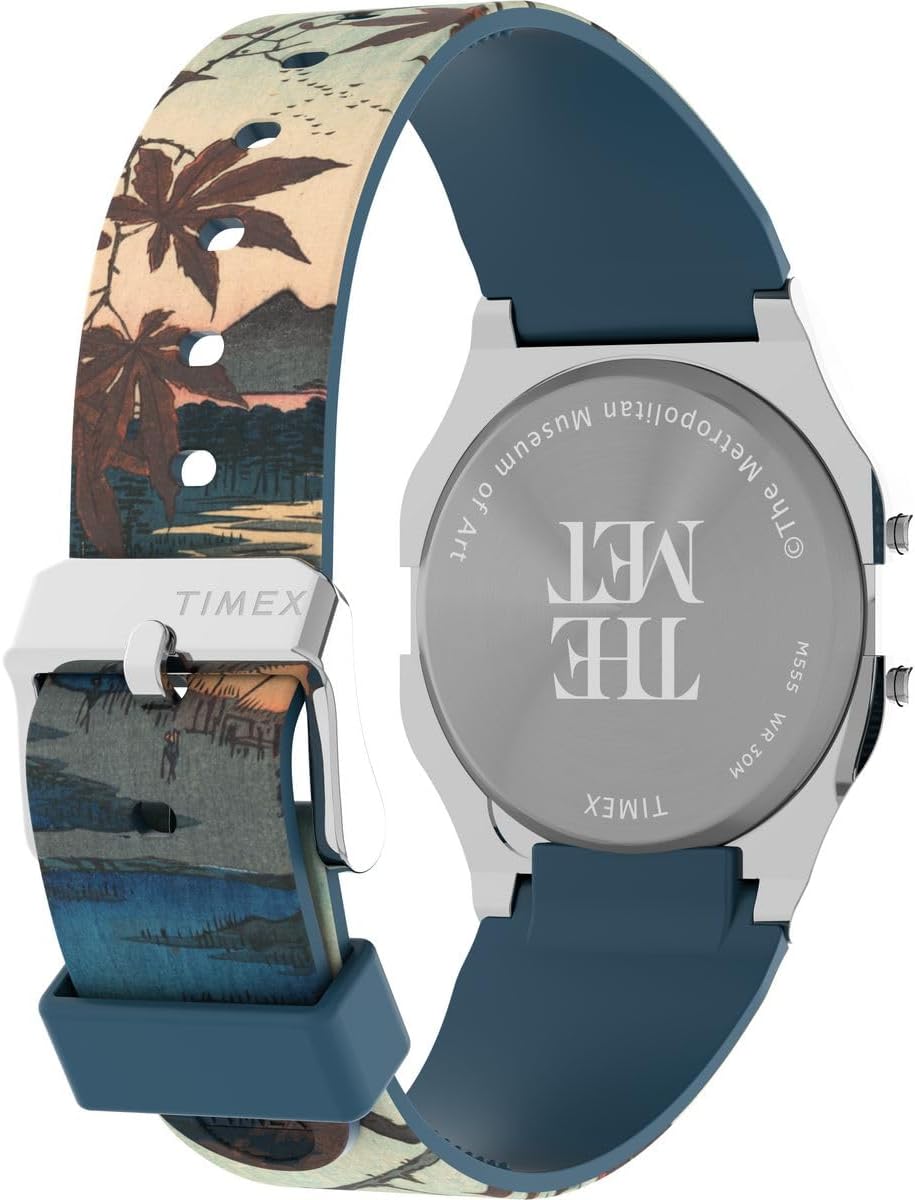
Rysunek 3: Tył view of the watch, displaying the engraved case back with brand and museum collaboration details.
7. Gwarancja i wsparcie
Your Timex TW2W25300 watch is delivered in an original gift box, which typically contains detailed warranty information and instructions for support.
7.1 Informacje o gwarancji
Please refer to the warranty card or booklet included in the product packaging for specific warranty terms, conditions, and duration. This document will provide details on coverage for manufacturing defects and how to claim warranty service.

Rysunek 4: Product packaging, including the watch, user guide, and guarantee card.
7.2 Obsługa klienta
For technical assistance, service, or inquiries regarding your watch, please contact Timex customer support. Contact details can usually be found on the Timex official website or within the warranty documentation.
Oficjalny Timex Webstrona: www.timex.com