Wstęp
The Timex TW500 is a versatile alarm clock radio designed for modern living. It features wireless charging for compatible devices, a USB charging port, dual digital alarms, an FM radio with presets, a dimmable display, and a sleep timer. This manual provides detailed instructions for setting up and operating your device.
Produkt ponadview

Przód View: The Timex TW500 alarm clock radio features a large, clear green LED display showing the time, along with indicators for PM, alarm status, and charging. Control buttons are located on the top panel.

Możliwość podwójnego ładowania: This image illustrates the dual charging feature of the TW500, with a smartphone wirelessly charging on the top surface and another smartphone connected to the USB-A charging port located on the back of the unit.
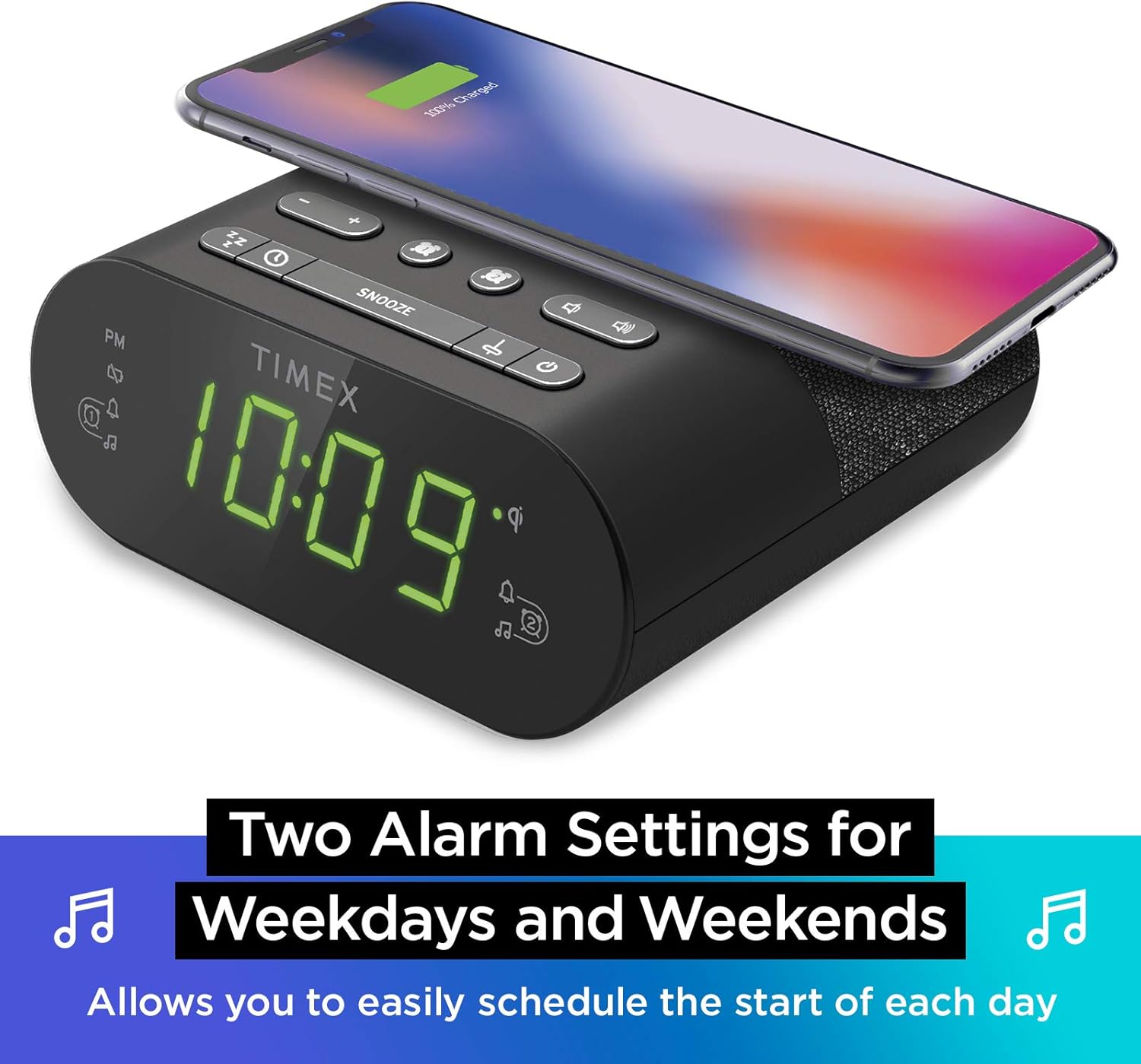
Ustawienia podwójnego alarmu: The TW500 supports two independent alarm settings, allowing users to schedule separate wake times for different days or for two individuals.
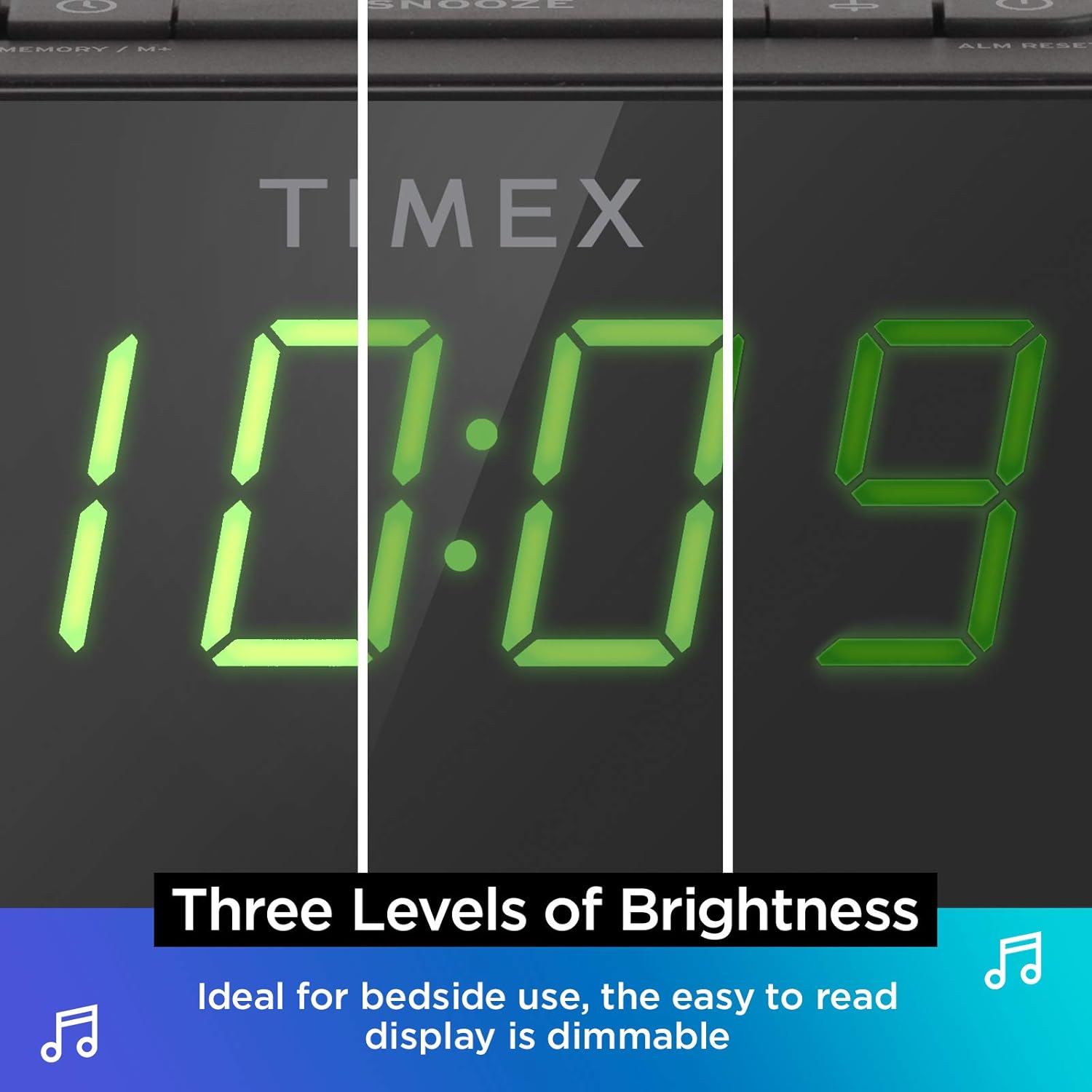
Możliwość przyciemniania wyświetlacza: The digital display offers multiple brightness levels, ensuring comfortable viewing in various lighting conditions, from bright daylight to a dark bedroom.
Organizować coś
1. Podłączenie zasilania
Connect the supplied AC power adapter to the DC jack on the back of the unit and plug the other end into a working wall outlet. The unit will power on and the display will light up.
2. Instalacja baterii zapasowej
Do ciągłego pomiaru czasu podczas wyłączania zasilaniatages, install one CR-2032 battery (included) into the battery compartment on the bottom of the unit. Ensure correct polarity (+/-) as indicated.
3. Konfiguracja anteny
Extend the FM wire antenna on the back of the unit fully for optimal FM radio reception. Adjust its position as needed to improve signal quality.
Instrukcja obsługi
Ustawianie czasu
- Naciśnij i przytrzymaj USTAWIENIE CZASU przycisk znajdujący się na górnym panelu, aż wyświetlacz czasu zacznie migać.
- Naciśnij - or + Użyj przycisków, aby ustawić godzinę. Zwróć uwagę na wskaźnik PM.
- Naciśnij USTAWIENIE CZASU button again to confirm the hour and move to minutes setting.
- Naciśnij - or + przyciski, aby ustawić minuty.
- Naciśnij USTAWIENIE CZASU Naciśnij przycisk po raz ostatni, aby zapisać czas i wyjść z trybu ustawiania czasu.
Ustawianie alarmów (Alarm 1 i Alarm 2)
The TW500 features two independent alarms. The process is identical for both.
- Naciśnij i przytrzymaj ALARM ONE or ALARM TWO Naciskaj przycisk, aż zacznie migać godzina alarmu.
- Naciśnij - or + buttons to adjust the alarm hour. Observe the PM indicator.
- Naciśnij odpowiedni ALARM ONE or ALARM TWO button again to confirm the hour and move to minutes setting.
- Naciśnij - or + przyciski do regulacji minut alarmu.
- Naciśnij odpowiedni ALARM ONE or ALARM TWO button again to select the alarm source (FM radio or Tone). The corresponding icon will light up.
- Naciśnij odpowiedni ALARM ONE or ALARM TWO button one last time to save the alarm setting. The alarm indicator will remain lit.
To turn an alarm off, repeatedly press the corresponding ALARM ONE or ALARM TWO button until the alarm indicator light turns off.
Obsługa radia FM
- Naciśnij WŁ./WYŁ. przycisk, aby włączyć radio.
- Naciśnij - or + buttons to tune to your desired FM station. Press and hold to auto-scan for the next available station.
- Naciśnij TOM - or OBJĘTOŚĆ + Przyciski do regulacji głośności.
- Ustawienia wstępne: Naciśnij i przytrzymaj MEMORY/M+ button. The preset number will flash. Use the - or + przyciski, aby wybrać numer ustawienia wstępnego (1-10). Naciśnij MEMORY/M+ ponownie, aby zapisać.
- Przywoływanie ustawień wstępnych: Naciśnij krótko PRESETY FM przycisk umożliwiający przeglądanie zapisanych stacji.
- Naciśnij WŁ./WYŁ. przycisk wyłączania radia.
Ładowanie bezprzewodowe
The top surface of the TW500 features a Qi-compatible wireless charging pad.
- Place your Qi-enabled smartphone or other compatible device directly onto the wireless charging pad.
- Ensure the device is centered on the charging pad for optimal connection. A charging indicator on your device or the TW500 (if applicable) will confirm charging has begun.
- Po pełnym naładowaniu wyjmij urządzenie.
Ładowanie przez USB
A 5W USB-A charging port is located on the back of the unit.
- Connect your device's USB charging cable to the USB port on the TW500.
- Podłącz drugi koniec kabla do urządzenia. Ładowanie rozpocznie się automatycznie.
Wyświetlacz ściemniacza
Jasność wyświetlacza można dostosować do własnych preferencji.
- Naciśnij OPORNIK button repeatedly to cycle through different brightness levels (High, Medium, Low, Off).
Timer snu
Funkcja timera uśpienia pozwala zasypiać przy dźwiękach radia, które wyłączy się automatycznie po upływie określonego czasu.
- Podczas odtwarzania radia naciśnij przycisk SPAĆ Naciskaj przycisk wielokrotnie, aby przełączać się między opcjami timera uśpienia (np. 10, 20, 30, 60, 90 minut, Wył.).
- Radio będzie grało przez wybrany czas, a następnie wyłączy się automatycznie.
Funkcja drzemki
Gdy zabrzmi alarm, naciśnij duży przycisk DRZEMKA button on the top of the unit to temporarily silence the alarm for 9 minutes. The alarm will sound again after the snooze period.
Konserwacja
- Czyszczenie: Do czyszczenia zewnętrznej części urządzenia należy używać miękkiej, suchej ściereczki. Nie należy używać płynnych środków czyszczących ani materiałów ściernych.
- Wymiana baterii: Replace the CR-2032 backup battery annually or if the time display is incorrect after a power outage.
- Składowanie: Jeśli urządzenie będzie przechowywane przez dłuższy czas, należy odłączyć je od zasilania i wyjąć baterię zapasową.
Rozwiązywanie problemów
| Problem | Możliwa przyczyna | Rozwiązanie |
|---|---|---|
| Urządzenie nie włącza się. | Zasilacz nie jest podłączony lub gniazdko nie działa. | Ensure AC adapter is securely plugged into the unit and a live wall outlet. Test the outlet with another device. |
| Alarm nie włącza się. | Alarm not set, alarm volume too low, or alarm turned off. | Verify alarm time and source are set correctly. Increase radio volume if alarm source is FM. Ensure alarm indicator is lit. |
| Słaby odbiór radia FM. | Antena nie jest wysunięta lub sygnał jest słaby. | Fully extend the FM wire antenna and reposition it for better reception. Try moving the unit to a different location. |
| Ładowanie bezprzewodowe nie działa. | Device not Qi-compatible, not centered, or foreign object on pad. | Ensure your device supports Qi wireless charging. Re-position the device centrally on the pad. Remove any metal objects or thick cases. |
| Ładowanie przez USB nie działa. | Kabel jest uszkodzony lub urządzenie nie jest kompatybilne. | Spróbuj użyć innego kabla USB. Upewnij się, że urządzenie obsługuje standardowe ładowanie przez USB. |
Specyfikacje
- Model: TW500
- Wymiary: 5.48" (szer.) x 2.17" (gł.) x 5.20" (wys.)
- Waga: 0.7 funta (ok. 0.32 kg)
- Pobór mocy: Zasilacz sieciowy (w zestawie)
- Zapas baterii: 1 bateria CR-2032 (w zestawie)
- Ładowanie bezprzewodowe: Zgodny z Qi
- Port ładowania USB: USB 5W
- Radio: FM with 10 presets
- Wyświetlacz: 0.9" Green LED, Dimmable
- Alarmy: Dual Digital Alarms (Wake to Radio or Tone)
Oficjalny film o produkcie
Ten film przedstawia wizualny przeglądview of the Timex TW500, highlighting its key features such as wireless charging, USB charging, FM radio, dual alarms, and dimmable display. It demonstrates the product's compact design and functionality.
Gwarancja i wsparcie
This Timex product comes with a limited warranty. For detailed warranty information, product support, or to register your product, please refer to the warranty card included in your product packaging or visit the official Timex website. If you are not 100% satisfied with your new Timex alarm clock radio and its performance, please contact the seller for assistance.
Producent: Czasex
Kod UPC: 758859207179


