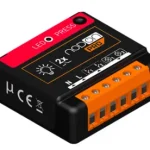
NODON Multifunction Zigbee Module with Consumption Measurement

Specifications
- Product: Module Multifonction Zigbee avec Mesure de Consommation
- Functionality: Zigbee module with consumption measurement
Product Information
The Module Multifonction Zigbee Avec Mesure de Consommation is a versatile device that integrates Zigbee technology for smart home applications. It is designed to accurately measure energy consumption and enable communication with other Zigbee-compatible devices.
Product Usage Instructions
Installation
- Locate a suitable installation location near the electrical panel.
- Ensure the power is turned off before proceeding with the installation.
- Follow the wiring diagram provided in the user manual to connect the module correctly.
- Securely mount the module using appropriate hardware.
Configuration
- Power on the module and ensure it is properly connected to the Zigbee network.
- Use the accompanying mobile app or interface to configure the module settings as needed.
- Calibrate the energy measurement functionality for accurate readings.
Usage
- Monitor real-time energy consumption using the connected app or interface.
- Create automation routines based on energy usage data for efficient energy management.
- Integrate the module with other smart devices to enhance your smart home ecosystem.
FAQ (Frequently Asked Questions)
- Q: How do I reset the module to factory settings?
A: To reset the module, press and hold the reset button for 10 seconds until the LED indicators flash rapidly. - Q: Can I use multiple modules in the same Zigbee network?
A: Yes, you can add multiple modules to the same Zigbee network for expanded functionality and coverage.
ZIGBEE MULTIFONCTION RELAY SWITCH WITH METERING
- Reference: SIN-4-1-21
- Power supply: 230V AC ~ 50Hz
- Switching capabilities: 230V AC – 14A
- Metering of instant power (W) and cumulated energy (Wh) Consumption: <1W
- Max. Power: 3.000W – Integrated Zero crossing
- RF Protocol: Zigbee 3.0
- Radio frequency range: 2.4Ghz
- RF power Max: +10dBm
- Range: up to 40m indoor
Operational temperature:
- The SIN withstands ambient temperatures :
- Between -20 and 40° in the open air.
- Between -20 and 35°C in a flush-mounted box.
- Between -20 and 40°C in the NodOn DRB (Din Rail Box).
- Between -20 and 40°C in the NodOn BPS (Surface-Mounted Box).
- Protection rating: IP 20
- Dimensions: 40 mm (l) x 44 mm (L) x 16.9 mm (h) Weight: 34 g
- Warranty: 2 years
PRODUCT SUPPORT
Go directly to the product support page at nodon.fr/en/sin-4-1-21
 SOPORTE DE PRODUCTOS
 PRODUKT-SUPPORT
APPROVALS AND CERTIFICATIONS
 Hereby, NodOn SAS declares that this radio equipment is conform to the RED directive 2014/53/UE. The integral text of the EU declaration of conformity is available at the following online address: nodon.fr/en/ ”support” section.
 Hereby, NodOn declares that the radio equipment type direct current motor controller is in compliance with RER 2017 (SI 2017/1206). The full text of the UK declaration of conformity is available at the following internet address: nodon.fr/en/ ”support” section.
UK importer address:
- xxx
- xxx
 The presence of this symbol on a product indicates that this one conforms to the European directive 2012/19/UE. Find out more about the provisions in force in your region regarding the separate collection of electrical and electronical devices. Respect the local rules and do not throw out the product with common domestic wastes. The correct rejection of ancient products allows to preserve the environment and health.
 This product must be used indoor only.
 The device is used 20 cm or more from the human body.
 This product is conform to Zibgee radio protocol.
USE CAUTIONS
- Never use the device if it is not correctly installed and placed inside a connecting box in conformity with the current norms.
- Keep the product far away from liquids.
DANGER OF ELECTROCUTION
BEFORE ANY INSTALLATION MAKE SURE THE POWER SUPPLY IS DISCONNECTED TO AVOID ANY RISK OF ELECTROCUTION. Directly cut the power supply from the breaker box to avoid any risk of electrocution. This relay switch is designed to be used power up, a wrong installation can create a fire or an electric shock. If you are not confident about electrical installation, please ask a professional.
The relay switch must be installed and connected carefully following the instructions of this user guide. We will not be responsible for any loss or damage resulting from a non-respect of the instructions of this user guide. Cut the power supply before any operation and don’t do any modification if the LED is still ON.
INSTALLATION

Thanks to its compact size, the Zigbee Multifunction Relay Switch with metering can be installed behind a wall switch, an electrical outlet or a cable outlet. 
TIP
Add the Zigbee Multifunction Relay Switch with metering to the electric panel with NodOn DIN Rail Box*.*Optional accessory
SHUNT (INCLUDED)
Optional according to use.
Attach the shunt to the terminal blocks indicated (see below).
RELAY SWITCH INPUT/OUTPUT 
Each terminal should be installed with a cable from 1.5mm² to 4mm² maximum, stripped of 8mm.
**Wired switch optional.
INSTALLATION – ELECTRICAL OUTLET
METERING 
- Cut the power supply.
- Disassemble the electrical outlet and the wall switch.
- Wire the Zigbee Multifunction Relay Switch with metering, following the diagram figure 1.
- Reassemble the electrical outlet and the wall switch.
- Turn the power back ON.
AUTO-DETECTION OF SWITCH TYPE
When you turn the power supply ON (via the electrical box for example) once the relay switch is installed, it is necessary to performa simple action(single pressonthe button) onthe wired switch. Automatic detection of the type of switch (monostable or bistable) will then be performed.
INSTALLATION – BOILER

- Cut the power supply.
- Disassemble the cable outlet.
- Wire the Zigbee Multifunction Relay Switch with metering following the diagram figure 2, making sure to connect the two wires which controls the ambient thermostat (see your boiler user guide).
- Reassemble the cable outlet.
- Turn the power back ON.
IMPULSE MODE
It is imperative to activate the impulse mode before pairing your module to your home automation gateway to control your gate/garage door/electric latch to avoid damaging your equipment.
Relay switch must be power supplied. 
- Do 5 brief presses on the button of the relay switch. The LED pulses in green, confirm the activation of the control access mode.
- You can continue the installation procedure.
Note: To deactivate the impulse mode, repeat a series of 5 short presses.
INSTALLATION – GATE/GARAGE DOOR/ ELECTRIC LATCH
(DRY CONTACT IMPULSE MODE WITHOUT METERING) 
- Cut the power supply
- Disassemble the push-button which controls the gate/garage door/electric latch.
- Wire the Zigbee Multifunction Relay Switch with metering, in parallel to the push-button following the diagram figure 3.
- Reassemble the push-button which controls the gate/garage door/electric latch.
- Turn the power back ON.
Warning: Activate the implulse mode (see the section) before pairing to avoid any damage of your equipment.
INSTALLATION DIAGRAMS
Find all the installation diagrams on the “support” section on nodon.fr/en/
ADDING TO A ZIGBEE NETWORK
 When power is turned ON, the relay switch Led will blink orange, looking to join a Zigbee network. Go to your Zigbee gateway app to activate the relay switch detection.
- See the compatible home automation gateways on nodon.fr/en/support/

- If the relay switch has correctly joined the network, the Led becomes green. The relay switch is ready for use.

- If the relay switch hasn’t joined a network within 15 minutes, the Led becomes orange. Do a brief press on the relay switch button and start again.
UNPAIRING PROCEDURE
To remove the module from its network, perform a Module Reset (see “Reset Procedure”).
RESET PROCEDURE
Relay switch must be power supplied.
- Press more than 5 seconds on your module’s button. The Led blinks orange.
- Press the button again (short press) to validate the reset. If the reset is successful, the Led flashes red and green alternately, then flashes orange. Repeat if necessary.
- Your module has returned to its original configuration and is ready to join a new Zigbee network.

SIN-4-1-21-UG-V4
Documents / Resources
 |
NODON Multifunction Zigbee Module with Consumption Measurement [pdf] Instructions Multifunction Zigbee Module with Consumption Measurement, Zigbee Module with Consumption Measurement, with Consumption Measurement, Consumption Measurement, Measurement |