
motepro
Digi-Code Coding Instrucons
Both Digi-Code and Mul-Code are electronically the same.
MULTI-CODE Switches: UP for ON
DIGI-CODE Switches: DOWN for ON
- Open both the working original remote and the new remote to reveal two x 10 switch banks (L/H Bank = L/H Buon) on the circuit board or one bank of 10 switches for a single buon remote.
- Copy the switches exactly when coding Mul-Code to Mul-Code or upside down when coding Mul-Code to Digi-Code.
If no working remote is available look to the receivers on the motor/s (these are generally grey rectangular boxes aached to the motor. Remove the inspecon panels to reveal the 10 switches. This will mainly be a Mul-code receiver. Follow the steps above once you have located the switches on the receiver.
WARNING
To prevent possible SERIOUS INJURY or DEATH: 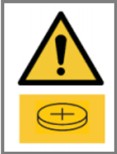
- Battery is hazardous: NEVER allow children near batteries.
- If battery is swallowed, immediately notify a doctor.
To reduce risk of fire, explosion, or chemical burn:
- Replace ONLY with the same size and type battery
- DO NOT recharge, disassemble, heat above 100° C, or incinerate
Battery will cause SEVERE or FATAL injuries in 2 hours or less if swallowed or placed inside any part of the body.
Documents / Resources
 | Digi-Code Coding Device |
References
- Garage Door Remotes, Automation & Gate | Car Remotes | Free Shipping – Remote Prowww.remotepro.com.au
- User Manualmanual.tools
Published: April 7, 2022
Updated: April 8, 2022