1. ആമുഖം
This manual provides essential information for the safe and efficient use of your HP 140W USB-C AC Adapter (Model TPN-LA29). Please read this manual thoroughly before using the product and retain it for future reference.
The HP 140W USB-C AC Adapter is designed to provide reliable power to compatible HP laptops, including the HP Spectre 2-in-1 Laptop 16-aa0023dx, HP OMEN Transcend Laptop 14-fb0000 RTX 4050 4060, and HP Spectre x360 16-aa0000 Ultra 7 RTX 4050 models. It features a USB-C connector for versatile compatibility and fast charging capabilities.
2 സുരക്ഷാ വിവരങ്ങൾ
Observe the following safety precautions to prevent injury or damage to your device:
- ഈ മാനുവലിൽ വ്യക്തമാക്കിയിരിക്കുന്നതുപോലെ അനുയോജ്യമായ ഉപകരണങ്ങളിൽ മാത്രം ഉപയോഗിക്കുക.
- അഡാപ്റ്ററിനെ വെള്ളം, ഈർപ്പം അല്ലെങ്കിൽ ഉയർന്ന താപനില എന്നിവയിൽ തുറന്നുകാട്ടരുത്.
- അഡാപ്റ്റർ താഴെയിടുകയോ ഗുരുതരമായ ആഘാതത്തിന് വിധേയമാക്കുകയോ ചെയ്യുന്നത് ഒഴിവാക്കുക.
- Do not attempt to disassemble or modify the adapter. This will void the warranty and may cause electric shock or fire.
- പവർ ഔട്ട്ലെറ്റ് എളുപ്പത്തിൽ ആക്സസ് ചെയ്യാവുന്നതാണെന്നും ശരിയായി ഗ്രൗണ്ട് ചെയ്തിട്ടുണ്ടെന്നും ഉറപ്പാക്കുക.
- Disconnect the adapter from the power outlet during lightning storms or when unused for extended periods.
- അഡാപ്റ്റർ കുട്ടികളിൽ നിന്ന് അകറ്റി നിർത്തുക.
- If the adapter or cable is damaged, discontinue use immediately and seek professional assistance.
3. പാക്കേജ് ഉള്ളടക്കം
നിങ്ങളുടെ പാക്കേജിൽ എല്ലാ ഇനങ്ങളും ഉണ്ടെന്ന് ഉറപ്പാക്കുക:
- HP 140W USB-C AC Adapter (Model TPN-LA29)
- പവർ കോർഡ്
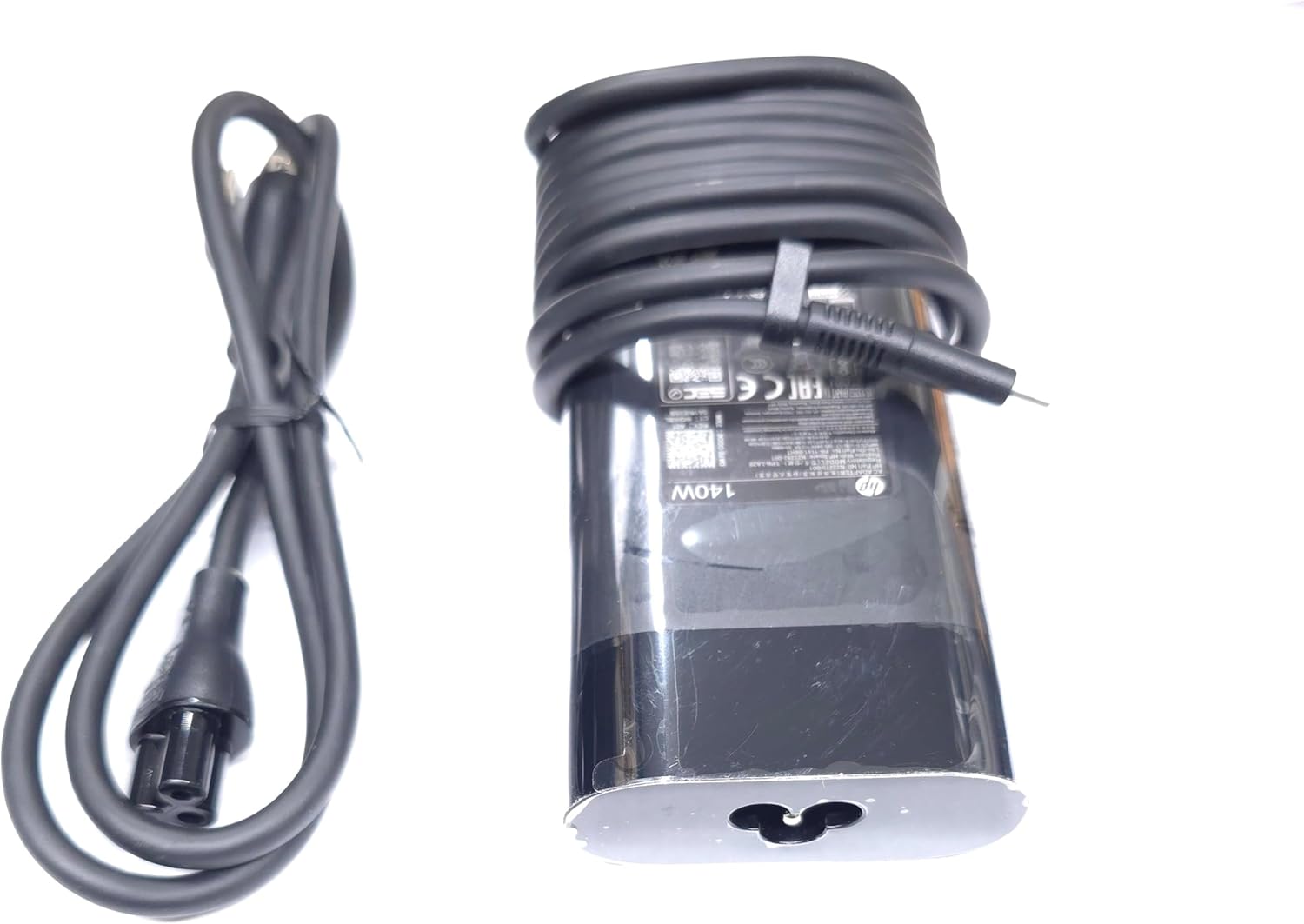
Image: The HP 140W USB-C AC Adapter and its accompanying power cord, as typically found in the product packaging.
4. സജ്ജീകരണ നിർദ്ദേശങ്ങൾ
Follow these steps to set up your HP 140W USB-C AC Adapter:
- പവർ കോർഡ് ബന്ധിപ്പിക്കുക: Insert the power cord into the AC input port on the HP 140W USB-C AC Adapter. Ensure a firm connection.
- പവർ ഔട്ട്ലെറ്റിലേക്ക് ബന്ധിപ്പിക്കുക: പവർ കോഡിന്റെ മറ്റേ അറ്റം ഒരു സാധാരണ എസി വാൾ ഔട്ട്ലെറ്റിലേക്ക് പ്ലഗ് ചെയ്യുക.
- ലാപ്ടോപ്പിലേക്ക് കണക്റ്റുചെയ്യുക: Insert the USB-C connector of the adapter into the USB-C charging port on your compatible HP laptop.
- കണക്ഷൻ സ്ഥിരീകരിക്കുക: Confirm that your laptop indicates it is receiving power or charging.

Image: The USB-C end of the adapter cable, ready to be connected to a compatible laptop's charging port.
5. പ്രവർത്തന നിർദ്ദേശങ്ങൾ
The HP 140W USB-C AC Adapter is designed for automatic operation. Once connected, it will provide power to your laptop and charge its battery.
- ചാർജിംഗ് സൂചകം: Your laptop's operating system or physical indicator light will show the charging status.
- ഒപ്റ്റിമൽ പ്രകടനം: For best performance, ensure the adapter is placed in a well-ventilated area to prevent overheating.
- വിച്ഛേദിക്കൽ: To disconnect, first unplug the USB-C connector from your laptop, then unplug the power cord from the wall outlet.
6. പരിപാലനവും പരിചരണവും
Proper care ensures the longevity and optimal performance of your adapter:
- വൃത്തിയാക്കൽ: Use a soft, dry cloth to clean the adapter. Do not use liquid cleaners or solvents.
- സംഭരണം: When not in use, store the adapter in a cool, dry place. Avoid tightly wrapping the cables to prevent damage.
- പരിശോധന: Periodically inspect the adapter and cables for any signs of wear, cuts, or damage. If damage is found, replace the adapter.
7. പ്രശ്നപരിഹാരം
If you encounter issues with your HP 140W USB-C AC Adapter, refer to the following common problems and solutions:
| പ്രശ്നം | സാധ്യമായ കാരണം | പരിഹാരം |
|---|---|---|
| ലാപ്ടോപ്പ് ചാർജ് ചെയ്യുന്നില്ല. | Loose connection, faulty outlet, incompatible device. |
|
| Adapter is hot to the touch. | Normal operation, poor ventilation, excessive load. |
|
| Sparking at outlet when plugging in. | Normal inrush current, faulty outlet. |
|
8 സ്പെസിഫിക്കേഷനുകൾ
Detailed technical specifications for the HP 140W USB-C AC Adapter:
- മോഡൽ നമ്പർ: TPN-LA29
- ഇൻപുട്ട്: AC 100V - 240V, 2.5A, 50-60Hz (Worldwide Use)
- ഔട്ട്പുട്ട്:
- 5.0V / 3.0A (15.0W)
- 9.0V / 3.0A
- 12.0V / 5.0A
- 15.0V / 5.0A
- 20.0V / 5.0A
- 28.0V / 5.0A
- മൊത്തം പവർ ഔട്ട്പുട്ട്: 140W
- കണക്റ്റർ തരം: USB-C (ടൈപ്പ്-സി)
- നിറം: കറുപ്പ്
- ഇനത്തിൻ്റെ ഭാരം: ഏകദേശം 1 പൗണ്ട് (0.45 കിലോഗ്രാം)
- പാക്കേജ് അളവുകൾ: 7.83 x 6.93 x 1.26 ഇഞ്ച് (19.89 x 17.60 x 3.20 സെ.മീ)
- Compatible P/N: TPN-LA29, N22270-001, N22282-001, PA-1141-08HT
- നിർമ്മാതാവ്: Lite-On Technology Corp.
- പ്രത്യേക സവിശേഷത: ഫാസ്റ്റ് ചാർജിംഗ്
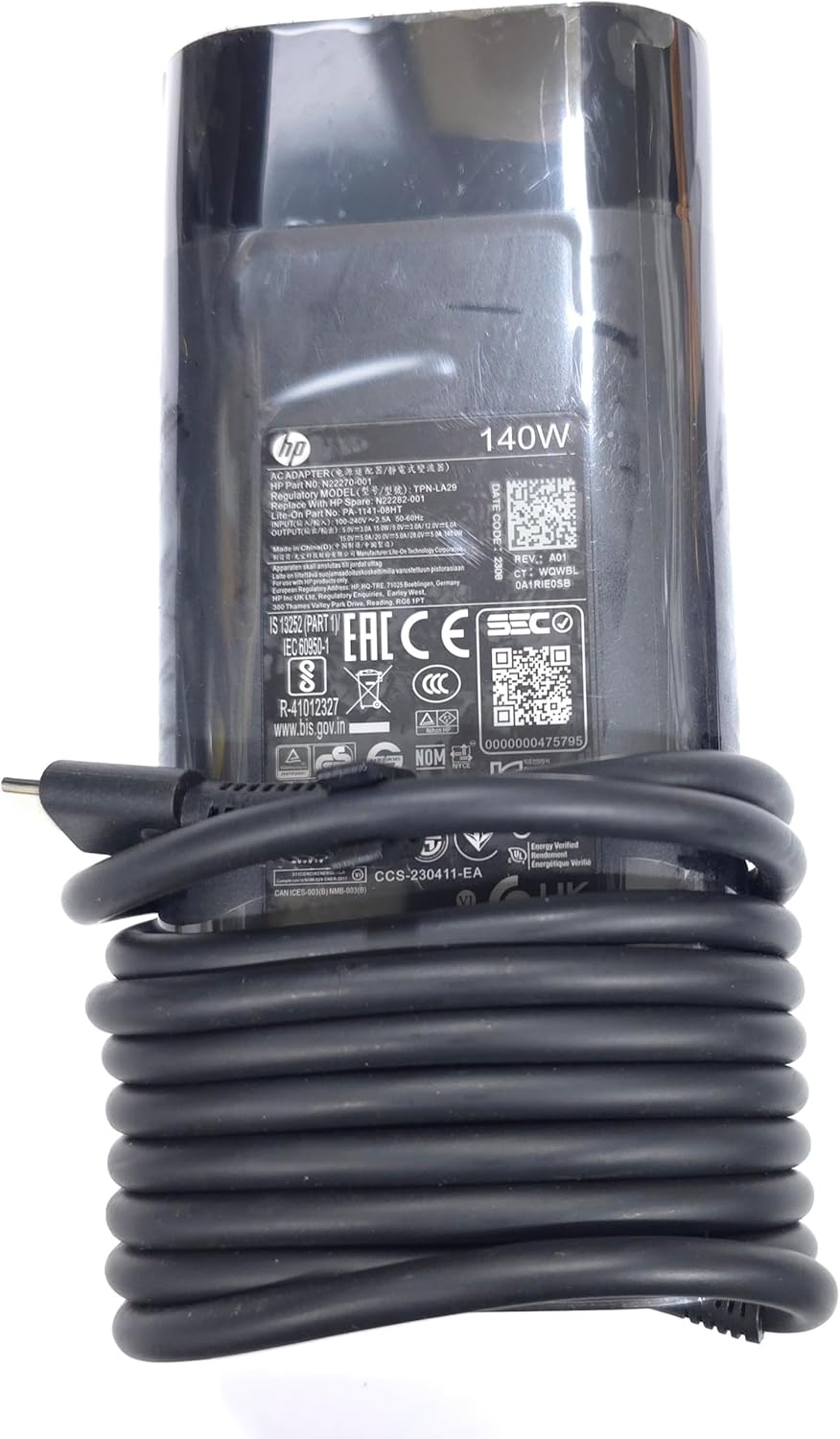
ചിത്രം: ഒരു ക്ലോസ്-അപ്പ് view of the adapter's label, displaying detailed electrical specifications and model information.
9. വാറൻ്റിയും പിന്തുണയും
For warranty information and technical support, please refer to the documentation provided with your original HP laptop or visit the official HP support website. The manufacturer, Lite-On Technology Corp., provides the adapter under HP's quality standards.
ഓൺലൈൻ പിന്തുണ: For the latest drivers, troubleshooting guides, and product information, visit www.hp.com/support.
പിന്തുണയുമായി ബന്ധപ്പെടുക: Refer to your region-specific HP support contact details for phone or chat assistance.