ആമുഖം
Thank you for choosing the GOBOULT Flex On-Ear Bluetooth Headphones. This manual provides essential information for setting up, operating, and maintaining your headphones to ensure optimal performance and longevity. Please read this manual thoroughly before using the product.
ബോക്സിൽ എന്താണുള്ളത്
- GOBOULT Flex On-Ear Bluetooth Headphones
- ടൈപ്പ്-സി ഫാസ്റ്റ് ചാർജിംഗ് കേബിൾ
- ഉപയോക്തൃ മാനുവൽ
- വാറൻ്റി കാർഡ്
ഉൽപ്പന്നം കഴിഞ്ഞുview
The GOBOULT Flex headphones are designed for comfort and high-quality audio. They feature 40mm bass-boosted drivers, Bluetooth 5.4 connectivity, and an adjustable, foldable design.

ചിത്രം: കഴിഞ്ഞുview of GOBOULT Flex features including 40mm drivers, Bluetooth 5.4, 4 EQ modes, 60ms low latency, 80-hour battery, and ENC calling.
പ്രധാന ഘടകങ്ങൾ:
- ഇയർകപ്പുകൾ: സുഖസൗകര്യങ്ങൾക്കായി മൃദുവായ, കുഷ്യൻ ചെയ്ത ഇയർകപ്പുകൾ.
- ക്രമീകരിക്കാവുന്ന ഹെഡ്ബാൻഡ്: Allows for a customized fit.
- നിയന്ത്രണ ബട്ടണുകൾ: Located on the earcups for power, volume, playback, and call management.
- ടൈപ്പ്-സി ചാർജിംഗ് പോർട്ട്: ഹെഡ്ഫോണുകൾ ചാർജ് ചെയ്യുന്നതിനായി.
- AUX ഇൻപുട്ട്: വയർഡ് ഓഡിയോ കണക്ഷന്.
- മൈക്രോഫോൺ: Integrated Zen™ ENC mic for clear calls.

Image: The adjustable headband and earcups of the GOBOULT Flex headphones, designed for a comfortable fit.
സജ്ജമാക്കുക
1. ഹെഡ്ഫോണുകൾ ചാർജ് ചെയ്യുന്നു
Before first use, fully charge your GOBOULT Flex headphones. Use the provided Type-C charging cable.
- Connect the Type-C cable to the charging port on the headphones.
- കേബിളിന്റെ മറ്റേ അറ്റം ഒരു USB പവർ സ്രോതസ്സുമായി ബന്ധിപ്പിക്കുക (ഉദാ: വാൾ അഡാപ്റ്റർ, കമ്പ്യൂട്ടർ USB പോർട്ട്).
- The LED indicator will show charging status (refer to product for specific light patterns).
- പൂർണ്ണമായി ചാർജ് ചെയ്യാൻ ഏകദേശം 60 മിനിറ്റ് എടുക്കും, 80 മണിക്കൂർ വരെ പ്ലേടൈം നൽകുന്നു.
- Fast charging provides 5 hours of playtime with just 10 minutes of charging.
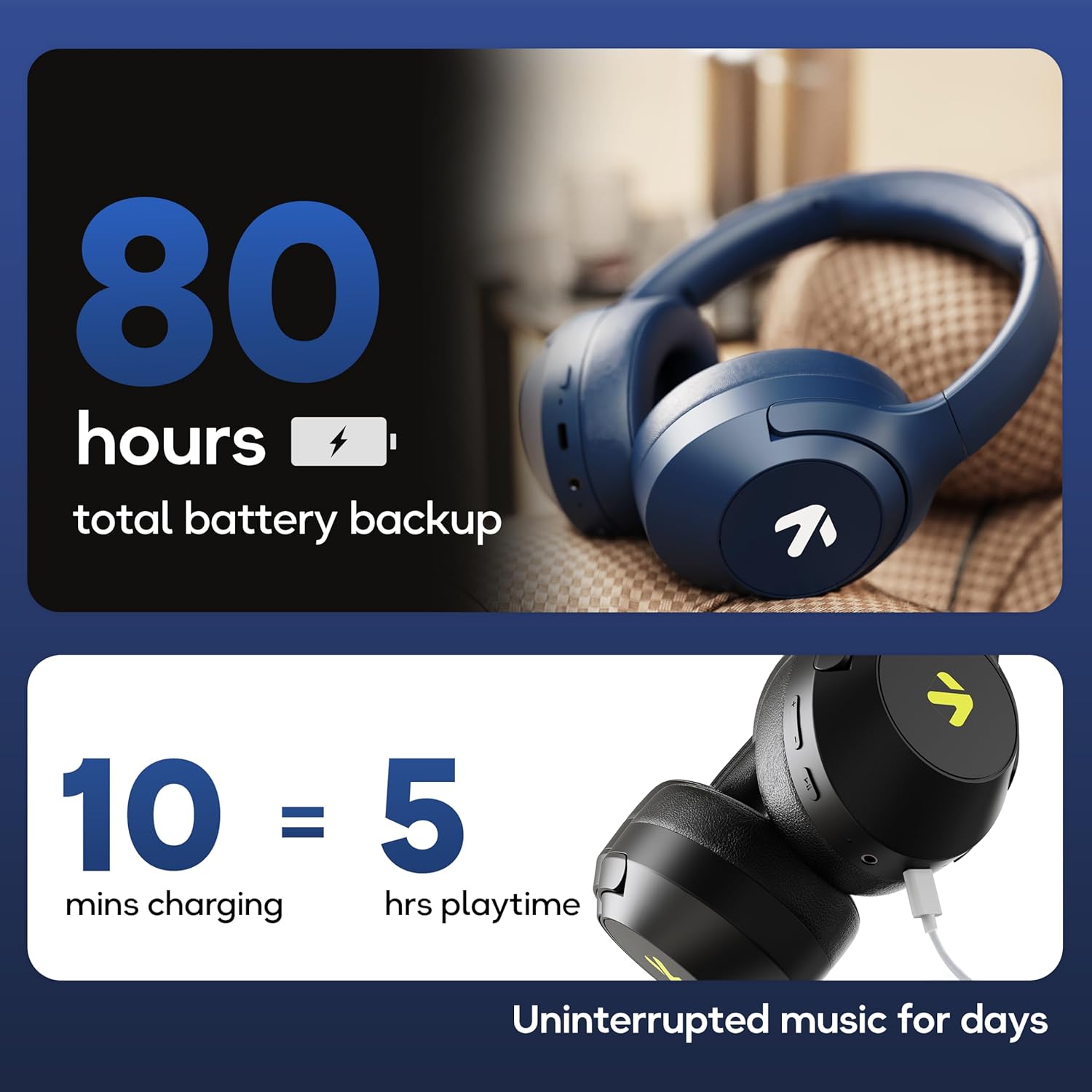
Image: Visual representation of the 80-hour battery life and fast charging capability (10 minutes charge for 5 hours playback).
2. ബ്ലൂടൂത്ത് ജോടിയാക്കൽ
വയർലെസ് ഓഡിയോയ്ക്കായി നിങ്ങളുടെ ഉപകരണവുമായി ഹെഡ്ഫോണുകൾ ജോടിയാക്കുക.
- ഹെഡ്ഫോണുകൾ ചാർജ് ചെയ്തിട്ടുണ്ടെന്നും പവർ ഓഫ് ചെയ്തിട്ടുണ്ടെന്നും ഉറപ്പാക്കുക.
- Press and hold the Power button until the LED indicator flashes (usually blue and red alternately), indicating pairing mode.
- നിങ്ങളുടെ ഉപകരണത്തിൽ (സ്മാർട്ട്ഫോൺ, ടാബ്ലെറ്റ്, ലാപ്ടോപ്പ്), ബ്ലൂടൂത്ത് പ്രവർത്തനക്ഷമമാക്കി ലഭ്യമായ ഉപകരണങ്ങൾക്കായി തിരയുക.
- Select "GOBOULT Flex" from the list of devices.
- കണക്റ്റ് ചെയ്തുകഴിഞ്ഞാൽ, LED ഇൻഡിക്കേറ്റർ സാധാരണയായി ഒരു കടും നീല വെളിച്ചം കാണിക്കും അല്ലെങ്കിൽ സാവധാനത്തിൽ ഫ്ലാഷ് ചെയ്യും.
- The headphones feature Bluetooth 5.4 and Blink & Pair™ technology for fast and stable connections.

Image: The headphones connected via Bluetooth 5.4, highlighting the Blink & Pair feature for quick device connection.
പ്രവർത്തന നിർദ്ദേശങ്ങൾ
പവർ ഓൺ/ഓഫ്
- പവർ ഓൺ: പവർ ബട്ടൺ ഏകദേശം 3 സെക്കൻഡ് അമർത്തിപ്പിടിക്കുക.
- പവർ ഓഫ്: പവർ ബട്ടൺ ഏകദേശം 5 സെക്കൻഡ് അമർത്തിപ്പിടിക്കുക.
സംഗീത നിയന്ത്രണം
- പ്ലേ/താൽക്കാലികമായി നിർത്തുക: മൾട്ടി-ഫംഗ്ഷൻ ബട്ടൺ ഒരിക്കൽ അമർത്തുക.
- അടുത്ത ട്രാക്ക്: വോളിയം അപ്പ് ബട്ടൺ അമർത്തിപ്പിടിക്കുക.
- മുമ്പത്തെ ട്രാക്ക്: വോളിയം ഡൗൺ ബട്ടൺ അമർത്തിപ്പിടിക്കുക.
- വോളിയം കൂട്ടുക: വോളിയം അപ്പ് ബട്ടൺ ചുരുക്കി അമർത്തുക.
- വോളിയം താഴേക്ക്: വോളിയം ഡൗൺ ബട്ടൺ ചുരുക്കി അമർത്തുക.
കോൾ കൺട്രോൾ
The Zen™ ENC mic ensures clear communication by reducing environmental noise.

ചിത്രം: വിശദമായത് view of the Zen™ ENC microphone technology for effective environmental noise cancellation during calls.
- ഉത്തരം/അവസാന കോൾ: മൾട്ടി-ഫംഗ്ഷൻ ബട്ടൺ ഒരിക്കൽ അമർത്തുക.
- കോൾ നിരസിക്കുക: മൾട്ടി-ഫംഗ്ഷൻ ബട്ടൺ 2 സെക്കൻഡ് അമർത്തിപ്പിടിക്കുക.
- അവസാന നമ്പർ വീണ്ടും ഡയൽ ചെയ്യുക: മൾട്ടി-ഫംഗ്ഷൻ ബട്ടൺ ഇരട്ട-അമർത്തുക.
വോയ്സ് അസിസ്റ്റൻ്റ്
Activate your device's voice assistant (e.g., Google Assistant) directly from the headphones.
- വോയ്സ് അസിസ്റ്റന്റിനെ സജീവമാക്കുക: മൾട്ടി-ഫംഗ്ഷൻ ബട്ടൺ ട്രിപ്പിൾ-അമർത്തുക.

Image: The headphones featuring voice assistant compatibility and IPX5 water resistance for protection against sweat and splashes.
ഗെയിമിംഗ് മോഡ് (60ms കുറഞ്ഞ ലേറ്റൻസി)
Engage Combat™ Gaming Mode for ultra-low latency audio, ideal for gaming.
- ഗെയിമിംഗ് മോഡ് സജീവമാക്കുക: Refer to the specific button combination in your quick start guide (often a dedicated button or a long press of a volume button).
- This mode reduces audio latency to 60ms for a synchronized gaming experience.
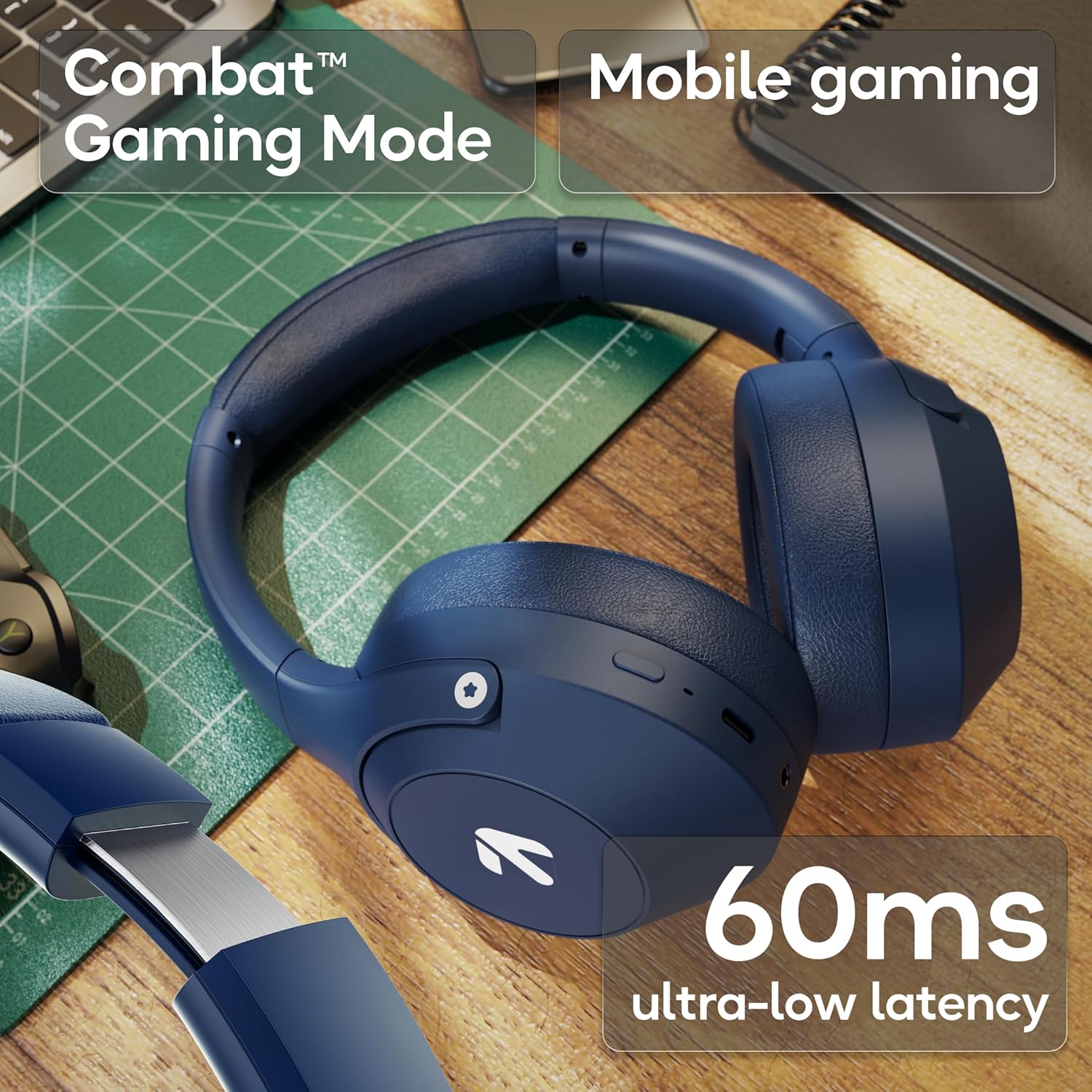
Image: The headphones highlighting the Combat™ Gaming Mode with 60ms ultra-low latency for an enhanced gaming experience.
വയർഡ് മോഡ്
Use the included AUX cable for a wired connection when wireless is not preferred or the battery is low. Note that the microphone is typically off in wired mode.
- Connect one end of the 3.5mm AUX cable to the headphone's AUX port.
- Connect the other end to your audio source's 3.5mm jack.
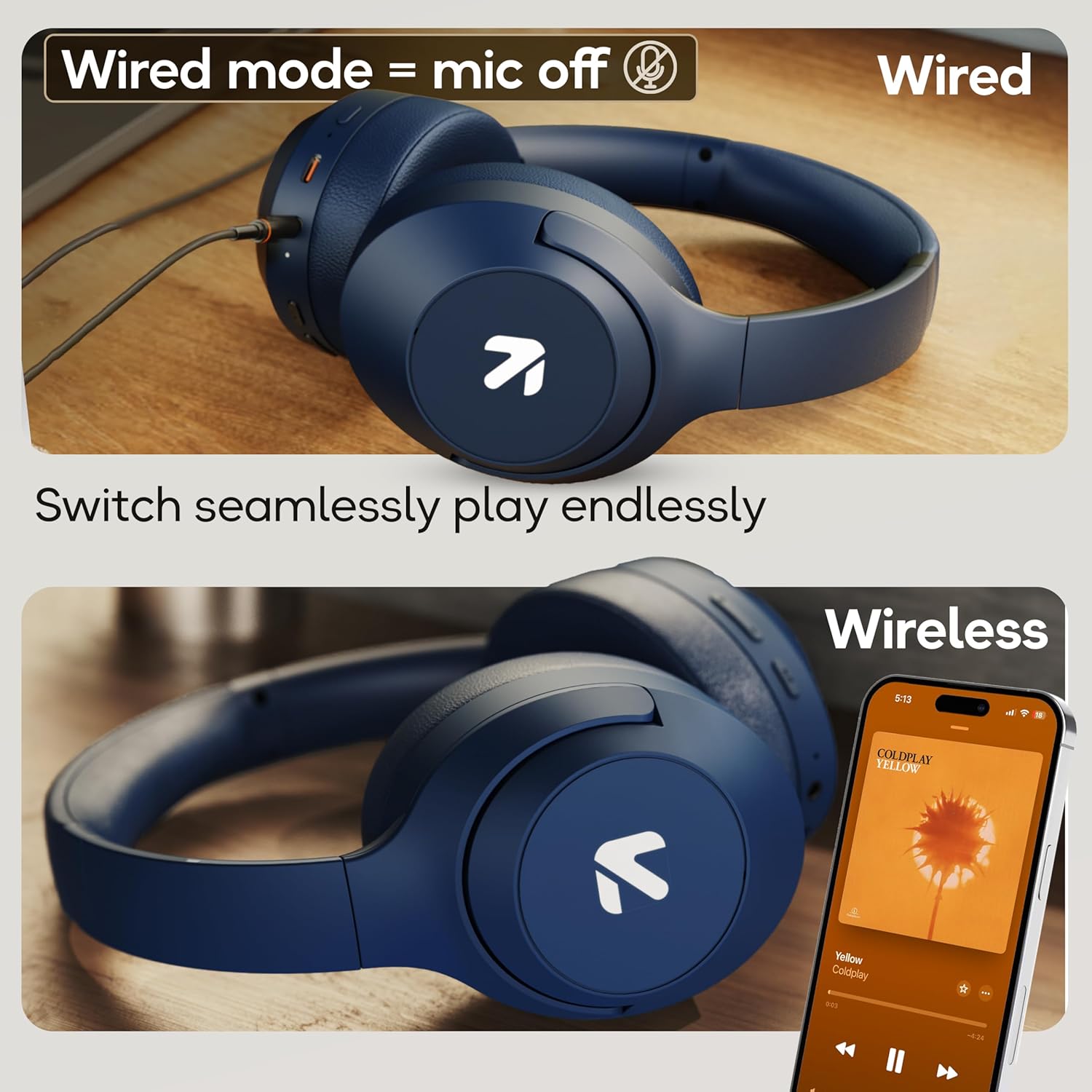
Image: Comparison of wired mode (with mic off) and wireless mode, demonstrating the flexibility of connection options.
ഇക്യു മോഡുകൾ
The headphones offer 4 Equalizer (EQ) modes to customize your audio experience.
- ലഭ്യമായ മോഡുകൾ: Bass, Rock, Pop, Vocal.
- സ്വിച്ചിംഗ് മോഡുകൾ: Refer to the specific button combination in your quick start guide (often a dedicated EQ button or a combination press).

Image: The headphones emphasizing powerful bass delivered by 40mm boosted drivers with Boomx™ technology, and support for AAC/SBC codecs.

ചിത്രം: ആന്തരികം view of the headphones showing the DSP processor, indicating features like seamless VoIP calls, adaptive audio equalization, and 16-bit dual-audio processing.
മെയിൻ്റനൻസ്
Proper maintenance ensures the longevity of your headphones.
- വൃത്തിയാക്കൽ: മൃദുവായതും ഉണങ്ങിയതുമായ തുണി ഉപയോഗിച്ച് ഹെഡ്ഫോണുകൾ തുടയ്ക്കുക. കഠിനമായ രാസവസ്തുക്കളോ ഉരച്ചിലുകളോ ഉള്ള വസ്തുക്കൾ ഉപയോഗിക്കരുത്.
- സംഭരണം: Store the headphones in a cool, dry place away from direct sunlight and extreme temperatures. The foldable design allows for compact storage.
- ജല പ്രതിരോധം: The headphones are IPX5 rated, meaning they are resistant to sweat and light splashes. Do not submerge them in water or expose them to heavy rain.
ട്രബിൾഷൂട്ടിംഗ്
പവർ ഇല്ല
- ഹെഡ്ഫോണുകൾ പൂർണ്ണമായും ചാർജ്ജ് ചെയ്തിട്ടുണ്ടെന്ന് ഉറപ്പാക്കുക.
- ചാർജിംഗ് കേബിളും പവർ സ്രോതസ്സും പരിശോധിക്കുക.
ബ്ലൂടൂത്ത് വഴി ജോടിയാക്കാൻ കഴിയില്ല
- ഹെഡ്ഫോണുകൾ ജോടിയാക്കൽ മോഡിലാണെന്ന് ഉറപ്പാക്കുക (LED മിന്നുന്ന നീല/ചുവപ്പ്).
- Make sure Bluetooth is enabled on your device and it is within 10 meters of the headphones.
- Forget "GOBOULT Flex" from your device's Bluetooth list and try pairing again.
- ഹെഡ്ഫോണുകളും നിങ്ങളുടെ ഉപകരണവും പുനരാരംഭിക്കുക.
ശബ്ദമില്ല
- ഹെഡ്ഫോണുകളിലും കണക്റ്റുചെയ്ത ഉപകരണത്തിലും വോളിയം ലെവലുകൾ പരിശോധിക്കുക.
- ഹെഡ്ഫോണുകൾ ശരിയായി ജോടിയാക്കിയിട്ടുണ്ടെന്നും ബന്ധിപ്പിച്ചിട്ടുണ്ടെന്നും ഉറപ്പാക്കുക.
- If using wired mode, ensure the AUX cable is fully inserted into both the headphones and the audio source.
മോശം കോൾ നിലവാരം
- മൈക്രോഫോൺ തടസ്സപ്പെട്ടിട്ടില്ലെന്ന് ഉറപ്പാക്കുക.
- Move to a quieter environment to allow the ENC mic to function optimally.
- നിങ്ങളുടെ ഉപകരണത്തിന്റെ കോൾ ക്രമീകരണങ്ങൾ പരിശോധിക്കുക.
സ്പെസിഫിക്കേഷനുകൾ
| ഫീച്ചർ | സ്പെസിഫിക്കേഷൻ |
|---|---|
| മോഡലിൻ്റെ പേര് | ഫ്ലെക്സ് |
| ബ്രാൻഡ് | ഗോബോൾട്ട് |
| കണക്റ്റിവിറ്റി ടെക്നോളജി | ബ്ലൂടൂത്ത്, വയർലെസ് |
| ബ്ലൂടൂത്ത് പതിപ്പ് | 5.4 (Product Title says 5.4, Specs say 5.3, using 5.4 as per title) |
| ബ്ലൂടൂത്ത് ശ്രേണി | 10 മീറ്റർ |
| ഓഡിയോ ഡ്രൈവർ വലിപ്പം | 40 മില്ലിമീറ്റർ |
| ഓഡിയോ ഡ്രൈവർ തരം | ഡൈനാമിക് ഡ്രൈവർ |
| ബാറ്ററി ലൈഫ് | 80 Hours (Playtime) |
| ചാർജിംഗ് സമയം | 60 മിനിറ്റ് |
| ഫാസ്റ്റ് ചാർജിംഗ് | 10 മണിക്കൂർ കളി സമയത്തിന് 5 മിനിറ്റ് |
| ഹെഡ്ഫോണുകൾ ജാക്ക് | Type-C Fast Charging Jack, 3.5mm AUX |
| മൈക്രോഫോൺ | Zen™ ENC Mic |
| കുറഞ്ഞ ലേറ്റൻസി മോഡ് | 60ms (Combat™ Gaming Mode) |
| ജല പ്രതിരോധ നില | IPX5 (Sweatproof, Water-resistant, Splashproof) |
| ശബ്ദ നിയന്ത്രണം | നിഷ്ക്രിയ ശബ്ദം റദ്ദാക്കൽ |
| ഇനത്തിൻ്റെ ഭാരം | 214 ഗ്രാം |
| ഉൽപ്പന്ന അളവുകൾ | 5 x 19 x 20 സെ.മീ |
| ഉൾപ്പെടുത്തിയ ഘടകങ്ങൾ | Cable, Headphone, Type-C Fast Charging Cable, User Manual, Warranty Card |
വാറൻ്റിയും പിന്തുണയും
The GOBOULT Flex On-Ear Bluetooth Headphones come with a 1 വർഷത്തെ വാറൻ്റി.
For warranty registration, technical support, or customer service inquiries, please visit the official GOBOULT website or contact their customer support team using the information provided on the warranty card.


