
Вовед
This manual provides essential instructions for the safe and effective operation of your xo poppy InstaPrint Digital Camera. Please read this manual thoroughly before using the device and retain it for future reference.
The InstaPrint Digital Camera combines photography, instant thermal printing, and entertainment features. It includes 16X digital zoom, 1080p video recording, a 2.4-inch display, built-in games, and an MP3 player.

Image 1: InstaPrint Digital Camera. This image shows the front of the InstaPrint Digital Camera, highlighting its compact design and the instant print output.
Содржина на пакетот
Проверете дали сите артикли се присутни во пакувањето:
- InstaPrint Digital Camera
- 3 Photo Rolls
- 3 Label Rolls
- 256MB SD Card
- USB кабел
Камерата завршиview
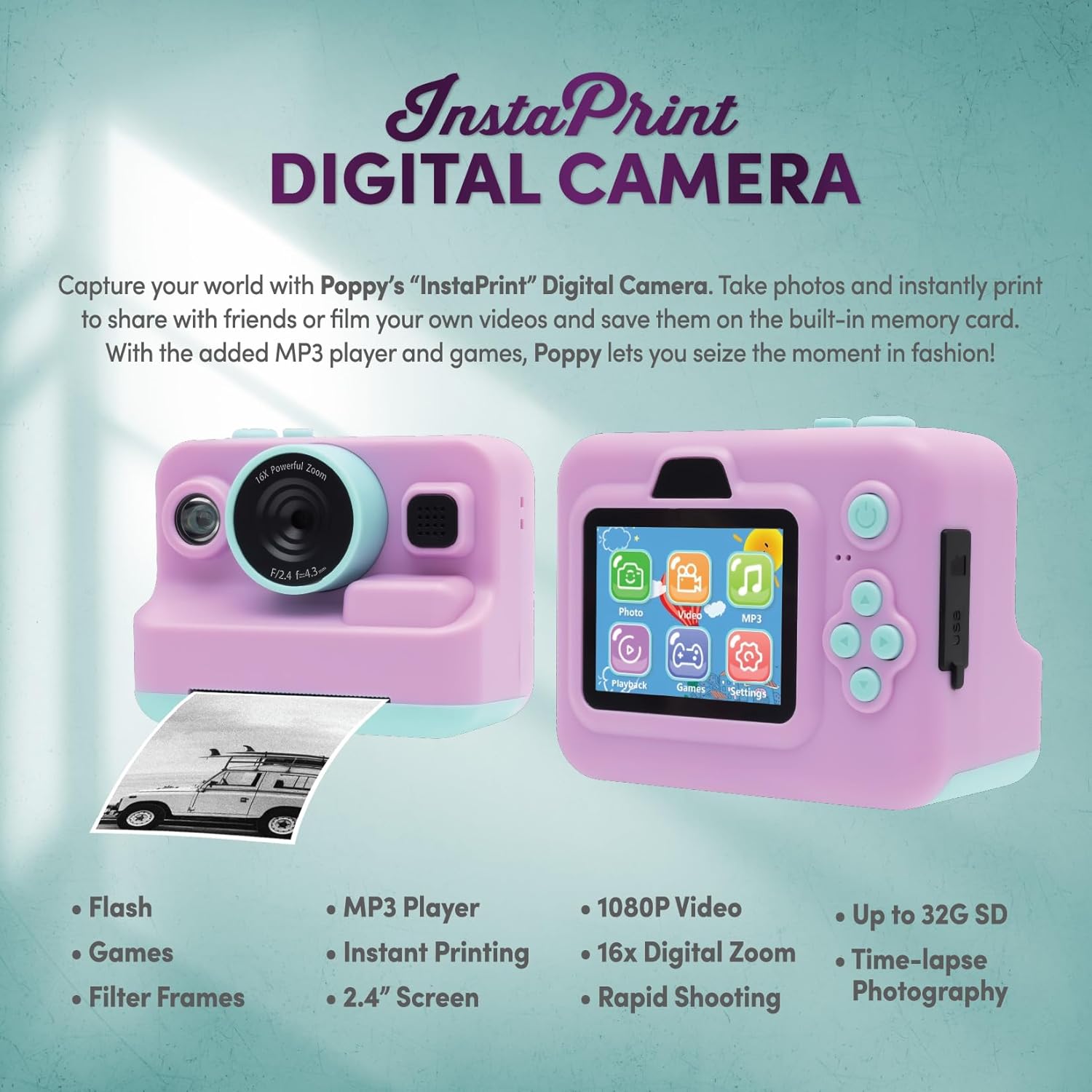
Image 2: Camera Features and Controls. This image displays the front and back of the InstaPrint Digital Camera, pointing out key components such as the 16x Digital Zoom lens, flash, cutter, instant thermal printing slot, photo/label rolls, picture button, power button, SD port, USB port, control buttons, MP3 player, digital display, built-in games, video function, and photo effects.
Поставување
1. Полнење на камерата
Before first use, fully charge the camera battery. Connect the included USB cable to the camera's USB port and the other end to a compatible USB power adapter (not included) or a computer USB port. The charging indicator will show the charging status.
2. Вметнување на SD картичката
Locate the SD card slot on the camera. Insert the included 256MB SD card into the slot until it clicks into place. Ensure the card is inserted in the correct orientation to avoid damage. The camera supports up to 32GB SD cards for expanded storage.
3. Loading Thermal Paper Rolls

Image 3: Instant Printing in Action. This image shows the camera in use, with a photo being instantly printed, demonstrating the thermal printing capability.
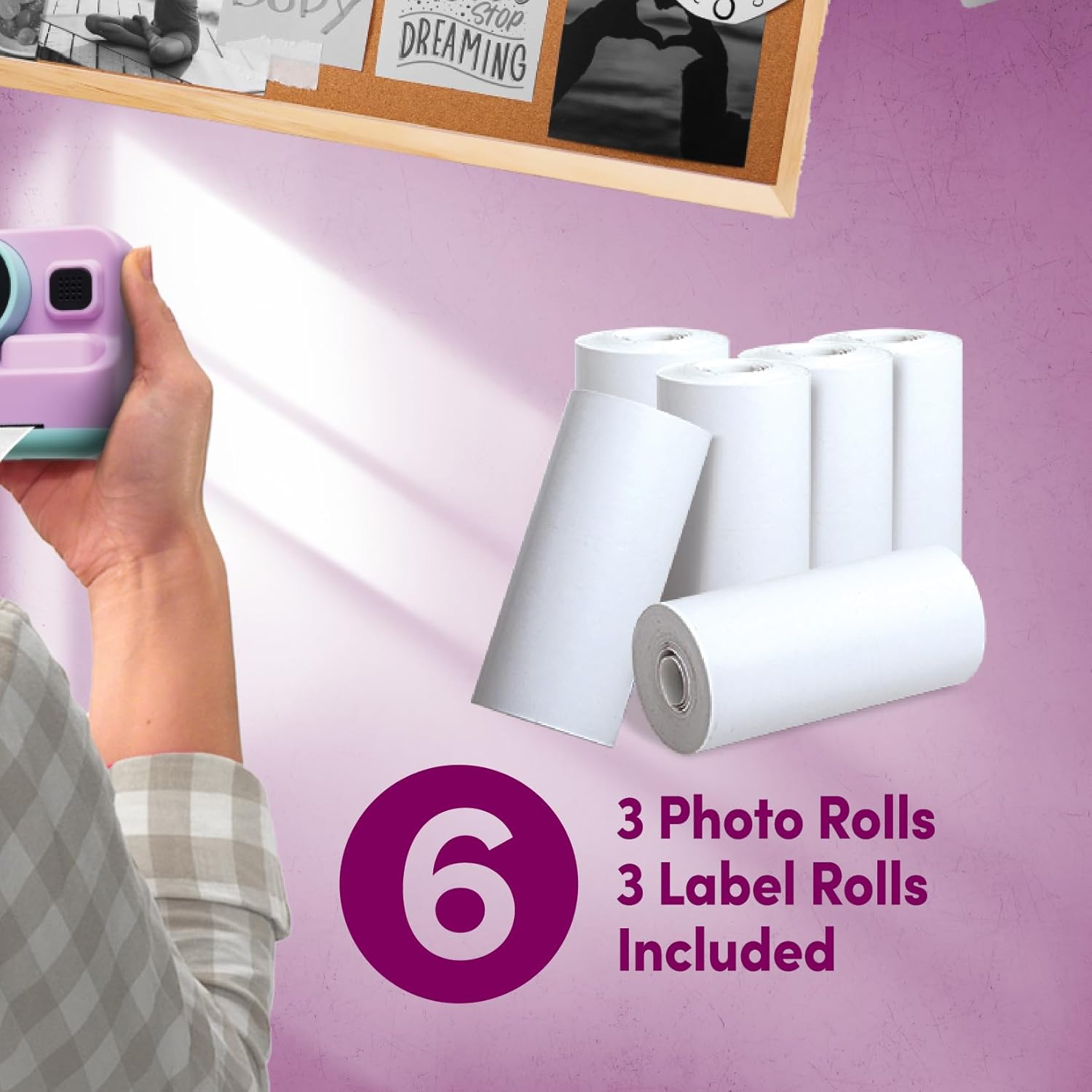
Image 4: Included Thermal Paper Rolls. This image displays the six thermal paper rolls included with the camera: three for photos and three for labels, ready for use with the instant printing function.
- Open the paper compartment cover on the camera.
- Place one of the thermal paper rolls (photo or label) into the compartment, ensuring the paper feeds out correctly.
- Close the cover securely. A small portion of the paper should extend from the printing slot.
Упатства за работа
Вклучување/исклучување
Press and hold the Power Button to turn the camera on or off.
Фотографирање
- Вклучете ја камерата.
- Frame your shot using the 2.4-inch digital display.
- Use the control buttons to adjust settings or apply photo effects if desired.
- Press the Picture Button to capture the photo.
Снимање видеа
- Navigate to the video mode using the control buttons.
- Press the Picture Button to start recording.
- Press the Picture Button again to stop recording. Videos are recorded in 1080p resolution.
Инстант печатење
After taking a photo, you can choose to print it instantly. Select the print option from the camera's menu. The thermal printer will produce a black and white print. Use the built-in cutter mechanism for a clean tear.
Дигитален зум
The camera features 16X digital zoom. Use the zoom controls (typically marked with 'W' for wide and 'T' for telephoto) to adjust the zoom level before capturing a photo or video.
Built-in Games and MP3 Player
Access the Games and MP3 Player functions through the main menu on the digital display. Use the control buttons to navigate and select options. Load MP3 files onto the SD card to use the MP3 player.
Одржување
Чистење на камерата
Use a soft, dry cloth to clean the camera body and screen. For the lens, use a specialized lens cleaning cloth. Avoid using liquid cleaners or abrasive materials.
Нега на батерии
To prolong battery life, avoid exposing the camera to extreme temperatures. Recharge the battery regularly, even if the camera is not in frequent use.
Складирање
When not in use, store the camera in a cool, dry place, away from direct sunlight and moisture. Remove the SD card if storing for extended periods.
Решавање проблеми
| Проблем | Можна причина | Решение |
|---|---|---|
| Камерата не се вклучува. | Low battery; faulty battery. | Charge the camera. Ensure the battery is properly inserted. |
| Не може да се снимаат фотографии/видеа. | SD-картичката е полна или не е правилно вметната. | Check SD card insertion. Delete unnecessary files or replace SD card. |
| Prints are blank or faded. | Thermal paper loaded incorrectly; paper roll empty. | Ensure thermal paper is loaded with the thermal side facing the print head. Replace paper roll if empty. |
| Камерата се замрзнува. | Софтверски дефект. | Press and hold the Power Button for 10 seconds to force a restart. |
Спецификации
- Име на модел: PY-DGCMP-ALV
- Бренд: хо афион
- Димензии на производот: 2 x 4 x 3 инчи
- Тежина на ставката: 1 фунти
- Технологија на фотосензор: CMOS
- Поддржано File Формат: JPEG
- Стабилизација на слика: Дигитален
- Максимална фокусна должина: 35 милиметри
- Оптички зум: 1x
- Максимум WebРезолуција на слика на камерата: 5 MP
- Големина на фотосензор: 1/3.2-инчи
- Тип на контрола на експозицијата: Автоматски
- Батерии: 1 нестандардна батерија (вклучена)
- Видео резолуција: 1080 стр
- Дигитален зум: 16x
- Прикажи: 2.4-инчен LCD екран
- Складирање: 256MB SD card included, supports up to 32GB
- Поврзување: USB
- Карактеристики: Instant Thermal Printing, Built-in Games, MP3 Player, Flash, Speaker, Microphone, Digital Photo Effects, Cutter Mechanism
Важни безбедносни информации
- Не расклопувајте ја или не обидувајте се сами да ја поправите камерата.
- Држете го фотоапаратот подалеку од вода и прекумерна влага.
- Избегнувајте испуштање на камерата или нејзино изложување на силни удари.
- Користете го само обезбедениот USB кабел за полнење.
- Отстранете ги батериите и електронските компоненти одговорно во согласност со локалните прописи.
Информации за гаранцијата
Специфични детали за гаранцијата не се наведени во информациите за производот. Ве молиме обратете се кај продавачот или кај претставник на производителот. webстраница за условите и одредбите на гаранцијата.
Поддршка за корисници
For technical assistance or product inquiries, please contact xo poppy customer support through their official channels. Contact information is typically available on the product packaging or the manufacturer's webсајт.
Related Video Content
Video 5: Digital Camera Overview. This short video provides a visual overview of a digital camera, demonstrating its flip screen and general operation. While not specific to the InstaPrint model, it illustrates common digital camera features.