
Вовед
Thank you for choosing the GPlus+ Universal Table Top TV Stand, model LDT03-26L. This stand is designed to provide a stable and adjustable base for most 23 to 75 inch LCD, LED, and Plasma flat-screen televisions. It supports TVs weighing up to 40 kg (88 lbs) and is compatible with VESA mounting patterns up to 800x600mm. This manual provides detailed instructions for assembly, operation, and maintenance to ensure safe and optimal use of your TV stand.
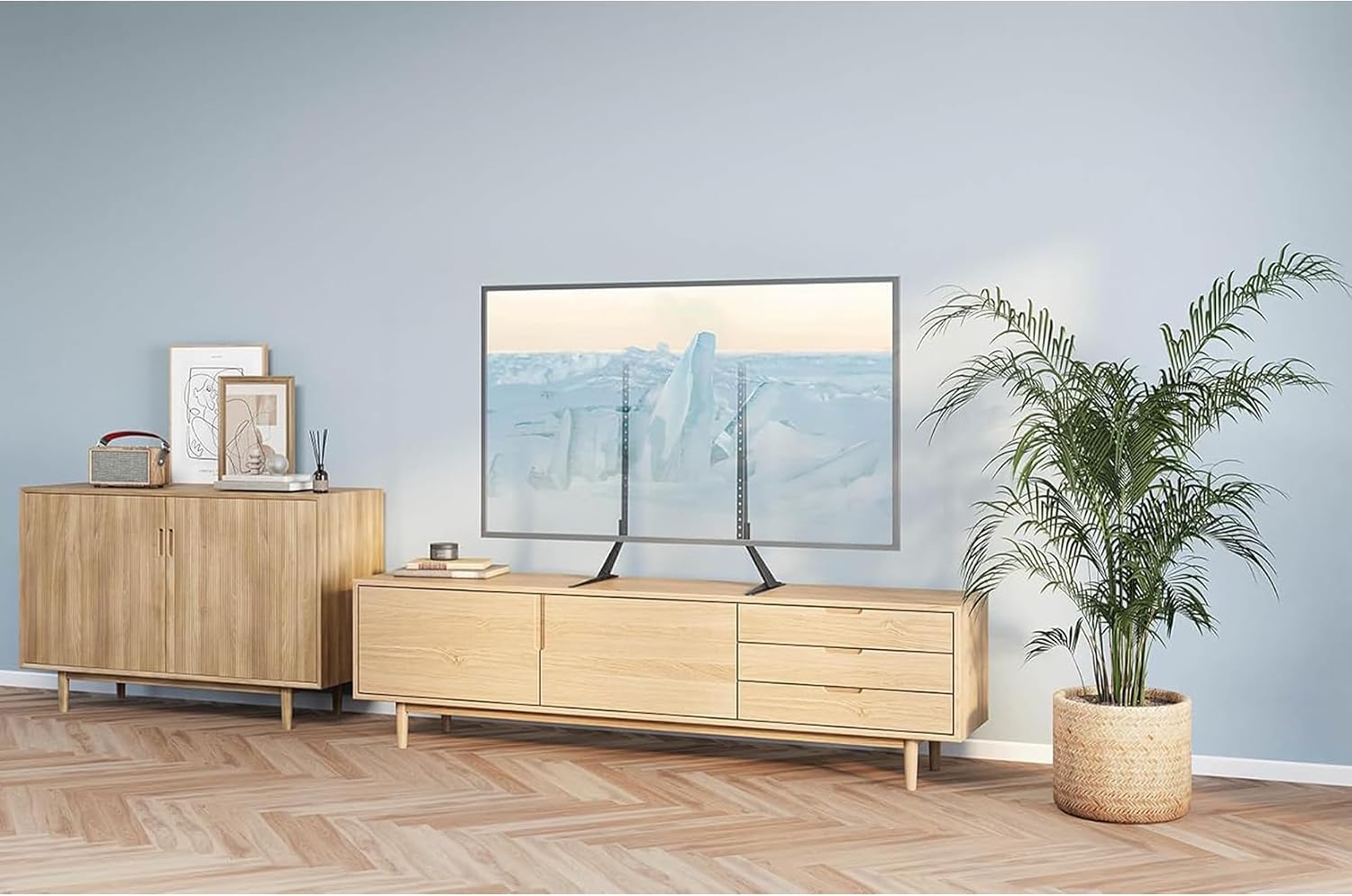
Image: The GPlus+ Universal Table Top TV Stand installed, providing a stable base for a large flat-screen television.
Информации за безбедност
Please read all instructions carefully before assembly and use. Failure to follow these instructions may result in property damage, serious injury, or death.
- Тежински капацитет: Do not exceed the maximum weight capacity of 40 kg (88 lbs). Ensure your TV's weight is within this limit.
- Големина на екранот: This stand is designed for TVs between 23 and 75 inches. Using a TV outside this range may compromise stability.
- Компатибилност со VESA: Verify your TV's VESA mounting pattern (distance between mounting holes) is compatible with the stand (up to 800x600mm).
- Стабилна површина: Always place the TV stand on a flat, level, and stable surface that can support the combined weight of the stand and your television.
- Деца и домашни миленици: Keep children and pets away from the TV stand during assembly. Do not allow children to climb on or play with the stand or TV.
- Алатки: Користете ги соодветните алатки како што е наведено во упатствата за склопување.
- Затегнете ги прицврстувачите: Ensure all screws and bolts are securely tightened. Do not overtighten.
- Check Periodically: Периодично проверувајте ги сите сврзувачки елементи за да се осигурате дека се цврсто и безбедно прицврстени.
Содржина на пакетот
Before assembly, please verify that all parts listed below are present and undamaged. If any parts are missing or damaged, do not proceed with assembly and contact customer support.
- (A) Left Support Column
- (B) Right Support Column
- (C) Left Base Foot
- (D) Right Base Foot
- (E) VESA Mounting Brackets (2 pcs)
- (F) Connection Plate (for extending height, if applicable)
- (G) Various TV Screws (M4, M6, M8)
- (H) Washers and Spacers
- (I) Assembly Hardware (bolts, nuts, Allen key)
- (J) Anti-slip Pads

Image: Individual components of the GPlus+ TV stand, showing the support columns and base feet.
Спецификации
| Број на модел | LDT03-26L |
| Компатибилни големини на ТВ | 23 до 75 инчи |
| Максимална тежина капацитет | 40 кг (88 фунти) |
| Компатибилност со VESA | До 800x600mm |
| Тип на монтирање | Монтирање на маса |
| Тип на движење | Fixed (Height Adjustable) |
| Материјал | Метал |
| Боја | Црното |
| Димензии на производот (приближно) | 38.9 x 17.1 x 5.9 см (спакувано) |
| Тежина на производот (прибл.) | 2.3 кг (спакувано) |

Image: Detailed dimensions of the TV stand's support columns and base feet.
Инструкции за поставување
Follow these steps carefully to assemble your GPlus+ Universal Table Top TV Stand.
Чекор 1: Соберете ја основата
- Attach the Left Base Foot (C) to the bottom of the Left Support Column (A) using the provided bolts and Allen key. Ensure the foot is oriented correctly for stability.
- Repeat for the Right Base Foot (D) and Right Support Column (B).
- Apply the Anti-slip Pads (J) to the bottom of the base feet to prevent scratching surfaces and enhance stability.

Image: The assembled support columns with their respective base feet.
Step 2: Attach VESA Mounting Brackets to TV
- Carefully place your TV face down on a soft, clean surface to protect the screen.
- Идентификувајте ги дупките за монтирање VESA на задниот дел од вашиот телевизор.
- Select the appropriate TV Screws (G), Washers, and Spacers (H) that fit your TV's mounting holes. Refer to your TV's manual for correct screw size.
- Attach the VESA Mounting Brackets (E) to the back of your TV using the selected screws, washers, and spacers. Ensure the brackets are securely fastened and level. Do not overtighten.
Чекор 3: Монтирајте го телевизорот на држач
- With assistance, carefully lift your TV and align the VESA Mounting Brackets (E) with the mounting slots on the assembled Support Columns (A and B).
- Hook the brackets onto the columns. Ensure both sides are engaged securely.
- Secure the TV to the stand by tightening the safety screws or locking mechanisms on the VESA brackets, if provided.

Image: Key features of the stand, including height adjustment and cable management, relevant for mounting.
Чекор 4: Прилагодете ја висината (опционално)
The GPlus+ TV stand offers multiple height adjustment levels. To adjust the height:
- With the TV securely mounted, identify the adjustment holes on the support columns.
- Carefully lift the TV slightly (with assistance) and reposition the VESA brackets to the desired height level on the support columns.
- Ensure both sides are adjusted to the same height to keep the TV level. Re-engage any safety screws or locking mechanisms.
Упатства за работа
Once assembled, the GPlus+ TV stand provides a fixed, stable platform for your television. The primary operational adjustment is the height, as detailed in Step 4 of the Setup Instructions. Ensure the stand is always placed on a stable, level surface. For cable management, utilize any integrated clips or channels on the stand to keep cables tidy and prevent tripping hazards.

Image: The TV stand in use, providing an optimal viewискуство.
Одржување
To ensure the longevity and continued safe operation of your TV stand, follow these maintenance guidelines:
- Чистење: Избришете го држачот со мека, сува крпа. Не користете абразивни средства за чистење или растворувачи, бидејќи тие може да ја оштетат завршната обработка.
- Проверка на прицврстувачите: Periodically (e.g., every 3-6 months) check all bolts and screws to ensure they are still securely tightened. Retighten if necessary, but do not overtighten.
- Проверка на стабилност: Ensure the stand remains on a stable, level surface. If the stand appears wobbly or unstable, re-check assembly and fastener tightness.
Решавање проблеми
If you encounter issues with your TV stand, refer to the following common problems and solutions:
- Поставката е нестабилна/треперлива:
- Ensure all assembly bolts and screws are securely tightened.
- Проверете дали држачот е поставен на рамна, рамна површина.
- Check that the TV's weight and VESA pattern are within the stand's specifications.
- TV Does Not Fit Brackets:
- Confirm your TV's VESA mounting pattern is compatible (up to 800x600mm).
- Ensure you are using the correct screws, washers, and spacers for your TV model.
- Делови што недостасуваат:
- Внимателно проверете ги повторно сите материјали за пакување.
- Contact GPlus+ customer support for assistance.

Image: Visual comparison highlighting the stability of the GPlus+ stand.
Информации за гаранцијата
The GPlus+ Universal Table Top TV Stand (LDT03-26L) typically comes with a 1-year limited warranty from the date of purchase. This warranty covers manufacturing defects and material flaws under normal use. Please retain your proof of purchase for warranty claims. For specific terms and conditions, or to initiate a warranty claim, please refer to the official GPlus+ webвеб-страница или директно контактирајте ја нивната корисничка поддршка.
Поддршка за корисници
If you have any questions, require assistance with assembly, or need to report missing/damaged parts, please contact GPlus+ customer service. You can typically find contact information on the product packaging or the official GPlus+ website. Please have your model number (LDT03-26L) and proof of purchase ready when contacting support.
Manufacturer: G Plus+ Canada