1. Вовед
This manual provides instructions for the Belkin Everyday Keyboard Case with Cradle, designed to enhance the functionality and protection of your iPad 10th Generation 10.9". This accessory integrates a backlit Bluetooth keyboard, a multi-gesture trackpad, and a protective case with magnetic Apple Pencil storage, transforming your iPad into a versatile workstation.
2. Производот завршиview
Клучни карактеристики
- Backlit Bluetooth Keyboard: Enhances productivity in low-light conditions.
- Контроли со повеќе гестови: Large, click-anywhere trackpad supports gestures for scrolling, navigating, and zooming.
- Magnetic Apple Pencil Storage: Integrated design ensures secure storage without obstructing the iPad's magnetic charging area.
- Мултимедијални клучеви: Dedicated keys for quick access to common functions.
- Заштитно куќиште: Premium faux leather exterior and soft anti-slip interior protect your device.
Содржина на пакетот
- 1 x Belkin Everyday Keyboard Case with Cradle for iPad 10th Generation 10.9"
- 1 x USB-C Charging Cable (for keyboard)
3. Поставување
3.1 Check iPad Compatibility
Ensure your iPad is compatible with this keyboard case. This product is designed for the iPad 10th Generation 10.9".

Image: Compatible iPad models. This case is specifically for iPad 10th Gen (A2696/A2757).
За да го пронајдете бројот на моделот на вашиот iPad:
- Опција 1: Погледнете го бројот на моделот на задната страна од вашиот iPad.
- Опција 2: Open Settings > General > About. Tap the part number to reveal the model number.
3.2 Attaching the iPad
The case features a magnetic snap-on attachment for easy and secure installation of your iPad.
- Align your iPad with the protective cradle portion of the case.
- The iPad will magnetically snap into place, securing it within the case.

Image: Magnetic snap-on attachment for the iPad.
3.3 Спарување преку Bluetooth
The keyboard connects to your iPad via Bluetooth. It needs to be paired independently.
- Ensure the keyboard is charged (see section 3.4).
- Turn on the keyboard (if applicable, usually by opening the case or a dedicated power button).
- На вашиот iPad, одете на Поставки > Bluetooth.
- Look for "Belkin Keyboard" or a similar name in the list of available devices and tap to connect.
- Следете ги сите предупредувања на екранот за да го завршите процесот на спарување.
3.4 Полнење на тастатурата
The keyboard has an internal rechargeable battery and must be charged separately from your iPad.
- Пронајдете го USB-C приклучокот за полнење на тастатурата.
- Connect the provided USB-C cable to the keyboard and a compatible USB power adapter (not included).
- Индикаторската ламба за полнење ќе го покаже статусот на полнење.

Image: The keyboard features a 450mAh battery for long-lasting power.
4. Упатства за работа
4.1 Употреба на тастатура
The keyboard provides a tactile typing experience with several useful features.
- Копчиња со позадинско осветлување: Press the dedicated backlight key (often represented by a sun icon) to cycle through brightness levels or turn the backlight off to conserve battery.
- Мултимедијални клучеви: Use the dedicated function keys for quick access to media playback controls, volume adjustment, and other system functions.

Image: Backlit Bluetooth Keyboard and Multimedia Keys in use.
4.2 Употреба на тракпед
The large, click-anywhere trackpad supports multi-gesture controls for intuitive navigation on your iPad.
- Лизгање: Користете два прста за скролување нагоре или надолу.
- Навигација: Повлечете со три прста за да се префрлате помеѓу отворени апликации.
- Зумирање: Pinch with two fingers to zoom in or out on content.
- Со кликнување: Press down on any part of the trackpad for a click action.

Image: Multi-Gesture Controls on Touchpad.
4.3 Функционалност на држачот
The integrated cradle and kickstand allow for adjustable viewинг агли.
- Open the case and position the iPad in the cradle.
- Adjust the kickstand at the back of the keyboard portion to achieve your desired viewинголен агол.
4.4 Apple Pencil Storage
The case is designed with compatibility for Apple Pencil storage.
- Place your Apple Pencil on the designated magnetic strip on the side of the iPad.
- The case ensures the Apple Pencil remains securely attached and accessible.
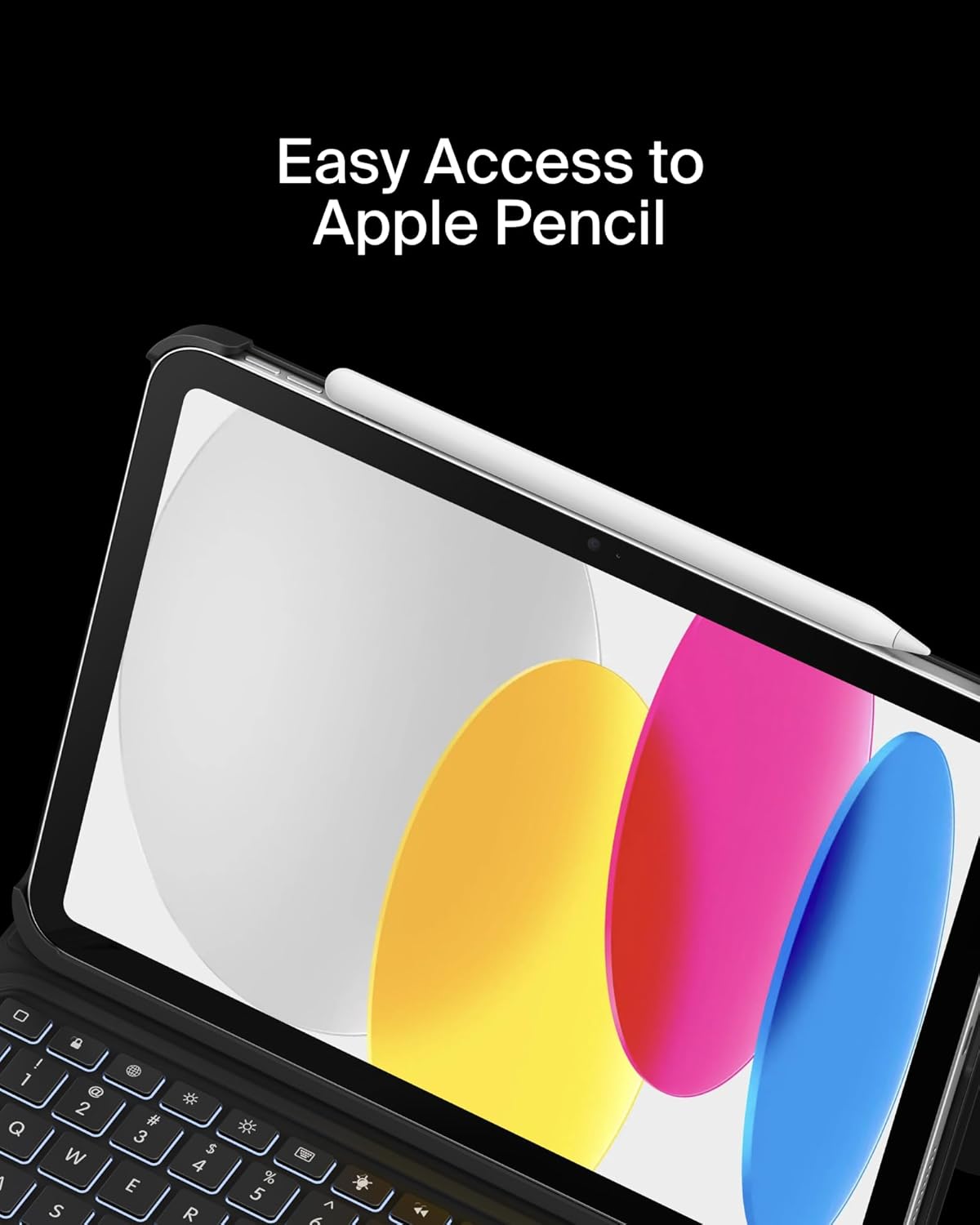
Image: Easy Access to Apple Pencil.
5. Одржување
5.1 Чистење
За да го одржите изгледот и функционалноста на куќиштето на вашата тастатура:
- Избришете ја надворешноста со мека, гamp крпа. Избегнувајте груби хемикалии.
- For the keyboard keys and trackpad, use a soft, dry cloth or a gentle brush to remove dust and debris.
5.2 Грижа за батерии
The keyboard is equipped with a 450mAh lithium battery.
- Наполнете ја тастатурата целосно пред првата употреба.
- Recharge the keyboard when the battery indicator shows low power.
- За оптимален век на траење на батеријата, избегнувајте често целосно празнење на батеријата.
- If not in use for an extended period, charge the keyboard every few months to prevent deep discharge.
6 Смена на проблеми
6.1 Тастатурата не реагира
- Проверете ја батеријата: Осигурајте се дека тастатурата е доволно наполнета.
- Повторно спарување на Bluetooth: Go to iPad Settings > Bluetooth, forget the device, and re-pair the keyboard.
- Рестартирајте ги уредите: Рестартирајте ги и iPad-от и тастатурата.
6.2 Тракпедот не работи
- Проверете ја врската со Bluetooth: Ensure the keyboard is properly paired via Bluetooth.
- Чистење на тракпедот: Осигурајте се дека површината на тракпедот е чиста и без пречки.
- Поставки за iPad: Verify trackpad settings in iPadOS are enabled and configured as desired.
6.3 Задното осветлување не функционира
- Проверете ја батеријата: Backlight consumes power; ensure the keyboard has enough charge.
- Прилагодување на осветленоста: Use the dedicated backlight key to increase brightness.
7. Спецификации
| Бренд | Белкин |
| Број на модел | BBZ001tt-V3 |
| Компатибилни уреди | iPad 10th Generation 10.9" |
| Технологија за поврзување | Bluetooth |
| Опис на тастатурата | Мултимедија |
| Посебни карактеристики | Apple Pencil Storage, Backlit, Multimedia Keys, Trackpad |
| Боја | Црното |
| Поддршка за боја на позадинско осветлување на тастатурата | Единечна боја |
| Стил | Case w/ Cradle |
| Материјал | Faux Leather (Exterior), Soft Non-Slip Material (Interior) |
| Тежина на ставката | 1.6 фунти |
| Димензии на производот (ДxШxВ) | 10.9 x 7.7 x 0.9 инчи |
| Извор на енергија | Напојува со батерија |
| Батерија | 450mAh lithium battery (standby time: 365 days) |

Image: Slim, Portable Design with approximate dimensions and weight.
8. Гаранција и поддршка
8.1 Ограничена гаранција
This Belkin Everyday Keyboard Case with Cradle comes with a 2-годишна ограничена гаранција. Оваа гаранција ги покрива дефектите на материјалите и изработката при нормална употреба.

Image: Belkin Product Protection - 2 Year Coverage.
8.2 Поддршка за корисници
За техничка помош, барања за гаранција или дополнителни информации, посетете ја официјалната поддршка на Belkin. webсајт или контактирајте со нивната служба за корисници.
Поддршка на Belkin: www.belkin.com/support/


