
1. Вовед
Thank you for choosing the Vikye Computer Temperature Monitor. This 5-inch display provides real-time monitoring of your PC's CPU, GPU, RAM usage, and temperature. It also supports displaying internet speed, date, time, volume, fan speed, and weather forecasts. With its customizable theme editor and easy USB connection, this monitor enhances your desktop gaming and computing experience. This manual provides detailed instructions for setup, operation, and troubleshooting.
2. Информации за безбедност
- Држете го уредот подалеку од вода и средини со висока влажност.
- Избегнувајте изложување на уредот на директна сончева светлина или екстремни температури.
- Не обидувајте се сами да го расклопите или поправите уредот. Обратете се кај квалификуван сервисер.
- Користете го само испорачаниот USB кабел за поврзување за да спречите оштетување.
- Обезбедете соодветна вентилација околу уредот.
3. Содржина на пакетот
Ве молиме проверете го пакувањето за следните ставки:
- Vikye Computer Temperature Monitor (5-inch display)
- USB кабел
- Држач за екран

Image: The monitor, its stand, and the USB connection cable.
4. Поставување
4.1 Поврзување на мониторот
- Place the monitor on the provided screen holder.
- Connect the Micro USB end of the provided USB cable to the monitor.
- Поврзете го другиот крај на USB-кабелот со достапна USB-порта на вашиот компјутер.

Image: The monitor connected to a computer using the USB cable, illustrating the simple connection process.
4.2 Инсталација на софтвер
- After connecting the monitor, launch the custom software provided by Vikye. This software is essential for the monitor's functionality.
- No additional software like AIDA64 is required for basic operation.
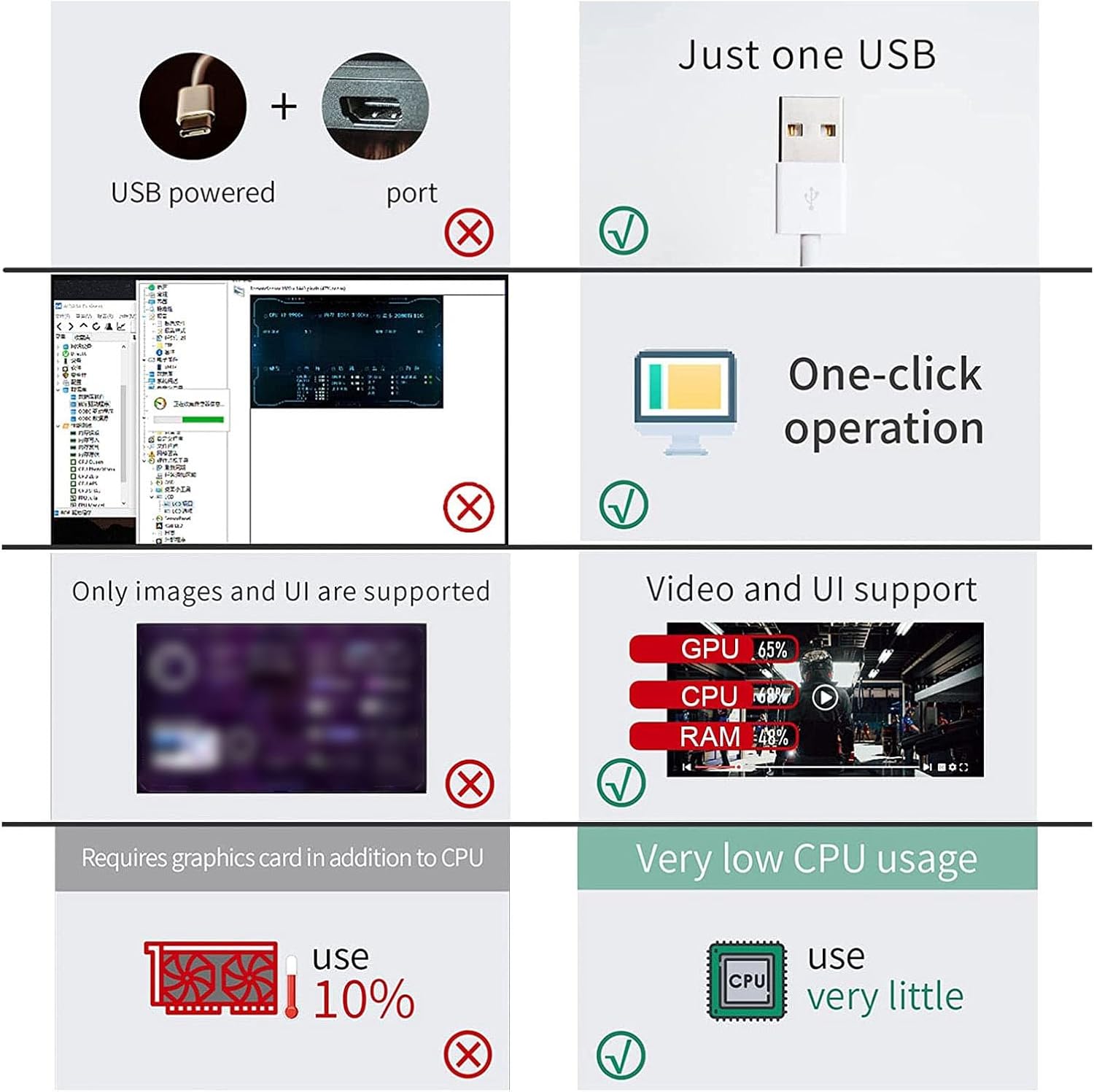
Image: A visual representation highlighting the ease of 'one-click operation' for the software and its minimal CPU resource consumption.
5. Упатства за работа
5.1 Функции на екранот
The monitor can display a variety of system data:
- CPU Data: Usage rate and temperature.
- GPU Data: Usage rate and temperature.
- RAM Data: Usage rate.
- Мрежа: Internet speed (upload/download).
- Информации за системот: Date, time, volume, fan speed.
- Временска прогноза: Customizable city display.

Image: The monitor in a vertical orientation, clearly showing real-time CPU, GPU, RAM, and network statistics.

Image: The monitor in a horizontal orientation, showcasing the same detailed system information as the vertical view.
5.2 Screen Orientation and Brightness
- The display supports both horizontal and vertical screen orientations. You can rotate the screen 360 degrees to suit your preference.
- The screen brightness can be continuously adjusted to protect your eyes and optimize visibility in different lighting conditions.
5.3 Theme Editor
The monitor features a visual theme editor. This allows you to customize the display's appearance by dragging and dropping elements to create your own unique themes. Refer to the custom software for detailed instructions on using the theme editor.
5.4 Заштеда на енергија
The monitor is designed with energy-saving features, including an automatic shutdown display function to conserve power when not in active use.
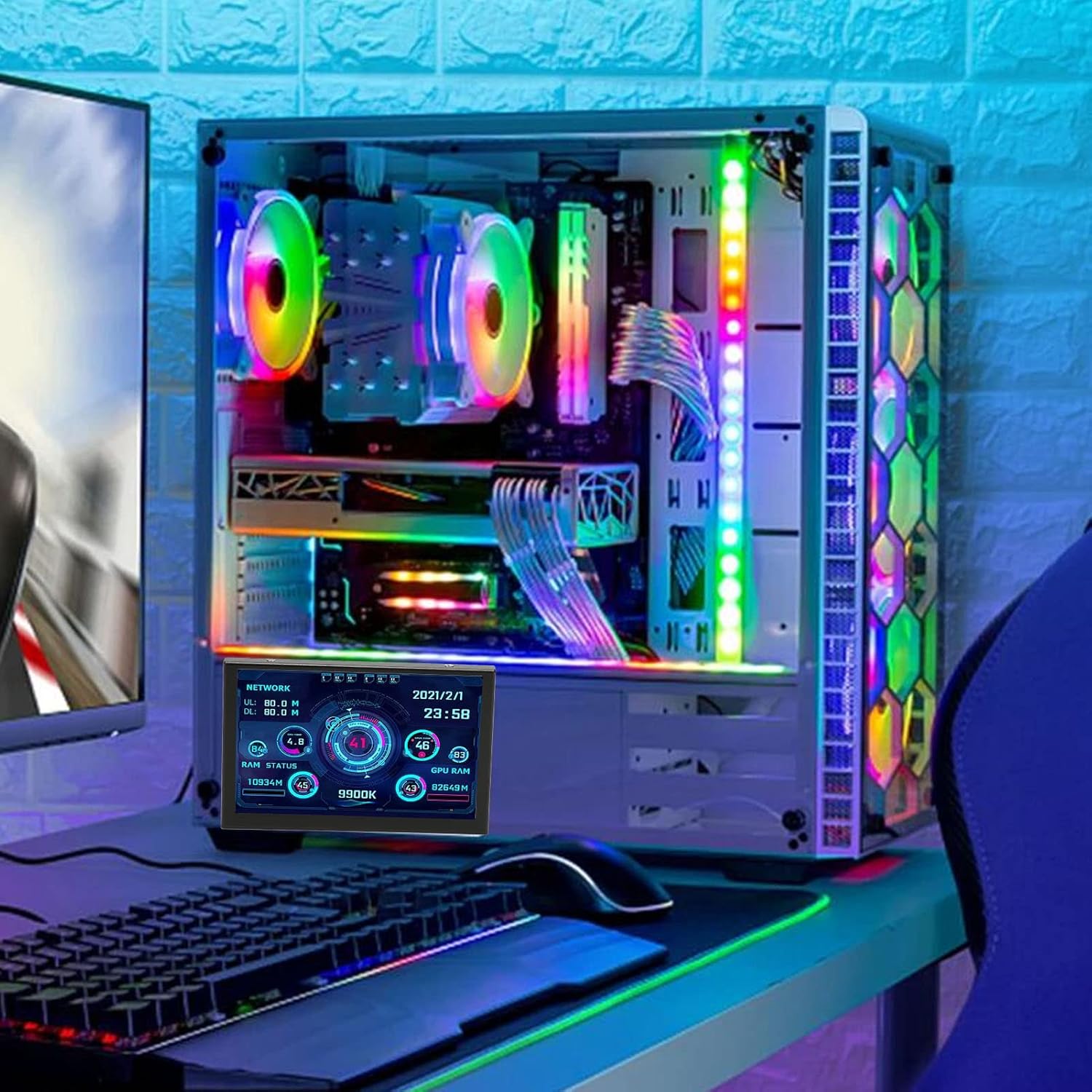
Image: The Vikye monitor seamlessly integrated into a desktop computer setup, demonstrating its compact size and placement flexibility.
6. Одржување
- To clean the screen, gently wipe it with a soft, dry, lint-free cloth.
- Do not use liquid cleaners or aerosol sprays directly on the screen.
- Keep the device free from dust and debris to ensure optimal performance.
7 Смена на проблеми
7.1 Graphics Card Data Not Changing
Проблем: The graphics card data displayed on the monitor remains unchanged.
Решение: For many laptop users, the discrete graphics card often operates in standby mode to conserve energy, with the integrated graphics handling most display tasks. The secondary display primarily monitors the most active independent graphics card. If your discrete GPU is in standby, its monitoring data will naturally remain static. This is normal behavior and not an indication of a fault.
7.2 Monitor Not Displaying
- Осигурајте се дека USB кабелот е безбедно поврзан и со мониторот и со компјутерот.
- Try connecting the monitor to a different USB port on your computer.
- Verify that the Vikye custom software is running on your computer.
- Restart your computer and the monitor.
7.3 Software Not Starting
- Ensure your operating system is compatible (Windows, Linux, RasPi).
- Reinstall the custom software if necessary.
- Check for any antivirus or firewall software that might be blocking the application.
8. Спецификации
| Тип на ставка | Монитор за температура на компјутерот |
| Материјал | LCD, Electronic Components, Iron |
| View | All Sight |
| Интерфејс | Микро USB |
| Дебелина | 10 mm / 0.39 инчи |
| Големина на екранот | 5 инчи |
| Резолуција | 800 x 480 |
| Компатибилност | RasPi, Linux, Windows |
| Димензии на производот (монитор) | Приближно 122 x 78 мм / 4.80 x 3.07 инчи |
| Севкупни димензии на производот | 7.48 x 4.33 x 1.97 инчи |
| Тежина на ставката | 7.5 унци |
| Број на модел | Vikyea5em6g9ouf |

Image: Detailed dimensions of the monitor, showing its length as 122mm (4.80in) and width as 78mm (3.07in).
9. Информации за гаранцијата
This product is covered by a manufacturer's warranty. For specific details regarding warranty duration, coverage, and claims process, please refer to the documentation included with your purchase or visit the official Vikye webстраница. Зачувајте го доказот за купување за потврда на гаранцијата.
10. Поддршка
If you encounter any issues or have questions not covered in this manual, please contact Vikye customer support. Refer to the product packaging or the official Vikye website for contact information, including email and phone support.