
Вовед
This user manual provides essential information for the safe and efficient operation of your DOOGEE R20 Rugged Tablet. Please read this manual thoroughly before using the device to ensure proper functionality and to prevent damage. Keep this manual for future reference.

Слика: Напред и назад view of the DOOGEE R20 Rugged Tablet, showcasing неговиот робустен дизајн и дисплеј.
Што има во кутијата
The DOOGEE R20 Rugged Tablet package typically includes the following items:
- Солиден таблет DOOGEE R20
- USB-C кабел за полнење
- 33W USB-C Wall Adapter (may require an adapter for US outlets)
- Упатство за употреба
- Алатка за исфрлување SIM
- Hand Strap and Metal Piece for attachment
- Protective Case (clear, pre-installed or included)
- 4G LTE SIM Card (for compatible regions/carriers)

Image: The DOOGEE R20 Rugged Tablet shown with its packaging and various accessories, including the charging adapter, cable, and user manual.
Физичко надview
The DOOGEE R20 features a robust design with strategically placed components for durability and functionality.
- Прикажи: 10.4-inch 2.4K IPS display.
- Предна камера: Located at the center of the long edge.
- Задна камера: 50MP main camera on the back.
- Копче за вклучување: Located on the top edge.
- Копчиња за јачина на звук: Located on the top edge, adjacent to the power button.
- Скенер за отпечатоци: Integrated into the side of the device.
- Говорници: Четири звучници за подобрено аудио искуство.
- Jackек за слушалки: Located on one side.
- USB-C порта: For charging and data transfer, covered by a protective flap.
- Фиока за SIM/MicroSD картичка: Located on the opposite side of the charging port, also covered by a protective flap.
Слика: Страна view of the DOOGEE R20 Rugged Tablet, highlighting the textured edges and button placement.

Слика: Заден дел view of the DOOGEE R20 Rugged Tablet, showing the camera module and ruggedized back panel.
Поставување
Почетно вклучување
- Press and hold the Power button on the top edge until the DOOGEE logo appears.
- Follow the on-screen prompts to select your language (English, United States) and region.
- Поврзете се на Wi-Fi мрежа за да го завршите процесот на поставување и да ги преземете потребните ажурирања.
Security Setup (Fingerprint & Face Unlock)
For enhanced security, you can set up fingerprint and face unlock features:
- Одете до Поставки > Безбедност и приватност > Отклучување на уред.
- Изберете Отклучување со отпечаток од прст и следете ги упатствата за да го регистрирате вашиот отпечаток од прст на странично монтираниот сензор.
- Изберете Отклучување со лице and follow the instructions to register your face using the front-facing camera.
Mobile Network Setup (Optional)
If your model supports cellular connectivity, you can insert a SIM card:
- Пронајдете го држачот за SIM/MicroSD картичка од страната на таблетот.
- Користете ја испорачаната алатка за исфрлање на SIM картичката за да го отворите фиоката.
- Carefully place your 4G LTE SIM card into the designated slot.
- Close the tray securely. The tablet should automatically detect the network.
Оперативен систем
The DOOGEE R20 runs on Андроид 13, offering a near-stock Android experience with minimal bloatware. This ensures a clean and efficient user interface.
- Кориснички интерфејс: Intuitive and easy to navigate, with most pre-installed applications being standard Google apps.
- Известувања и брзи поставки: Swipe down from the top of the screen to access notifications and quick settings toggles for Wi-Fi, Bluetooth, Airplane Mode, Auto-rotate, Flashlight, Screen Record, Battery Saver, Do Not Disturb, Hotspot, Color Inversion, Screenshot, Location, Scan QR Code, and Nearby Share. Additional options like Dark Theme and Extra Dim are available for customization.
- Складирање: The tablet comes with 256GB of internal storage, with approximately 16GB used by the system and pre-installed apps, leaving ample space for user data. Storage can be expanded up to 2TB using a MicroSD card.

Image: A close-up of the DOOGEE R20's display, showing the storage settings and available space.
Изведба
The DOOGEE R20 is powered by the MediaTek Helio G99 Octa-Core processor, built on a 6nm process technology. This processor, combined with 8GB of RAM (expandable to 20GB with virtual RAM), provides a balanced performance for everyday tasks, multitasking, and gaming.
- Играње: Capable of running popular games like PUBG Mobile and Asphalt 9 smoothly. While not designed for extreme high-end gaming, it offers a satisfactory experience for most users.
- Мултитаскинг: The generous RAM allows for seamless switching between applications without significant slowdowns.

Image: Visual representation of the DOOGEE R20's internal components, highlighting the Helio G99 processor and memory configurations.
Екран и аудио
The DOOGEE R20 features a 10.4-inch Full View HD+ IPS display со а 2.4K resolution (1200x2000 pixels), providing vibrant colors and clear visuals. It also boasts Widevine L1 support, enabling high-definition streaming from platforms like Netflix.
- Заштита на очите: TÜV Rheinland Low Blue Light certification helps reduce eye strain during prolonged use.
- Аудио: Опремен со Четири звучници со висока резолуција, delivering loud and clear audio for an immersive media consumption experience.

Image: The DOOGEE R20 display with key specifications like 2.4K resolution, 1200x2000 screen resolution, and viewинг агли.
Траење и полнење на батеријата
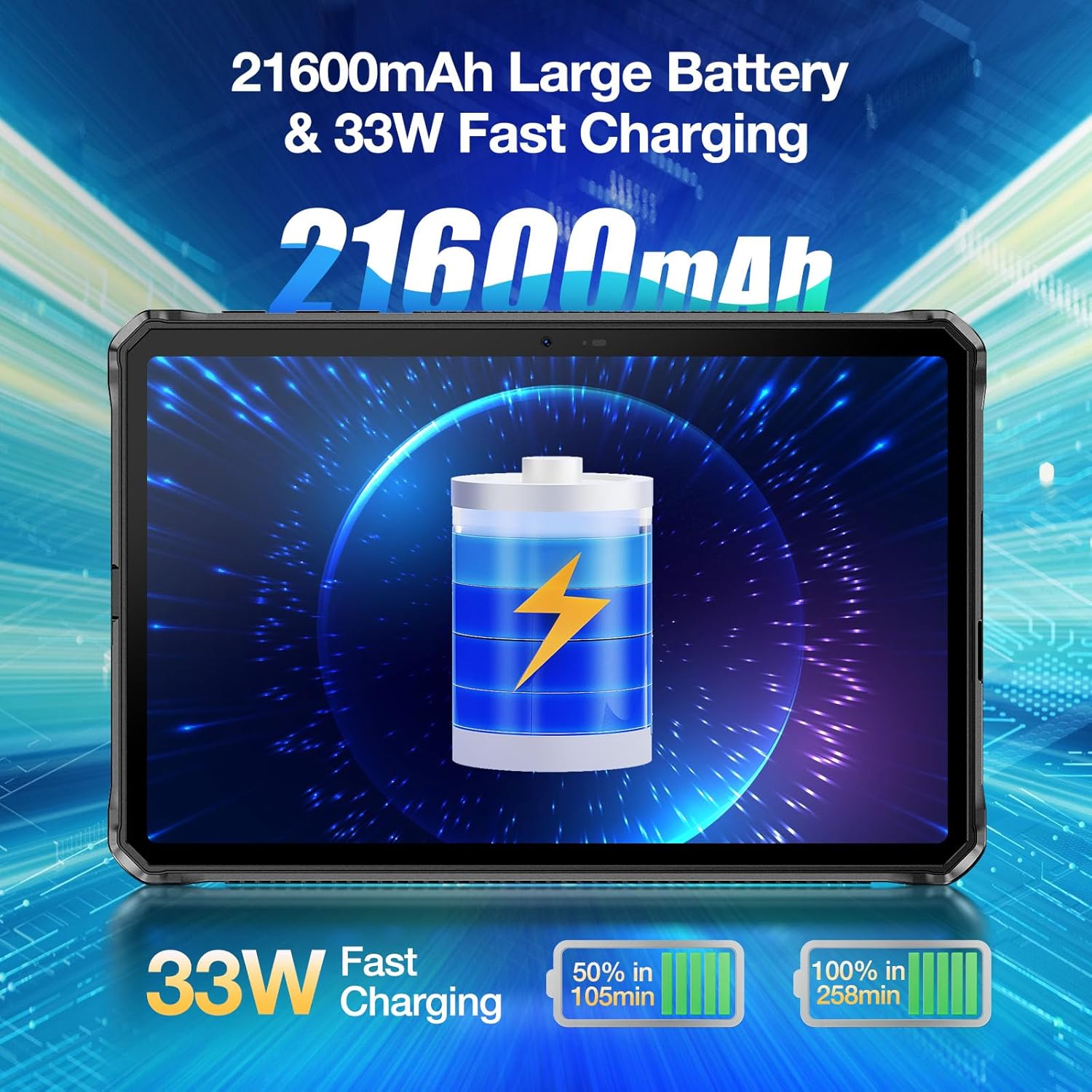
One of the standout features of the DOOGEE R20 is its massive Батерија од 21600 mAh, designed for extended usage without frequent recharging. It supports Брзо полнење од 33 W.
- Време на употреба: Provides up to 1781 hours of standby, 125 hours of calling, 38 hours of web browsing, and 27 hours of video watching.
- Време на полнење: Despite the large capacity, the 33W fast charger can fully charge the tablet in approximately 9 hours.

Image: The DOOGEE R20 highlighting its 21600mAh battery and 33W fast charging capability.
Карактеристики на камерата
The DOOGEE R20 is equipped with a 50MP PDAF Rear Camera и а Предна камера од 16 MP, offering higher resolution photography compared to many other tablets.
- Задна камера: Features a Samsung JN1 sensor with ISOCELL 2.0 technology for improved light sensitivity and color accuracy.
- Снимање видео: Supports video recording up to 2K (2560x1440) resolution.
- Режими на камера: Includes Document, Video, Picture, Portrait, and Face Beauty modes.

Image: The DOOGEE R20 showcasing its 50MP main camera and 16MP front camera.
Грубоста
The DOOGEE R20 is built to withstand harsh environments, certified with IP68, IP69K, and MIL-STD-810H оценки.
- Водоотпорен: IP68 rating allows submersion in 1.5 meters of water for up to 30 minutes.
- Отпорен на прашина: IP69K rating ensures complete protection against dust ingress.
- Заштита од пад: MIL-STD-810H certified for drops up to 1.5 meters.
- Отпорност на температура: Operates reliably in extreme temperatures ranging from -40°C to +70°C (-40°F to 158°F).
- Заштита на екран: Features Corning Gorilla Glass to protect against scratches.

Image: The DOOGEE R20 demonstrating its waterproof, dustproof, and shockproof capabilities in various environments.
Одржување
To ensure the longevity and optimal performance of your DOOGEE R20 Rugged Tablet, follow these maintenance guidelines:
- Чистење: Use a soft, lint-free cloth to clean the screen and body. For stubborn smudges, slightly dampИзбришете ја крпата со вода или средство за чистење екрани. Избегнувајте груби хемикалии или абразивни материјали.
- Заштита на пристаништето: Always ensure the protective flaps over the USB-C port and SIM/MicroSD card tray are securely closed when not in use to maintain water and dust resistance.
- Температура: Avoid exposing the tablet to temperatures outside its operating range (-40°C to +70°C) for extended periods.
- Ажурирања на софтверот: Редовно проверувајте и инсталирајте системски ажурирања за да се осигурате дека вашиот уред ги има најновите безбедносни закрпи и подобрувања на перформансите.
- Нега на батеријата: Додека батеријата е голема, избегнувајте често целосно празнење. За долгорочно складирање, наполнете ја батеријата до околу 50-60%.
Решавање проблеми
Еве решенија за вообичаени проблеми со кои може да се соочите:
- Уредот не се вклучува: Проверете дали батеријата е наполнета. Поврзете го таблетот со полначот и почекајте неколку минути пред да се обидете повторно да го вклучите.
- Бавни перформанси: Close unused apps running in the background. Clear cache from apps or perform a factory reset if the issue persists (back up data first).
- Проблеми со поврзувањето со Wi-Fi: Рестартирајте го таблетот и вашиот Wi-Fi рутер. Заборавете ја мрежата во поставките за Wi-Fi и повторно поврзете се.
- Паѓање на апликации: Clear the cache and data of the problematic app (Settings > Apps > [App Name] > Storage > Clear cache/Clear data). Reinstall the app if necessary.
- Проблеми со полнење: Ensure the charging cable and adapter are securely connected. Try a different cable or adapter if available. Check the USB-C port for any debris.
- Отклучувањето со отпечаток од прст/лице не работи: Ensure your fingers/face are clean and dry. Re-register your fingerprint/face in settings if the problem continues.
Спецификации
| Карактеристика | Спецификација |
|---|---|
| Бренд | ДУГИ |
| Име на моделот | R20 |
| Оперативен систем | Андроид 13 |
| Големина на екранот | 10.4 инчи |
| Резолуција на екранот | 2000x1200 (2.4K IPS) |
| Процесор | MediaTek Helio G99 Octa Core |
| RAM меморија | 20GB (8GB физичка + 12GB виртуелна) |
| Внатрешно складирање | 256 GB |
| Складирање што може да се прошири | До 2TB преку MicroSD |
| Капацитет на батеријата | 21600 mAh |
| Полнење | Брзо полнење од 33 W |
| Задна камера | 50 MP |
| Предна камера | 16 MP |
| Поврзување | WiFi 6, Bluetooth 5.2, 4G LTE (SIM support) |
| Оценки за издржливост | IP68, IP69K, MIL-STD-810H |
| Тежина на ставката | 3.94 фунти |
| Димензии на производот | 10.19 x 6.67 x 0.7 инчи |
Гаранција и поддршка
DOOGEE tablets come with a двегодишна гаранција за квалитет. For any questions or support needs, please contact DOOGEE customer service. Additionally, the product may be eligible for a 30-Day Money Back Guarantee and Free Return as per retailer policies.

Image: Information regarding DOOGEE's after-sales support, including warranty and return policies.