
1. Вовед
This manual provides detailed instructions for the installation, operation, and maintenance of your BITEPASS P8 Smart Wireless Doorbell Camera. Please read this manual thoroughly before using the product to ensure proper functionality and safety. Keep this manual for future reference.
2. Производот завршиview
The BITEPASS P8 Smart Wireless Doorbell Camera is designed to enhance your home security with advanced features. It offers high-definition video, two-way audio communication, and infrared night vision for clear visibility day and night. The doorbell includes AI human detection to minimize false alerts and is built with IP65 weather resistance for outdoor use. It operates on 2.4GHz Wi-Fi and supports cloud storage for video recordings.

Image: The BITEPASS P8 Smart Wireless Doorbell Camera, highlighting features such as AI Human Detection, Night Vision, HD Video, Ultra Wide Angle Lens, Two-way Audio, Instant Alert, Cloud Storage, and Battery Powered.
Видео: Службено лице завршиview of the BITEPASS Smart Wireless Doorbell Camera, demonstrating its features and benefits.
3. Содржина на пакетот
Проверете дали сите артикли се присутни во вашиот пакет:
- BITEPASS P8 Smart Wireless Doorbell Camera
- Безжичен ѕвонче
- Батерии што се полнат (претходно инсталирани или одделни)
- USB кабел за полнење
- Држач за монтирање на ѕид
- Монтажни завртки и сидра
- Adhesive Tape for mounting
- Упатство за употреба (овој документ)

Слика: Детална view of the doorbell camera and its components, including the doorbell receiver and product labels.
4. Упатства за поставување
4.1. Charging and Battery Installation
Ensure the doorbell camera's batteries are fully charged before initial use. If batteries are separate, insert them into the designated compartment. Connect the USB charging cable to the doorbell and a power source until the indicator light shows a full charge.

Image: A person's hands inserting rechargeable batteries into the back compartment of the doorbell camera.
4.2. Преземање на апликација и креирање сметка
Download the "Aiwiit" app from the Apple App Store or Google Play Store. Follow the in-app instructions to create an account and log in.

Image: A visual guide showing the steps to download the Aiwiit app, connect the doorbell, set up, and install it.
4.3. Поврзување преку Wi-Fi
Open the Aiwiit app and follow the prompts to connect your doorbell camera to your home's 2.4GHz Wi-Fi network. Ensure your smartphone is connected to the 2.4GHz network during the setup process.
4.4. Mounting the Doorbell Camera
Choose a suitable location near your front door. The doorbell can be mounted using either the provided adhesive tape or screws.
- Монтирање на лепило: Clean the mounting surface thoroughly. Apply the adhesive tape to the back of the doorbell bracket and firmly press the doorbell onto the desired location.
- Монтирање на завртка: Use the wall mount bracket as a template to mark drill holes. Drill pilot holes, insert wall anchors if necessary, and secure the bracket with screws. Attach the doorbell camera to the mounted bracket.

Image: A hand applying the doorbell camera to a wall using adhesive tape.

Image: A hand securing the doorbell camera to a wall using screws.
5. Упатства за работа
5.1. Во живо View
Open the Aiwiit app to access the live video feed from your doorbell camera at any time. This allows you to monitor your front door remotely.
5.2. Двонасочно аудио
When a visitor presses the doorbell or motion is detected, you will receive a notification on your smartphone. Tap the notification to open the live view and use the two-way audio feature to speak with your visitor. This allows for clear communication with guests or delivery personnel.

Image: A delivery person at the door and a user communicating via the doorbell's two-way audio feature through a smartphone app.
5.3. Детекција на луѓе со вештачка интелигенција и предупредувања
The doorbell camera features AI human detection, which intelligently identifies human shapes and reduces false alarms from pets or inanimate objects. When human motion is detected, you will receive instant alerts on your smartphone.

Image: The AI Human Detection feature in action, showing the doorbell camera detecting a child while ignoring pigeons, with a notification alert.
5.4. Ноќно гледање
The doorbell camera is equipped with IR night vision, allowing it to capture clear video footage even in low-light conditions or complete darkness. The camera automatically switches between day and night vision modes.

Image: A split image demonstrating the doorbell camera's clear day vision and its effective IR night vision in darkness.
5.5. Складирање во облак
Recorded video clips are stored securely in the cloud (subscription may be required). You can access, view, download, and share these recordings through the Aiwiit app. This ensures you never miss important events at your door.

Image: An illustration of the cloud storage feature, showing recorded video clips accessible via a smartphone app.
Video: An official video demonstrating the features of the BITEPASS Video Doorbell Camera, including cloud storage and remote access.
5.6. Безжичен ѕвонче
The included wireless chime plugs into any standard wall outlet and provides an audible alert inside your home when the doorbell button is pressed. Pair the chime with the doorbell according to the instructions in the app.

Image: The wireless chime unit plugged into a wall outlet, indicating it's producing sound when the doorbell is pressed.
6. Одржување
6.1. Полнење на батеријата
The doorbell camera is powered by rechargeable batteries. When the battery level is low, you will receive a notification via the app. Remove the doorbell from its mount and charge it using the provided USB cable. A full charge typically takes several hours.
6.2. Чистење
To maintain optimal performance, periodically clean the camera lens and the doorbell's exterior with a soft, damp крпа. Избегнувајте употреба на груби хемикалии или абразивни материјали што би можеле да го оштетат уредот.
6.3. Отпорност на временски услови
The BITEPASS P8 doorbell camera has an IP65 weather resistance rating, meaning it is protected against dust and low-pressure water jets. It is designed to operate in temperatures ranging from 14°F to 140°F (-10°C to 60°C). While robust, avoid submerging the device in water or exposing it to extreme weather conditions beyond its rated limits.
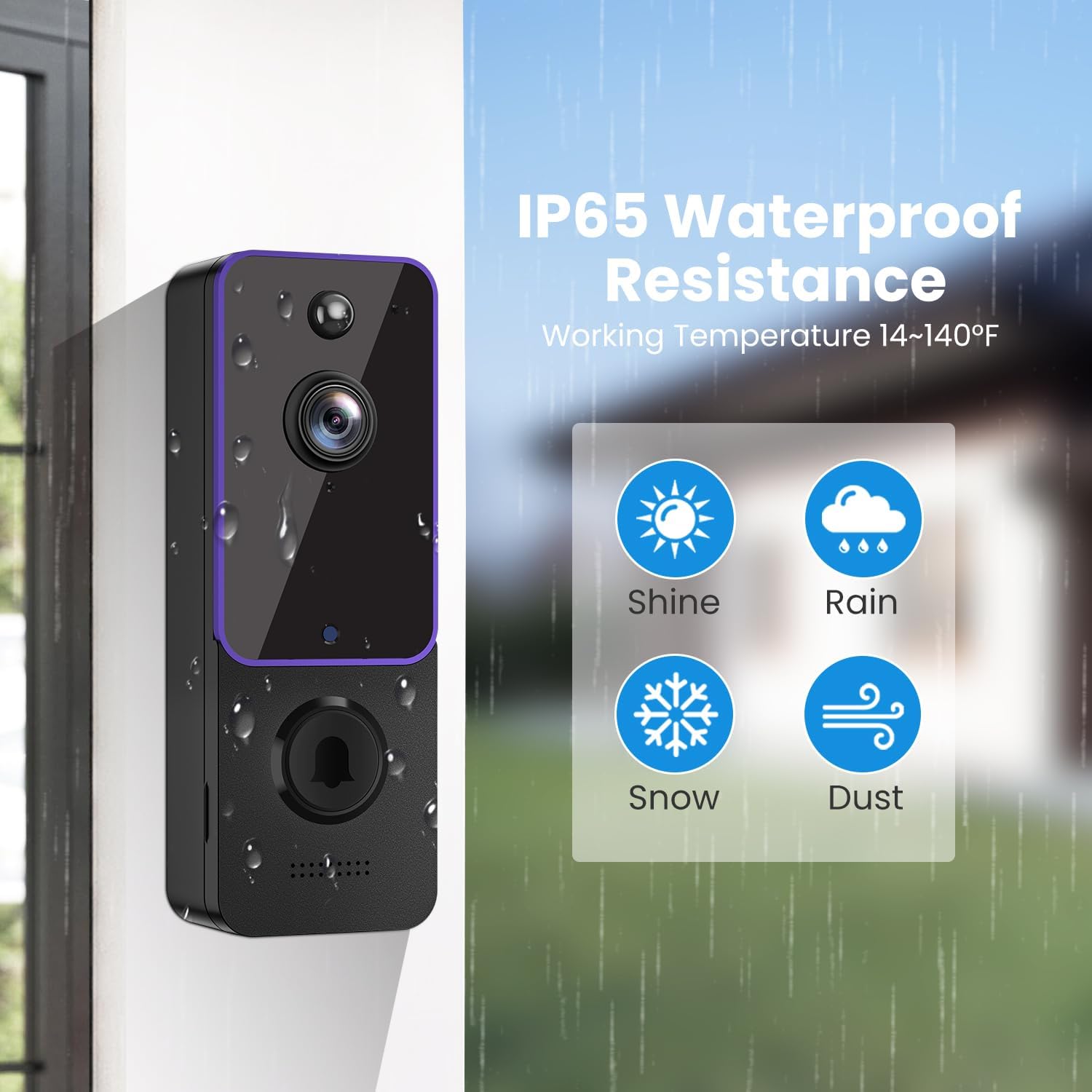
Image: The doorbell camera shown with water droplets, illustrating its IP65 waterproof resistance and ability to withstand various weather conditions like shine, rain, snow, and dust.
7 Смена на проблеми
| Проблем | Можна причина | Решение |
|---|---|---|
| Ѕвончето не се поврзува со Wi-Fi | Incorrect Wi-Fi password; connected to 5GHz network; weak signal. | Ensure correct 2.4GHz Wi-Fi password. Move doorbell closer to router. Restart router and doorbell. |
| Нема предупредувања за откривање движење | Детекцијата на движење е оневозможена; чувствителноста е премала; известувањата од апликацијата се исклучени. | Check app settings for motion detection and sensitivity. Enable app notifications. |
| Лош квалитет на видеото | Weak Wi-Fi signal; dirty camera lens. | Подобрете ја јачината на Wi-Fi сигналот. Исчистете го објективот на камерата со мека крпа. |
| Краток век на батеријата | Frequent motion events; extreme temperatures; old batteries. | Adjust motion detection sensitivity. Ensure operating within recommended temperature range. Fully charge batteries. |
| Ѕвончето не ѕвони | Chime not paired; chime unplugged; volume too low. | Re-pair chime with doorbell via app. Ensure chime is plugged in and powered. Check chime volume settings. |
8. Спецификации на производот
| Карактеристика | Детал |
|---|---|
| Бренд | BITEPASS |
| Број на модел | P8 |
| Технологија за поврзување | Безжичен (Wi-Fi од 2.4 GHz) |
| Посебни карактеристики | 2-Way Audio, Night Vision, AI Human Detection |
| Внатрешна/надворешна употреба | Затворен, Надворешен |
| Водоотпорен рејтинг | IP65 |
| Извор на енергија | Battery Powered (6700 Milliamp Часови) |
| Димензии на ставката | 2 x 1.5 x 5.3 инчи |
| Видео кодирање | MPEG-4 |
| Тип на ноќно гледање | Night Color (Infrared) |
9. Гаранција и поддршка
For warranty information, technical support, or any inquiries regarding your BITEPASS P8 Smart Wireless Doorbell Camera, please refer to the contact information provided on the product packaging or visit the official BITEPASS webлокација. Чувајте ја сметката како доказ за купување за гаранциски побарувања.