
Вовед
Thank you for choosing the Cecotec Bolero Hexa M226000 Integrated Multifunction Oven. This appliance is designed to offer a versatile cooking experience with its 72-liter capacity, 7 cooking functions, and advanced steam features. This manual provides essential information for safe installation, operation, maintenance, and troubleshooting to ensure optimal performance and longevity of your oven.

Предна страна view of the Cecotec Bolero Hexa M226000 Integrated Multifunction Oven.
Поставување и инсталација
The Cecotec Bolero Hexa M226000 is a built-in oven designed for seamless integration into your kitchen cabinetry. Proper installation is crucial for safety and performance. It is recommended that installation be performed by a qualified technician.
Димензии и поставеност
Ensure the cabinet opening meets the required dimensions for the oven. The oven dimensions are approximately 57 cm (Depth) x 59 cm (Width) x 59.3 cm (Height). Refer to the provided diagrams for precise measurements and ventilation requirements.

Diagram showing the oven dimensions and required cabinet cutout for under-counter installation.

Diagram illustrating the oven dimensions and required cabinet cutout for tall cabinet installation.
Електрично поврзување
The oven operates at 220 Volts and has a power rating of 2800 Watts. Ensure your electrical supply is compatible and properly grounded. Do not use extension cords or adapters.
Почетно чистење
Пред првата употреба, исчистете ја внатрешноста на рерната со адamp cloth and mild detergent. Remove all accessories and wash them thoroughly. Run the oven empty at a high temperature (e.g., 200°C) for about 30 minutes to burn off any manufacturing residues, ensuring good ventilation during this process.
Упатства за работа
Your Cecotec oven features a user-friendly Touch Control Display and multiple cooking functions to suit various culinary needs.

The oven's intuitive touch control display and rotary knobs for setting functions and temperature.
Контролен панел
The oven is equipped with a digital Touch Control Display for easy operation. Use the tactile buttons and rotary knobs to select cooking modes, set temperature, and adjust the timer.
Функции за готвење
Рерната нуди 7 различни функции за готвење:
- Внатрешна светлина: Illuminates the oven cavity for visibility.
- Режим на скара: Ideal for browning and toasting dishes.
- Fan Assisted Grill: Combines grilling with fan circulation for even browning.
- Режим на конвекција: Uses a fan to circulate hot air, ensuring uniform cooking and faster results.
- Одмрзнување: Нежно одмрзнува замрзната храна.
- Брзо готвење: Optimized for quick preparation of various dishes.
- Steam Assist: Combines traditional cooking with steam for crispy exteriors and juicy interiors.

Muffins baking evenly inside the oven, demonstrating its cooking capabilities.
Steam Base X2 Feature
The oven includes a dual steam zone with an XXL capacity of up to 1 liter (500 ml + 500 ml). This is used for both the Steam EasyClean and Steam Assist functions.

A dish cooking in the oven, benefiting from the Steam Assist function for enhanced texture and moisture.
Вентилатор за ладење
An integrated cooling fan system ensures optimal cooling of the oven during and after cooking, contributing to the appliance's efficiency and safety.

Detail of the cooling fan, which helps maintain optimal oven temperature during and after use.
Заклучување за безбедност за деца
The oven is equipped with a Child Safety Lock feature to prevent accidental operation, ensuring a safer kitchen environment.
Предзагревање
Always preheat the oven to the desired temperature before placing food inside, unless the recipe specifies otherwise. This ensures consistent cooking results.
Official video demonstrating the Cecotec Bolero Hexa M226000 oven's features and operation.
Одржување и чистење
Редовното чистење и одржување ќе го продолжат животниот век на вашата рерна и ќе обезбедат хигиенско готвење.
Steam EasyClean Function
Utilize the Steam EasyClean function to effortlessly descale and loosen stubborn dirt inside the oven. Simply pour water into the designated steam zone and activate the function. The steam will help soften residues, making them easier to wipe away.
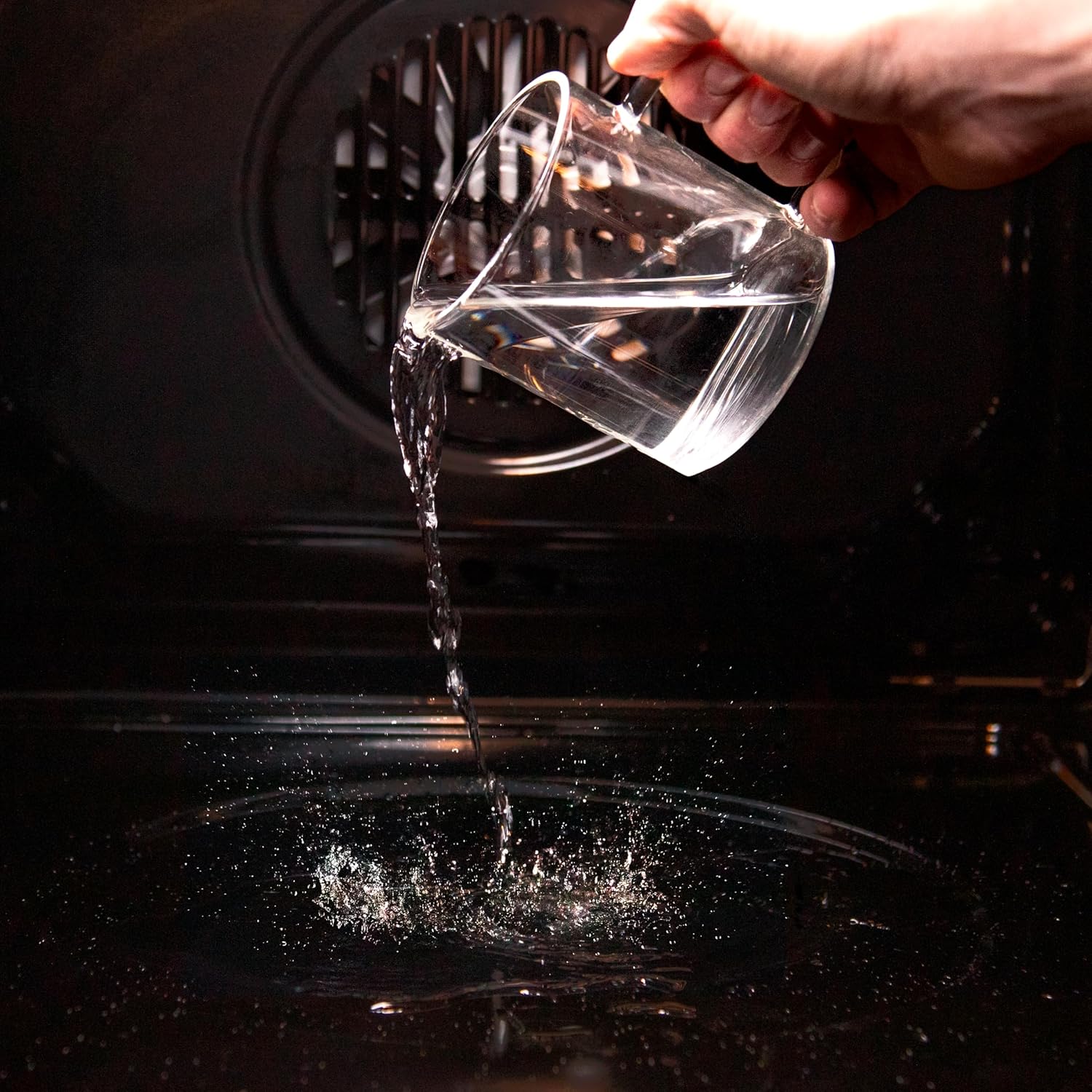
A hand pouring water into the oven's base, preparing for the Steam EasyClean function.

Visual comparison showing the effectiveness of the oven's cleaning process, from dirty to clean interior.
Тројна стаклена врата
The oven features a Triple Glass door, which not only prevents burns from touching the outer glass but also helps retain heat, contributing to energy efficiency. The smooth surface of the glass is easy to clean.
Општо чистење
After each use, allow the oven to cool down before cleaning. Use a soft cloth and mild, non-abrasive cleaning agents. Avoid harsh chemicals or abrasive scrubbers that could damage the oven's surfaces. Remove and clean racks and trays separately.
Решавање проблеми
If you encounter any issues with your oven, refer to the following common troubleshooting steps. For persistent problems, contact customer support.
Рерната не се загрева
- Check if the oven is properly plugged into the power outlet.
- Проверете дали прекинувачот на струјното коло не се исклучил.
- Ensure the cooking function and temperature are correctly set.
- Confirm that the timer is not set to 'off' or a delayed start.
Нерамномерно готвење
- Make sure the oven is preheated to the correct temperature.
- Avoid overcrowding the oven, which can obstruct air circulation.
- Use the convection function for more even heat distribution.
- Ensure baking trays and dishes are appropriate for oven use and not warped.
Екранот не работи
- Check the power supply to the oven.
- Try resetting the oven by turning off the power at the circuit breaker for a few minutes, then turning it back on.
Спецификации
Детални технички спецификации за рерната Cecotec Bolero Hexa M226000.
| Карактеристика | Спецификација |
|---|---|
| Бренд | Цекотек |
| Име на моделот | Bolero Hexa M226000 |
| Капацитет | 72 литри |
| Боја | Мат Греј |
| Метод на загревање | Конвекција |
| Тип на гориво | Електрични |
| Тип на инсталација | Вграден |
| Електрична енергија | 2800 вати |
| Voltage | 220 волти |
| Посебни карактеристики | Multifunction, Timer Function, Child Safety Lock, Automatic Defrost |
| Насока на отворање на вратата | Во право |
| Димензии на ставката (Д x Ш x В) | 57P x 59l x 59.3H cm |
| Тежина на ставката | 28.45 килограми |
| Заврши | Мат |
| Материјал | Нерѓосувачки челик |
| Енергетска класа | A |
| Број на дел од производителот | 02808 |
| GTIN | 08435484028080 |
| Земја на потекло | Шпанија |
| Вклучени компоненти | 1 x Рерна |

Visual representation of the oven's generous 72-liter capacity, suitable for family cooking.

The oven proudly displays its Energy Class A rating, indicating high energy efficiency.
Гаранција и поддршка
Цекотек е посветен на обезбедување квалитетни производи и задоволство на клиентите.
Информации за гаранцијата
The availability of spare parts for this appliance in the EU is guaranteed for 10 years from the date of purchase. Please retain your proof of purchase for warranty claims.
Поддршка за корисници
For any questions, technical assistance, or warranty service, please contact Cecotec customer support. You can find contact details on the official Cecotec webна лице место или преку вашиот продавач.
Official Cecotec video showcasing the Bolero Hexa integrated oven series.
Official Cecotec video highlighting features of the Bolero Hexa AF326000, similar to the M226000 model.