
TomTom 1YB5.002.20
TomTom GO Expert Truck Sat Nav User Manual
Model: 1YB5.002.20
Вовед
This manual provides essential information for setting up, operating, maintaining, and troubleshooting your TomTom GO Expert Truck Sat Nav. Please read it carefully to ensure optimal performance and safe use of your device.
The TomTom GO Expert is designed for professional large vehicle navigation, offering custom routing and POIs for buses, trucks, and coaches, along with live alerts for various road restrictions.
Што има во кутијата
Откако ќе го отворите пакувањето, проверете дали се присутни сите компоненти:
- TomTom GO Expert Device
- Полнач за автомобил
- Click-and-Drive Mount
- Водич за брз почеток

Слика: напред view of the TomTom GO Expert Sat Nav device, showing its 5-inch capacitive screen and the TomTom logo at the bottom.
Поставување
1. Монтирање на уредот
- Чистење на шофершајбната: Ensure the area where you intend to mount the device is clean and dry.
- Прикачете го држачот: Securely attach the Click-and-Drive mount to your windshield or dashboard. Press the suction cup firmly against the surface and flip the lever to lock it in place.
- Поврзете го уредот: Slide the TomTom GO Expert device onto the mount until it clicks securely.
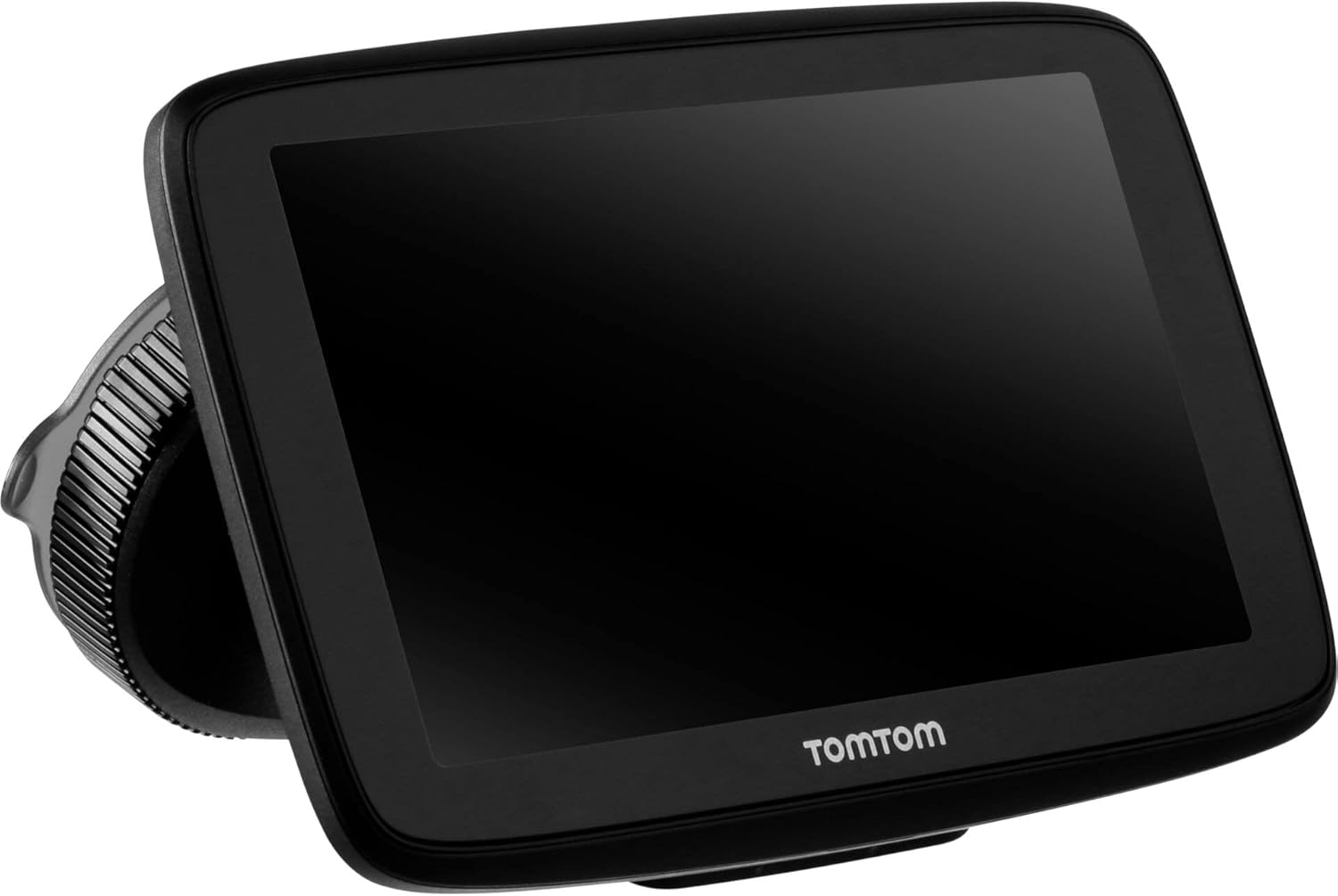
Image: The TomTom GO Expert Sat Nav device attached to its Click-and-Drive mount, viewed from an angle, showing the suction cup base.
2. Вклучување и полнење
- Connect the Car Charger: Plug the car charger into your vehicle's 12V power outlet.
- Поврзете се со уред: Connect the other end of the charger to the TomTom GO Expert device.
- Почетна наплата: Allow the device to charge for at least 30 minutes before first use, or until the battery indicator shows sufficient charge.

Слика: Страничен професионалецfile of the TomTom GO Expert Sat Nav device, showing its slim design and how it connects to the Click-and-Drive mount.
3. Првично поставување и Wi-Fi поврзување
- Следете ги упатствата на екранот за да го изберете вашиот јазик и регион.
- Connect to a Wi-Fi network for quick map updates and traffic information. Navigate to Поставки > Wi-Fi и изберете ја вашата мрежа.
- Configure your vehicle profile (truck, bus, coach) by entering dimensions, weight, and other relevant details. This is crucial for custom routing.
Ракување со вашиот уред
Основи на навигација
- Внесување дестинација: Tap the search icon on the main menu and enter an address, POI, or coordinates.
- Прилагодено рутирање: The device will automatically calculate routes based on your configured vehicle profile, avoiding unsuitable roads for large vehicles.
- Live Traffic Updates: With an active Wi-Fi connection, the device provides real-time traffic information to help you avoid delays.
- Lane Guidance: The device displays clear lane guidance to help you prepare for exits and turns.
- Гласовна контрола: Use voice commands for hands-free operation. Refer to the on-screen guide for available commands.
Map Updates and Services
Your TomTom GO Expert receives 3X faster updates via Wi-Fi. Ensure your device is connected to a stable Wi-Fi network to download the latest maps and software updates conveniently and at no extra cost.
- Ажурирања на картата: Одете до Поставки > Ажурирања и нови ставки to check for and install map updates.
- Известувања за камери за брзина: The device includes 1 year of speed camera alerts. Ensure this service is active for safer driving.
Одржување
- Чистење: Use a soft, lint-free cloth to clean the screen and device casing. Не користете абразивни средства за чистење или растворувачи.
- Ажурирања на софтверот: Regularly check for and install software updates via Wi-Fi to ensure optimal performance and access to new features.
- Нега на батеријата: To prolong battery life, avoid exposing the device to extreme temperatures. If storing for an extended period, ensure the battery is partially charged.
- Складирање: When not in use, store the device in a cool, dry place, away from direct sunlight.
Решавање проблеми
Заеднички прашања и решенија
- Уредот не се вклучува:
- Ensure the car charger is securely connected to both the device and the vehicle's power outlet.
- Проверете ја функционалноста на штекерот за напојување на возилото.
- Try resetting the device by holding the power button for 15-20 seconds.
- Нема GPS сигнал:
- Уверете се дека уредот има чист view of the sky. Obstructions like tall buildings or tunnels can block the signal.
- Move to an open area and allow the device a few minutes to acquire satellites.
- Check for any pending software updates that might improve GPS performance.
- Map Not Updating:
- Verify that the device is connected to a stable Wi-Fi network.
- Ensure there is sufficient storage space on the device for the new map data.
- Рестартирајте го уредот и обидете се повторно со ажурирањето.
- Екранот на допир не реагира:
- Извршете меко ресетирање со држење на копчето за вклучување додека уредот не се рестартира.
- Осигурајте се дека екранот е чист и без остатоци.
Спецификации
| Карактеристика | Детал |
|---|---|
| Димензии на производот | 5.51 x 0.79 x 3.54 инчи |
| Тежина на ставката | 12.7 унци |
| Број на модел | 1YB5.002.20 |
| Батерии | Потребна е 1 литиум-јонска батерија (вклучена) |
| Оперативен систем | Windows (internal OS) |
| Технологии за поврзување | Bluetooth, Wireless (Wi-Fi) |
| Посебни карактеристики | Bluetooth, Lane Assist, Touchscreen |
| Влез со човечки интерфејс | Екран на допир |
| Боја | Црното |
| Тип на услуга на возило | Bus, Truck |
| Големина на екранот | 5 инчи |
| Тип на карта | Во светот |
| Режим за излез на звук | Говорник |
Гаранција и поддршка
For detailed warranty information and technical support, please visit the official TomTom support webстраницата или погледнете ја гарантната картичка вклучена со вашиот производ.
Поддршка преку Интернет: www.tomtom.com/support
Ensure you have your device's serial number and model number (1YB5.002.20) ready when contacting support.
Ask a question about this manual
Ask about setup, troubleshooting, compatibility, parts, safety, or missing instructions. Manuals+ will review the question and use this page’s manual context to help answer it.