
1. Вовед
This manual provides detailed instructions for the installation, configuration, and operation of your Multilaser RE058 150Mbps Wireless Router. Please read this manual carefully before using the device to ensure proper setup and optimal performance. This router offers wireless connectivity at 150Mbps, features a detachable antenna, and includes four LAN ports for wired connections.
2. Содржина на пакетот
Проверете дали сите артикли се присутни во вашиот пакет:
- 1x Multilaser RE058 150Mbps Wireless Router
- 1x Power Adapter (Bivolt)
- 1x RJ45 Ethernet Cable
- 1x Detachable Antenna (5 dBi)
- 1x Водич за брза инсталација
3. Производот завршиview
Запознајте се со портите и индикаторите на рутерот.
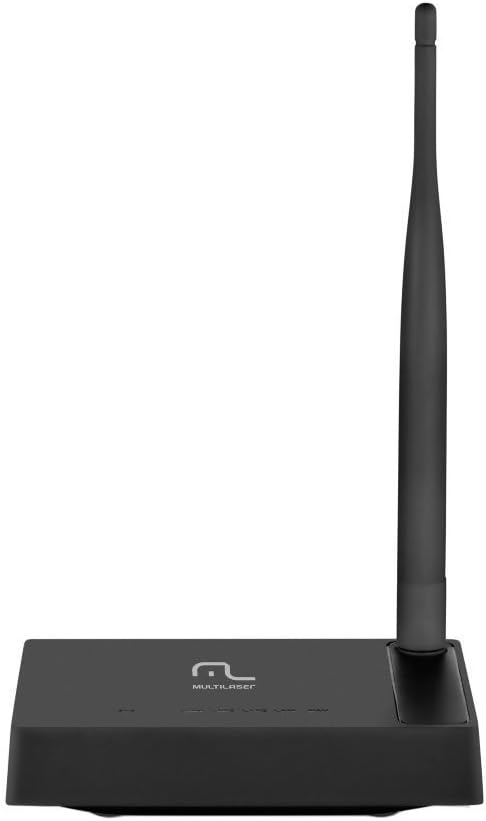
Слика 3.1: Задна страна view of the Multilaser RE058 router, highlighting the WAN port (blue), four LAN ports (yellow/orange), and the power input. The detachable antenna is connected on the left side.
3.1. Индикатори на предниот панел
- PWR: Power indicator. Lit when the device is powered on.
- WAN: Wide Area Network indicator. Lit when connected to the internet. Blinks during data transmission.
- LAN1-LAN4: Local Area Network indicators. Lit when a device is connected to the corresponding LAN port. Blinks during data transmission.
3.2. Порти на задниот панел
- WAN порт (сина): Се поврзува со мрежата на вашиот модем или давател на интернет услуги.
- LAN порти (1-4): Се поврзува со жични уреди како што се компјутери, играчки конзоли или паметни телевизори.
- Влез на енергија: Се поврзува со испорачаниот адаптер за напојување.
- Антенски конектор: For attaching the detachable antenna.
- Копче за ресетирање: Used to restore factory default settings. Press and hold for approximately 5-10 seconds while the router is powered on.
4. Поставување
Follow these steps to set up your Multilaser RE058 router:
- Поврзете ја антената: Screw the detachable antenna clockwise onto the antenna connector at the back of the router until it is secure.
- Поврзете се со модем: Use the provided RJ45 Ethernet cable to connect your modem's LAN port to the сина WAN порта на рутерот.
- Вклучување: Connect the power adapter to the router's power input and then plug the adapter into an electrical outlet. The PWR indicator should light up.
- Поврзување на уреди (опционално жичено): For wired connections, use additional Ethernet cables to connect your computers or other devices to the yellow LAN ports (1-4) на рутерот.
- Почекајте иницијализација: Allow a few minutes for the router to power on and initialize. The WAN indicator should light up, indicating an internet connection.
- Пристап до интерфејсот на рутерот: Отвори a web browser on a connected computer or device. In the address bar, type the router's default IP address (usually
192.168.0.1or192.168.1.1) and press Enter. Refer to the Quick Installation Guide for the exact default IP and login credentials. - Почетна конфигурација: Follow the on-screen instructions in the router's web interface to set up your internet connection type (DHCP, Static IP, PPPoE, etc.) and configure your wireless network (SSID and password). The router software is available in Portuguese for easier setup.
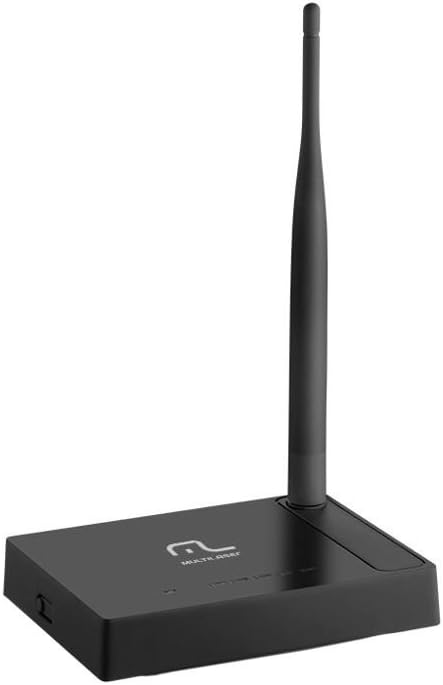
Слика 4.1: Страна view of the Multilaser RE058 router, showing the detachable antenna securely connected and standing upright.
5. Работење
This section covers the basic operation and features of your router.
5.1. Wireless Network (Wi-Fi)
After initial setup, your wireless network will be active. To connect devices:
- На вашиот уред (паметен телефон, лаптоп, таблет), пребарајте достапни Wi-Fi мрежи.
- Изберете го името на мрежата (SSID) што сте го конфигурирале за време на поставувањето.
- Enter the Wi-Fi password (security key) when prompted.
5.2. Жична мрежа
Devices connected to the LAN ports will automatically obtain an IP address from the router and gain internet access (if the WAN connection is active).
5.3. Repeater Function
The Multilaser RE058 can function as a wireless repeater to extend the range of an existing Wi-Fi signal. This mode needs to be configured via the router's web interface. Consult the full user manual or the router's online help for detailed steps on configuring repeater mode.
5.4. Напредни карактеристики
На рутерот web interface provides access to advanced settings, including:
- Тип на WAN: DHCP, Static IP, PPPoE, L2TP, PPTP, Dual Access, WISP.
- Virtual Servers, Port Triggering, UPnP, DMZ: For advanced network configurations and port forwarding.
- Контрола на пристап: IP/MAC/Domain Filtering to manage network access.
- VPN премин: PPTP, L2TP, IPSec for VPN connections.
- Dynamic DNS, Static Routing, WOL (Wake-on-LAN): Additional network utilities.
- Ажурирање на фирмверот: Keep your router's software up-to-date for improved performance and security.
6. Одржување
За да се обезбеди долготрајност и оптимални перформанси на вашиот рутер:
- Keep the router in a cool, dry place, away from direct sunlight and heat sources.
- Обезбедете соодветна вентилација околу уредот.
- Чистете ја надворешноста со мека, сува крпа. Не користете течни средства за чистење.
- Regularly check for and install firmware updates from the Multilaser webстраница за подобрување на безбедноста и функциите.
- Periodically restart the router (unplug and replug the power adapter) to refresh its connection and clear temporary issues.
7 Смена на проблеми
Доколку наидете на проблеми, пробајте ги овие вообичаени решенија:
7.1. Нема пристап до интернет
- Check all cable connections (WAN, LAN, Power). Ensure they are securely plugged in.
- Проверете дали вашиот модем работи правилно и дали има активна интернет конекција.
- Restart both your modem and router. Unplug their power adapters, wait 30 seconds, then plug the modem back in. Once the modem is fully online, plug the router back in.
- Пријавете се во рутерот web interface and check the WAN status. Ensure your internet connection type (DHCP, PPPoE, etc.) is correctly configured.
7.2. Не може да се поврзе со Wi-Fi
- Ensure the router is powered on and the wireless indicator is active.
- Verify you are selecting the correct Wi-Fi network (SSID) and entering the correct password.
- Приближете се до рутерот за да исклучите проблеми со дометот.
- Обидете се да го рестартирате рутерот.
7.3. Бавна брзина на интернет
- Ensure your router is placed in a central location, away from obstructions and interference sources (e.g., microwaves, cordless phones).
- Check if multiple devices are heavily using the network.
- Ажурирајте го фирмверот на вашиот рутер.
- Contact your Internet Service Provider (ISP) to check your internet line speed.
7.4. Forgot Router Login Password
If you forget the router's login password, you can perform a factory reset. Locate the Reset button on the rear panel. With the router powered on, use a paperclip or similar pointed object to press and hold the Reset button for approximately 5-10 seconds until the indicators flash. The router will restart with factory default settings, and you can then log in using the default credentials (usually found on a sticker on the router or in the Quick Installation Guide).
8. Спецификации
| Карактеристика | Детал |
|---|---|
| Бренд | Мултиласер |
| Модел | RE058 |
| Безжични стандарди | IEEE 802.11b, IEEE 802.11g, IEEE 802.11n |
| Фреквентен опсег | 2.4 - 2.4835 GHz (Single-Band) |
| Стапка на пренос на податоци | До 150 Mbps |
| Антена | 1x Detachable, 5 dBi |
| Етернет порти | 1x 10/100Mbps Auto MDI/MDIX RJ45 WAN Port, 4x 10/100Mbps Auto MDI/MDIX RJ45 LAN Ports |
| Напојување | DC 9V/500mA (Output), Bivolt input |
| Преносната моќност | 20dBm (MAX) |
| Компатибилни уреди | Notebook, Smartphone, Tablet |
| Софтверски карактеристики | DHCP, Static IP, PPPoE, L2TP, PPTP, Dual Access, WISP, Virtual Servers, Port Triggering, UPnP, DMZ, FTP Private Port, Access Control (IP/MAC/Domain Filtering), VPN Pass-through, Dynamic DNS, Static Routing, WOL, Backup & Restore, Firmware Update. |
9. Гаранција и поддршка
This Multilaser RE058 Wireless Router comes with a 7 година гаранција provided by the manufacturer. Please retain your proof of purchase for warranty claims.
For technical support, troubleshooting assistance, or warranty inquiries, please contact Multilaser customer service. Refer to the official Multilaser website or the Quick Installation Guide for up-to-date contact information.