
1. Производот завршиview
The ADATA HD710 Pro is a ruggedized 1TB external hard drive designed for extreme mobile data protection. It features a durable, triple-layered construction that makes it waterproof, dustproof, and military-grade shockproof. This device is ideal for users requiring robust storage on the go, compatible with Mac, PC, and Linux systems.
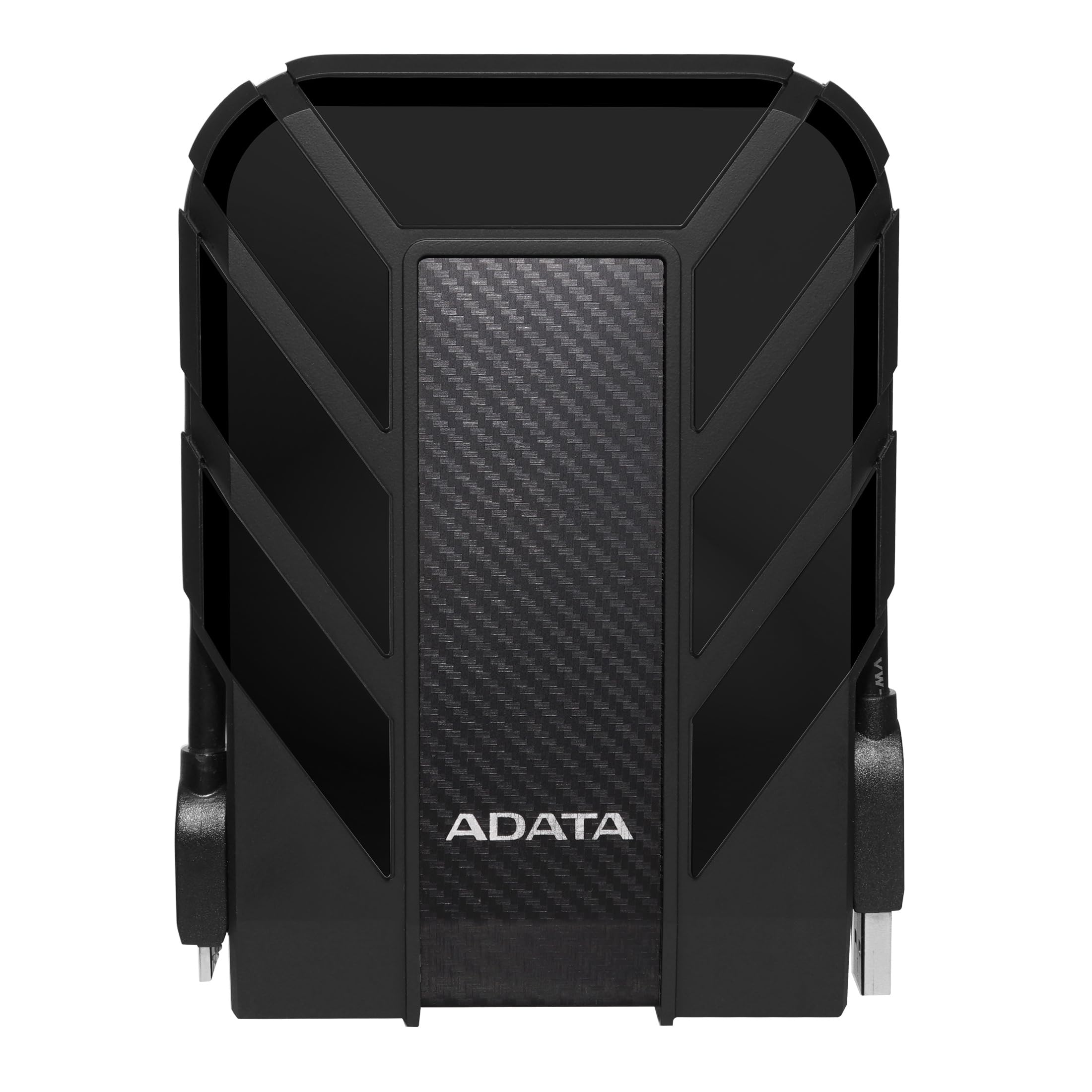
Figure 1: ADATA HD710 Pro 1TB External Hard Drive (Black)
2. Клучни карактеристики
- IP68 Waterproof and IP6X Dustproof: Certified to exceed stringent International Electrotechnical Commission (IEC) standards, offering protection against water immersion and total dust ingress.
- Military-Grade Shockproof (MIL-STD-810G 516.6): Designed to withstand drops from up to 1.5 meters, ensuring data safety even in challenging environments.
- Triple-Layered Protection: Features a tough silicone outer layer, a shock-absorbing buffer, and a robust plastic shell for enhanced durability.
- USB 3.1 интерфејс: Provides ultra-fast data transfer rates of up to 5 gigabits per second.
- Интегрирано управување со кабли: A convenient groove around the drive allows for neat storage of the USB cable, preventing loss and tangles.
- Не е потребна надворешна енергија: Powered directly via the USB connection, enhancing portability.

Figure 2: Illustration of the HD710 Pro's triple-layered protective design.
3. Поставување
- Отпакувајте го уредот: Carefully remove the ADATA HD710 Pro from its packaging.
- Locate the USB Cable: The integrated USB 3.1 cable is wrapped around the drive's casing. Gently unwrap it.
- Поврзете се со компјутер: Plug the USB connector into an available USB port on your computer (PC, Mac, or Linux). For optimal performance, use a USB 3.0/3.1 port.
- Првично препознавање: Your operating system should automatically detect the drive. A blue LED indicator on the drive will illuminate, signifying power and activity.
- Formatting (If Needed): The drive comes pre-formatted for general use. If you encounter issues or wish to change the file system (e.g., for specific operating system compatibility or larger file support), you may need to format the drive. Refer to your operating system's documentation for instructions on how to format an external drive. Warning: Formatting will erase all data on the drive. Back up any important fileс пред да продолжите.

Figure 3: The HD710 Pro is compatible with PC, Mac, and Linux systems.
4. Работење
- Пристап до дискот: Once connected and recognized, the drive will appear as a removable storage device in your computer's file explorer (Windows), Finder (macOS), or file manager (Linux).
- Пренесување Files: Можете да влечете и пуштате files or folders to and from the HD710 Pro just like any other storage device.
- Безбедно исфрлање: To prevent data corruption, always safely eject the drive before disconnecting it.
- Windows: Кликнете со десното копче на иконата на дискот во „Овој компјутер“ или во системската лента и изберете „Извади“.
- MacOS: Повлечете ја иконата на дискот во ѓубрето или кликнете на копчето Извади веднаш до името на дискот во Finder.
- Linux: Right-click the drive icon in your file manager and select 'Eject' or 'Unmount'.
- LED индикатор: The blue LED light indicates the drive's status:
- Цврсто сино: Drive is powered on and idle.
- Светлечко сино: Преносот на податоците е во тек.
Видео 1: Оверview of the ADATA External Hard Drive, demonstrating its features and usage.
5. Одржување
- Keep Ports Sealed: Ensure the rubber flap covering the USB port is securely closed when the drive is not in use to maintain its waterproof and dustproof integrity.
- Чистете нежно: Use a soft, dry cloth to clean the exterior of the drive. Avoid harsh chemicals or abrasive materials.
- Избегнувајте екстремни услови: While rugged, prolonged exposure to extreme temperatures, direct sunlight, or corrosive substances should be avoided.
- Ракувајте со внимание: Despite its shockproof design, avoid intentionally dropping or subjecting the drive to excessive force.

Figure 4: The HD710 Pro offers IP68 waterproof, IP6X dustproof, and military-grade shock resistance.
6 Смена на проблеми
- Дискот не е препознаен:
- Осигурајте се дека USB кабелот е безбедно поврзан и со дискот и со компјутерот.
- Обидете се да се поврзете со друга USB порта на вашиот компјутер.
- Тестирајте го дискот на друг компјутер за да исклучите проблем специфичен за компјутерот.
- Check your computer's Disk Management (Windows) or Disk Utility (macOS) to see if the drive is detected but unformatted or has a partition issue.
- Бавни брзини на пренос:
- Ensure you are using a USB 3.0/3.1 port on your computer for maximum speed. Connecting to a USB 2.0 port will result in slower speeds.
- Verify that your computer's drivers are up to date.
- Голем број на мали files can transfer slower than fewer large files.
- Корупција на податоци:
- Always safely eject the drive before disconnecting to prevent data loss or corruption.
- If data corruption occurs, data recovery software may be an option, but success is not guaranteed.
7. Спецификации
| Карактеристика | Детал |
|---|---|
| Дигитален капацитет за складирање | 1 ТБ |
| Интерфејс на тврдиот диск | USB 3.2 |
| Технологија за поврзување | USB |
| Бренд | ПОДАТОЦИ |
| Специјална карактеристика | Пренослив |
| Фактор на форма на хард диск | 2.5 инчи |
| Опис на тврдиот диск | Механички хард диск |
| Компатибилни уреди | Лаптоп, компјутер |
| Тип на инсталација | Надворешен хард диск |
| Боја | BLACK PRO |
| Дополнителни карактеристики | Пренослив |
| Брзина на ротација на хард дискот | 5400 вртежи во минута |
| Специфична употреба на производот | personal, gaming, business |
| Брзина на читање | 90 мегабајти во секунда |
| Брзина на медиумите | 90 мегабајти во секунда |
| Cache Memory Installed Size | 1 |
| Стапка на пренос на податоци | 5000 мегабити во секунда |
| Форма фактор | Пренослив |
| Хардверско поврзување | USB 3.0 |
| Материјал за куќиште | Алуминиум |
| Број на модел | AHD710P-1TU31-CBK |
| Вграден медиум | External HDD, Quick start guide |
| Име на моделот | HD 710 Pro |
| Производител | ПОДАТОЦИ |
| Глобален трговски идентификациски број | 04713218460394 |
| Тип на ставка Име | ADATA USB 3.1 IP68 Waterproof/Shockproof/Dustproof Ruggedized External Hard Drive, Black (AHD710P-1TU31-CBK) |
| Опис на гаранцијата | 3 година гаранција |
| Ранг на најпродавани | #35 in External Hard Drives |
| ASIN | B0744NWZTM |
| Hard-Drive Size | 1000 GB |
| Тежина на ставката | 9.6 унци |
| Item Dimensions L x W x Thickness | 5.2"Д x 3.8"Ш x 0.8"Т |
| Број на артикли | 1 |
| Број на единици | 1.0 Брои |
| Тип на пакет за клиенти | Стандардно пакување |
8. Гаранција
The ADATA HD710 Pro comes with a 3-годишна ограничена гаранција. This warranty covers defects in materials and workmanship under normal use. For specific terms and conditions, please refer to the official ADATA webлокацијата или гарантната картичка вклучена со вашиот производ.
9. Поддршка
For further assistance, technical support, or to download the latest drivers and software, please visit the official ADATA webсајт:
You may also find helpful resources and FAQs on the ADATA support pages.