
Allocacoc 4220BL/USOUPC
Allocacoc PowerCube Original USB Wall Plug Instruction Manual
Model: 4220BL/USOUPC
1. Вовед
The Allocacoc PowerCube Original USB is a compact and versatile wall plug designed to expand your power access. It provides four standard AC outlets and two USB charging ports, all within a space-saving cube design. This device is equipped with surge protection and childproof sockets, ensuring safe and efficient power distribution for your electronic devices.
2. Информации за безбедност
- Заштита од пренапони: This PowerCube includes built-in surge protection to safeguard your connected devices from voltagд флуктуации.
- Childproof Sockets: The AC outlets feature spring-loaded receptacle cover plates that prevent the insertion of objects when unequal pressure is applied, enhancing safety for children.
- Електричен рејтинг: Do not exceed the maximum electrical rating of 125V, 15A, 1875W. Overloading the device can cause damage or fire.
- Само за внатрешна употреба: This product is intended for indoor use in dry locations only. Do not expose to moisture or wet conditions.
- Правилно вметнување: Ensure plugs are fully inserted into the outlets. Loose connections can cause overheating.
- Осигурувач што може да се ресетира: The PowerCube is equipped with a resettable fuse for overload protection. If the fuse trips, disconnect devices and reset the fuse as instructed in the Operating Instructions.
3. Карактеристики на производот
- 4 приклучоци за наизменична струја: Provides four standard AC power outlets.
- 2 USB порти: Includes two USB-A ports for charging mobile devices.
- Компактен дизајн на коцка: Minimizes space usage and prevents plug blockage.
- Заштита од пренапони: Integrated protection against power surges.
- Childproof Sockets: Enhanced safety features for household use.
- Осигурувач што може да се ресетира: Overload protection with an easy-to-reset mechanism.
- Модуларен систем: Designed to be stackable with other PowerCube models (sold separately) for customized power solutions.

Слика 3.1: Готовоview of PowerCube features, highlighting no plug blockage, space-saving design, and multiple outlets/USB ports.
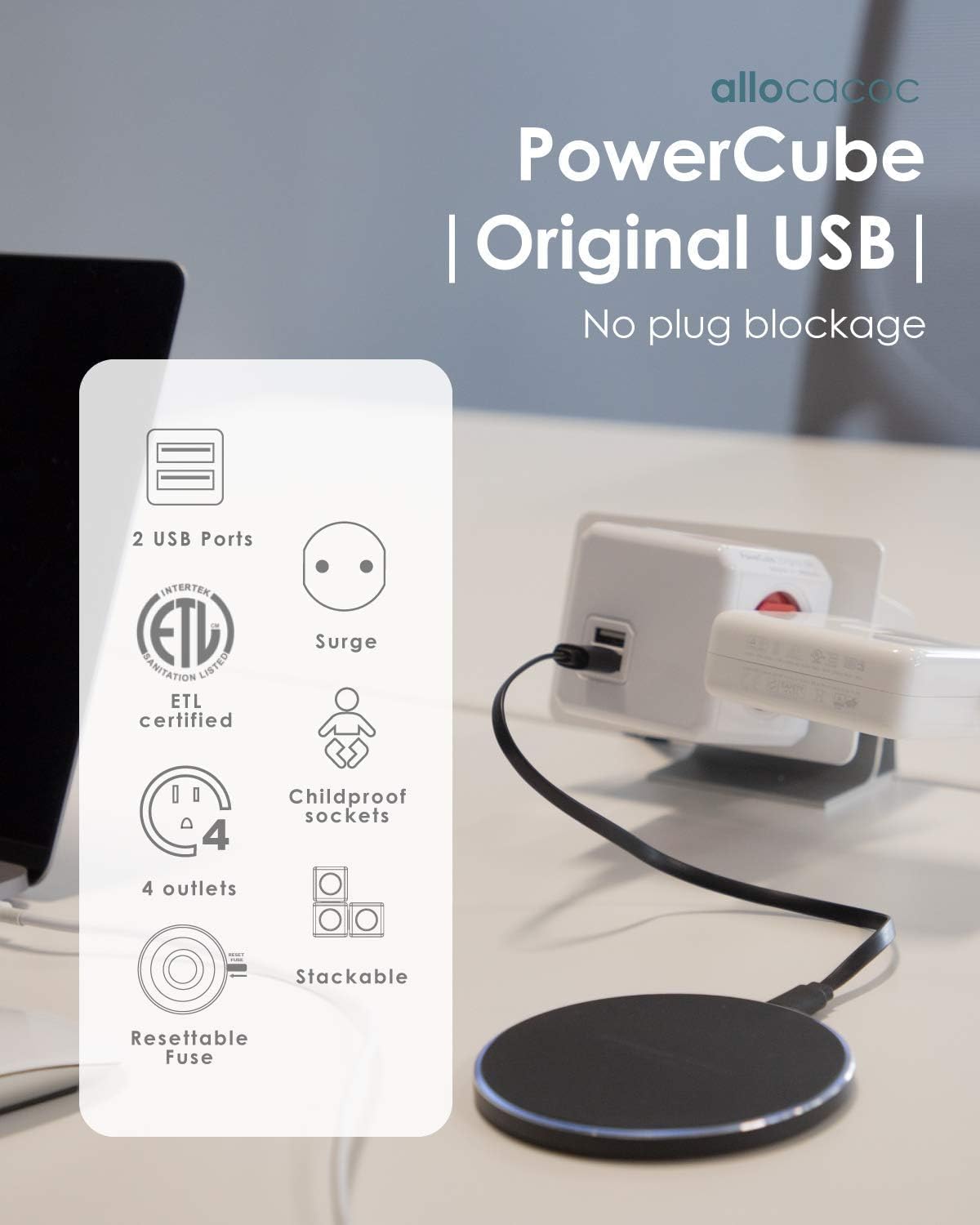
Image 3.2: Detailed feature icons for the PowerCube Original USB, including ETL certification, surge protection, and childproof sockets.
4. Поставување
The PowerCube Original USB is designed for direct plug-in use. Simply insert the PowerCube into a standard wall outlet. Its cubic shape ensures that it does not block adjacent outlets, allowing for efficient use of your wall space.

Image 4.1: The Allocacoc PowerCube Original USB wall plug, ready for direct insertion into a wall outlet.
Optional Mounting System (for compatible models)
Some PowerCube models offer a unique mounting system for secure placement. While this specific model is a direct wall plug, the modular design allows for integration with other PowerCube products that feature a mounting dock. If using a compatible PowerCube with a mounting system:
- Remove the protective sheet from the adhesive backing of the mounting dock.
- Stick the mounting dock onto a clean, flat surface.
- Align the PowerCube with the mounting dock and rotate to fix it securely into place.
Video 4.1: Demonstration of the PowerCube's mounting and stacking capabilities, showing how it can be secured to a surface and combined with other units.
5. Упатства за работа
Користење на приклучоци за наизменична струја
Once the PowerCube is plugged into a wall outlet, its four AC outlets are ready for use. Insert your device plugs into any of the available outlets. The unique cubic design ensures that even bulky power adapters do not obstruct adjacent outlets.
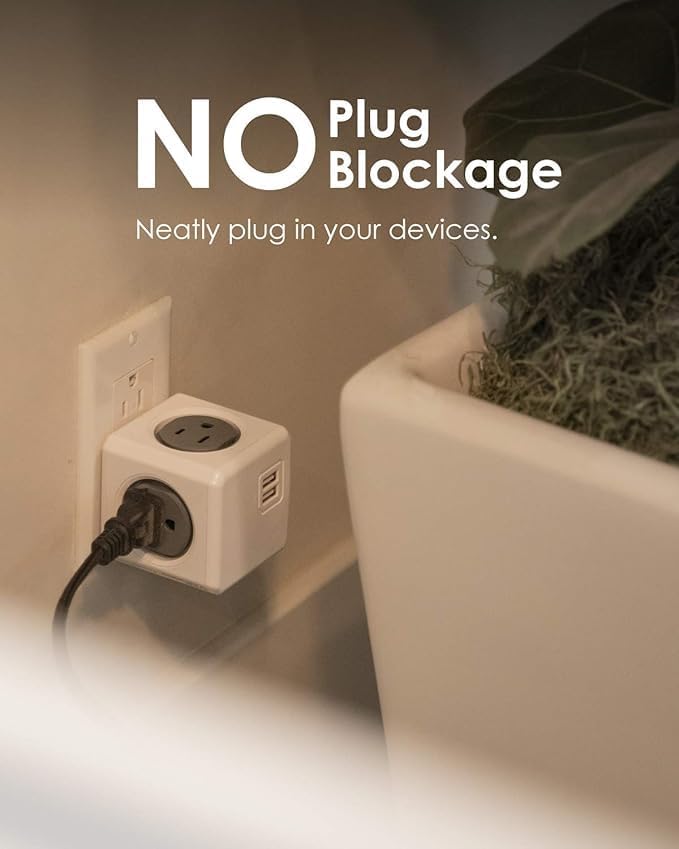
Image 5.1: The PowerCube in use, illustrating how its design prevents plugs from blocking each other.
Користење на USB порти за полнење
The two USB-A ports provide power for charging mobile devices such as smartphones and tablets. Connect your USB charging cable to one of the PowerCube's USB ports and then to your device. The USB ports deliver a combined output suitable for efficient charging.

Слика 5.2: Крупен план view of the PowerCube, highlighting the four AC outlets and two USB ports, along with the childproof socket feature.
Осигурувач што може да се ресетира
In the event of an electrical overload, the PowerCube's resettable fuse will trip to protect connected devices. To reset the fuse, first unplug all devices from the PowerCube. Then, locate the small reset button or switch on the PowerCube (often indicated by "RESET FUSE") and press it. Reconnect your devices one by one to identify the source of the overload if it recurs.
Видео 5.3: Оверview of the PowerCube family, demonstrating various models and their features, including the resettable fuse mechanism.
6. Одржување
- Чистење: Disconnect the PowerCube from the wall outlet before cleaning. Use a soft, dry cloth to wipe the exterior. Do not use liquid cleaners or abrasive materials.
- Складирање: When not in use, store the PowerCube in a cool, dry place away from direct sunlight and moisture.
7 Смена на проблеми
- Без моќност: If the PowerCube is not providing power, ensure it is securely plugged into a functioning wall outlet. Check if the resettable fuse has tripped (refer to Operating Instructions for resetting).
- Slow USB Charging: Ensure your device's charging cable is fully inserted into the USB port. If charging is still slow, try using a different USB cable or reducing the number of devices charging simultaneously.
- Прегревање: If the PowerCube feels excessively hot, immediately unplug all devices and disconnect the PowerCube from the wall outlet. Check the total wattage of connected devices to ensure it does not exceed the maximum rating (1875W).
8. Спецификации
| Карактеристика | Детал |
|---|---|
| Димензии на производот | 3.94 x 2.52 x 2.52 инчи |
| Тежина на ставката | 7.2 унци |
| Вкупно приклучоци за струја | 4 приклучоци за наизменична струја, 2 USB порти |
| Voltage | 125V |
| Ampбес | 15 А |
| Ватtage | 1875 W |
| Специјална карактеристика | Compact, Surge Protection, Childproof Sockets, Resettable Fuse |
| Сертификати | ETL сертифициран |
9. Гаранција и поддршка
For warranty information, product support, or to inquire about replacement parts, please contact Allocacoc customer service directly. Refer to the product packaging or the official Allocacoc webстраница за најактуелните контакт информации и гарантните услови.
Ask a question about this manual
Ask about setup, troubleshooting, compatibility, parts, safety, or missing instructions. Manuals+ will review the question and use this page’s manual context to help answer it.