Pambuka
Welcome to the Philips OneBlade Pro 360 QP6552-15 instruction manual. This versatile grooming tool is designed for trimming, edging, and shaving any length of hair on both your face and body. Its unique OneBlade technology and 360-degree blade ensure a comfortable and efficient experience. Please read this manual carefully before first use to ensure safe and optimal performance of your device.
Fitur Utama
- Exclusive OneBlade Technology: Designed for trimming, edging, and shaving any length of hair.
- Innovative 360-Degree Blade: Pivots in all directions to maintain constant contact with skin, ensuring comfort and control even in difficult areas.
- Sistem Proteksi Ganda: Features a glide coating and rounded tips for a comfortable shave that protects your skin.
- 20 Length Settings Adjustable Comb: Easily select and lock in your preferred trim length from 0.4mm to 10mm.
- Baterei Lithium-Ion sing bisa diisi ulang: Provides 120 minutes of constant power after a 1-hour charge.
- Pisau Baja Tahan Karat: Designed to last up to 4 months for optimal performance.
- Blade Wear Indicator: An icon on the blade alerts you when it's time for a replacement.
- Skin Guard for Body Grooming: Provides an extra layer of protection for sensitive areas.
Apa ing Box
Your Philips OneBlade Pro 360 QP6552-15 package includes the following items:
- Philips OneBlade Pro 360 Handle (Model QP6552/15)
- OneBlade 360 Blade (pre-attached or separate)
- Adjustable Precision Comb (with 20 length settings)
- Skin Guard for Body
- Charging Cable (USB-A)
- Travel Kab
- Manual pangguna
- Travel Pouch/Case
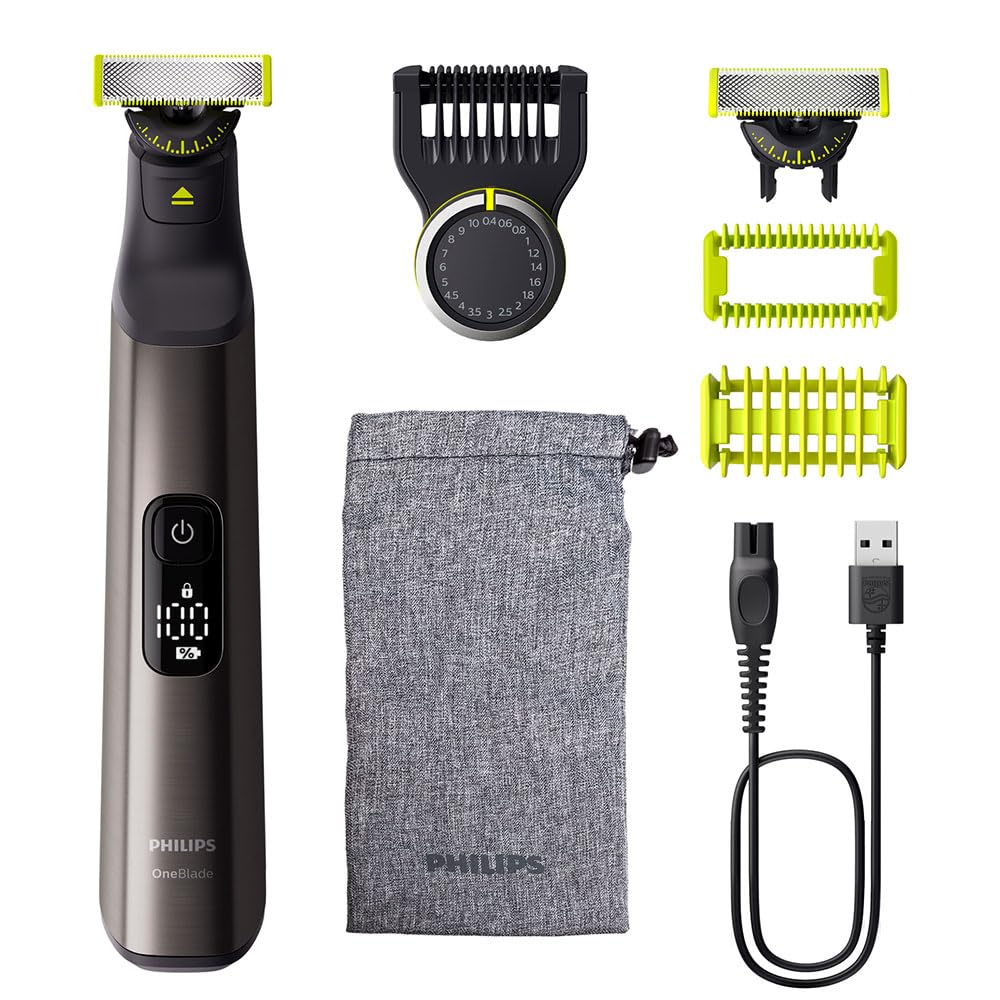
Image: Philips OneBlade Pro 360 QP6552-15 with its various attachments and charging cable.
Setup
- Biaya Wiwitan: Before first use, fully charge your OneBlade Pro 360. Connect the charging cable to the device and a USB power adapter (not included). The LED display will show the charging progress. A full charge takes approximately 1 hour and provides 120 minutes of use.
- Pasang Blade: Align the blade with the handle and push it until you hear a click. To remove, press the release button and slide the blade off.
- Attaching the Adjustable Comb: For beard trimming, slide the adjustable comb onto the blade until it clicks into place. Rotate the dial to select your desired hair length.
- Attaching the Skin Guard: For body grooming, slide the skin guard onto the blade until it clicks into place. This provides an extra layer of protection for sensitive areas.
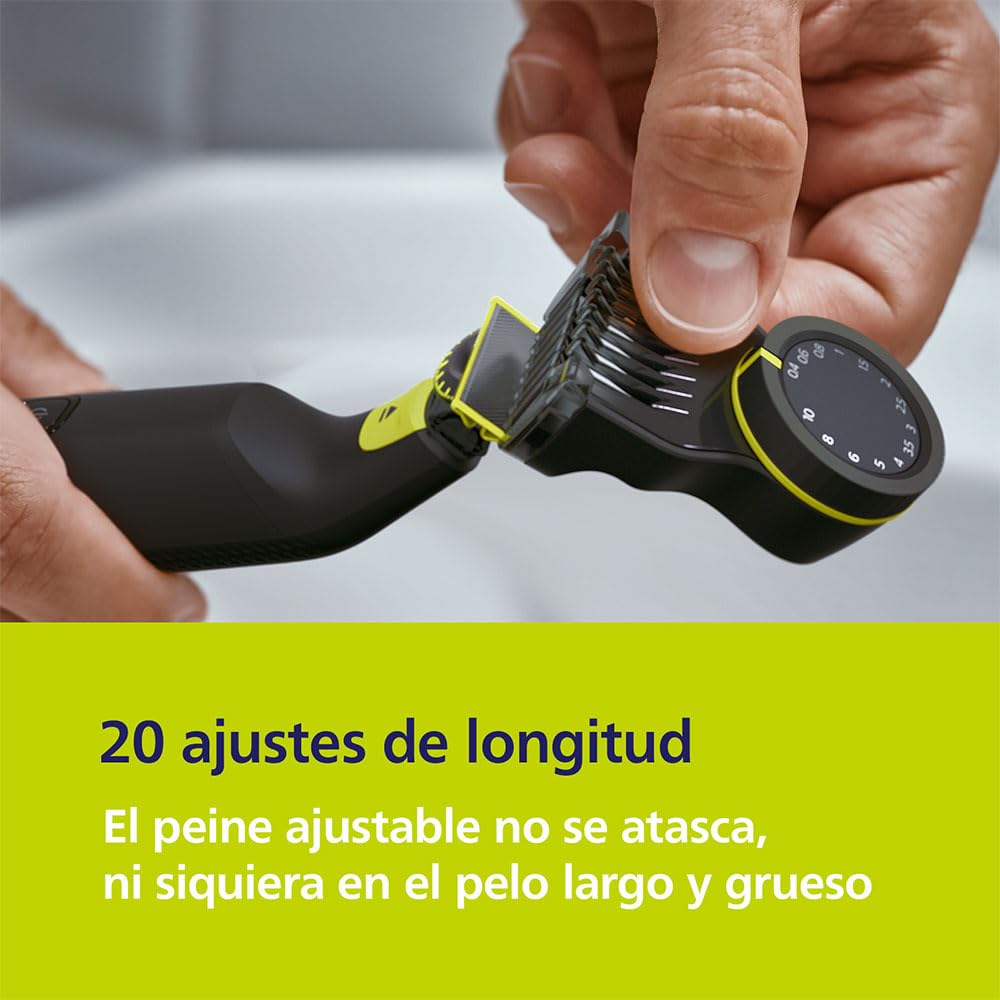
Image: Attaching the adjustable precision comb to the OneBlade Pro 360.
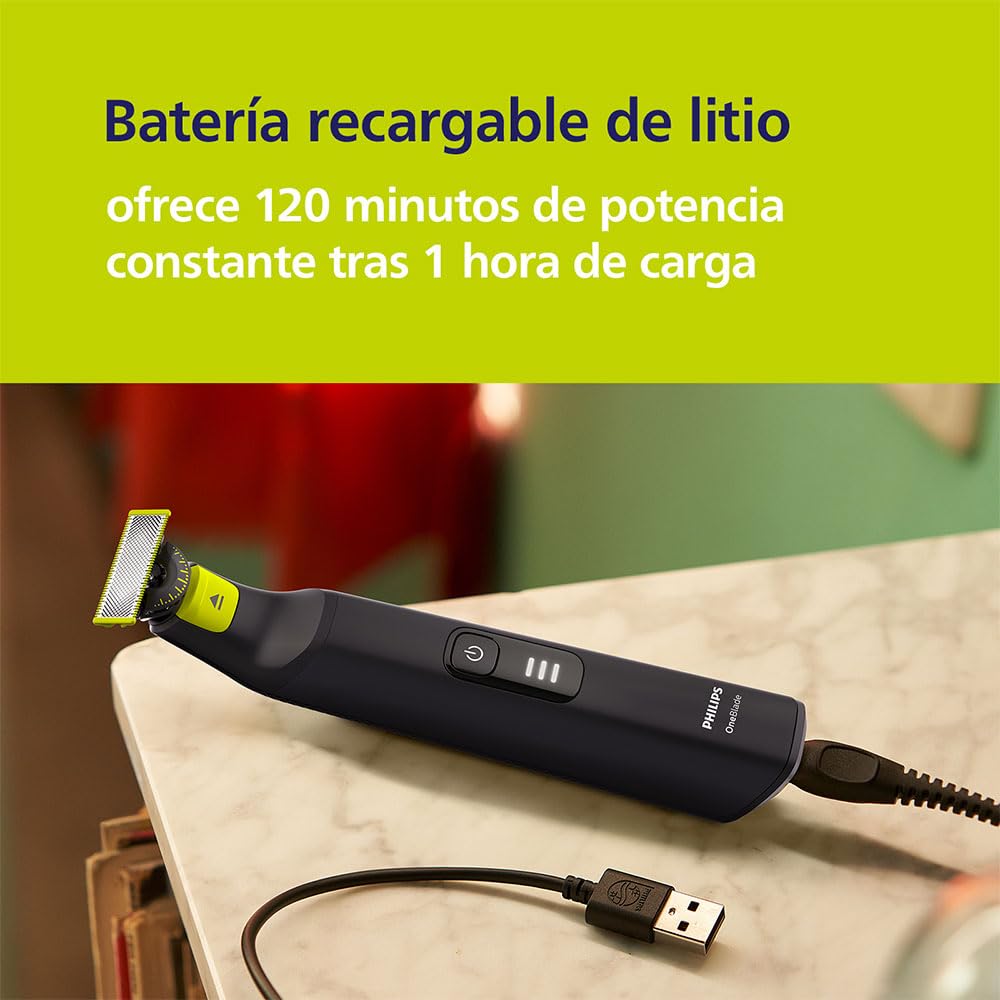
Image: The Philips OneBlade Pro 360 charging via its USB cable.
Instruksi Operasi
Panggunaan Umum
- Pencet tombol daya kanggo nguripake utawa mateni piranti.
- The OneBlade can be used wet or dry, with or without foam.
- For best results, move the blade against the grain of your hair.
Trimming Panjenengan Jenggot
- Attach the adjustable precision comb.
- Select your desired trim length using the dial (0.4mm to 10mm).
- Hold the OneBlade flat against your skin and move it against the direction of hair growth.

Image: The Philips OneBlade Pro 360 used for trimming, shaving, and profiling facial hair.
Edging and Shaping
- Remove any comb attachments.
- Hold the blade flat against your skin and use the tip to create sharp lines and edges.
- The dual-sided blade allows for precise edging in both directions.
nyukur
- Remove any comb attachments.
- Hold the blade flat against your skin and move it in long strokes against the grain of your hair.
- The OneBlade does not shave as close as a traditional blade, ensuring comfort and preventing skin irritation.
dandan awak
- Attach the skin guard for sensitive areas.
- Move the OneBlade against the direction of hair growth.
- The skin guard helps prevent nicks and cuts on delicate skin.
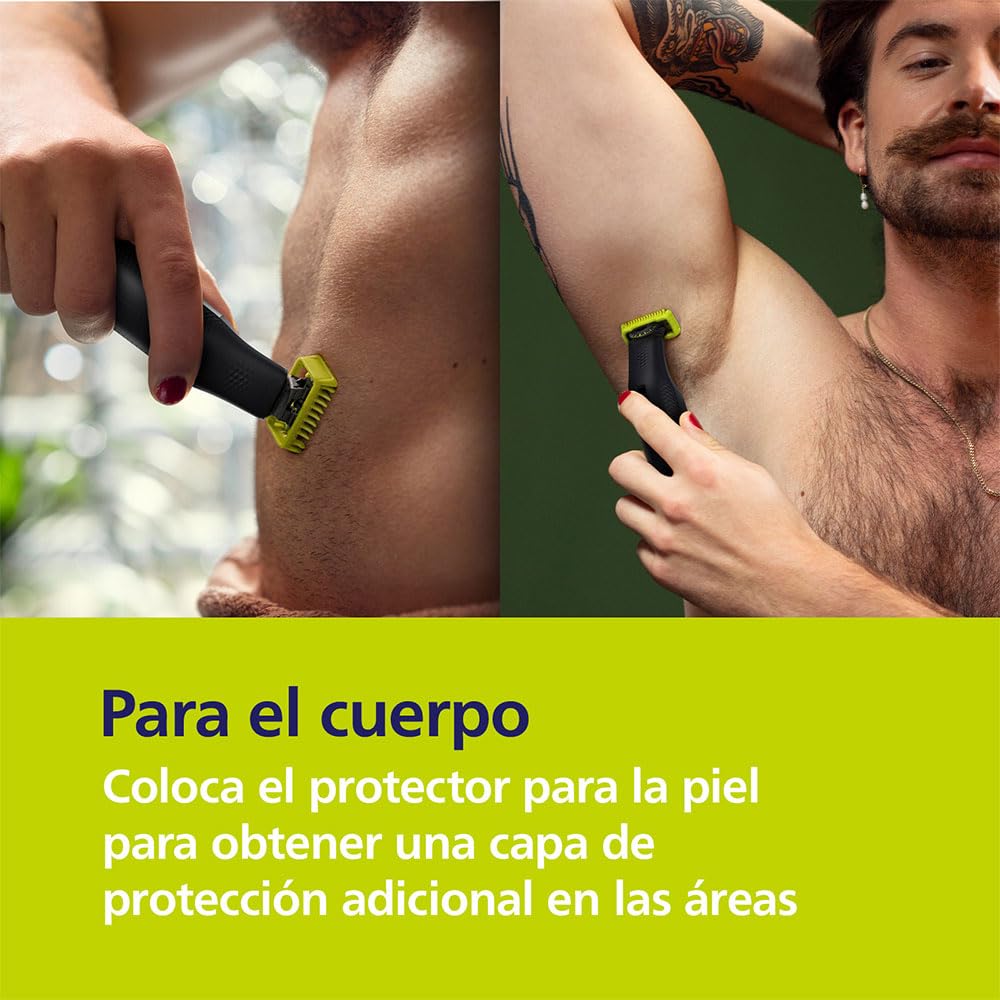
Image: Body grooming with the Philips OneBlade Pro 360, highlighting the skin protector.
Adjustable Comb Settings
The precision comb offers 20 different length settings, allowing you to achieve your desired stubble or beard style. Rotate the dial on the comb to select a length from 0.4mm to 10mm. The settings are clearly marked for easy selection.
Image: The adjustable comb with 20 length settings, preventing snagging even on long, thick hair.
Pengganti Blade
The Philips OneBlade Pro 360 blade is designed for long-lasting performance, typically up to 4 months with average use (based on 2 full shaves per week). To ensure optimal performance and hygiene, replace the blade when the wear indicator appears.
Ngganti Blade:
- Pateni piranti.
- Press the release button on the back of the blade and slide it forward to detach it from the handle.
- Align the new blade with the handle and push it until you hear a click.
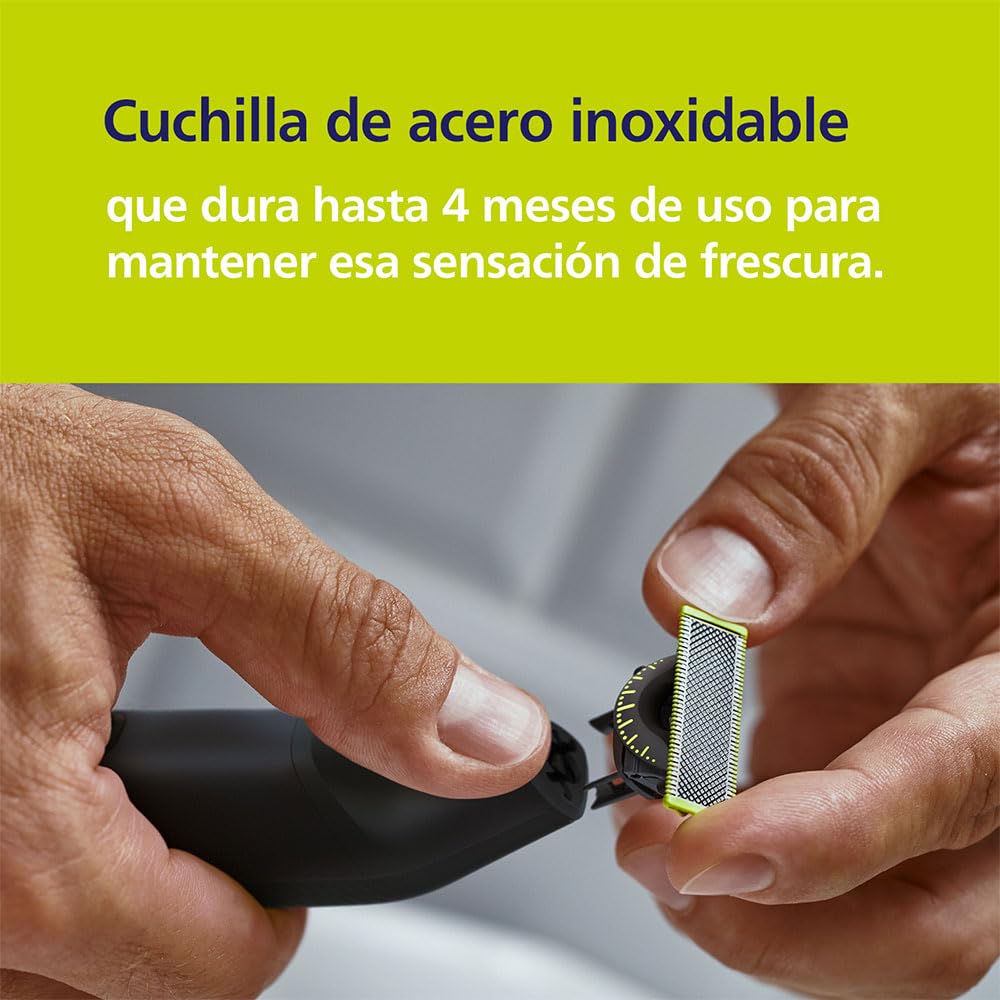
Image: Replacing the stainless steel blade, which lasts up to 4 months.
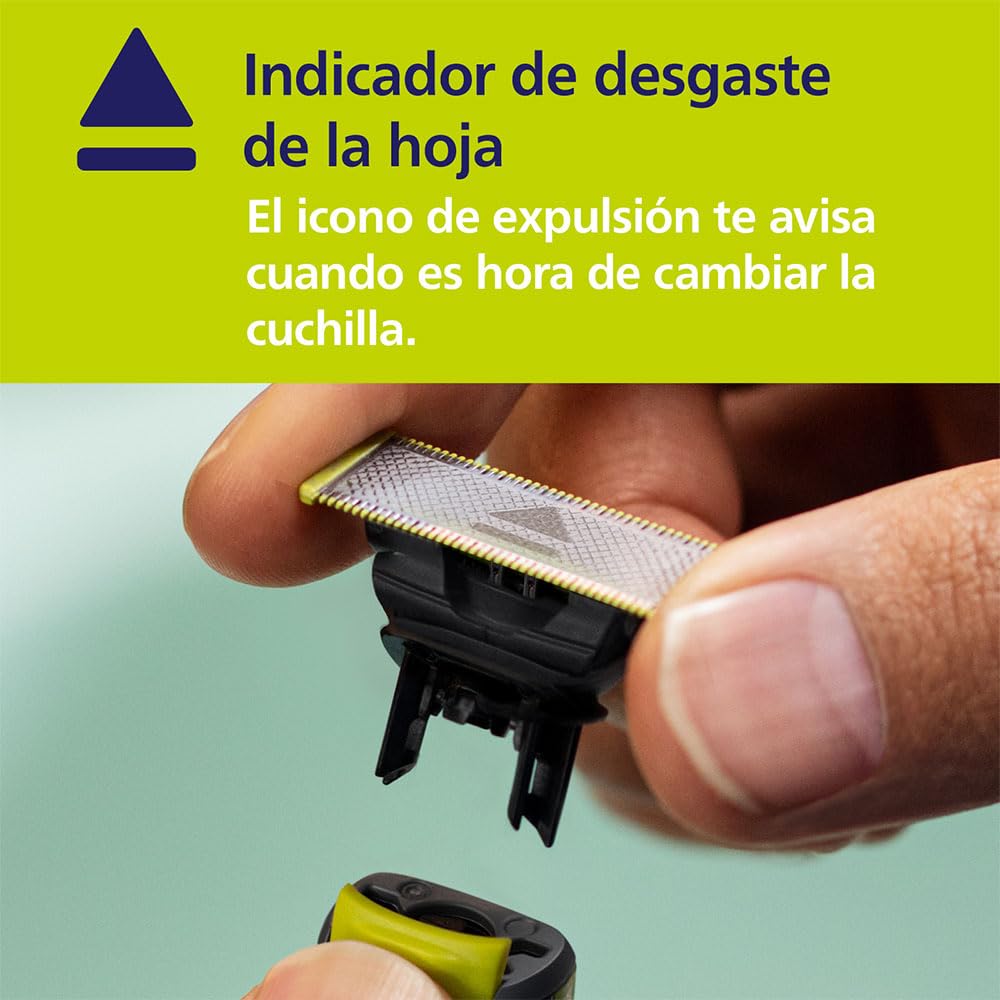
Image: The blade wear indicator, showing an icon that signals when it's time to change the blade.
Smart Features: Philips GroomTribe App
Enhance your grooming experience by connecting your Philips OneBlade Pro 360 to the Philips GroomTribe app (available for compatible models). The app offers personalized guidance and styling tips.
- Style Mirror: Praview different beard styles in real-time using your phone's camera.
- Symmetry Check: Get guidance to ensure your beard or mustache style is symmetrical.
- Speed Guidance: Receive feedback on your shaving motion speed for optimal results.
- Body Grooming Tips: Access tips for trimming below the neck.
- Face Grooming Tips: Discover advice for various face styles.
Video: Demonstrating the Philips GroomTribe app features, including Style Mirror and Symmetry Check, for personalized grooming guidance.
Ngisi daya lan Baterei
The Philips OneBlade Pro 360 is equipped with a powerful rechargeable Lithium-Ion battery. A full charge takes approximately 1 hour and provides up to 120 minutes of cordless grooming. The LED display on the handle indicates the battery percentage, allowing you to monitor the charge level.
Image: The rechargeable lithium battery provides 120 minutes of power after a 1-hour charge.
Maintenance lan Cleaning
- Sawise saben panggunaan: Rinse the blade and any attachments under warm running water.
- Reresik gagang: Ngilangke gagang nganggo iklanamp kain. Aja nggunakake bahan pembersih abrasif utawa bahan kimia sing atos.
- Pangeringan: Allow kabeh bagean kanggo online garing rampung sadurunge reassembling utawa nyimpen.
- Panyimpenan: Store the OneBlade Pro 360 in its travel pouch or a dry, safe place.
Ngatasi masalah
- Piranti ora urip: Priksa manawa piranti wis diisi daya kanthi lengkap. Yen baterei wis meh entek, sambungake menyang pangisi daya.
- Poor Trimming/Shaving Performance: Check if the blade is worn out (refer to the wear indicator) and replace it if necessary. Ensure the blade is clean and free of hair buildup.
- Iritasi kulit: Always use the OneBlade against the grain of your hair. For sensitive areas, use the skin guard attachment. Ensure your skin is clean before use.
- Masalah Pengisian Daya: Verify that the charging cable is properly connected to both the device and a working USB power source.
Spesifikasi
| Fitur | Rincian |
|---|---|
| Nomer Model | QP6552/15 |
| Merk | Philips |
| Produsen | Philips |
| Jinis baterei | Ion lithium sing bisa diisi ulang |
| Run Time | Nganti 120 menit |
| Wektu Ngisi daya | 1 jam kanggo daya lengkap |
| Blade Life | Up to 4 months (average use) |
| Adjustable Comb Settings | 20 length settings (0.4mm - 10mm) |
| Panggunaan Wet & Garing | ya wis |
| Bobot Barang | 0.1 kg |
Informasi Safety
- Tansah piranti garing.
- Aja nggunakake piranti yen rusak.
- Tetep adoh saka bocah-bocah.
- Do not use on irritated or broken skin.
- Always check the blade before use. Do not use a damaged or broken blade.
- For hygienic reasons, do not share your OneBlade with others.
Penafian Hukum: Pernyataan babagan suplemen panganan durung dievaluasi dening FDA lan ora dimaksudake kanggo diagnosa, nambani, ngobati, utawa nyegah penyakit utawa kondisi kesehatan apa wae.
Warranty lan Dhukungan
Your Philips OneBlade Pro 360 QP6552-15 comes with a manufacturer's warranty. Please refer to the warranty card included in your package for specific terms and conditions. For product support, troubleshooting, or to purchase replacement parts, please visit the official Philips websitus utawa hubungi layanan pelanggan.
- Rencana pangayoman: Additional protection plans (2-Year, 3-Year) may be available for purchase.
- Dhukungan Online: Dolan maring Toko Philips ing Amazon kanggo informasi luwih lengkap lan sumber daya dhukungan.