Pambuka
This manual provides essential information for the proper setup, operation, and maintenance of your ProLite B2280HS-1 LED Monitor. Please read this manual thoroughly before using the product to ensure safe and efficient operation. Keep this manual for future reference.
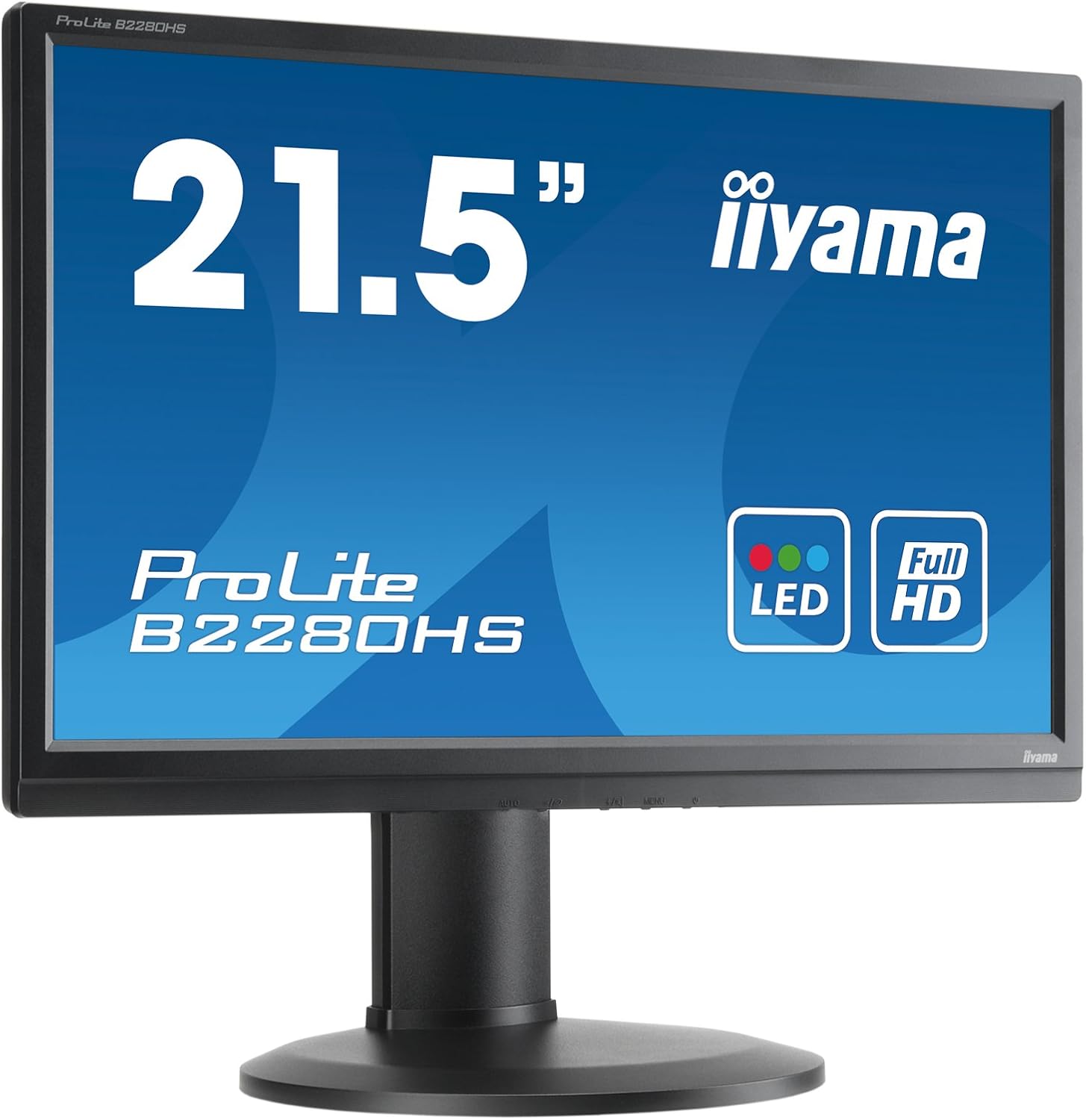
Gambar 1: Ngarep view of the ProLite B2280HS-1 LED Monitor.
Informasi Safety
- Priksa manawa monitor diselehake ing permukaan sing stabil lan rata kanggo nyegah tiba kanthi ora sengaja.
- Aja ngalangi bukaan ventilasi. Aliran udara sing tepat penting kanggo nyegah overheating.
- Use only the power cord supplied with the monitor or a suitable replacement.
- Aja nyedhiyakake monitor kanggo kelembapan utawa suhu sing ekstrem.
- Aja nyoba kanggo service monitor dhewe. Waca kabeh layanan menyang personel layanan sing mumpuni.
- Cabut colokan daya saka stopkontak tembok yen monitor ora bakal digunakake sajrone wektu sing suwe.
Isi Paket
Priksa manawa kabeh item ana ing paket kasebut:
- ProLite B2280HS-1 LED Monitor
- Kabel Daya
- DVI-D Cable (as noted in customer reviews, may be included)
- Kabel Audio (yen ana)
- Manual pangguna (dokumen iki)
- Pandhuan wiwitan cepet
Setup
1. Ngrakit Stand
- Kasebut kanthi teliti, copot komponen monitor lan ngadeg saka kemasan.
- Pasangake dhasar penyangga menyang gulu penyangga, kencengake nganggo sekrup sing wis disediakake (yen ana).
- Selarasake stand sing dipasang karo bolongan sing dipasang ing mburi monitor.
- Secure the stand to the monitor using the screws or locking mechanism.

Gambar 2: Mburi view of the monitor with stand assembly.
2. Nyambungake Monitor
The ProLite B2280HS-1 monitor supports multiple input types:
- HDMI: Sambungake kabel HDMI saka output HDMI komputer menyang input HDMI monitor.
- DVI-D: Connect a DVI-D cable from your computer's DVI-D output to the monitor's DVI-D input.
- VGA: Connect a VGA cable from your computer's VGA output to the monitor's VGA input.
- Audio: If using an analog audio source, connect an audio cable from your computer's audio output to the monitor's audio input.
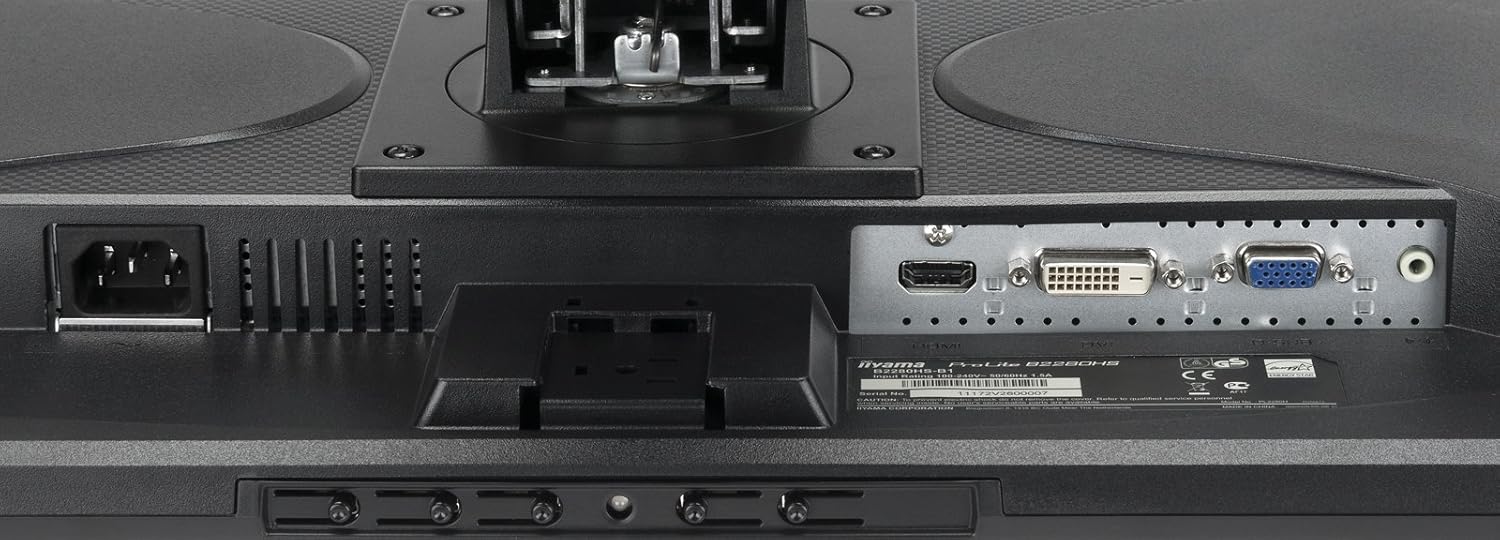
Gambar 3: Port input sing kasedhiya ing monitor.
After connecting the video cable, connect the power cable to the monitor and then to a wall outlet.
Operasi
Powering On / Off
Press the power button located on the front or bottom bezel of the monitor to turn it on or off. The power indicator light will illuminate when the monitor is on.

Figure 4: Location of control buttons.
Nyetel Setelan Tampilan
Use the OSD (On-Screen Display) menu to adjust various display settings. The OSD menu is typically accessed via buttons on the monitor's bezel.
- Padhang/Kontras: Setel cahya sakabèhé lan kontras tampilan.
- Setelan warna: Owahi suhu warna, tingkat RGB, utawa pilih mode warna prasetel.
- Pilih Input: Manually switch between HDMI, DVI-D, or VGA inputs.
- Mode Gambar: Select from various picture modes optimized for different content (e.g., Standard, Game, Movie).
- Rasio aspek: Adjust the display's aspect ratio (e.g., 16:9, 4:3).
Pangaturan Ergonomis
The ProLite B2280HS-1 features a highly adjustable stand for optimal viewing comfort:
- Imbuhan Dhuwur: Munggah utawa mudhunake monitor nganti tingkat mripat.
- Ngiringake: Adjust the screen's vertical angle to reduce glare.
- Puteran: Puter monitor kanthi horisontal ing dhasare.
- Pivot (Mode Potret): Puter layar 90 derajat kanggo mujur viewing, useful for documents or web browsing


Figure 5: Monitor in portrait mode (left) and side view showing stand adjustability (right).
Pangopènan
Reresik Monitor
- Tansah copot monitor saka stopkontak sadurunge ngresiki.
- Gunakake kain sing alus lan ora ana serat dampnganggo banyu utawa pembersih layar sing ora abrasif.
- Aja nyemprotake pembersih langsung menyang layar.
- Aja nggunakake bahan kimia sing atos, bantalan abrasif, utawa pelarut.
Panyimpenan
Yen nyimpen monitor kanggo wektu sing suwe, copot kabeh kabel lan simpen ing panggonan sing adhem lan garing, luwih becik ing kemasan asline kanggo nglindhungi saka bledug lan karusakan fisik.
Ngatasi masalah
| Masalah | Kemungkinan Penyebab | Solusi |
|---|---|---|
| Ora ana gambar ing layar | kabel daya ora nyambung; kabel video ora disambungake; Input salah dipilih. | Check power and video cable connections; Press the 'Input Select' button to cycle through inputs. |
| Gambar burem utawa kleru | Résolusi sing salah; kabel video longgar; Masalah driver kertu grafis. | Set display resolution to 1920 x 1080; Ensure video cable is securely connected; Update graphics drivers. |
| No sound from monitor speakers (if applicable) | Audio cable not connected; Volume too low; Monitor not selected as default audio device. | Connect audio cable; Increase monitor volume via OSD; Set monitor as default audio output in OS settings. |
| Monitor kedip-kedip | Refresh rate mismatch; gangguan. | Adjust refresh rate in display settings; Ensure no strong electromagnetic devices are nearby. |
Spesifikasi
| Fitur | Rincian |
|---|---|
| Nomer Model | B2280HS-B1 |
| Ukuran Layar | 21.5 inci (54.61 cm) |
| Resolusi | 1920 x 1080 (Full HD) |
| Rasio aspek | 16:9 |
| Padhang Gambar | 250 cd/m² |
| Wektu Respon | 5ms |
| Rasio Kontras | 1000:1 |
| Port Input | VGA, DVI-D (HDCP), HDMI |
| Port USB | 1 |
| Ukuran produk (L x W x H) | 9.63 x 20.06 x 15.47 inci |
| Bobot Barang | 11.22 kab |
| Produsen | IIYAMA |
| Tanggal Kapisan Kasedhiya | 8 Agustus 2012 |
Warranty lan Dhukungan
Kanggo informasi garansi lan dhukungan teknis, waca pejabat kasebut website of the manufacturer, IIYAMA, or contact their customer service department. Details regarding warranty periods and service procedures are typically provided with your purchase documentation or on the manufacturer's support pages.
Please have your model number (B2280HS-B1) and serial number ready when contacting support.


