Taw qhia
This manual provides essential information for the safe and effective use of your Philips i9000 Prestige Ultra Shaver XP9404/31. This advanced shaver is designed to deliver a day-long close shave with ultimate skin comfort, utilizing a Triple Action Lift & Cut system that cuts hair as short as 0.08mm. The integrated SkinIQ Pro technology offers 5 shaving modes for a personalized experience, even on dense beards. Please read this manual thoroughly before first use and retain it for future reference.
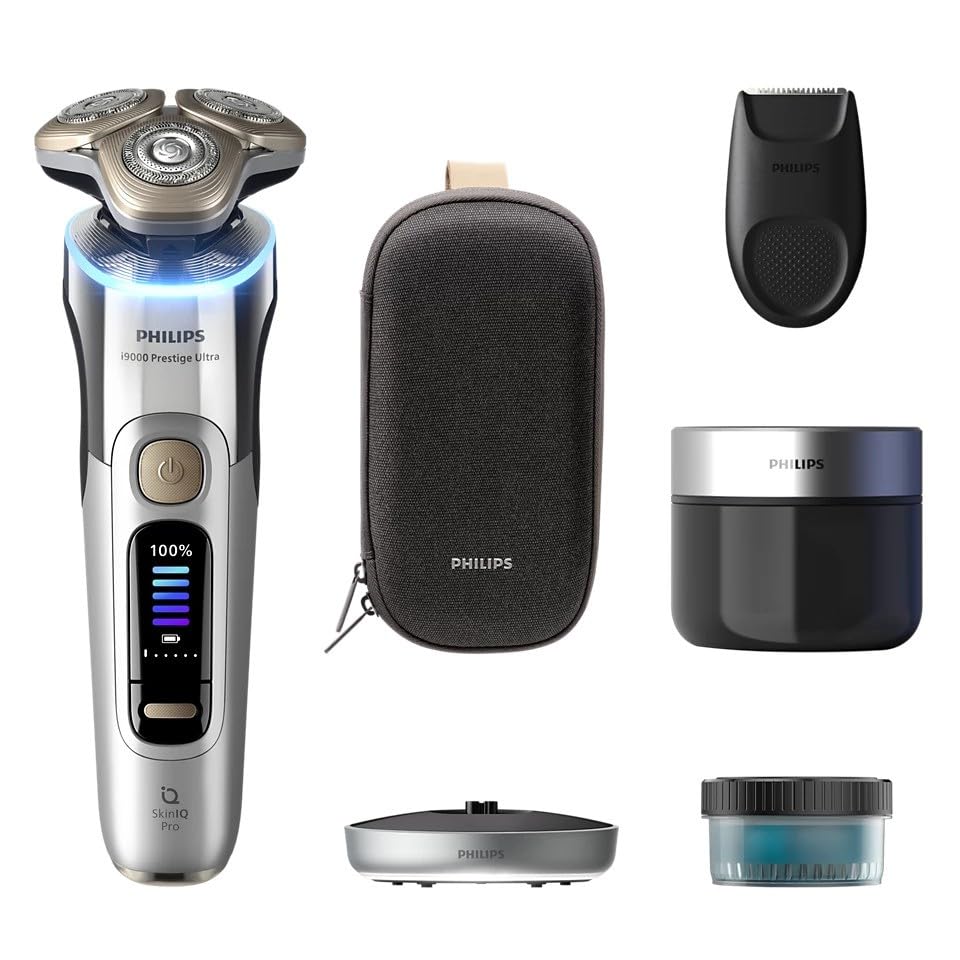
Figure 1: Philips i9000 Prestige Ultra Shaver XP9404/31. This image shows the shaver from the front, highlighting its ergonomic design and digital display indicating a full charge.
Cov ntaub ntawv kev nyab xeeb
Cov lus qhia txog kev nyab xeeb tseem ceeb:
- Always unplug the shaver before use and keep it away from water while charging.
- Be cautious when handling the shaver as the blades are sharp.
- Always follow the cleaning instructions to prevent bacterial growth and ensure optimal performance.
- Never use the shaver near water if it is not designed to be used wet. This model is designed for both wet and dry use.
- Always allow the shaver to dry completely before storing or charging.
- Tsis txhob siv cov khoom siv yog tias nws puas lawm.
- Khaws cov khoom kom deb ntawm cov menyuam yaus.
Teeb tsa
1. Kev them nqi pib
Before using your Philips i9000 Prestige Ultra Shaver for the first time, it is recommended to fully charge the device. Connect the charging stand to a power outlet and place the shaver onto the stand. The display will indicate the charging progress. A full charge provides up to 60 minutes of cordless shaving time.
2. Txuas cov khoom siv
Ensure the shaving head is securely attached to the shaver body. If your model includes additional attachments (e.g., a precision trimmer), align the attachment with the shaver body and press until it clicks into place.
Kev khiav haujlwm
1. Fais fab rau / tawm
Nias lub pob fais fab uas nyob rau ntawm pem hauv ntej ntawm lub tshuab txiav plaub hau kom qhib lossis kaw nws.
2. Shaving Modes
The SkinIQ Pro system offers 5 distinct shaving modes. Use the mode selection button (if available, or refer to the display) to cycle through the modes to find the one best suited for your skin and beard type. These modes adjust the shaver's power and speed for optimal comfort and closeness.
3. Shaving Technique
For best results, hold the shaver at a right angle to your skin and move it in small, circular motions. Apply gentle pressure. The flexible shaving heads will adapt to the contours of your face. Shave against the direction of hair growth for a closer shave.
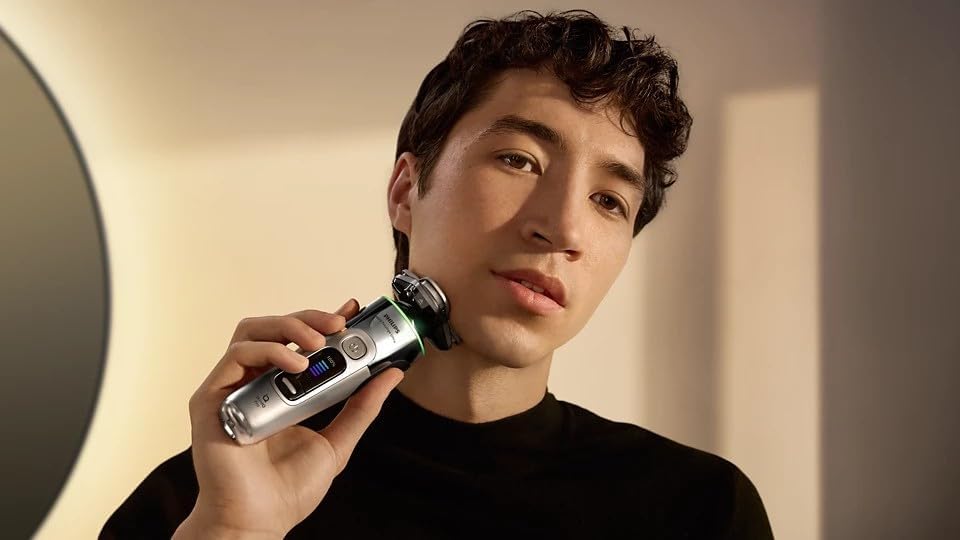
Figure 2: Proper Shaving Technique. This image illustrates a man using the shaver on his face, demonstrating the recommended circular motion for effective shaving.
4. Wet and Dry Use
This shaver is designed for both wet and dry use. You can shave dry for a quick shave, or use it with foam or gel for a refreshing wet shave, even in the shower. Always rinse the shaver thoroughly after wet use.
Kev tu
1. Kev Tu Txhua Hnub
After each use, turn off the shaver and rinse the shaving unit under warm running water. You can also open the shaving head by pressing the release button and rinse the inside thoroughly. Shake off excess water and allow it to air dry.
2. Quick Clean System
For a more thorough cleaning, utilize the Quick Clean System. Place the shaver into the cleaning pod with the recommended cleaning solution. The system will automatically clean, lubricate, and dry your shaver, ensuring optimal hygiene and performance.

Figure 3: Quick Clean System in Use. This image shows the shaver being cleaned in its dedicated Quick Clean Pod, demonstrating the automated cleaning process.
3. Replacing Shaving Heads
For optimal shaving performance, it is recommended to replace the shaving heads approximately every 12 months. To replace, gently pull the old shaving heads off and snap the new ones into place. Refer to the product packaging for the correct replacement head model.

Figure 4: Shaving Head Components. This image provides an exploded view of the shaver head, illustrating its individual components for maintenance and replacement.
Kev daws teeb meem
| Teeb meem | Ua Tau | Kev daws |
|---|---|---|
| Shaver tsis tig rau. | Roj teeb yog depleted. | Them lub shaver tag nrho. |
| Kev ua haujlwm shaving tsis zoo. | Cov taub hau txiav plaub hau qias neeg los yog hnav lawm. | Ntxuav lub taub hau kom huv si los yog hloov lawv yog tias lawv laus dua 12 lub hlis. |
| Cov tawv nqaij khaus tom qab shaving. | Cov txheej txheem shaving tsis raug lossis cov tawv nqaij rhiab heev. | Ensure gentle pressure and circular motions. Try a wet shave with foam/gel. Use a milder shaving mode. |
| Shaver ua suab nrov txawv txawv. | Hair or debris caught in the shaving unit. | Clean the shaving heads thoroughly. If the issue persists, contact customer support. |
Specifications
- Qauv Lub Npe: Philips i9000 Prestige Ultra Wet&Dry Electric Shaver with SkinIQ Pro XP9404/31
- Qauv nab npawb: xwm 9404/31
- Lub zog Source: Roj teeb Powered
- Hom roj teeb: Lithium-ion
- Lub Sijhawm Txiav Plaub Hau Tsis Muaj Xov Tooj: Txog li 60 feeb
- Tshwj xeeb nta: Wet & Dry use, SkinIQ Pro (5 shaving modes), Quick Clean System
- Lub taub hau hom: Rotary
- Hniav Khoom: Stainless hlau
- Xim: Chrome
- Yam khoom hnyav: 1.1 kg ib
- Chaw tsim tshuaj paus: Philips
Warranty thiab Support
Your Philips i9000 Prestige Ultra Shaver XP9404/31 comes with a standard manufacturer's warranty. Please refer to the warranty card included in your product packaging for specific terms and conditions, including the warranty period and coverage details. For technical support, replacement parts, or further assistance, please visit the official Philips website or contact their customer service department. Contact information can typically be found in the warranty documentation or on the Philips brand webqhov chaw.


