

frient Smart Plug Mini

Product description
Frient’ Smart Plug Mini is an intelligent remotely controlled adapter.
The Smart Plug Mini monitors power consumption and allows the user to instantly turn on and off any device from across the world – or from the couch.
The Smart Plug Mini is available in various versions.
Precautions
- Do not remove the product label as it contains important information.
- Avoid switching maximum loads frequently on or off, in order to sustain a long life for the Smart Plug .
- Be careful that no liquid gets into the Smart Plug since it may damage the equipment.
- If the device is used as signal amplifier, please position the device in between the central device and the sensor(s).
Getting started
- Connect the Smart Plug Mini to the power outlet.
- The Smart Plug Mini will now start sear-ching (up to 15 minutes) for a Zigbee net-work to join.
- Make sure that the Zigbee network is open for joining devices and will accept the Smart Plug Mini.
- While the Smart Plug Mini is searching for the network, the LED button is flashing red.
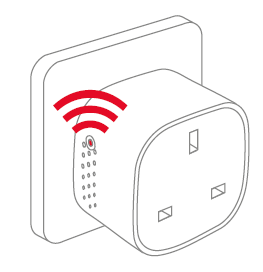
NOTE: Pressing the button turns the Smart Plug Mini on. The LED light starts to simultaneously flash red and green. This can cause the color to appear as orange/yellow, while the device is searching for a network. - When the LED button stops flashing, the Smart Plug Mini has successfully joined the Zigbee network.
Placement
- Place the Smart Plug indoors at a tempera-ture between 0-50°C.
- If the device is used as signal amplifier, please position the device in between the central device and the sensor(s).
Resetting
Resetting is needed if you want to connect your Smart Plug Mini to another gateway, if you need to perform a factory reset to remove abnormal behavior, or if you need to reset accumulative registers and logs.
STEPS FOR RESETTING
- Connect the Smart Plug Mini to the power outlet.
- Press and hold down the button on the device.
- Hold the button down until the red LED flashes continuously, then release the button.

- After releasing the button, the red LED will stay on for 2-5 seconds. During that time, the device must not be switched off or unplugged.
Modes
SEARCHING GATEWAY MODE
- A red LED is flashing every second

NORMAL MODE
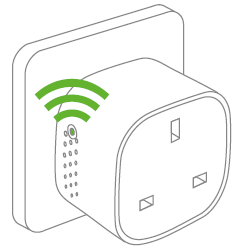
Green LED means that the Smart Plug output is active (relay is on). The relay can be switched on and off by pushing the LED button.
OFF MODE
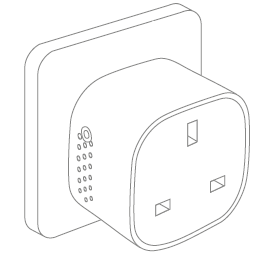
When there is no light in the LED button, it means that the relay is off (there is no output). The relay can be switched on and off by pushing the LED button.
Fault finding
• In case of power failure, the device will restore itself to the on/off status it had before the power failure.
• In case of a bad or weak signal, change the location of the Smart Plug Mini or your gateway.
• If the search for a gateway has timed out, a short press on the LED button will restart it.
Other information
• The Smart Plug Mini is rated for 10 A continious load, and 16 A (~3500 W) short time load.
• It will automatically switch off if the load exceeds 16 A or the internal temperature gets too high.
• In case of power failure, the device will restore itself to the on/off status it had before the power failure.
Disposal
Dispose the product properly at the end of life. This is electronic waste which should be recycled.
CE certification
The CE mark affixed to this product confirms its compliance with the European Directives which apply to the product and, in particular, its compliance with the harmonized standards and specifications.
IN ACCORDANCE WITH THE DIRECTIVES
• Radio Equipment Directive (RED) 2014/53/EU
• Low Voltage Directive (2014/35/EU)
• RoHS Directive 2015/863/EU amending 2011/65/EU
Other certifications
Zigbee Home Automation 1.2 certified
All rights reserved.
frient assumes no responsibility for any errors, which may appear in this manual. Furthermore, frient reserves the right to alter the hardware, software, and/or specifications detailed herein at any time without notice, and frient does not make any commitment to update the information contained herein. All the trademarks listed herein are owned by their respective owners.
Documents / Resources
 | Smart Plug Mini |
References
- frient - sensors, alarms, smart plugs - home care and securitywww.frient.com
- User Manualmanual.tools
The socket SH-P01 stopped working after about a year of use. Does not start despite resetting. The LED remains completely dark. Also the same thing happened with SH-P01E about 2 years ago.
Replaced with new SH-P01 sockets. Load Max230VAC/ 1A. The new sockets work flawlessly in the same WiFi network. The devices have a CE mark, but not from an inspection body
number?
Pistorasia SH-P01 lakkasi toimimasta noin vuoden käytön jälkeen. Ei käynnisty resetoinnista huolimatta. LED pysyy täysin pimeänä. Myös sama tapahtui SH-P01E noin 2-vuotta sitten.
Korvattu uusilla SH-P01 pistorasioilla. Kuomitus Max230VAC/ 1A. Uudet pistorasiat toimivat samassa WiFi-verkossa moitteettomasti. Laitteissa on CE-merkintä, mutta ei tarkastuslaitoksen
numeroa ?
Replaced with new SH-P01 sockets. Load Max230VAC/ 1A. The new sockets work flawlessly in the same WiFi network. The devices have a CE mark, but not from an inspection body
number?
Pistorasia SH-P01 lakkasi toimimasta noin vuoden käytön jälkeen. Ei käynnisty resetoinnista huolimatta. LED pysyy täysin pimeänä. Myös sama tapahtui SH-P01E noin 2-vuotta sitten.
Korvattu uusilla SH-P01 pistorasioilla. Kuomitus Max230VAC/ 1A. Uudet pistorasiat toimivat samassa WiFi-verkossa moitteettomasti. Laitteissa on CE-merkintä, mutta ei tarkastuslaitoksen
numeroa ?
Why has my Smart Plug Mini stopped working with a dark LED, and why is there no inspection body number next to the CE mark?
Based on the frient Smart Plug Mini manual, if the LED remains completely dark and the device does not respond to a factory reset, it likely indicates a hardware failure or a triggered safety cutoff. Please note the following regarding your SH-P01 model:
Since your new units work on the same network with the same 1A load, and the old units remain unresponsive, we recommend contacting frient support or your retailer for warranty claims, as the manual does not provide further repair steps for a non-responsive LED.
Read the full Q&A page