
1. Johdanto
This manual provides essential instructions for the safe and efficient use of your Samsung Smart FHD 43'' TV, model LS43F6000FGXZD. Please read this manual thoroughly before operating the device and retain it for future reference. Your new television features Full HD resolution, HDR technology, PurColor, and the Tizen™ operating system for a rich viewkokemusta.
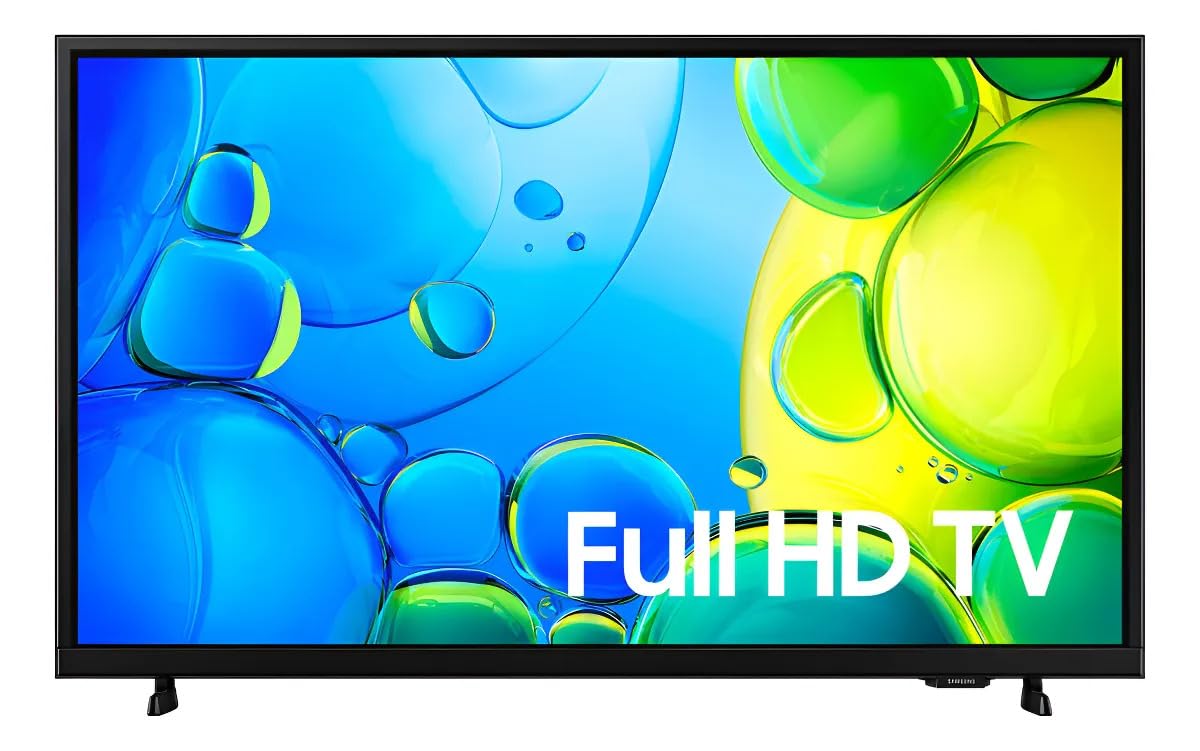
Kuva 1: Etuosa view of the Samsung Smart FHD 43'' TV.
2. Turvallisuustiedot
Noudata aina näitä perusturvallisuusohjeita tulipalon, sähköiskun ja loukkaantumisen riskin vähentämiseksi.
- Älä altista tätä laitetta sateelle tai kosteudelle.
- Älä tuki tuuletusaukkoja. Asenna valmistajan ohjeiden mukaisesti.
- Älä asenna lähelle mitään lämmönlähteitä, kuten lämpöpattereita, lämpöpattereita, liesiä tai muita laitteita (mukaan lukien ampnostimet), jotka tuottavat lämpöä.
- Suojaa virtajohtoa kävelemiseltä tai puristumiselta, erityisesti pistokkeiden, pistorasian kohdalta ja kohdasta, jossa ne tulevat ulos laitteesta.
- Käytä vain valmistajan määrittelemiä lisälaitteita/lisävarusteita.
- Anna kaikki huollot pätevälle huoltohenkilöstölle. Huolto on tarpeen, jos laite on vahingoittunut millään tavalla.
- Ensure the TV is placed on a stable surface or securely mounted to prevent tipping.
3. Mitä laatikossa on
Carefully unpack your TV and ensure all components are present. If any items are missing or damaged, contact your retailer.
- Samsung Smart FHD 43'' TV
- Kaukosäädin (vaatii 2 AA-paristoa, ei aina sisälly toimitukseen)
- Virtakaapeli
- Video Adapter (if applicable)
- Stand Components (Base/Feet)
- Käyttöopas (tämä asiakirja)
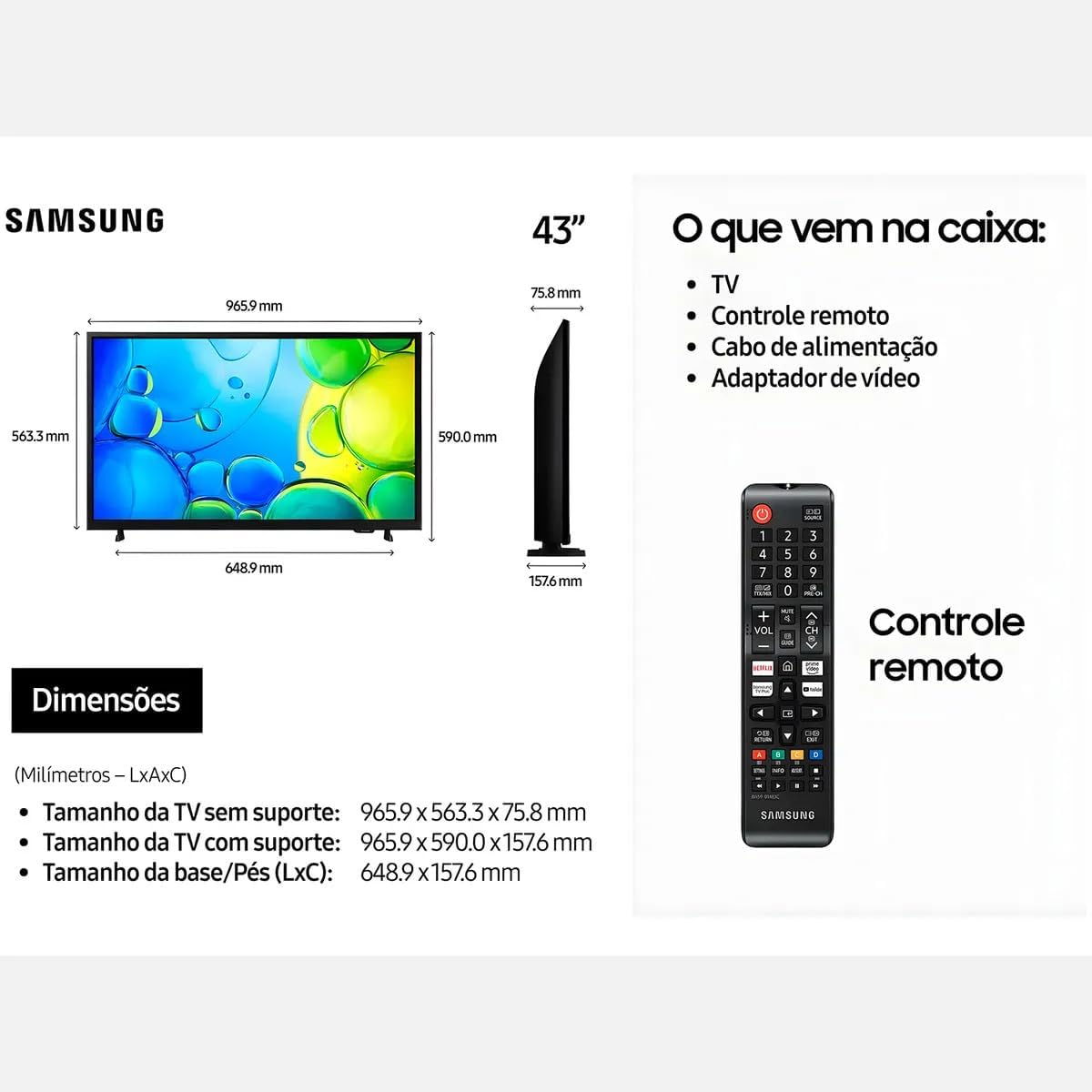
Figure 2: Illustration of items typically included in the product packaging, along with TV dimensions.
4. Asennus
4.1 Pakkauksesta purkaminen
Remove the TV and all accessories from the packaging. It is recommended to keep the original packaging for future transport or servicing.
4.2 Jalustan kiinnitys
If you are placing the TV on a table or cabinet, attach the included stand. Follow the instructions provided in the stand assembly guide. Ensure all screws are tightened securely.
4.3 Seinäasennus
For wall mounting, use a VESA-compliant wall mount kit (100 x 200 mm, sold separately). Consult a professional for wall mounting to ensure proper installation and safety.
4.4 Oheislaitteiden liittäminen
Liitä ulkoiset laitteet televisioon käyttämällä sopivia portteja.
- HDMI: Connect Blu-ray players, game consoles, or set-top boxes to the HDMI ports. This TV has 2 HDMI ports.
- USB: Connect USB storage devices for media playback to the USB 3.0 port. This TV has 1 USB 3.0 port.
- Verkko (LAN): Kiinteää internetyhteyttä varten liitä Ethernet-kaapeli LAN-porttiin.
- Antenni/kaapeli: Liitä antenni tai kaapelitelevision syöttö.
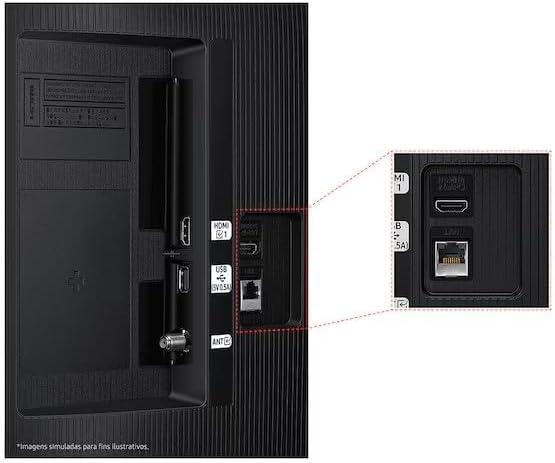
Figure 3: Rear panel connections, highlighting HDMI, USB, and LAN ports.
4.5 Ensimmäinen käynnistys ja asennusohjelma
After connecting all necessary cables, plug the power cord into an electrical outlet. The TV will power on and guide you through the initial setup wizard, which includes language selection, network connection (Wi-Fi or wired), channel scanning, and smart features configuration.
5. Television käyttö
5.1 Kaukosäädinview
Insert two AA batteries into the remote control. The remote allows you to navigate menus, change channels, adjust volume, and access smart features. Refer to the diagram on the remote control for button functions.
5.2 Television perustoiminnot
- Teho: Käynnistä tai sammuta televisio painamalla kaukosäätimen virtapainiketta.
- Äänenvoimakkuus: Säädä äänenvoimakkuutta äänenvoimakkuuden lisäys-/vähennyspainikkeilla.
- Kanava: Vaihda kanavia käyttämällä kanava ylös/alas -painikkeita.
- Lähde: Press the Source button to switch between connected input devices (HDMI 1, HDMI 2, TV, etc.).
5.3 Älytelevision ominaisuudet (Tizen-käyttöjärjestelmä)
Your Samsung Smart TV runs on the Tizen™ operating system, providing access to a wide range of applications and services. Connect your TV to the internet via Wi-Fi or Ethernet to utilize these features.
- App Store: Download and install various applications like Netflix, YouTube, and Amazon Prime Video.
- Web Selain: Selaa internetiä suoraan televisiostasi.
- Smart Hub: Access all your smart features, apps, and connected devices from one central location.

Figure 4: The Tizen operating system interface, showing available applications.
The TV also features Knox Security, ensuring your data and privacy are protected.
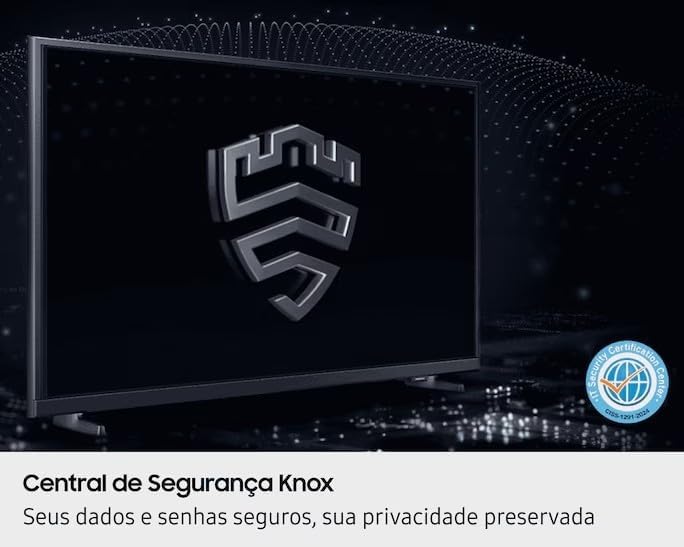
Figure 5: Knox Security Central, highlighting data and privacy protection.
5.4 Kuva -asetukset
Säädä kuva-asetuksia optimoidaksesi viewkokemusta.
- Kuvatila: Select from various preset modes (Standard, Dynamic, Movie, etc.) or customize your own.
- Kirkkaus/kontrasti: Säädä näitä asetuksia ympäristösi mukaan.
- HDR-tekniikka: This TV supports HDR10+, providing greater depth in details, even in very bright or dark scenes.
- PurColor: Enhances color accuracy and vibrancy for a more lifelike image.
- Kontrastin tehostaja: Automatically adjusts contrast for improved picture depth.

Figure 6: HDR Technology in action, showing enhanced detail in both bright and dark areas.
5.5 Ääniasetukset
Customize audio output through the sound settings menu. Options may include sound modes, equalizer settings, and audio output selection (TV speakers, external soundbar, Bluetooth audio).
5.6 Yhteydet
- Bluetooth: Connect compatible Bluetooth devices such as headphones or soundbars wirelessly.
- Wi-Fi: Connect to your home wireless network for internet access and smart features.
6. Huolto
6.1 Television puhdistaminen
- Näyttö: Pyyhi näyttö varovasti pehmeällä, nukkaamattomalla liinalla. Pinttyneisiin tahroihin pyyhi kevyestiampKostuta liina vedellä tai erikoisnäytönpuhdistusaineella. Älä koskaan suihkuta nestettä suoraan näytölle.
- TV-runko: Use a soft, dry cloth to wipe dust from the TV's frame and back panel.
- Tärkeää: Irrota aina television virtajohto pistorasiasta ennen puhdistamista.
6.2 Ohjelmistopäivitykset
Your TV may receive software updates to improve performance and add new features. You can usually configure the TV to update automatically or check for updates manually through the settings menu (typically under Support > Software Update).
7. Vianmääritys
Jos television kanssa ilmenee ongelmia, tutustu seuraaviin yleisiin ratkaisuihin ennen kuin otat yhteyttä tukeen.
| Ongelma | Mahdollinen ratkaisu |
|---|---|
| Ei virtaa | Varmista, että virtajohto on kytketty kunnolla sekä televisioon että toimivaan pistorasiaan. Testaa pistorasiaa toisella laitteella. |
| Ei kuvaa, mutta ääni kuuluu | Tarkista tulolähde. Varmista, että liitetty laite on päällä ja toimii oikein. Kokeile toista HDMI-kaapelia. |
| Ei ääntä, mutta kuva näkyy | Check the volume level and ensure the TV is not muted. Verify audio output settings. If using external speakers, check their connections and power. |
| Kaukosäädin ei toimi | Replace the batteries (AA type). Ensure there are no obstructions between the remote and the TV's IR sensor. |
| Ei voi muodostaa yhteyttä Wi-Fi-verkkoon | Ensure your router is on and functioning. Re-enter the Wi-Fi password. Try restarting both the TV and your router. |
| Kuvanlaatuongelmat (esim. epäselvä, vääristynyt) | Tarkista lähteen resoluutio. Säädä kuva-asetuksia (kirkkaus, kontrasti, terävyys). Varmista, että kaapelit on kytketty kunnolla. |
8. Tekniset tiedot
Key technical specifications for the Samsung Smart FHD 43'' TV (Model: LS43F6000FGXZD).
| Ominaisuus | Yksityiskohta |
|---|---|
| Mallinumero | LS43F6000FGXZD |
| Näytön koko | 43 tuumaa |
| Näyttötekniikka | FHD (täysi teräväpiirto) |
| Resoluutio | FHD (1920 x 1080 pixels) |
| Päivitystaajuus | 60 Hz |
| Käyttöjärjestelmä | Tizen™ |
| HDR-tuki | HDR10+ |
| Kuvanparannus | HDR Technology, PurColor, Contrast Enhancer |
| Yhteydet | Bluetooth, Wi-Fi, 2x HDMI, 1x USB 3.0 |
| Tuetut internetpalvelut | Netflix, YouTube, Amazon Prime |
| VESA-kiinnitysstandardi | 100 x 200 mm |
| Dimensions (W x D x H) without stand | 965.9 x 75.8 x 563.3 mm |
| Dimensions (W x D x H) with stand | 965.9 x 157.6 x 590.0 mm |
| Paino (ilman telinettä) | 6.5 kg |
| Voitage | 110-220 Volts (check product label for specific range) |
| Kaukosäätimen paristotyyppi | AA (x2) |
9. Takuu ja tuki
9.1 Tuotetakuu
This Samsung Smart FHD 43'' TV (Model: LS43F6000FGXZD) comes with a 12 kuukauden rajoitettu takuu from the date of purchase. This warranty covers manufacturing defects and malfunctions under normal use. Please retain your proof of purchase for warranty claims. For detailed terms and conditions, refer to the warranty card included with your product or visit the official Samsung support websivusto.
9.2 Asiakastuki
For technical assistance, troubleshooting beyond this manual, or warranty service, please contact Samsung Customer Support. You can find contact information (phone numbers, chat support, service center locations) on the official Samsung webalueesi sivusto.
When contacting support, please have your TV's model number (LS43F6000FGXZD) and serial number ready. The serial number is typically located on a sticker on the back of the TV.