1. Johdanto
This manual provides essential information for setting up, operating, and maintaining your OnePlus Nord 5 smartphone. Please read this guide thoroughly to ensure optimal performance and longevity of your device.

Kuva 1: Edestä ja takaa view of the OnePlus Nord 5 smartphone.
2. Ruudun sisältö
Upon unboxing your OnePlus Nord 5, verify that all the following items are included:
- OnePlus Nord 5 -älypuhelin
- Virtalähde (80W)
- USB-kaapeli (C-tyyppi)
- SIM-lokeron poisto
- Näytönsuoja (valmiiksi asennettu tai laatikossa)
- Puhelinkotelo
- Pika-aloitusopas
- Takuukortti
Video 1: Unboxing the OnePlus Nord 5 and reviewing its contents.

Kuva 2: Etuosa view of the OnePlus Nord 5.

Kuva 3: Takaosa view of the OnePlus Nord 5.
3. Asennus
3.1 SIM -kortin asennus
- Etsi SIM-kortin alusta laitteen sivusta.
- Aseta SIM-kortin poistotyökalu pieneen reikään alustan vieressä ja paina sitä lujasti, kunnes alusta ponnahtaa ulos.
- Aseta Nano-SIM-kortti(t) lokeron niille tarkoitettuihin paikkoihin. Varmista, että kultaiset koskettimet osoittavat alaspäin.
- Aseta SIM-kortin alusta varovasti takaisin puhelimeen, kunnes se napsahtaa paikalleen.
3.2 Ensimmäinen käynnistys
Press and hold the Power button on the side of the device until the OnePlus logo appears. Follow the on-screen instructions to complete the initial setup, including language selection, Wi-Fi connection, and Google account setup.
4. Laitteen käyttö
4.1 Suorituskyky
The OnePlus Nord 5 is equipped with the Snapdragon 8s Gen 3 processor and LPDDR5X RAM, designed for demanding applications and gaming. The device features a 7300mm² VC cooling system to maintain optimal temperatures during extended use.
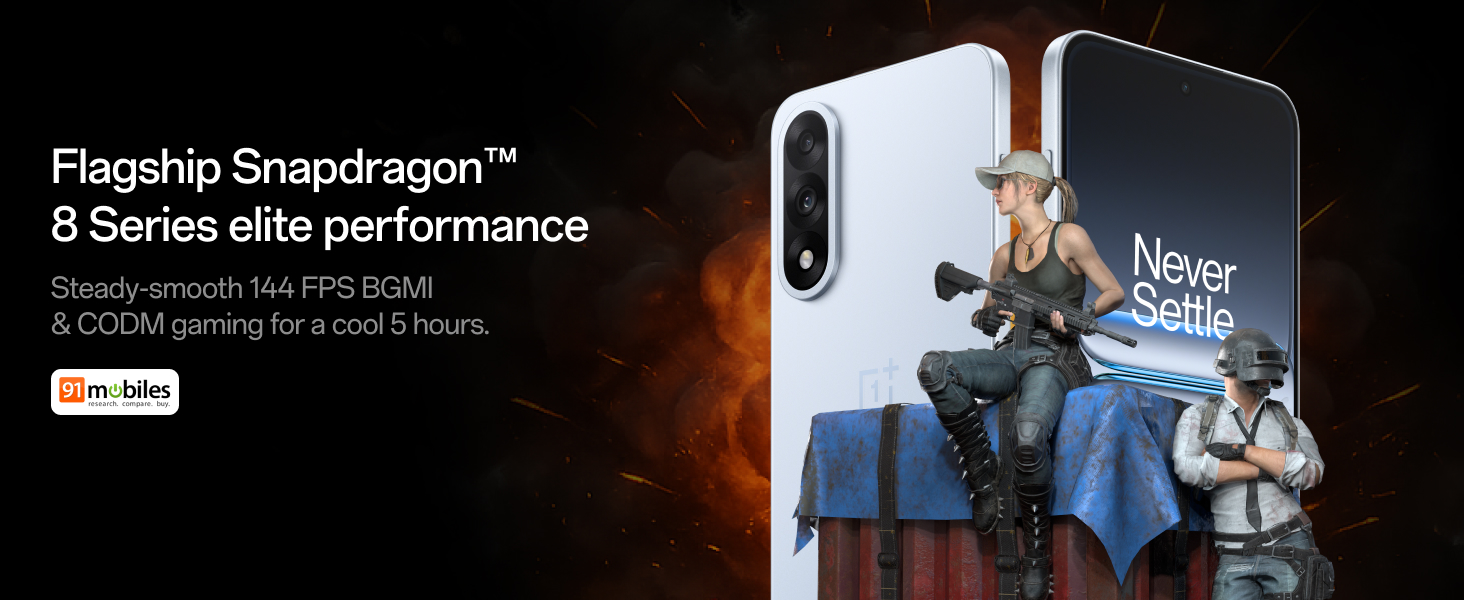
Figure 4: Snapdragon 8s Gen 3 processor for elite performance.
Video 2: Demonstration of gaming performance on the OnePlus Nord 5.
4.2 Kameran ominaisuudet
The device features a dual 50MP camera system, including a 50MP front camera (ISOCELL JN5 with hardware autofocus) and a 50MP Sony LYT-700 back camera with Optical Image Stabilization (OIS). It supports 4K 60 FPS video capture.
AI Camera Enhancements:
- Tekoälypyyhekumi: Removes unwanted objects or people from photos.
- AI Detail Boost: Parantaa kuvan selkeyttä ja yksityiskohtia.
- AI Unblur: Corrects blurry images.
- AI Reframe: Suggests improved compositions for photos.
- AI Perfect Shot: Adjusts facial expressions and corrects blinked eyes in group photos.

Figure 5: Dual 50MP camera system overview.

Figure 6: AI features for photo enhancement.
4.3 Akku ja lataus
The OnePlus Nord 5 features a 6800 mAh battery and supports 80W ultra-fast charging. It also includes an all-new Bypass Charging feature, which powers the phone directly from the charger during gaming to reduce heat and maintain performance.

Figure 7: Illustration of Bypass Charging technology.
4.4 Näyttö
Experience visuals on a 144Hz 1.5K AMOLED display with Aqua Touch 2.0 technology, offering a resolution of 2800 x 1272 pixels and up to 1400 nits brightness. Aqua Touch 2.0 improves touch responsiveness, even with wet or oily fingers.

Figure 8: Details of the 144Hz AMOLED display.
4.5 Tekoälyn ominaisuudet
The OnePlus Nord 5 integrates various AI functionalities to enhance user experience:
- Tekoälyn äänikirjoittaja: Transcribe, translate, and summarize meetings or content.
- Ympyröi hakeaksesi: Hae tietoa nopeasti ympyröimällä sisältöä näytöllä.
- Gemini Live: An AI assistant for queries and information.
- AI-haku: Intuitively understands natural language prompts for searching device content.

Figure 9: AI VoiceScribe interface.
4.6 Multitasking with Open Canvas
The Open Canvas feature allows for enhanced split-screen multitasking, enabling flexible resizing of applications and drag-and-drop functionality between apps. This improves productivity by extending split-screen capabilities beyond physical display limits.
Video 3: Demonstration of multitasking features on the OnePlus Nord 5.

Figure 10: Open Canvas for advanced multitasking.
4.7 Yhteydet
The Nord 5 supports 5G-Advanced networking, offering faster internet speeds and improved signal stability, particularly in congested areas.

Figure 11: 5G-Advanced network features.
4.8 ohjelmisto
The device runs on OxygenOS 15, based on Android 15. It is guaranteed to receive 4 Android version upgrades and 6 years of security updates, ensuring long-term software support and system smoothness.
5. Huolto
- Ohjelmistopäivitykset: Regularly install system updates to ensure optimal performance, security, and access to new features.
- Akun hoito: To prolong battery life, avoid extreme temperatures and frequent full discharges. The device includes a 4-year healthy battery promise.
- Puhdistus: Puhdista näyttö ja runko pehmeällä, nukkaamattomalla liinalla. Vältä hankaavia materiaaleja tai voimakkaita kemikaaleja.
- Tallennuksen hallinta: Poista tarpeettomat säännöllisesti files and apps to maintain device speed and free up storage space.
6. Vianmääritys
If you encounter issues with your OnePlus Nord 5, consider the following general troubleshooting steps:
- Käynnistä laite uudelleen: Yksinkertainen uudelleenkäynnistys voi ratkaista monia pieniä ohjelmistohäiriöitä.
- Tarkista päivitykset: Varmista, että laitteesi ohjelmisto on ajan tasalla.
- Tyhjennä välimuisti: For app-specific issues, try clearing the app's cache in Settings.
- Tehdasasetusten palautus: Viimeisenä keinona tehdasasetusten palautus voi ratkaista itsepintaisia ohjelmisto-ongelmia. Varoitus: Tämä poistaa kaikki laitteesi tiedot. Varmuuskopioi tärkeät tiedot ennen jatkamista.
- Ota yhteyttä tukeen: If the issue persists, refer to the support section for contact information.
7. Tekniset tiedot
| Ominaisuus | Yksityiskohta |
|---|---|
| Käyttöjärjestelmä | Android 15, OxygenOS 15 |
| Prosessori | Snapdragon 8s Gen 3 (CPU Speed: 2, 2.8, 3 GHz) |
| RAM | 12 Gt (nykyisen mallin mukaan) |
| Näyttö | 144Hz 1.5K AMOLED, 2800 x 1272 Resolution |
| Takakamera | 50 megapikselin Sony LYT-700 -kamera optisella kuvanvakaimella |
| Etukamera | 50MP ISOCELL JN5 with Autofocus |
| Akku | 6800 mAh, 80 W pikalataus |
| Yhteydet | 5G-Advanced, Bluetooth, NFC, USB, Wi-Fi |
| Mitat | 16.41 x 7.7 x 0.81 cm |
| Paino | 211 g |
| Mallinumero | CPH2707 |
| Valmistaja | Oppo Mobiles India Private Limited |
8. Takuu ja tuki
The OnePlus Nord 5 comes with a Lifetime Display Warranty, covering green line issues. For detailed terms and conditions, please refer to the official OnePlus website or the warranty card included in the box.

Figure 12: Lifetime Display Warranty information.
For customer service and technical support, you can contact OnePlus using the following information:
- Customer Service Contact Number: 1800 102 8411
- WhatsApp-tuki: +91-9289606888
- Valmistajan osoite: PLOT-NO.1, SECTOR ECOTECH-VII, GREATER, NOIDA, UTTAR PRADESH, India-201306


