
1. Tuote ohiview
This manual provides instructions for the assembly, operation, and maintenance of your OKD 60-inch L-Shaped Executive Desk with Hutch and Drawers. This desk is designed to maximize your workspace with its L-shaped configuration, integrated hutch, multiple storage drawers, and a convenient charging station. It features a distressed dark rustic oak finish, blending farmhouse aesthetics with modern functionality.

Image 1.1: The OKD 60-inch L-Shaped Executive Desk with Hutch and Drawers.
2. Turvallisuustiedot
- Always assemble the desk on a stable, level surface to ensure structural integrity.
- Be cautious when handling heavy components to avoid injury. It is recommended to have at least two people for assembly and moving the desk.
- Ensure the desk is properly anchored to the wall or floor to prevent tipping, especially with the hutch installed.
- Do not overload drawers or the desktop to maintain stability and prevent damage.
- Always follow the assembly instructions carefully to avoid potential safety hazards and ensure correct construction.
3. Pakkauksen sisältö
Your OKD L-Shaped Executive Desk with Hutch will be delivered in multiple packages, typically three separate boxes (Box A, Box B, Box C). These boxes may arrive on different days. Please ensure all packages have arrived before beginning assembly.

Image 3.1: Product dimensions and illustration of the three packages (Box A, B, C) for delivery.
The packages contain all necessary components for the desk and hutch, including:
- Desk panels and supports
- Hutch panels and supports
- Laatikon osat ja liukukiskot
- Charging station unit (2 USB ports, 2 AC outlets)
- Tarvikesarja (ruuvit, tapit, nokkalukot jne.)
- Kokoamisohjekirja
4. Asennus ja kokoonpano
Assembly of this desk requires time and attention to detail. It is recommended to have two people for the assembly process, which can take several hours (typically 4-12 hours depending on experience).
4.1 Suositellut työkalut
- Drill (optional, for speed)
- Phillips-ruuvimeisseli
- Vasara (tappeja varten)
4.2 Yleiskokouksen vaiheet
- Pura ja järjestä: Carefully unpack all components and verify against the parts list in your included instruction manual. Organize hardware by type.
- Assemble Desk Base: Follow the step-by-step diagrams to construct the main L-shaped desk frame. Pay close attention to the orientation of panels.
- Asenna laatikot ja kaapit: Assemble drawer boxes and install drawer slides. Note that some drawer slider hardware may need to be separated before installation. Install cabinet doors and adjust hinges for proper alignment.
- Integroitu latausasema: Insert the power hub into the designated opening on the desktop.
- Assemble Hutch: Construct the hutch frame, including glass-front cabinets and shelves.
- Attach Hutch to Desk: With assistance, carefully lift and place the hutch onto the assembled desk. Secure it using the provided fasteners. It is advisable to move the desk to its final location before attaching the hutch due to combined weight.
4.3 Kokoamisvideo-opas
For a detailed visual guide on the assembly process, please refer to the official assembly video below:
Video 4.1: Comprehensive assembly guide for the OKD L-Shaped Executive Desk with Hutch (18:47 duration).
5. Käyttöohjeet
5.1 Latausasema
The desk includes a built-in power hub for convenient device charging. It features:
- 2 USB-porttia
- 2 pistorasiaa
Simply plug the desk's power cord into a wall outlet to activate the charging station. This allows you to power laptops, tablets, phones, and other electronic devices directly from your workspace.

Image 5.1: Close-up of the integrated charging station on the desk surface.
5.2 Tallennusominaisuudet
The desk and hutch offer extensive storage options:
- Häkin säilytys: Features two glass-front cabinets, open cubbies, and display shelves for books, decor, or office accessories.
- Desk Drawers: Sisältää a file drawer designed for letter-size folders, and three utility drawers for various office supplies.
- Piilotettu kaappi: A cabinet with an adjustable shelf provides flexible storage for larger items or a computer tower.
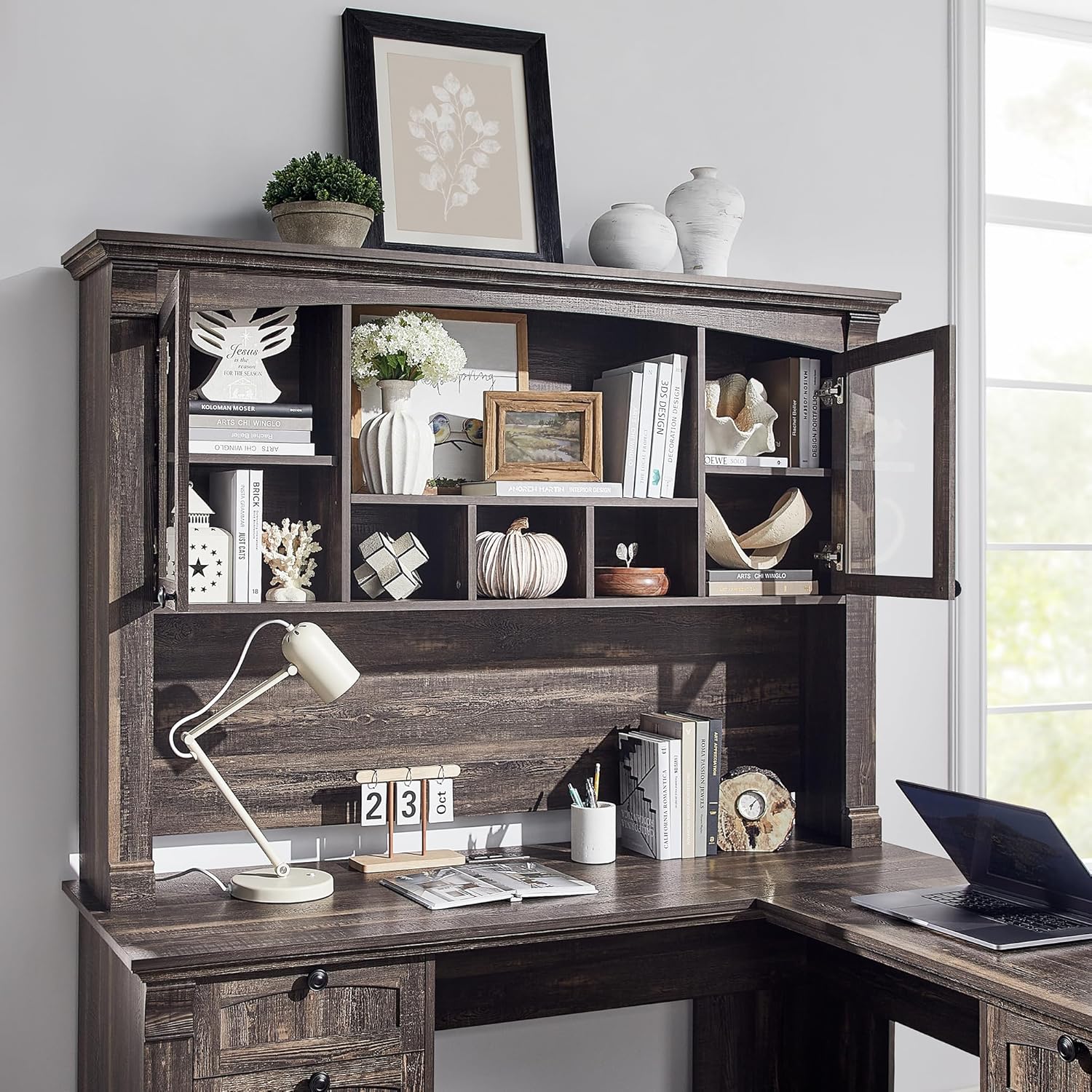
Kuva 5.2: Yksityiskohtainen view of the hutch storage compartments.
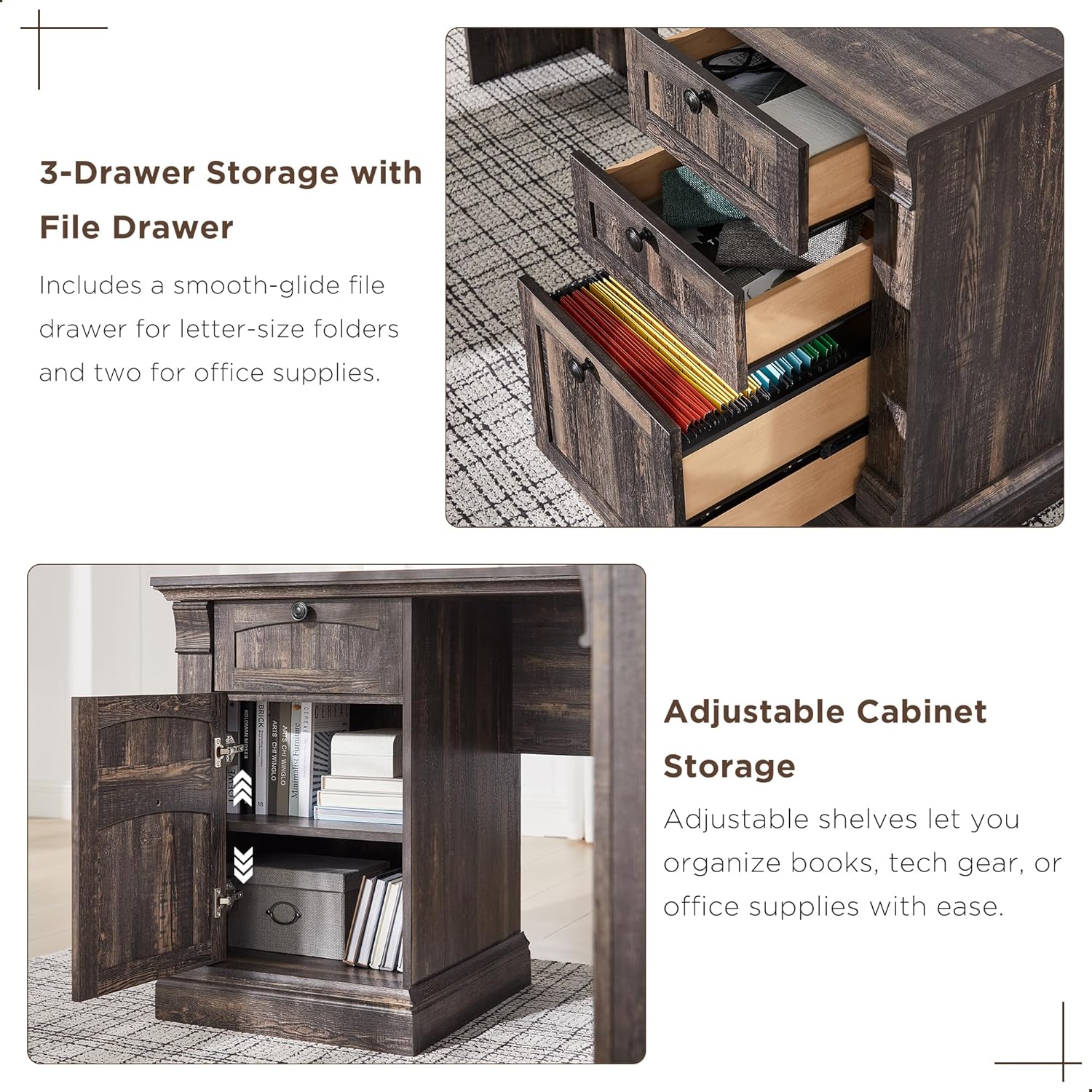
Kuva 5.3: Yksityiskohtainen view of the desk's three-drawer storage and adjustable cabinet.
6. Huolto
To maintain the appearance and longevity of your OKD Executive Desk, follow these simple care instructions:
- Puhdistus: Wipe surfaces with a dry, soft cloth. Avoid using harsh chemicals or abrasive cleaners, which can damage the distressed finish.
- Roiskeet: Pyyhi roiskeet välittömästi puhtaalla, kuivalla liinalla.
- Lämpö ja kosteus: Protect the surface from direct heat and excessive moisture using coasters or protective pads.
- Laitteisto: Tarkista ja kiristä kaikki kiinnikkeet säännöllisesti vakauden varmistamiseksi.
7. Vianmääritys
Tässä on ratkaisuja yleisiin ongelmiin, joita saatat kohdata:
- Puuttuvat osat: If you find any parts missing or damaged upon unboxing, please contact OKD customer support immediately with your purchase details.
- Laatikon kohdistus: If drawers do not slide smoothly or appear misaligned, check that the drawer slides are correctly installed and that all screws are tightened. Ensure the drawer slider hardware has been properly separated as per the assembly instructions.
- Cabinet Door Alignment: If cabinet doors rub against the frame, adjust the hinges using a Phillips screwdriver. Small adjustments can significantly improve alignment.
- Computer Tower Fit: The concealed cabinet is designed to accommodate most standard computer towers. If a flash drive or cable prevents the door from closing, you may need to adjust the computer's position or remove the adjustable shelf for more space.
- Pöydän huojuvat: Ensure the desk is on a level surface. Check all cam locks and screws to confirm they are fully tightened.
8. Tekniset tiedot
| Ominaisuus | Erittely |
|---|---|
| Merkki | OKD |
| Malli | B0DNPTR2YP |
| Muoto | L-muoto |
| Tuotteen mitat (S x L x K) | 60" S x 60" L x 72" K |
| Väri | Tumma maalaismainen tammi |
| Tyyli | Maalainen maalaismainen |
| Materiaalityyppi | Suunniteltu puu |
| Viimeistelytyyppi | Ahdistunut |
| Erikoisominaisuus | Built-In USB Outlet (2 USB, 2 AC) |
| Laatikoiden lukumäärä | 4 (1 file, 3 utility) |
| Hyllyjen määrä | 10 (including hutch and cabinet shelves) |
| Tuotteen paino | 250 puntaa |
| Enimmäispainosuositus | 350 puntaa |
| Vaadittu kokoonpano | Kyllä |
| Suositellut henkilöt kokoonpanoon | 2 |
9. Takuu ja tuki
9.1 Takuutiedot
This OKD product comes with a Rajoitettu takuu. For specific details regarding coverage and duration, please refer to the warranty documentation included with your purchase or contact OKD customer support.
9.2 Asiakastuki
Should you have any questions, require assistance with assembly, or need to report missing/damaged parts, our customer support team is available to help. Please have your model number (B0DNPTR2YP) and purchase information ready when contacting support.
Jos tarvitset tukea, käy osoitteessa OKD Store on Amazon tai katso tuotepakkauksessa olevat yhteystiedot.