
1. Johdanto
This manual provides essential information for setting up, operating, and maintaining your SOUYIE Smart Watch T19Pro. Please read it thoroughly to ensure proper use and to maximize the device's capabilities.
Kuva: Edessä view of the SOUYIE Smart Watch T19Pro.

Image: SOUYIE Smart Watch T19Pro in multiple colors, highlighting its role as a personal health assistant.
2. Pakkauksen sisältö
The SOUYIE Smart Watch T19Pro package includes the following items:
- 1 x SOUYIE Smart Watch T19Pro
- 1 x Käyttöohje
- 1 x TPU-silikoniranneke
- 1 x USB magneettinen latauskaapeli
3. Aloitus
3.1. Laitteen lataaminen
Before initial use, fully charge your SOUYIE Smart Watch T19Pro. The watch features a 280mAh battery. A full charge takes approximately 2 hours, providing about 7 days of daily use and up to 30 days of standby time.
- Connect the USB magnetic charging cable to a compatible USB power source.
- Attach the magnetic end of the cable to the charging points on the back of the smartwatch. Ensure proper alignment for a secure connection.
- Kellon näyttö näyttää latauksen tilan.

Image: The SOUYIE Smart Watch T19Pro connected to its magnetic charging cable, illustrating charging duration and battery longevity.
3.2. Sovelluksen asennus ja Bluetooth-pariliitos
To unlock the full potential of your SOUYIE Smart Watch T19Pro, download and install the companion application on your smartphone. The watch is compatible with Android (5.0 and above) and iOS (9.0 and above).
- Scan the QR code provided in the included user manual or search for the "Da Fit" app in your smartphone's app store (Google Play Store for Android, Apple App Store for iOS).
- Install the "Da Fit" application.
- Varmista, että Bluetooth on käytössä älypuhelimellasi.
- Open the "Da Fit" app and follow the on-screen instructions to add your device. Select "T19Pro" from the list of available devices to pair.
- Vahvista pariliitospyyntö sekä älypuhelimellasi että älykellolla.
Video: Demonstrates the process of connecting the SOUYIE Smart Watch T19Pro to a smartphone via Bluetooth using the companion app.
3.3. Setting Up Notifications
Once paired, you can configure your smartwatch to receive notifications from your smartphone.
- Avaa "Da Fit" -sovellus älypuhelimellasi.
- Navigate to the "Notifications" section within the app.
- Enable notifications for desired applications (e.g., Phone, Messages, WhatsApp, Facebook, Twitter, Instagram, Skype, etc.).
- The smartwatch will vibrate and display incoming calls or messages on its screen.
Video: Illustrates how to enable and manage message notifications for the SOUYIE Smart Watch T19Pro through the companion app.
4. Tärkeimmät ominaisuudet ja toiminnot
4.1. Näyttö ja mukauttaminen
The SOUYIE Smart Watch T19Pro features a 1.96-inch high-definition large screen for clear visual display. It includes a rotary button on the side for navigation and switching watch faces.
- Näytön navigointi: Swipe across the touchscreen to access different functions and menus.
- Pyörivä painike: Use the rotary button to scroll through pages or switch watch faces.
- Kellotaulut: The "Da Fit" app offers over 100 different watch faces. You can also customize the watch face with your own photos.

Image: Close-up of the SOUYIE Smart Watch T19Pro's 1.96-inch HD screen and its functional rotary button.
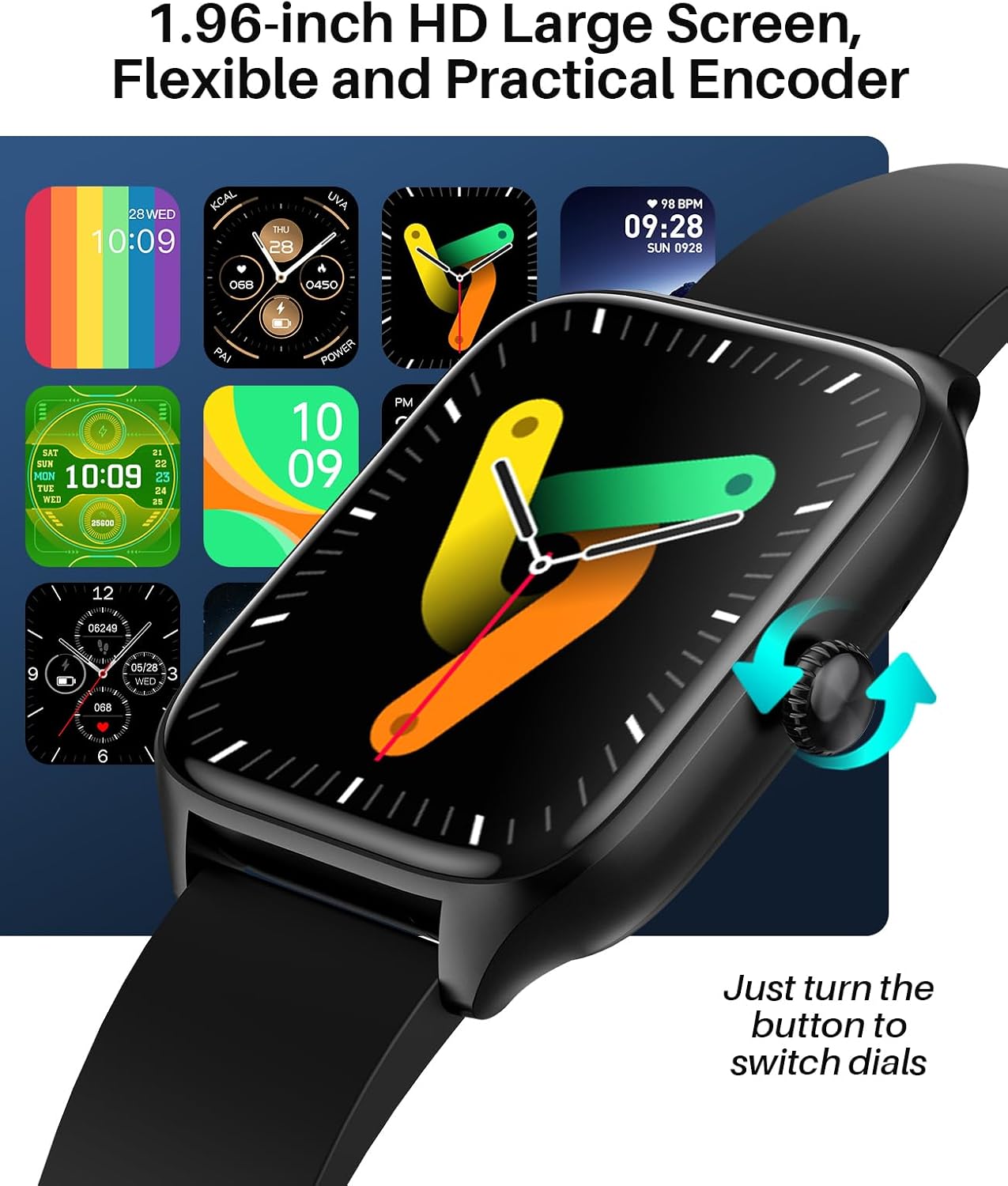
Image: A variety of digital and analog watch faces available for the SOUYIE Smart Watch T19Pro.
4.2. Terveydentilan seuranta
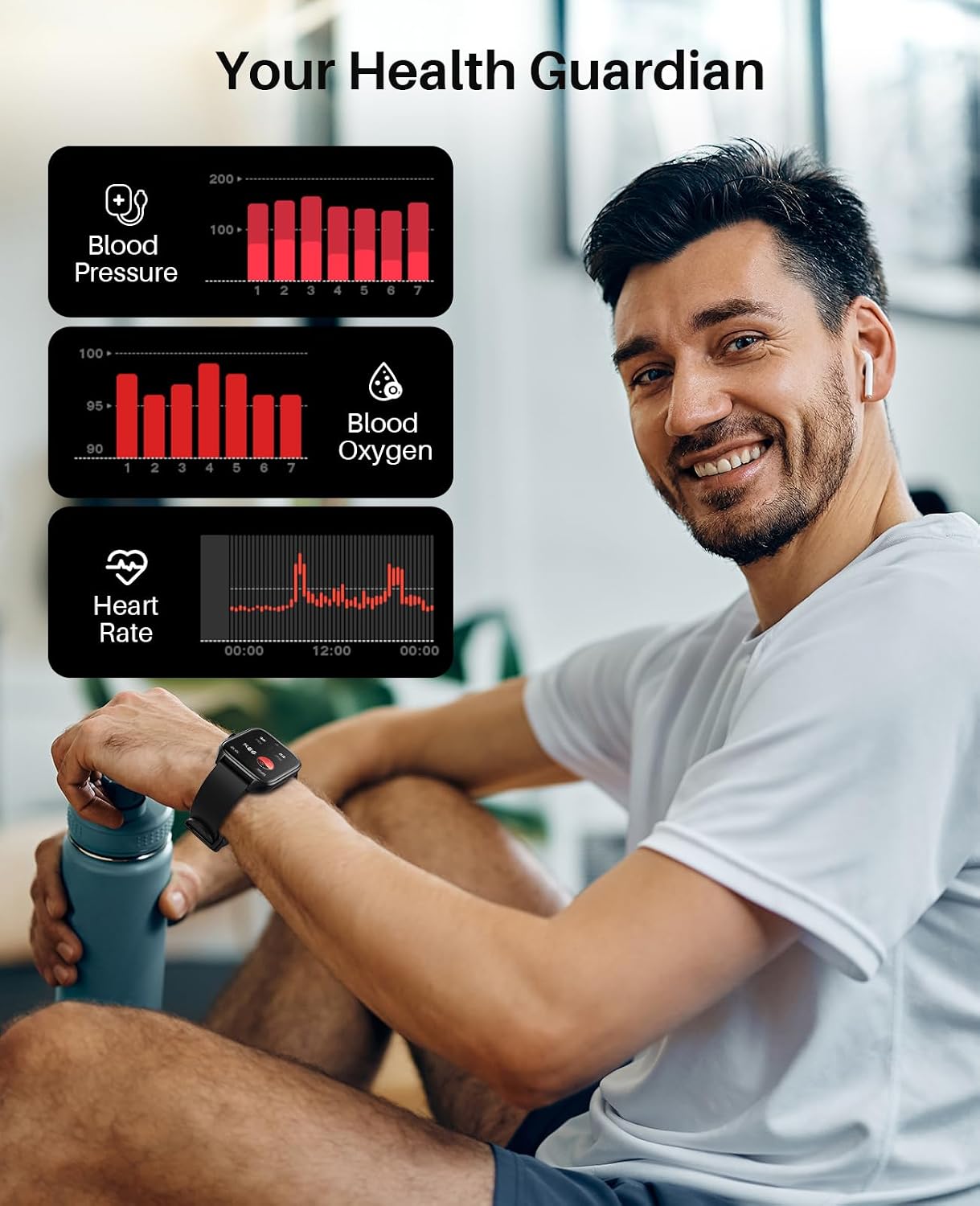
The SOUYIE Smart Watch T19Pro utilizes optical sensors to monitor various health metrics.
- Sykemittari: Seuraa sykettäsi jatkuvasti.
- Veren happipitoisuuden mittaus (SpO2): Mittaa veren happitasoja.
- Verenpainemittari: Tarjoaa verenpainemittauksia.
- Unen seuranta: Monitors your sleep quality, including awake, light, REM, and restful sleep stages.

Image: A user wearing the SOUYIE Smart Watch T19Pro, with graphical representations of blood pressure, blood oxygen, and heart rate data.

Image: A woman sleeping while wearing the SOUYIE Smart Watch T19Pro, displaying sleep duration, heart rate, stress levels, and blood oxygen saturation.
4.3. Kuntoilun seuranta
The smartwatch is equipped with features to track your physical activity.
- Aktiivisuuden seuranta: Records your daily activity.
- askelmittari: Laskee askeleesi.
- Kalorimittari: Arvioi aktiviteettien aikana kulutetut kalorit.
- Urheilutilat: Over 100 built-in exercise modes to record workout time and calories burned.

Image: A man playing tennis while wearing the SOUYIE Smart Watch T19Pro, with icons representing over 100 sports modes.
4.4. Viestintäominaisuudet
Stay connected with your SOUYIE Smart Watch T19Pro.
- Bluetooth-puhelut: Make and answer calls directly from your watch when connected via Bluetooth.
- Viesti-ilmoitukset: Receive alerts for text messages and app notifications (e.g., WhatsApp, Facebook, Twitter).
- AI Voice Assistant: Käytä äänikomentoja eri toimintoihin.

Image: The SOUYIE Smart Watch T19Pro showing a Bluetooth call interface, with various messaging and social media app icons indicating notification capabilities.
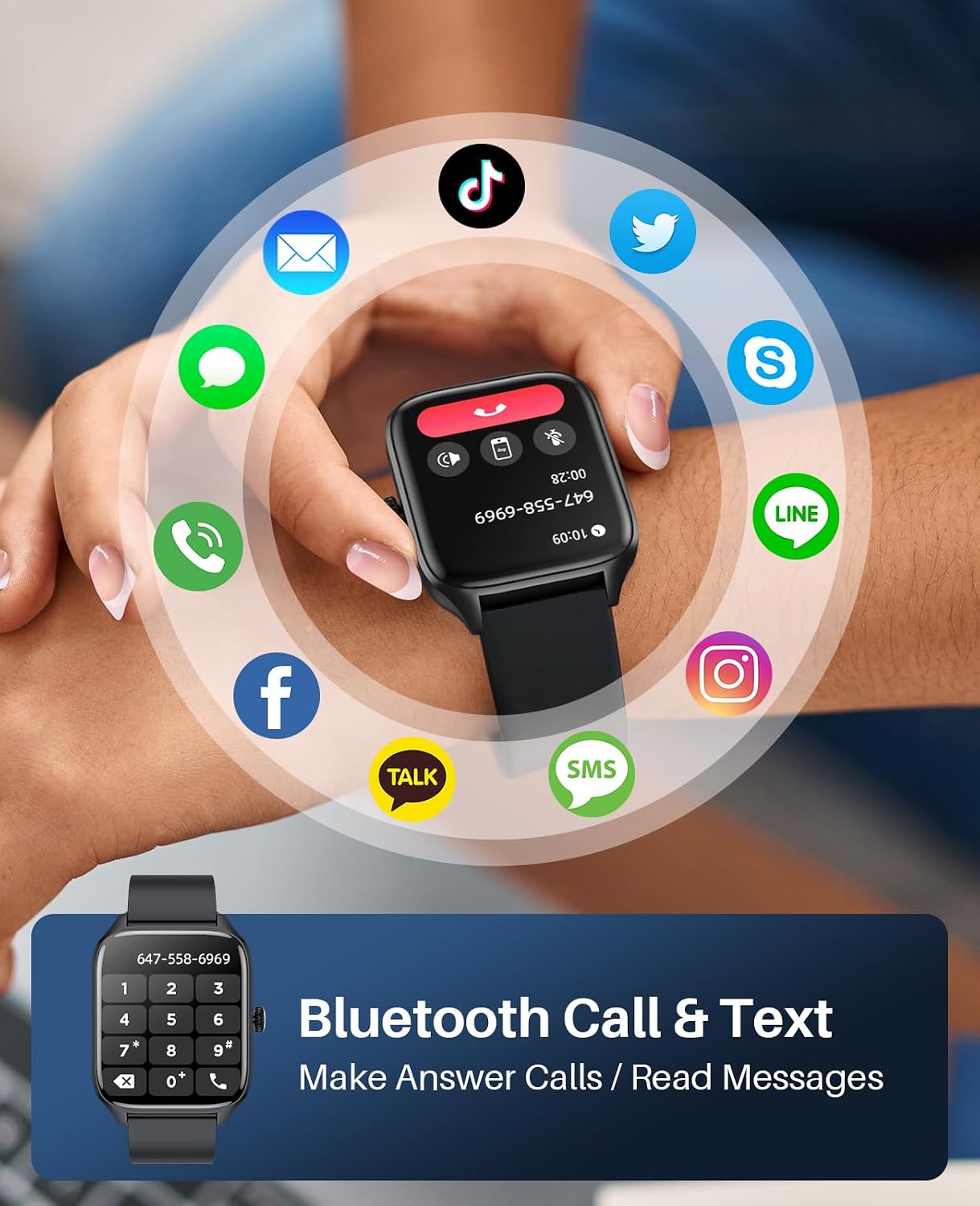
Image: The SOUYIE Smart Watch T19Pro displaying options for dialing, answering, rejecting calls, viewing contacts, and message reminders.

Image: The SOUYIE Smart Watch T19Pro showing the voice assistant interface with example commands like "Please turn off the alarm" and "How's the weather today?".
4.5. Additional Smart Functions
The T19Pro offers a range of practical tools for daily convenience.
- Musiikin ohjaus
- Laskin
- Muistutus istumisesta
- Rennot pelit
- Herätyskello
- Sekuntikello
- Lämpömittari
- Kameran etäohjaus
- Live-sääpäivitykset

Image: A man wearing the SOUYIE Smart Watch T19Pro, showcasing its multifunctional smart assistant features including alarm, calculator, music player, timer, and flashlight.
5. Vedenkestävyys
The SOUYIE Smart Watch T19Pro has an IP67 waterproof rating. This means it is resistant to splashes, rain, and brief immersion in water. It can be used for daily activities such as cold showers or washing hands. It is not recommended for swimming, diving, or exposure to hot water or steam.

Image: A man by a pool wearing the SOUYIE Smart Watch T19Pro, illustrating its IP67 waterproof capability for daily use.
6. Tekniset tiedot
| Ominaisuus | Erittely |
|---|---|
| Mallinumero | T19 Pro |
| Tuotteen mitat | 5.51 x 3.86 x 1.1 tuumaa |
| Tuotteen paino | 1.87 unssia (53 grammaa) |
| Näytön koko | 1.96 tuumaa |
| Käyttöjärjestelmä | Android (5.0 and above) & iOS (9.0 and above) |
| Yhteystekniikka | Bluetooth |
| Akun kapasiteetti | 280 miljoonaaamp Tunnit (280mAh) |
| Latausaika | Noin 2 tuntia |
| Typical Use Battery Life | Noin 7 päivää |
| Valmiusaika | Noin 30 päivää |
| Vedenkestävyys | IP67 |
| Erikoisominaisuudet | Activity tracker, alarm clock, blood pressure monitor, calorie tracker, camera, heart rate monitor, notifications, oximeter (SpO2), pedometer, phone, sleep monitor, text messaging, heart rate display, thermometer, AI voice assistant, music control, multi-dial switching, calculator, sedentary reminder, casual games, remote camera control, live weather, custom wallpapers. |
7. Hoito ja huolto
- Puhdistus: Puhdista älykellosi ja rannekkeesi säännöllisesti pehmeällä, kuivalla liinalla. Käytä tarvittaessa hieman kostutettuaamp liinalla ja miedolla saippualla, huuhtele ja kuivaa sitten huolellisesti.
- Vältä kemikaaleja: Do not use harsh chemicals, cleaning solvents, or strong detergents, as they may damage the watch's finish or components.
- Lämpötila: Vältä kellon altistamista äärimmäisille lämpötiloille (kuumalle tai kylmälle) tai suoralle auringonvalolle pitkiä aikoja.
- Varastointi: When not in use, store the watch in a cool, dry place.
8. Vianmääritys
- Kello ei käynnisty: Varmista, että kello on ladattu täyteen. Liitä se laturiin ja odota muutama minuutti ennen kuin yrität käynnistää sen.
- Yhteysongelmat: Verify that Bluetooth is enabled on your smartphone and the "Da Fit" app is open. Try restarting both your phone and the smartwatch.
- Ilmoituksia ei vastaanotettu: Check the "Notifications" settings in the "Da Fit" app to ensure that notifications are enabled for the desired applications. Also, check your phone's system notification settings for the app.
- Epätarkkoja lukemia: Varmista, että kello on tiukasti ranteessasi, ei liian tiukasti eikä liian löysästi. Puhdista kellon takana olevat anturit.
- Näyttö ei reagoi: Käynnistä kello uudelleen. Jos ongelma jatkuu, varmista, että näyttö on puhdas ja kuiva.
9. Takuu ja tuki
SOUYIE smartwatches are supported by a commitment to service quality.
- Palautuskäytäntö: A 30-day free return policy is offered.
- Takuu: Tuotteella on 1 vuoden takuu.
- Asiakastuki: 24/7 customer support is available. For assistance, please contact SOUYIE customer service through your purchase platform (e.g., "Find order --- Contact seller" on Amazon).