Johdanto
The Cisco Headset 721 is a wireless on-ear Bluetooth headset designed for professional use, offering comfort and advanced features for communication and collaboration. This manual provides comprehensive instructions for its setup, operation, and maintenance.
Mitä laatikossa on
Varmista, että pakkauksessa on kaikki tarvittavat osat:
- Cisco-kuulokkeet 721 (yksi korvakuulokkeet)
- USB-A HD Bluetooth Adapter
- Latausteline
- USB-A-latauskaapeli
- Soft Protective Case
- Ear Cushions (pre-installed or spare)
- Pääpanta (integroitu)

Image: The Cisco Headset 721 shown alongside its soft protective case, highlighting its portability.
Asennus
1. Kuulokkeen lataaminen
Before initial use, fully charge the headset. The headset has a battery life of approximately 23 hours of talk time.
- Liitä USB-A-latauskaapeli lataustelineeseen.
- Connect the other end of the USB-A charging cable to a powered USB port (e.g., computer, wall adapter).
- Place the headset onto the charging stand, ensuring proper alignment. The LED indicator on the headset will show charging status.
2. Yhdistäminen Bluetoothin kautta
The headset can connect wirelessly to two devices simultaneously via Bluetooth.
- Virta päälle: Press and hold the Power button on the headset until the LED indicator flashes.
- Pariliitostila: With the headset powered on, press and hold the Bluetooth button until the LED indicator flashes blue and red alternately. This indicates pairing mode.
- Laitteen pariliitos: On your device (e.g., smartphone, laptop), go to Bluetooth settings and select "Cisco Headset 721" from the list of available devices.
- Vahvistus: The headset LED will turn solid blue when successfully paired.
3. Connecting with USB-A HD Bluetooth Adapter
For optimal performance and integration with Cisco applications, use the provided USB-A HD Bluetooth Adapter.
- Plug the USB-A HD Bluetooth Adapter into an available USB-A port on your computer.
- The adapter will automatically attempt to pair with your Cisco Headset 721. The LED on the adapter will indicate connection status.
- Ensure your headset is in pairing mode if it does not connect automatically.
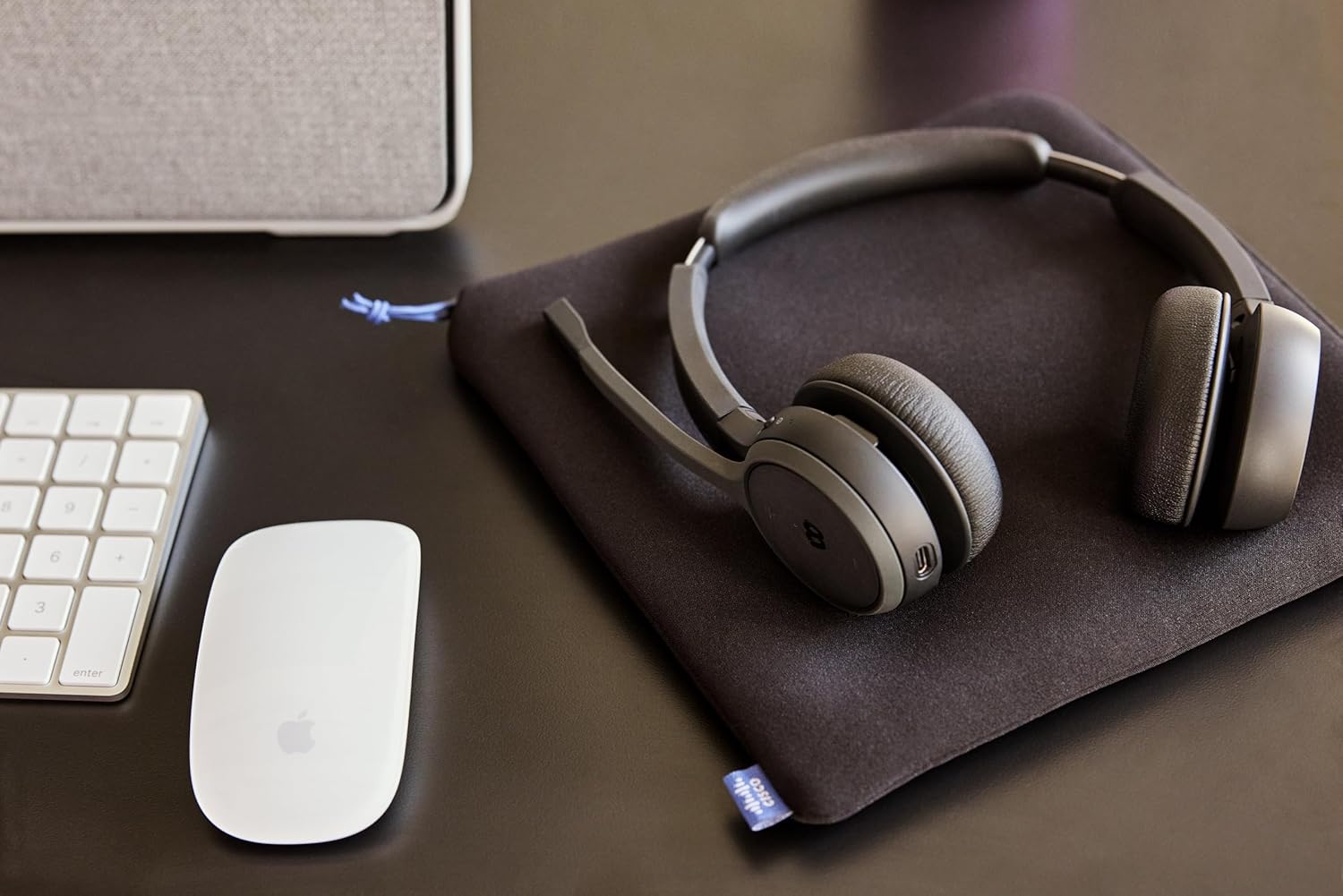
Image: The Cisco Headset 721, USB-A adapter, and charging stand arranged on a desk, illustrating a typical setup.
4. Adjusting the Microphone Boom Arm
The microphone boom arm rotates 276 degrees for optimal placement and features a flip-to-mute function.
- Position the microphone approximately two finger-widths from the corner of your mouth for clear audio.
- To mute the microphone, flip the boom arm upwards. Flip it down to unmute.
Käyttöohjeet
Korvissa olevat säätimet
The headset features intuitive on-ear controls for managing calls and media.
- Äänenvoimakkuus ylös/alas: Use the dedicated volume buttons to adjust audio levels.
- Puhelun vastaaminen/lopetus: Press the Call button once to answer an incoming call or end an active call.
- Mykistä/Poista mykistys: In addition to the flip-to-mute boom arm, a dedicated mute button may be present for quick toggling.
- Toista/keskeytä media: Press the Call button once to play or pause media playback.
- Seuraava / edellinen kappale: Use specific media control buttons if available, or double-press/triple-press the Call button (refer to specific model documentation for exact functionality).
Webex Button Integration
Omistettu Webex button provides seamless integration with Cisco Webex applications.
- Liity Webentinen kokous: Paina Webex button to quickly join an active or scheduled Webentinen kokous.
- Webex Control: The button may also provide quick access to other Webex-specific functions depending on the application version.
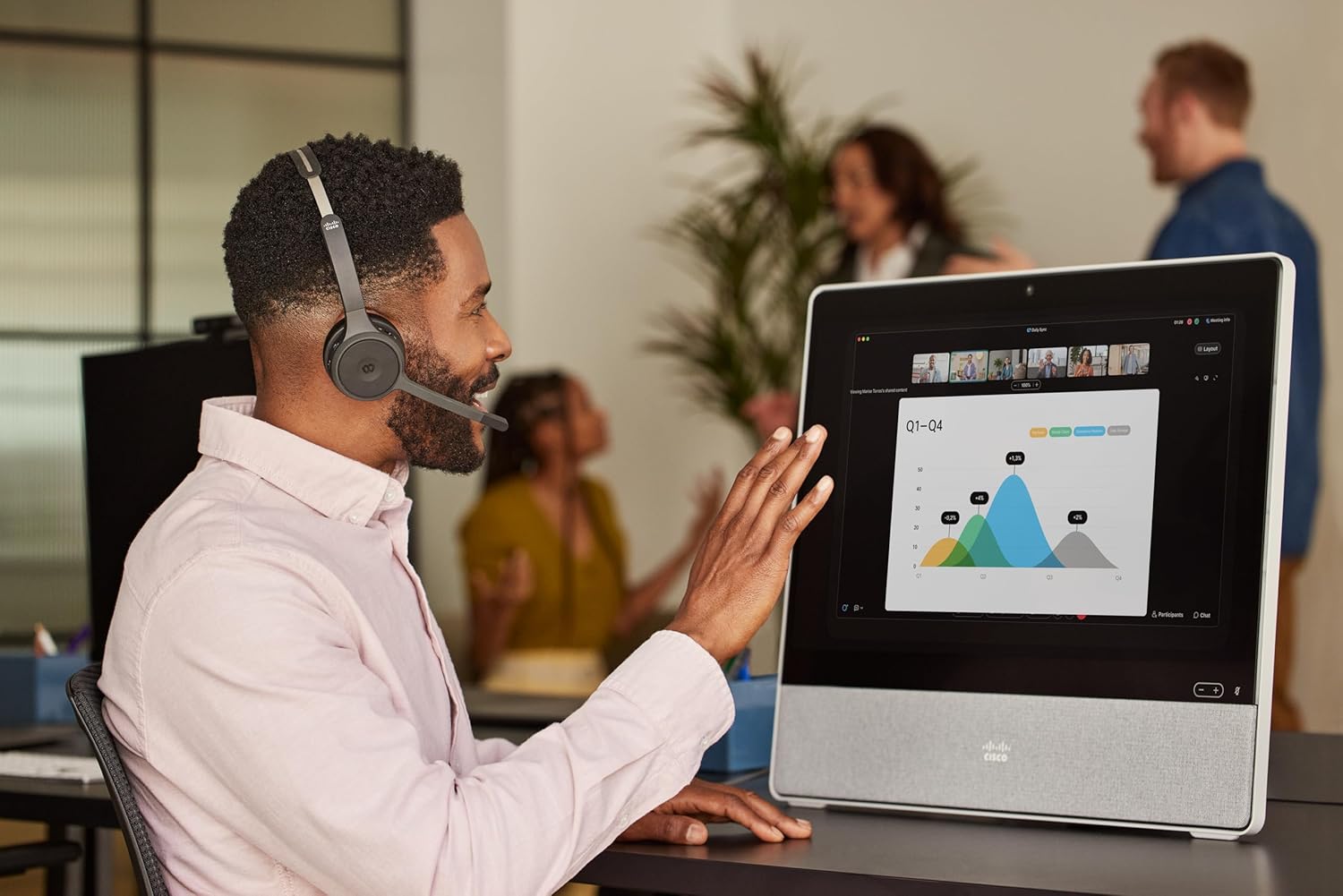
Image: A person wearing the Cisco Headset 721 while engaged in a video conference on a large display, demonstrating its use in a professional setting.
AI Voice-Activated Microphones
The headset features AI voice-activated microphones designed to minimize background noise, ensuring clear communication.
- These microphones automatically focus on your voice and suppress ambient sounds.
- No specific user action is required for this feature; it operates automatically.
Usean pisteen pariliitos
The headset supports multipoint pairing, allowing it to be connected to two Bluetooth devices simultaneously.
- Once paired with two devices, the headset can seamlessly switch between them for calls or media.
- esimample, you can be connected to your laptop for a video conference and your smartphone for incoming calls.
Huolto
Kuulokkeiden puhdistaminen
Regular cleaning helps maintain the headset's hygiene and performance.
- Pyyhi kuulokkeiden pinnat pehmeällä, kuivalla ja nukkaamattomalla liinalla.
- Pyyhi korvatyynyt varovasti kevyesti kostealla liinalla.amp cloth (water only) and allow to air dry completely before use.
- Vältä voimakkaiden kemikaalien, liuottimien tai hankaavien materiaalien käyttöä.
Varastointi
When not in use, store the headset properly to protect it from damage.
- Use the provided soft protective case for storage and transport.
- Säilytä viileässä, kuivassa paikassa suojassa suoralta auringonvalolta ja äärimmäisiltä lämpötiloilta.
Vianetsintä
Yleisiä ongelmia ja ratkaisuja
| Antaa | Ratkaisu |
|---|---|
| Kuulokemikrofoni ei käynnisty. | Ensure the headset is fully charged. Connect it to the charging stand and check the LED indicator. |
| Ei voi muodostaa pariliitosta laitteen kanssa. | Ensure the headset is in pairing mode (LED flashing blue/red). Check your device's Bluetooth settings. Try restarting both the headset and the device. |
| Ei ääntä tai äänenlaatu on huono. | Check the volume levels on both the headset and the connected device. Ensure the headset is selected as the audio output device. Move closer to the connected device to avoid interference. |
| Mikrofoni ei toimi. | Ensure the microphone boom arm is flipped down (unmuted). Check microphone settings on your connected device/application (e.g., Webesim.). |
| Webex button not responding. | Ensure the headset is properly connected to a device running the Webex application. Verify that the Webex application is up to date. |
Tekniset tiedot
| Ominaisuus | Yksityiskohta |
|---|---|
| Mallinumero | HS-WL-721-BUNAS-C |
| Yhteystekniikka | Langaton (Bluetooth) |
| Bluetooth-versio | 4.0 |
| Bluetooth-alue | 10 metriä |
| Korvien sijoitus | Korvassa |
| Muototekijä | Korvassa |
| Melunhallinta | Passiivinen melunvaimennus, Ääneneristys |
| Akun kesto | 23 tuntia (puheaika) |
| Ohjaustyyppi | Call Control, Button, App |
| Erikoisominaisuudet | Adjustable Headband, Fast Charging, Lightweight, Multipoint Pairing, Noise Isolation |
| Yhteensopivat laitteet | Matkapuhelimet, pöytätietokoneet, kannettavat tietokoneet, tabletit |
| Tuotteen paino | 0.12 kiloa (4.2 unssia) |
| Materiaali | Aluminum, Stainless Steel, Leather or Faux Leather, Memory Foam |
| Mukana olevat komponentit | Cable, Charging Station, Ear Cushions, Headband, Protective Case |
Takuu ja tuki
The Cisco Headset 721 comes with a Two-Year Limited Liability Warranty, varmistaen mielenrauhan valmistusvirheiden ja suorituskykyongelmien suhteen.
For technical support, warranty claims, or further assistance, please visit the official Cisco support website or contact your Cisco product provider. Ensure you have your product model number (HS-WL-721-BUNAS-C) and proof of purchase available.
Valinnaiset suojaussuunnitelmat
Additional protection plans may be available for extended coverage:
- 2 vuoden suojaussuunnitelma: Pidentää kattavuutta 24 kuukaudella.
- 3 vuoden suojaussuunnitelma: Pidentää kattavuutta 36 kuukaudella.
- Täydellinen suojaus: Kuukausittainen suunnitelma, joka kattaa kelvolliset menneet ja tulevat ostokset.
Please refer to the terms and conditions of these plans for full details.


