
Johdanto
This manual provides detailed instructions for the setup, operation, maintenance, and troubleshooting of your NiPoGi AK1 PRO Mini PC. The AK1 PRO is a compact desktop computer powered by an 11th Generation Intel Celeron N5105 processor, designed for efficient daily tasks, multimedia playback, and business applications. It features 12GB DDR4 RAM, a 256GB M.2 SSD, 4K UHD video output, dual display support, Dual Band WiFi, and Bluetooth 4.2.
Mitä laatikossa on
Tarkista pakettisi sisältö saapuessasi. Vakiopaketti sisältää:
- 1 x NiPoGi AK1 PRO Mini PC (12GB RAM, 256GB ROM)
- 1 x EU-virtalähde
- 1 x HDMI kaapeli
- 1 x VESA Bracket with Screws
- 1 x Käyttöohje
Tuote loppuview
The NiPoGi AK1 PRO Mini PC is designed with various ports for connectivity and expansion. Familiarize yourself with the layout below.
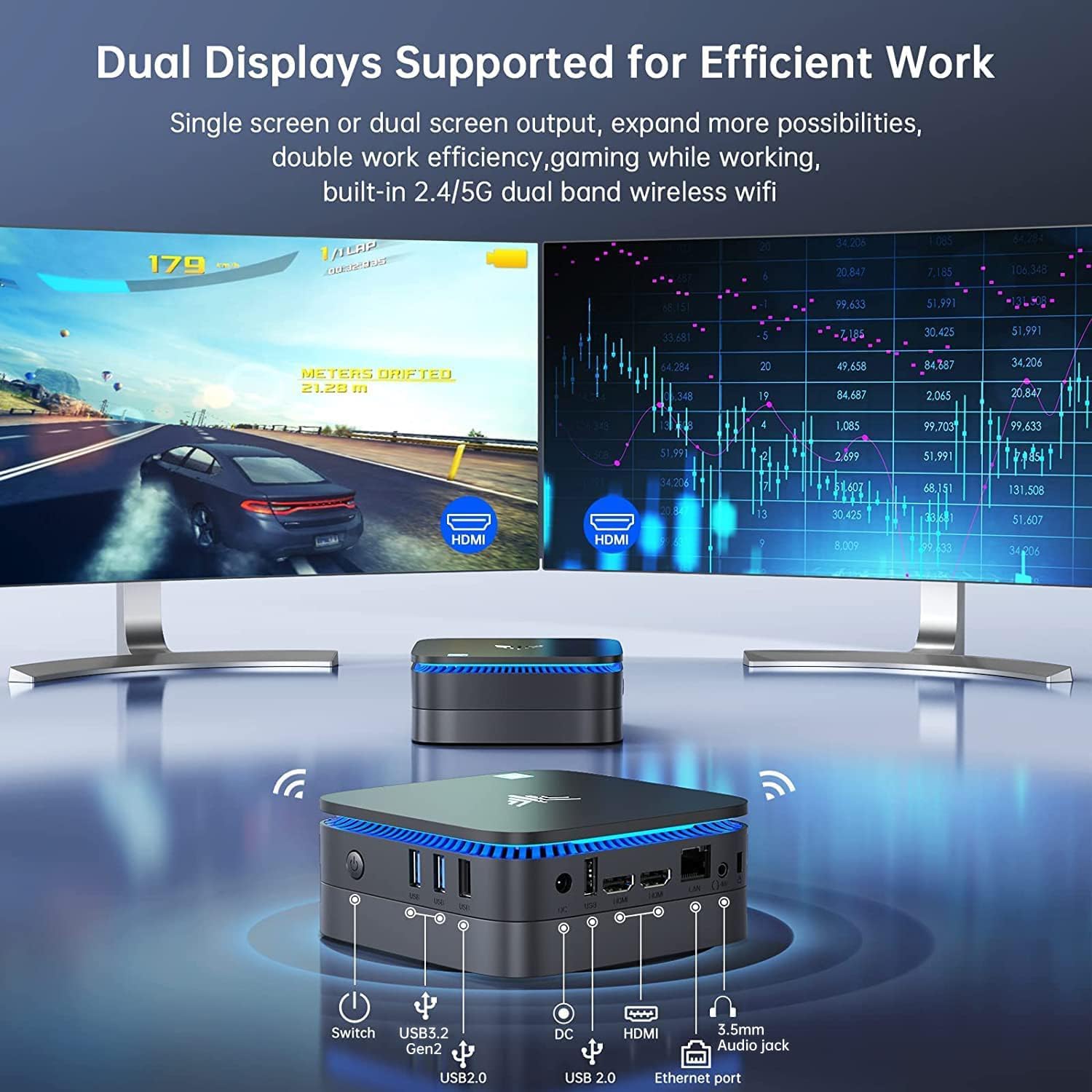
Kuva: Edessä ja takana view of the NiPoGi AK1 PRO Mini PC, highlighting its various ports and compact design. The front features the power button and USB ports, while the rear includes HDMI, Ethernet, and additional USB ports.
Portin asettelu:
- Edessä: Power Button, 2 x USB 3.0 ports, 2 x USB 2.0 ports
- Taka: DC Power Input, 2 x HDMI ports, 1 x RJ45 Gigabit Ethernet port, 1 x 3.5mm Audio Jack
Tärkeimmät ominaisuudet:
- Prosessori: 11th Gen Intel Celeron N5105 Quad-Core (up to 2.9 GHz)
- Grafiikka: Intel UHD Graphics, supporting 4K UHD (4096x2160@60Hz)
- Muisti: 12GB DDR4 RAM
- Varastointi: 256GB M.2 SSD (expandable with 2.5-inch SSD/HDD up to 2TB)
- Liitettävyys: Dual Band 2.4GHz+5GHz WiFi, Gigabit Ethernet, Bluetooth 4.2
- Näytön lähtö: Dual HDMI for dual screen setup
- Käyttöjärjestelmä: Esiasennettu käyttöjärjestelmä
Asennusopas
Follow these steps to set up your NiPoGi AK1 PRO Mini PC for the first time.
- Yhdistä näyttöön: Use the provided HDMI cable to connect the Mini PC to your monitor or TV. The AK1 PRO supports dual displays, so you can connect two monitors via the two HDMI ports.
- Liitä oheislaitteet: Kytke USB-näppäimistö ja -hiiri käytettävissä oleviin USB-portteihin.
- Liitä virtalähteeseen: Connect the EU power adapter to the DC input port on the Mini PC, then plug the adapter into a power outlet.
- Virta päälle: Press the power button located on the front of the Mini PC. The device will boot up, and the blue light will illuminate.
- Initial OS Setup: Follow the on-screen instructions to complete the operating system setup, including language, region, and network configuration.
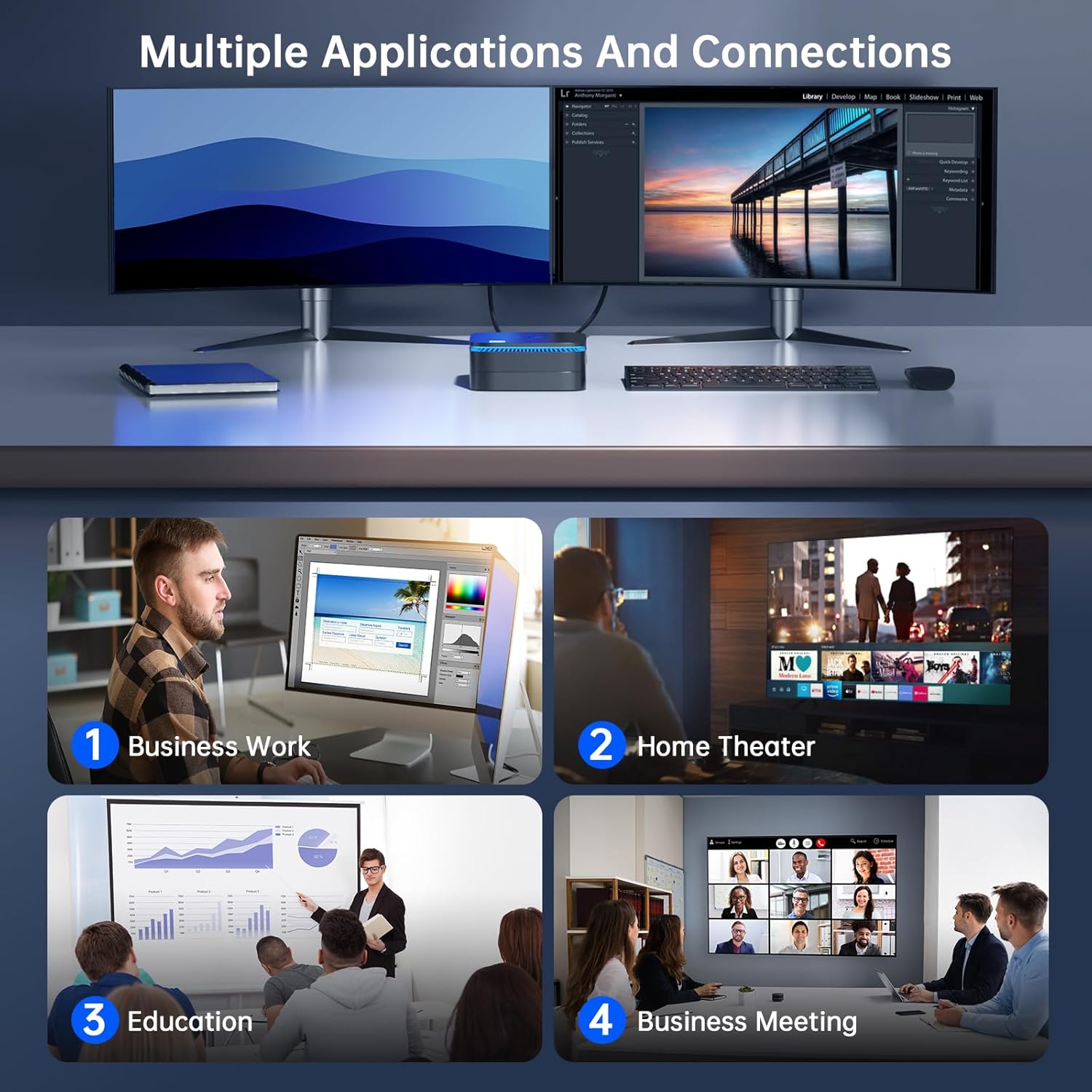
Kuva: The NiPoGi AK1 PRO Mini PC demonstrating multiple applications and connections, including business work, home theater, education, and business meetings, showcasing sen monipuolisuutta.
Käyttöohjeet
Peruskäyttö:
- Virta päälle/pois: Press the front power button to turn the PC on. To turn off, use the operating system's shutdown function or press and hold the power button for a few seconds for a forced shutdown (not recommended for regular use).
- Käynnistä uudelleen: Käytä käyttöjärjestelmän uudelleenkäynnistystoimintoa.
- Nukkumismoodi: The PC can enter sleep mode to save power. Wake it up by moving the mouse or pressing a key on the keyboard.
4K UHD Video Playback:
The integrated Intel UHD Graphics supports 4K UHD resolution (4096x2160@60Hz), providing a clear visual experience for movies, streaming, and presentations.

Kuva: A person enjoying 4K HD video playback on a large display, powered by the NiPoGi AK1 PRO Mini PC, highlighting its multimedia capabilities and wireless Bluetooth support.
Kahden näytön kokoonpano:
Connect two monitors to the two HDMI ports for an extended desktop experience. This can enhance productivity for work or provide a more immersive entertainment setup. Configure display settings within your operating system.
Tallennustilan laajennus
The NiPoGi AK1 PRO Mini PC comes with a 256GB M.2 SSD. For additional storage, you can install a 2.5-inch SSD or HDD (not included) in the removable base, supporting up to 2TB.
Asennusvaiheet:
- Ensure the Mini PC is powered off and disconnected from the power adapter.
- Avaa Mini PC:n pohjakansi varovasti.
- Insert your 2.5-inch SSD/HDD into the designated slot in the removable base.
- Secure the drive with screws if necessary (check the base for mounting points).
- Kiinnitä alakansi takaisin.
- After powering on, you may need to initialize and format the new drive through your operating system's disk management tools.

Kuva: A visual tutorial demonstrating how to install a 2.5-inch SSD or HDD into the NiPoGi AK1 PRO Mini PC by opening the bottom cover and inserting the drive into the expansion bay.
VESA-kiinnikkeen asennus
The included VESA bracket allows you to mount the Mini PC to the back of a compatible monitor or TV, saving desk space and creating an all-in-one computing solution.
Asennusvaiheet:
- Attach the VESA bracket to the back of your monitor using the provided screws. Ensure your monitor has standard VESA mounting holes.
- Slide the NiPoGi AK1 PRO Mini PC onto the VESA bracket until it clicks securely into place.
- Connect all necessary cables (power, HDMI, peripherals) to the Mini PC.

Kuva: The NiPoGi AK1 PRO Mini PC shown mounted on the rear of a computer monitor using a VESA bracket, illustrating how it can transform into an all-in-one computer and save desk space.
Huolto
Asianmukainen huolto varmistaa Mini PC:si pitkän käyttöiän ja optimaalisen suorituskyvyn.
- Puhdistus: Regularly clean the exterior of the Mini PC with a soft, dry cloth. Use compressed air to clear dust from ventilation openings to prevent overheating.
- Ohjelmistopäivitykset: Pidä käyttöjärjestelmäsi ja ajurit ajan tasalla varmistaaksesi tietoturvan ja suorituskyvyn.
- Ympäristöolosuhteet: Käytä Mini PC:tä hyvin ilmastoidussa tilassa, poissa suorasta auringonvalosta, liiallisesta kuumuudesta ja kosteudesta.
- Virranhallinta: Use the provided power adapter. Avoid frequent abrupt power cuts.
Vianetsintä
If you encounter issues with your Mini PC, refer to the following common troubleshooting steps.
- Ei virtaa:
- Varmista, että virtalähde on kytketty kunnolla sekä Mini PC:hen että toimivaan pistorasiaan.
- Varmista pistorasian toiminta kytkemällä siihen toinen laite.
- Ei näyttöä:
- Tarkista, että HDMI-kaapeli on kytketty kunnolla sekä Mini PC:hen että näyttöön.
- Ensure the monitor is powered on and set to the correct input source (HDMI 1, HDMI 2, etc.).
- Kokeile eri HDMI-kaapelia tai näyttöä, jos sellainen on saatavilla.
- Ei internetyhteyttä (Wi-Fi/Ethernet):
- For Wi-Fi, ensure the Wi-Fi adapter is enabled in the operating system and you are connected to the correct network with the correct password.
- For Ethernet, ensure the Ethernet cable is securely connected to both the Mini PC and your router/modem. Check router status.
- Käynnistä reititin/modeemi ja Mini PC uudelleen.
- Hidas suorituskyky:
- Sulje taustalla käynnissä olevat tarpeettomat sovellukset.
- Ensure there is sufficient free space on your primary drive.
- Check for and install any pending operating system updates.
- Monitor CPU and RAM usage through Task Manager (Windows) to identify resource-intensive processes.
Tekniset tiedot
Detailed technical specifications for the NiPoGi AK1 PRO Mini PC.
| Ominaisuus | Yksityiskohta |
|---|---|
| Merkki | NiPoGi |
| Mallisarja | AK1PRO N5105/12GB RAM+256GB ROM |
| Prosessori | Intel Celeron N5105 (11th Gen, Quad-Core, up to 2.9 GHz) |
| Grafiikka rinnakkaisprosessori | Intel UHD Graphics |
| RAM | 12GB DDR4 |
| Varastointi | 256GB M.2 SSD (Expandable with 2.5" SSD/HDD up to 2TB) |
| Käyttöjärjestelmä | OS |
| Yhteydet | Dual Band Wi-Fi (802.11a/b/g/n/ac), Bluetooth 4.2, Gigabit Ethernet |
| USB-portit | 2 x USB 3.0, 2 x USB 2.0 |
| HDMI-portit | 2 (supports dual display, 4K UHD resolution) |
| Audio | 1 x 3.5 mm: n ääniliitin |
| Mitat | 12.8 x 12.8 x 5.15 cm (noin 5.04 x 5.04 x 2.05 tuumaa) |
| Paino | 274 grammaa |
| Väri | Musta |
Takuu ja tuki
NiPoGi provides comprehensive support and warranty services for your Mini PC.
Ota yhteyttä tukeen:
- Amazon Orders: Log in to Amazon, go to "Your Account", then "Your Orders", and select "Ask Product Question" for assistance.
- Sähköpostituki: support@inipogi.com
- Puhelintuki: +44 808 175 2348 (maanantai–perjantai, 9–5 EST)
NiPoGi offers maintenance points for exchange or repair of your mini PC during the warranty period. Please retain your proof of purchase for warranty claims.

Kuva: Information regarding NiPoGi's "All-Around Protection" plan, including contact methods for support via Amazon, email, and phone, and details about maintenance services.