Johdanto
This manual provides detailed instructions for the safe and effective use of your Accutime FRCA1001 Unicorn Interactive Children's Camera. Please read this manual thoroughly before operating the device and retain it for future reference.
Turvallisuustiedot
VAROITUS:
- Ei sovellu alle 36 kuukauden ikäisille lapsille pienten osien vuoksi. Tukehtumisvaara.
- Long string: Risk of strangulation.
- Packaging components such as tape, plastic film, wire ties, stickers, and labels are not part of the product. Dispose of them safely for your child's protection.
- The packaging contains important information and should be kept for later reading.
- The appearance and color of the product may differ from the images shown.
Mitä laatikossa on
Kun avaat paketin, tarkista, että kaikki seuraavat osat ovat mukana:
- Accutime FRCA1001 Unicorn Interactive Children's Camera
- Micro SD -kortti
- USB-kaapeli
- Käyttöohje
Tuote loppuview
Tutustu kameran osiin ja säätimiin.
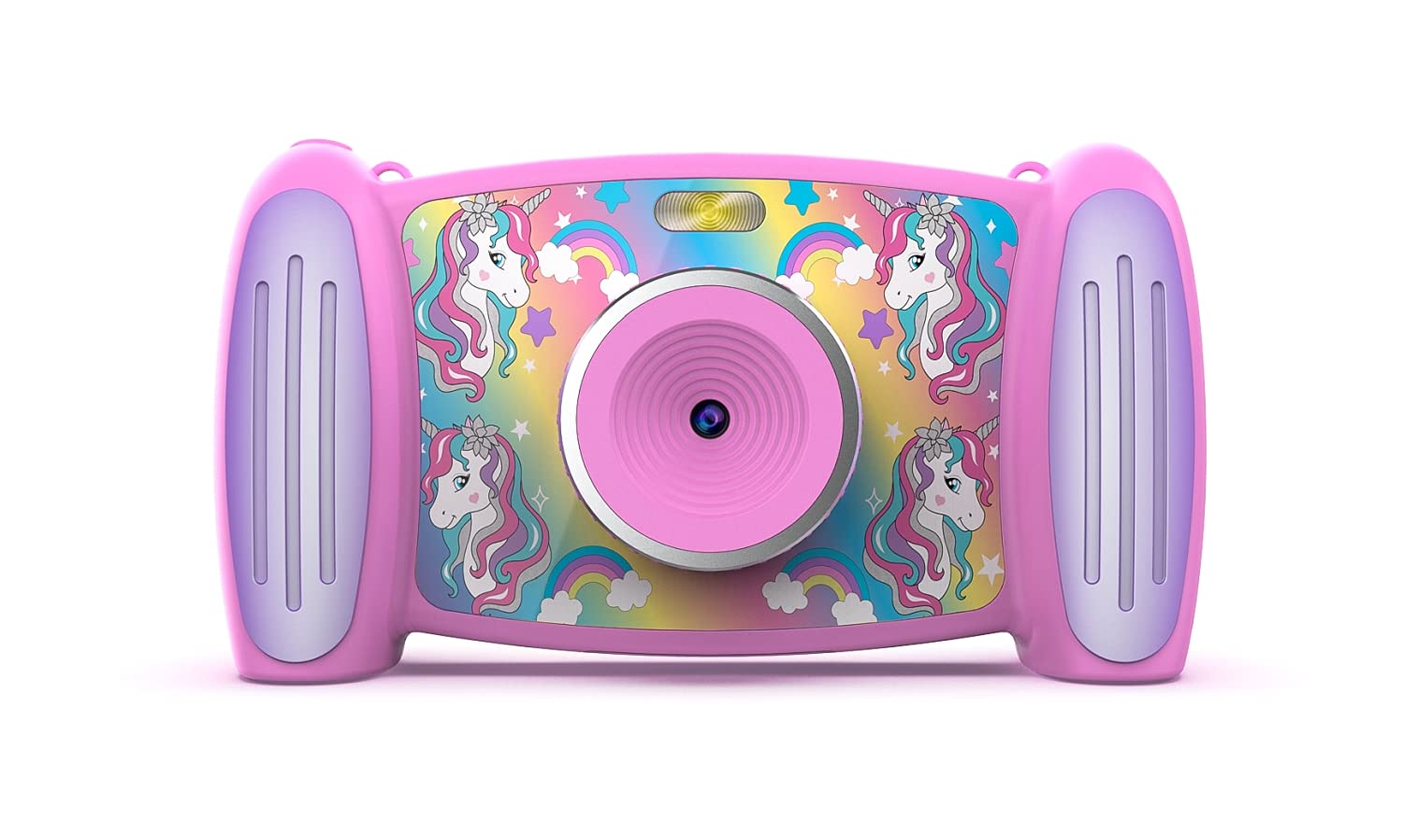
Kuva 1: Edessä view of the Accutime FRCA1001 Unicorn Interactive Children's Camera, displaying the main menu with icons for photo, video, games, and settings.
The camera features a vibrant screen, intuitive buttons for navigation, and a built-in speaker. Key controls include:
- Virtapainike: Located on the side/bottom, used to turn the camera on and off.
- Suuntapainikkeet (ylös, alas, vasemmalle, oikealle): Valikoiden selaamiseen ja vaihtoehtojen valitsemiseen.
- OK -painike: Vahvistaa valinnat.
- Valokuva-/videopainike: Aloittaa valokuvien ottamisen tai videotallennuksen.
- Zoomauspainikkeet (+/-): Säätää digitaalista zoomia.
- Mikrofoni: For audio recording during videos.
- Kaiutin: Äänen toistoa varten.
- Micro SD -korttipaikka: Muistin laajentamista varten.
- USB-portti: Lataamiseen ja tiedonsiirtoon.
Asennus
1. Akun asennus ja lataus
The camera includes a built-in Lithium Ion battery. Before first use, ensure the camera is fully charged.
- Connect the provided USB cable to the camera's USB port and the other end to a compatible USB power adapter (not included) or a computer's USB port.
- Latauksen merkkivalo syttyy.
- Kun akku on täysin latautunut, merkkivalo muuttuu tai sammuu. Irrota kaapeli.
2. Micro SD -kortin asennus
A Micro SD card is required to save photos and videos. A card is included with your camera.
- Paikanna kameran Micro SD -korttipaikka.
- Aseta Micro SD -kortti varovasti korttipaikkaan kultaiset koskettimet alaspäin, kunnes se napsahtaa paikalleen.
- Irrota kortti painamalla sitä varovasti sisäänpäin, kunnes se ponnahtaa ulos.
Käyttöohjeet
1. Virta päälle / pois
- To turn on: Press and hold the Power button until the screen illuminates.
- To turn off: Press and hold the Power button until the screen shuts down.
2. Liikkuminen valikossa
Use the directional buttons to move between icons on the screen. Press the OK -painiketta valitaksesi vaihtoehdon.

Kuva 2: Two children engaged in an activity, with one child holding and looking at the Accutime FRCA1001 camera, demonstrating its intended use.
3. Valokuvien ottaminen
- Valitse päävalikosta kamerakuvake.
- Rajaa kuvasi näyttöä käyttäen.
- Press the Photo/Video button to capture a picture.
- The camera supports 5-megapixel image resolution.
4. Videoiden tallentaminen
- Valitse päävalikosta videokamerakuvake.
- Press the Photo/Video button to start recording.
- Press the Photo/Video button again to stop recording.
- Videos are recorded in 1080p resolution.
5. Using Filters and Special Effects
Enhance your photos and videos with built-in filters and effects.
- While in photo or video mode, navigate to the filter/effects option (refer to on-screen icons).
- Select from 5 fun filters and 5 special effects.
6. Changing Photo Frames and Backgrounds
Personalize your photos with various frames and customize the camera's display with different backgrounds.

Kuva 3: A collage showing five distinct colorful backgrounds or photo frames available for selection on the camera, featuring unicorn and rainbow themes.

Kuva 4: An illustration displaying the camera's default start screen featuring a unicorn and rainbow, along with a sample wallpaper option.
- Access the settings menu to find options for changing photo frames or display backgrounds.
- Choose from the available designs to customize your camera experience.
7. Pelien pelaaminen
The camera includes 4 pre-installed educational and exciting games.
- From the main menu, select the games icon.
- Choose a game from the list and follow the on-screen instructions to play.
8. Using the MP3 Player
The camera features an MP3 player with a built-in speaker.
- Transfer MP3 audio files to the Micro SD card via the USB connection.
- From the main menu, select the music icon.
- Browse and play your stored MP3 files.
9. Digitaalinen zoom
The camera features 4x digital zoom.
- While in photo or video mode, use the '+' and '-' buttons to zoom in or out.
Huolto
Puhdistus
- Puhdista kameran runko pehmeällä, kuivalla liinalla.
- For the lens, use a specialized lens cleaning cloth.
- Älä käytä nestemäisiä puhdistusaineita tai hankaavia aineita.
Varastointi
- Säilytä kameraa viileässä, kuivassa paikassa, poissa suorasta auringonvalosta.
- Ensure the camera is turned off before storing.
- Jos akkua säilytetään pitkään, lataa se säännöllisesti pitääksesi sen kunnossa.
Vianetsintä
Jos kamerassasi ilmenee ongelmia, katso seuraavia yleisiä ratkaisuja:
- Kamera ei käynnisty: Ensure the battery is fully charged. Press and hold the power button for a few seconds.
- Kuvia/videoita ei voi tallentaa: Check if the Micro SD card is correctly inserted and has sufficient free space. The card may need to be formatted (refer to camera settings).
- Huono kuvanlaatu: Varmista, että linssi on puhdas ja tahroista vapaa. Tarkista valaistusolosuhteet.
- Kamera jumiutuu: Try restarting the camera by holding the power button until it turns off, then turn it back on.
- Ei ääntä kaiuttimesta: Check volume settings in the camera menu. Ensure MP3 files are correctly formatted.
Jos ongelmat jatkuvat, ota yhteyttä asiakastukeen lisäapua varten.
Tekniset tiedot
| Ominaisuus | Yksityiskohta |
|---|---|
| Mallinumero | FRCA1001 |
| Kuvan resoluutio | 5 megapikseliä (MP) |
| Videon resoluutio | 1080p |
| Digitaalinen zoom | 4x |
| Näytön tyyppi | 2-in-1 Screen |
| Varastointi | Micro SD -kortti (mukana) |
| Akun tyyppi | 1 litiumioni (mukana) |
| Mitat | 5.71 x 1.69 x 3.5 tuumaa |
| Tuotteen paino | 4.9 unssia |
| Ominaisuudet | 5 Fun Filters, 5 Special Effects, 4 Games, MP3 Player with Speaker |
Takuu ja tuki
For warranty information or technical support, please refer to the contact details provided on the product packaging or visit the official Accutime websivusto. Säilytä ostokuitti ostotodistuksena.


