
1. Johdanto
This manual provides comprehensive instructions for the Huawei P Smart Plus 2019 smartphone. It covers essential information regarding product features, setup, operation, maintenance, and troubleshooting to ensure optimal use of your device. Please read this manual thoroughly before using your smartphone.
2. Tuote ohiview
Familiarize yourself with the physical components of your Huawei P Smart Plus 2019 smartphone.
Kuva 2.1: Takaosa view of the Huawei P Smart Plus 2019 smartphone, showing the triple camera module, fingerprint sensor, and HUAWEI branding.
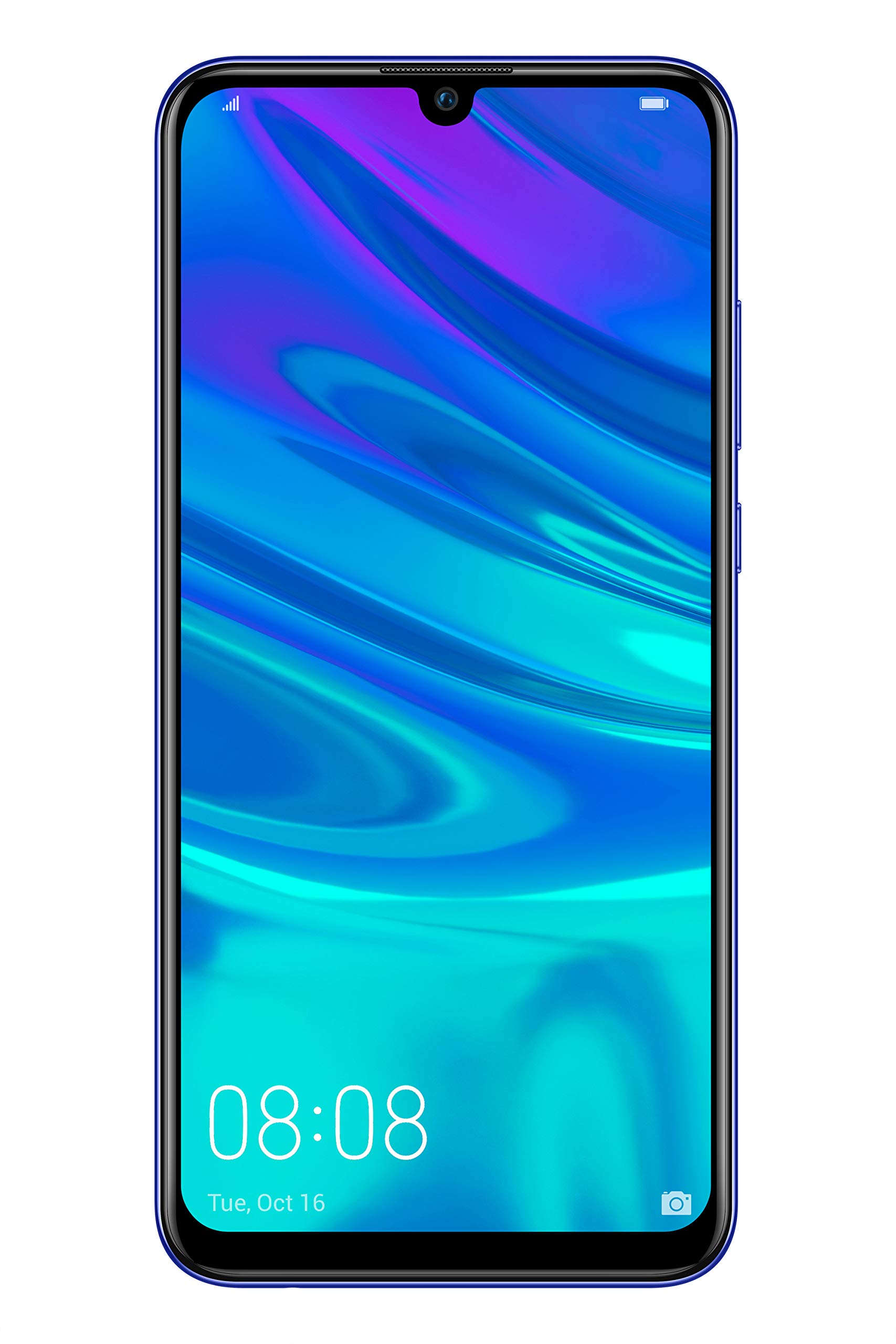
Kuva 2.2: Edessä view of the Huawei P Smart Plus 2019 smartphone, displaying the 6.21-inch screen with a small notch for the front camera.

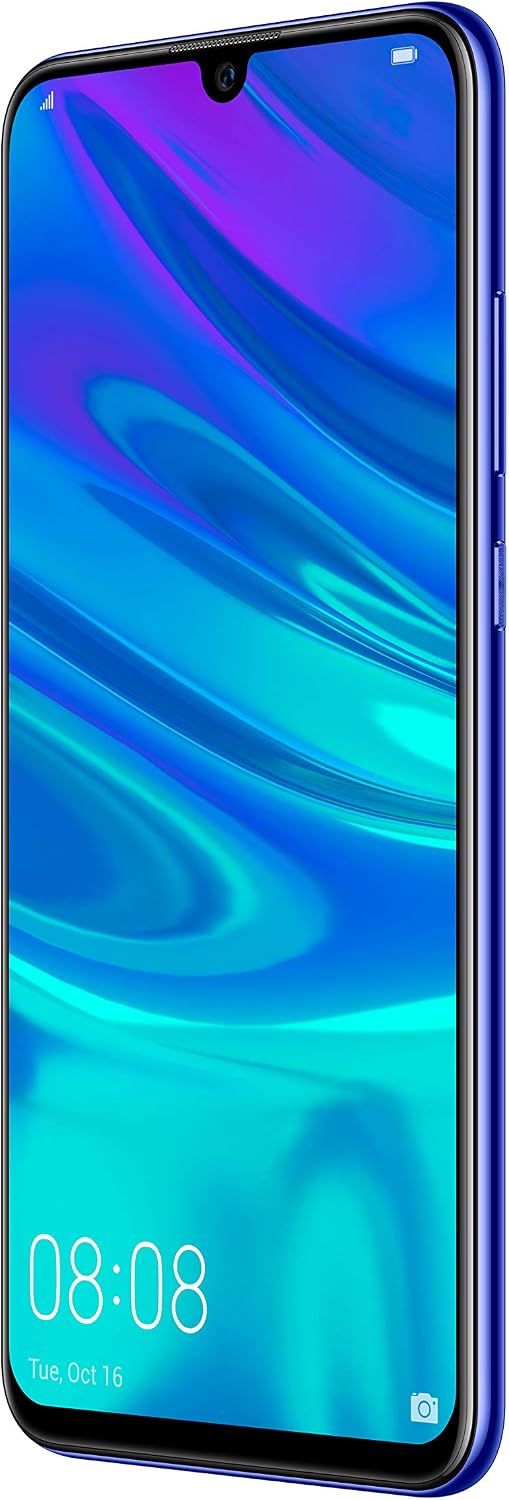
Kuva 2.3: Sivu view of the Huawei P Smart Plus 2019 smartphone, highlighting the power and volume buttons.
Tärkeimmät komponentit:
- Näyttö: 6.21-inch FHD+ LCD screen.
- Etukamera: Sijaitsee näytön lovessa.
- Takakamerat: Triple camera module on the back.
- Sormenjälkitunnistin: Circular sensor on the rear panel.
- Virtapainike: Laitteen oikealla puolella.
- Äänenvoimakkuuspainikkeet: Above the power button on the right side.
- SIM-/MicroSD-korttipaikka: Typically on the left side or top edge.
- Latausportti: USB Type-C, usually at the bottom.
- Kaiutin/mikrofoni: Sijaitsee pohjassa.
3. Asennus
3.1 SIM- ja microSD-korttien asettaminen
- Etsi SIM-kortin alusta laitteen sivusta.
- Avaa SIM-kortin poistotyökalu työntämällä se pieneen reikään lokeron vieressä.
- Place your Nano-SIM card(s) and/or microSD card into the tray, ensuring correct orientation as indicated on the tray. This device supports Dual SIM functionality and expandable storage up to 512GB.
- Työnnä lokero varovasti takaisin lokeroon, kunnes se on laitteen tasalla.
3.2 Ensimmäinen käynnistys ja lataus
- To power on, press and hold the Power button until the HUAWEI logo appears.
- Suorita alkuasetukset, mukaan lukien kielen valinta, Wi-Fi-yhteyden muodostaminen ja Google-tilin määrittäminen, noudattamalla näytön ohjeita.
- Before first use, it is recommended to fully charge the device. Connect the provided USB Type-C cable to the phone's charging port and the other end to a power adapter.
4. Käyttöohjeet
4.1 Perustoiminnot
- Power On/Off/Restart: Press and hold the Power button. Select the desired option from the menu.
- Näytön lukitus/vapautus: Press the Power button to lock/unlock the screen. Use Face Recognition or the Fingerprint Sensor for secure unlocking.
- Puhelut ja viestit: Use the Phone and Messaging applications for communication.
- Verkkoyhteydet: Access Wi-Fi settings from the Quick Settings panel or Settings app. Enable mobile data for internet access via your SIM card.
4.2 Kameran käyttö
The Huawei P Smart Plus 2019 features a versatile camera system.
- Takakamera: The triple camera setup includes a 24MP main sensor, a 16MP ultra-wide sensor, and a 2MP bokeh sensor. Open the Camera app and select modes like Automatic, Portrait, or Sport.
- Etukamera: An 8MP front camera is available for selfies and video calls. Switch to the front camera within the Camera app.
- AI-ominaisuudet: The camera utilizes AI to optimize scene recognition and enhance photo quality.
4.3 Tallennustila ja muisti
Your device comes with 64GB of internal storage, which can be expanded up to 512GB using a microSD card. It has 3GB of RAM for smooth multitasking.
4.4 Akun hallinta
The device is equipped with a 3400 mAh Lithium-Polymer battery. To optimize battery life, manage background apps, adjust screen brightness, and utilize power-saving modes available in the Settings app.
4.5 Käyttöjärjestelmä
The smartphone runs on Android 9 (Pie) with Huawei's EMUI 9 interface, offering a range of features and customization options.
5. Huolto
5.1 Laitteen puhdistaminen
Use a soft, lint-free cloth to gently wipe the screen and body of your phone. Avoid using harsh chemicals or abrasive materials, which can damage the device's finish or screen coating.
5.2 Ohjelmistopäivitykset
Regularly check for and install software updates to ensure your device has the latest features, security patches, and performance improvements. You can usually find this option in Settings > System > Software update.
5.3 Akun hoito
To prolong battery lifespan, avoid extreme temperatures. Do not leave the phone fully charged or fully discharged for extended periods. Use only approved chargers and cables.
5.4 Tietojen varmuuskopiointi
Varmuuskopioi tärkeät tietosi (valokuvat, yhteystiedot, asiakirjat) säännöllisesti pilvipalveluun tai tietokoneelle tietojen menetyksen estämiseksi.
6. Vianmääritys
This section addresses common issues you might encounter with your Huawei P Smart Plus 2019.
6.1 Laite ei käynnisty
- Varmista, että akku on ladattu. Kytke laturi ja odota muutama minuutti ennen kuin yrität käynnistää laitteen.
- Pakota uudelleenkäynnistys painamalla virtapainiketta vähintään 10–15 sekuntia.
6.2 Huono akunkesto
- Sulje taustalla käynnissä olevat käyttämättömät sovellukset.
- Vähennä näytön kirkkautta ja aseta lyhyempi näytön aikakatkaisuaika.
- Poista Wi-Fi, Bluetooth ja GPS käytöstä, kun niitä ei käytetä.
- Tarkista akun käyttö asetuksista tunnistaaksesi virtaa kuluttavat sovellukset.
6.3 Network Issues (No Signal/Wi-Fi Disconnection)
- Käynnistä laite uudelleen.
- Ensure your SIM card is correctly inserted and your mobile data plan is active.
- For Wi-Fi, try restarting your router. Forget the network on your phone and reconnect.
6.4 Sovellusten kaatuminen tai jumiutuminen
- Pakota sovellus sulkemaan ja avaamaan se uudelleen.
- Tyhjennä sovelluksen välimuisti ja tiedot kohdassa Asetukset > Sovellukset.
- Varmista, että sovellus on päivitetty uusimpaan versioonsa.
- Jos ongelma jatkuu, harkitse sovelluksen poistamista ja asentamista uudelleen.
6.5 Tehdasasetusten palautus (viimeinen keino)
If other troubleshooting steps fail, a factory reset may resolve persistent issues. Varoitus: This will erase all data on your device. Back up your data before proceeding. Go to Settings > System > Reset > Factory data reset.
7. Tekniset tiedot
| Ominaisuus | Yksityiskohta |
|---|---|
| Mallinumero | POT-LX1T, 51093RVX |
| Näyttö | 6.21 inches, LCD, FHD+ (2340 x 1080 pixels), 415 PPI |
| Prosessori | Kirin 710 Octa-core (4 x 2.2 GHz, 4 x 1.7 GHz) |
| RAM | 3 Gt |
| Sisäinen tallennustila | 64 Gt |
| Laajennettava tallennustila | MicroSD jopa 512 Gt |
| Takakamera | Triple: 24 MP (main) + 16 MP (ultra-wide) + 2 MP (bokeh) |
| Etukamera | 8 MP |
| Akku | 3400 mAh Litium-polymeeri |
| Käyttöjärjestelmä | Android 9 (Pie) with EMUI 9 |
| SIM-kortin tyyppi | Nano-SIM (Dual SIM support) |
| Yhteydet | LTE, GSM, Wi-Fi, Bluetooth, USB Type-C |
| Biometrinen turvallisuus | Fingerprint Sensor, Face Recognition |
| Mitat | 8 x 155 x 73 mm |
| Paino | 160 grammaa |
| Keskimääräinen akun käyttöikä | 25 tuntia |
8. Turvallisuustiedot
Noudata seuraavia turvallisuusohjeita välttääksesi loukkaantumiset tai laitteesi vaurioitumisen:
- Älä altista laitetta äärimmäisille lämpötiloille, suoralle auringonvalolle tai kosteudelle.
- Käytä vain hyväksyttyjä latureita ja lisävarusteita.
- Vältä laitteen pudottamista tai altistamista voimakkaille iskuille.
- Älä yritä purkaa tai korjata laitetta itse. Ota yhteyttä valtuutettuun huoltohenkilöstöön.
- Pidä laite poissa lääkinnällisten laitteiden läheltä häiriöiden välttämiseksi.
- Hävitä laite ja sen akku vastuullisesti paikallisten määräysten mukaisesti.
9. Takuu ja tuki
Your Huawei P Smart Plus 2019 smartphone is covered by a limited warranty. For detailed warranty terms and conditions, please refer to the warranty card included in the product packaging or visit the official HUAWEI websivusto.
For technical support, service, or further assistance, please contact HUAWEI customer service or visit an authorized service center. Contact information can typically be found on the official HUAWEI support websivusto.