Johdanto
Thank you for choosing the JBL Flip 3 Splashproof Portable Bluetooth Speaker. This manual provides essential information for setting up, operating, and maintaining your speaker to ensure optimal performance and longevity. Please read this manual thoroughly before using your device.
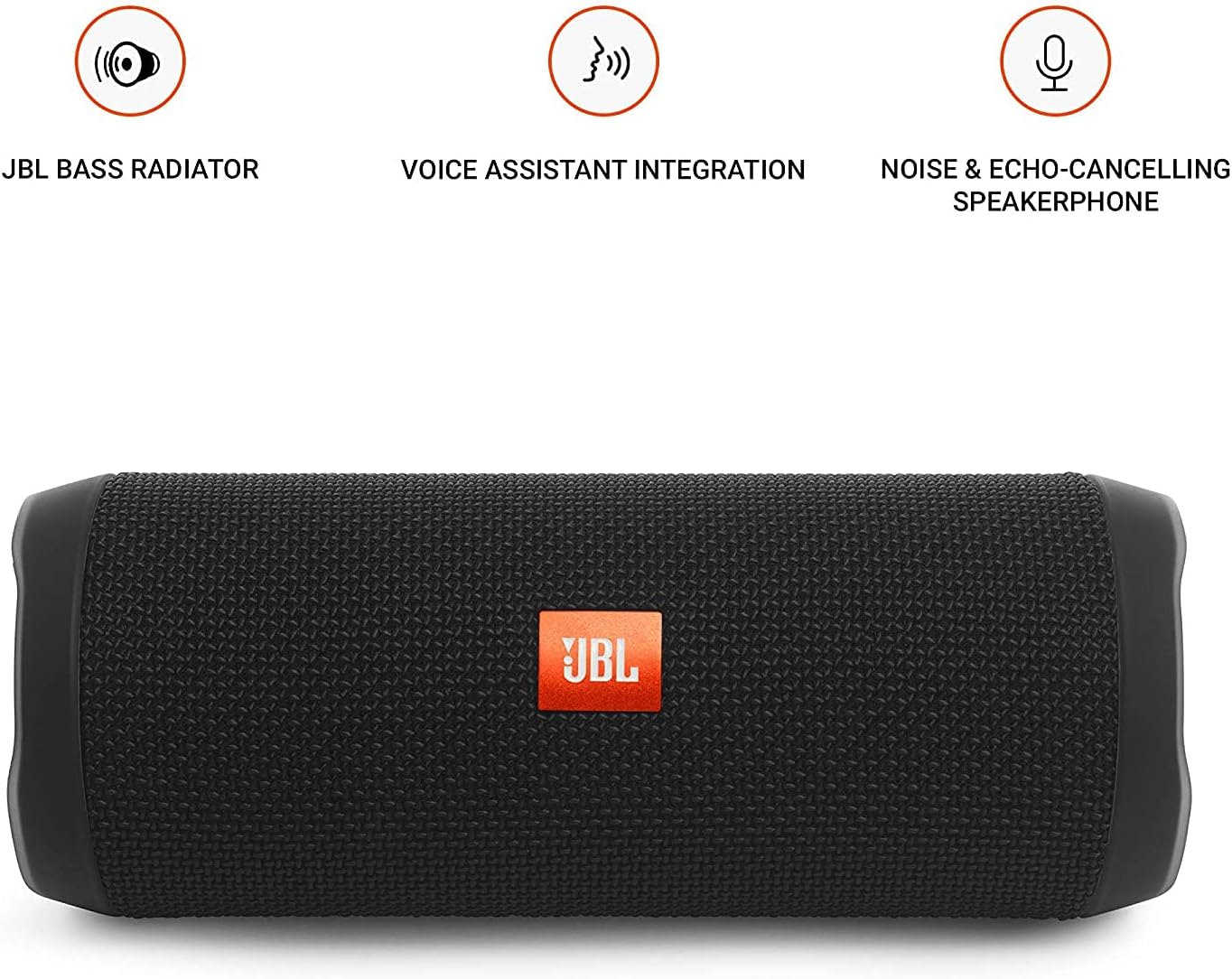
Image: JBL Flip 3 highlighting key features like the bass radiator, voice assistant integration, and noise & echo-cancelling speakerphone.
Mitä laatikossa on
- JBL Flip 3 Splashproof Portable Speaker
- USB Charging Cable (orange)
- Pikaopas (ei sisälly tähän käyttöoppaaseen)
- Käyttöturvallisuustiedote (ei sisälly tähän käyttöoppaaseen)
- Takuukortti (ei sisälly tähän käyttöoppaaseen)
Asennus
1. Akun lataaminen
Before first use, fully charge your JBL Flip 3 speaker. The built-in 3000mAh Li-ion battery supports up to 10 hours of playtime and takes approximately 3.5 hours to fully charge.
- Etsi latausportti kaiuttimen sivusta, joka on yleensä suojattu kumiläppällä.
- Connect the orange USB charging cable to the speaker's charging port.
- Liitä USB-kaapelin toinen pää yhteensopivaan USB-virtalähteeseen (ei sisälly toimitukseen) tai tietokoneen USB-porttiin.
- The LED indicators on the speaker will illuminate to show the charging status. All five LEDs will be solid white when fully charged.

Image: The JBL Flip 3 speaker connected to a charging cable, with its battery indicator LEDs lit.
2. Virta päälle / pois
- Kytke virta päälle painamalla Virtapainike (usually indicated by a circle with a vertical line). The power indicator light will illuminate.
- Katkaise virta pitämällä -painiketta painettuna Virtapainike uudelleen, kunnes merkkivalo sammuu.
Käyttöohjeet
1. Bluetooth-pariliitos
The JBL Flip 3 can wirelessly connect up to 3 smartphones or tablets simultaneously.
- Käynnistä JBL Flip 3 -kaiutin.
- Paina Bluetooth-painike (usually indicated by the Bluetooth logo) on the speaker. The Bluetooth indicator light will flash, indicating it's in pairing mode.
- On your smartphone or tablet, go to the Bluetooth settings and select "JBL Flip 3" from the list of available devices.
- Kun yhteys on muodostettu, Bluetooth-merkkivalo palaa tasaisesti.
- To connect additional devices, repeat steps 2-3. The speaker will automatically switch between connected devices when music is played.
2. Musiikin toisto
- Toista/tauko: Paina Toista/Tauko-painike (usually indicated by a triangle or two vertical bars).
- Äänenvoimakkuuden säätö: Käytä Äänenvoimakkuuden lisääminen (+) ja Äänenvoimakkuutta pienemmälle (-) kaiuttimen tai yhdistetyn laitteen painikkeita.
- Ohita kappale: Kaksoispaina Toista/Tauko-painike siirtyäksesi seuraavaan kappaleeseen.
3. Kaiutinpuhelintoiminto
The JBL Flip 3 features a noise and echo-cancelling speakerphone for clear calls.
- Puhelun vastaaminen/lopetus: Paina Puhelin-painike (usually indicated by a phone icon) to answer an incoming call or end an ongoing call.
- Hylkää puhelu: Paina ja pidä painettuna Puhelin-painike hylätä saapuva puhelu.
4. JBL Connect
Amplify your listening experience by wirelessly connecting multiple JBL Connect enabled speakers together.
- Ensure both JBL Connect enabled speakers are powered on.
- Paina JBL Connect button (usually indicated by an hourglass or infinity symbol) on both speakers.
- The speakers will automatically connect to each other. Once connected, they will play audio in sync.

Image: The JBL Flip 3 speaker shown vertically, highlighting its compact and portable design.
Huolto
Puhdistus
The JBL Flip 3 is splashproof, meaning it can withstand splashes and light rain. You can clean it with running tap water. Important: Do not submerge the speaker in water. Ensure the rubber flap covering the ports is securely closed before cleaning or exposing to water.
Akun hoito
- To prolong battery life, fully charge the speaker at least once every 3 months.
- Avoid exposing the speaker to extreme temperatures (hot or cold) as this can affect battery performance.
Vianetsintä
| Ongelma | Mahdollinen ratkaisu |
|---|---|
| Kaiutin ei käynnisty. | Varmista, että akku on ladattu. Liitä kaiutin virtalähteeseen USB-kaapelilla. |
| Kaiuttimesta ei kuulu ääntä. | Tarkista sekä kaiuttimen että yhdistetyn laitteen äänenvoimakkuus. Varmista, että kaiutin on yhdistetty oikein Bluetooth-yhteyden kautta. |
| Bluetooth-yhteys katkeaa tai on epävakaa. | Move the speaker closer to your device. Ensure no other devices are interfering with the Bluetooth signal. Try unpairing and re-pairing the speaker. |
| JBL Connect ei toimi. | Ensure both speakers are JBL Connect enabled and are within range. Press the JBL Connect button on both speakers simultaneously. |
If you encounter issues not listed here, please refer to the official JBL support websivustolla tai ota yhteyttä asiakaspalveluun saadaksesi lisäapua.
Tekniset tiedot
- Mallin nimi: JBLFLIP3BLK
- Merkki: JBL
- Mitat (K x L x S): 7.5 x 4.5 x 3.9 tuumaa
- Tuotteen paino: 16 unssia (1 kiloa)
- Materiaali: Kangas
- Kaiuttimen tyyppi: Ulkona
- Yhteystekniikka: Bluetooth, Langaton
- Langaton viestintätekniikka: Bluetooth
- Bluetooth-alue: 10 metriä
- Virtalähde: Paristokäyttöinen
- Akun tyyppi: Tarvitaan 1 litiumpolymeeriakku
- Akun kapasiteetti: 3000 mAh
- Peliaika: Jopa 10 tuntia
- Latausaika: 3.5 tuntia
- Kaiuttimen suurin lähtöteho: 16 wattia
- Taajuusvaste: 20 KHz (Note: This is likely the upper limit, typical range is broader)
- Signaali-kohinasuhde: 80 dB
- Impedanssi: 4 ohmia
- Äänilähtötila: Stereot
- Erikoisominaisuus: Built-in Microphone, Echo-certified
- Vedenkestävyystaso: Water Resistant (Splashproof, do not submerge)
- Yhteensopivat laitteet: Älypuhelin, tabletti
- Suositellut käyttötavat: For Smartphones or Tablets, outdoor activities, parties, travel, portable usage
Takuu ja tuki
The JBL Flip 3 comes with a Rajoitettu takuu. For detailed warranty information, please refer to the warranty card included with your product or visit the official JBL websivusto.
For technical support, troubleshooting, or service inquiries, please visit the JBL-tuki Websivusto tai ota yhteyttä suoraan heidän asiakaspalveluunsa.


