1. مقدمه
The Dell S2722DGM is a 27-inch curved gaming monitor designed to provide an immersive visual experience. It features a QHD (2560 x 1440) resolution, a 1500R curvature, and a high refresh rate for smooth gameplay and clear visuals.
ویژگی های کلیدی عبارتند از:
- نرخ تازه سازی 165 هرتز: Ensures fluid motion and faster reaction times.
- 1ms MPRT / 2ms Gray to Gray Response Time: Minimizes motion blur for crisp images.
- 1500R Curved QHD Display: Enhances field of vision and reduces distortion, glare, and reflection.
- Gaming Console VRR Support: Compatible with Variable Refresh Rate technologies for tear-free gaming.
- پایه قابل تنظیم: Offers height and tilt adjustments for ergonomic viewing.
۲. چه چیزهایی در جعبه است؟
بررسی کنید که آیا همه اجزا در بستهبندی موجود هستند یا خیر:
- نظارت کنید
- Stand riser and base
- DisplayPort to DisplayPort cable (ver 1.2) (1.8m)
- کابل برق
- کابل HDMI
- راهنمای راه اندازی سریع
- اطلاعات ایمنی/محیط زیستی/نظارتی
3. راه اندازی
۴.۱ مونتاژ مانیتور
Attach the stand riser to the monitor panel, then secure the base to the riser. Ensure all connections are firm.
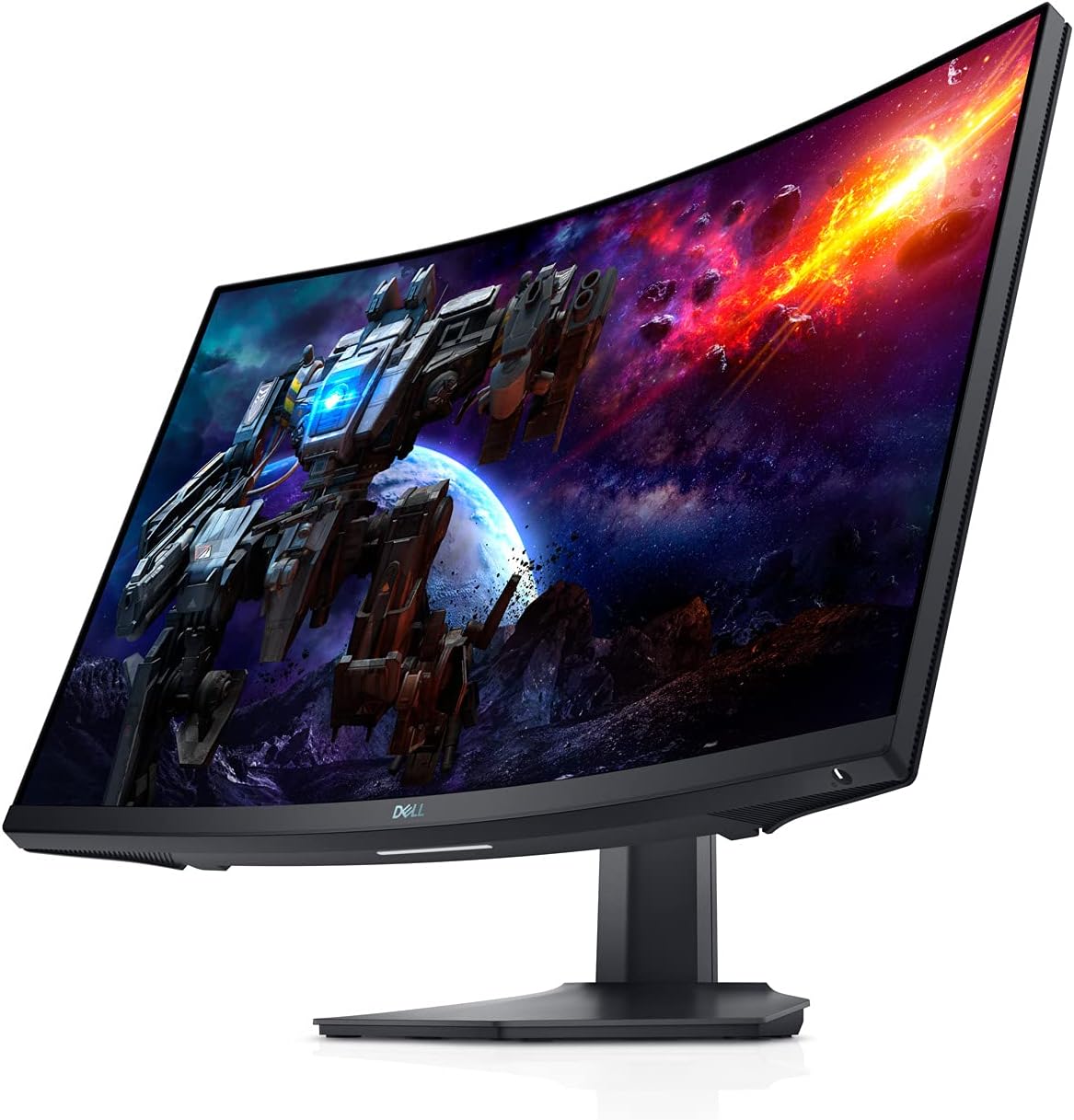
شکل 3.1: جلو view of the Dell S2722DGM Curved Gaming Monitor with stand.

Figure 3.2: Monitor dimensions, showing the curved screen and stand.
3.2 اتصال مانیتور
Connect the power cable to the monitor and a power outlet. Use either the provided DisplayPort or HDMI cable to connect the monitor to your computer or gaming console. The monitor features multiple input ports for versatile connectivity.
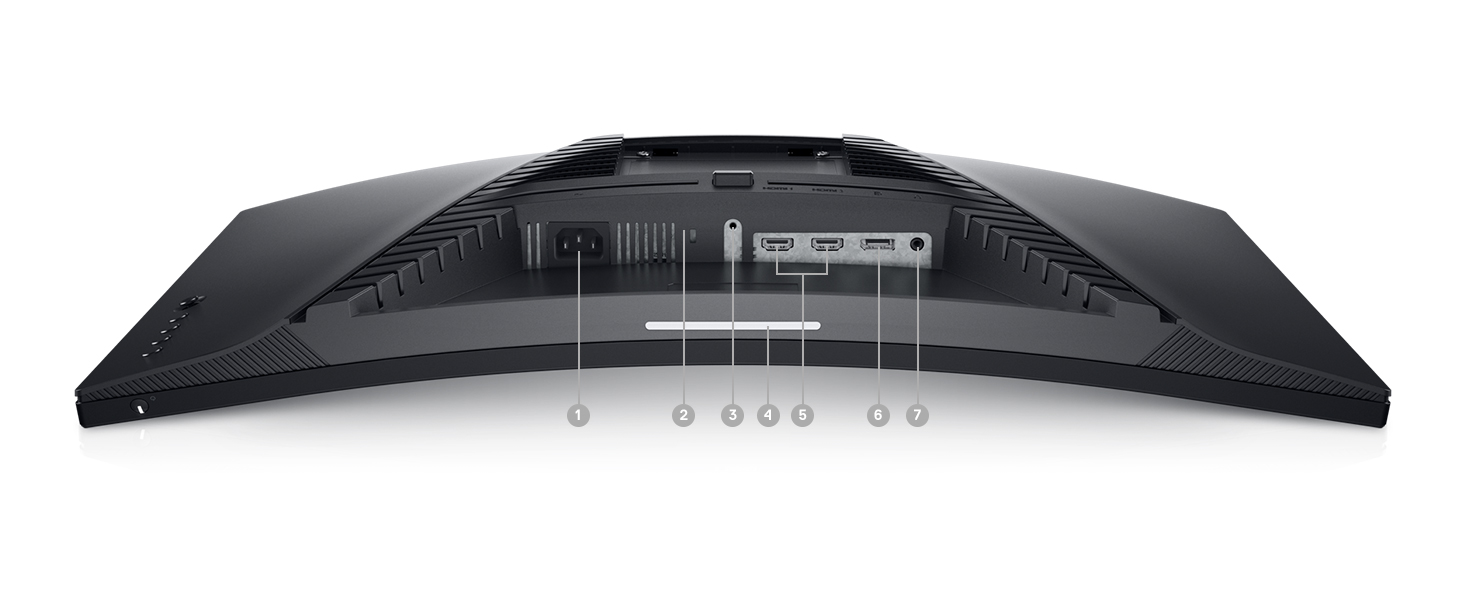
شکل 3.3: عقب view of the monitor, highlighting the power input, DisplayPort, HDMI ports, and audio output.
مانیتور شامل:
- اتصال دهنده برق
- 2 عدد پورت HDMI
- 1x DisplayPort
- پورت خط خروجی صدا
4. کار با مانیتور
4.1 روشن/خاموش
The power button is located on the bottom right side of the monitor. Press it to turn the monitor on or off.
۵.۱ کنترلهای روی صفحه نمایش (OSD)
The OSD menu allows you to adjust various monitor settings such as brightness, contrast, color, input source, and gaming features. The control buttons are located on the back right side of the monitor. Use these buttons to navigate the menu and make selections.

شکل 4.1: سمت view of the monitor, showing the OSD control buttons for menu navigation.
۵.۲ تنظیم پایه
The monitor stand supports height and tilt adjustments. Gently adjust the monitor to your preferred viewing angle and height for optimal comfort.
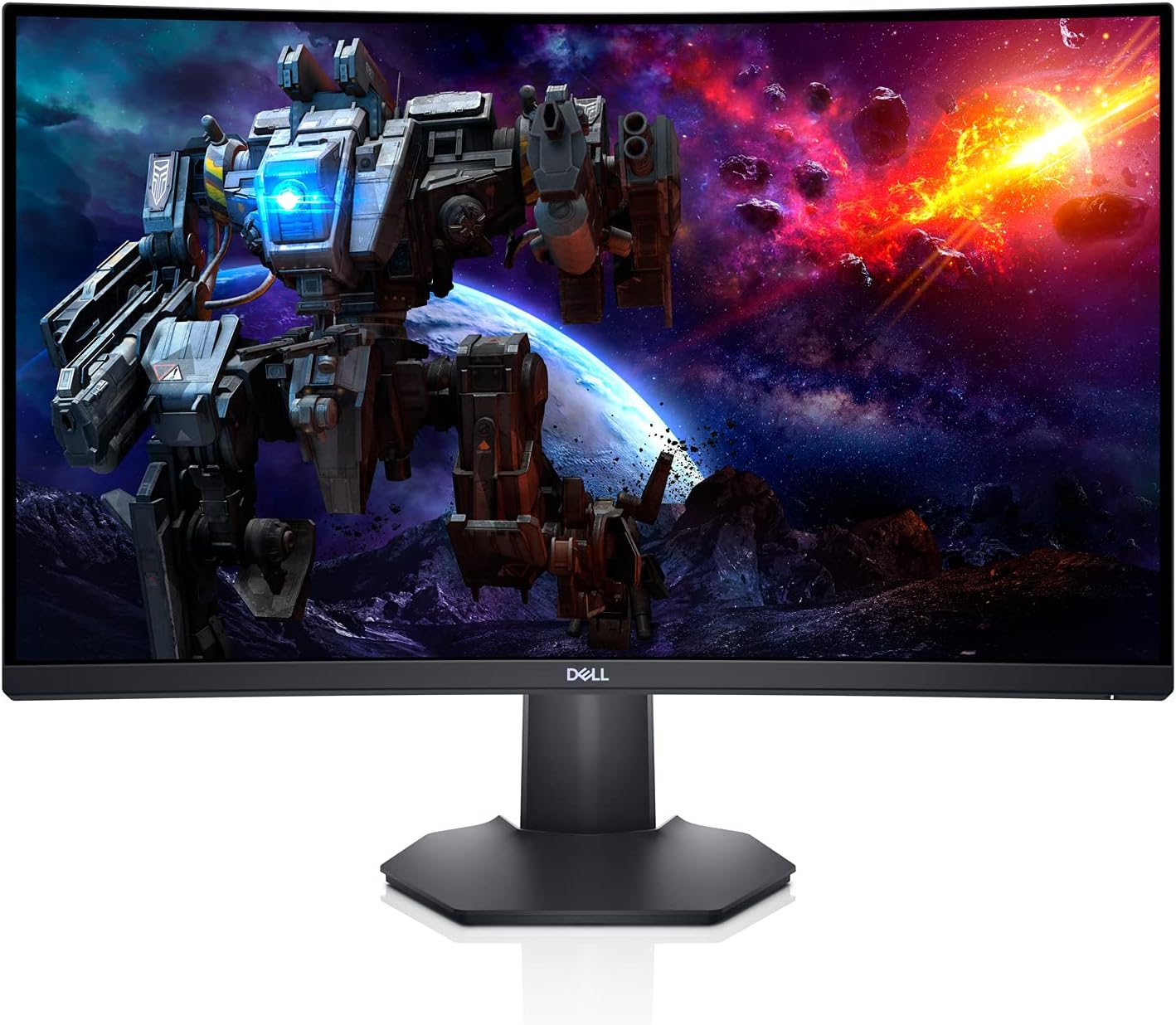
شکل ۴.۳: طرفدار جانبیfile of the monitor, illustrating the adjustable stand.
5. ویژگی ها
- Immersive Curved Display: The 1500R curved screen with a 3-sided narrow border enhances your field of vision, providing a more engaging experience for gaming and media consumption.
- High Refresh Rate & Fast Response Time: Experience smooth, tear-free visuals with a 165Hz refresh rate and a rapid 1ms MPRT (Moving Picture Response Time) or 2ms Gray to Gray response time, crucial for fast-paced games.
- وضوح تصویر QHD: The 2560 x 1440 resolution offers 77% more screen content compared to Full HD, providing sharper details and more workspace.
- AMD FreeSync Premium: This technology synchronizes the monitor's refresh rate with your GPU, eliminating screen tearing and stuttering for a fluid gaming experience.
- Ambient Downlight: A subtle downlight feature provides ambient lighting during low-light gaming sessions, adding to the aesthetic and reducing eye strain.
- افزایش اتلاف حرارت: Uniquely designed vents located at the back of the monitor help maintain optimal operating temperatures during extended use.
Video 5.1: Official Dell S2722DGM Gaming Monitor overview، نمایشasing key features like refresh rate, response time, and curved display.
Video 5.2: Product feature video demonstrating the monitor's design and visual capabilities.
6. مشخصات
| ویژگی | مشخصات |
|---|---|
| اندازه صفحه نمایش ایستاده | 27 اینچ |
| وضوح صفحه نمایش | 2560x1440 (QHD عریض 1440p) |
| حداکثر وضوح صفحه نمایش | 2560 x 1440 پیکسل |
| نرخ تازه سازی | 165 هرتز (DisplayPort) |
| زمان پاسخگویی | 1ms MPRT / 2ms Gray to Gray |
| نسبت تصویر | 16:9 |
| شرح سطح صفحه نمایش | مات |
| قابلیت اتصال | HDMI ، DisplayPort |
| وزن مورد | 5.76 پوند |
| ابعاد محصول (LxWxH) | 23.95 x 3.79 x 14.34 اینچ |
| رنگ | مشکی |
7. تعمیر و نگهداری
To ensure the longevity and optimal performance of your Dell S2722DGM monitor, follow these maintenance guidelines:
- تمیز کردن صفحه نمایش: صفحه نمایش را به آرامی با یک پارچه نرم و بدون پرز پاک کنید. برای لکههای سرسخت، به آرامیampen the cloth with water or a non-ammonia, non-alcohol based glass cleaner. Avoid spraying liquid directly onto the screen.
- تمیز کردن سیasing: برای تمیز کردن مانیتور از یک پارچه نرم و خشک استفاده کنید.asinز. از پاککنندهها یا حلالهای ساینده خودداری کنید.
- تهویه: مطمئن شوید که منافذ تهویه مانیتور تمیز و بدون مانع هستند تا از گرمای بیش از حد جلوگیری شود.
- مدیریت قدرت: برای صرفهجویی در مصرف انرژی و افزایش طول عمر مانیتور، در صورت عدم استفاده طولانی مدت، آن را خاموش کنید.
8 عیب یابی
اگر با مانیتور خود با مشکل مواجه شدید، به مراحل عیبیابی رایج زیر مراجعه کنید:
- بدون برق:
- بررسی کنید که آیا کابل برق به طور ایمن به مانیتور و پریز برق وصل شده است یا خیر.
- با وصل کردن دستگاه دیگری به پریز برق، از سالم بودن آن اطمینان حاصل کنید.
- دکمه پاور روی مانیتور را فشار دهید.
- بدون سیگنال:
- Verify that the video cable (HDMI or DisplayPort) is securely connected to both the monitor and your computer/console.
- مطمئن شوید که منبع ورودی صحیح در منوی OSD مانیتور انتخاب شده است.
- در صورت امکان، کابل یا پورت ویدیویی دیگری را امتحان کنید.
- مشکلات نمایشگر (مثلاً سوسو زدن، تصویر تحریف شده):
- Check the video cable for damage.
- Adjust the resolution and refresh rate settings on your computer/console to match the monitor's specifications.
- از طریق منوی OSD، تنظیمات کارخانه را بازنشانی کنید.
- No Audio (if using monitor's audio output):
- Ensure external speakers or headphones are properly connected to the monitor's audio line-out port.
- Check the audio settings on your computer/console and the monitor's OSD menu.
For more detailed troubleshooting, refer to the comprehensive user manual available on the Dell support webسایت
9. گارانتی و پشتیبانی
The Dell S2722DGM Curved Gaming Monitor comes with a standard limited hardware warranty. For specific warranty terms and conditions, please refer to the 'Safety/Environmental/Regulatory Information' document included in your product packaging or visit the official Dell support webسایت
For technical assistance, driver downloads, and additional support resources, please visit www.dell.com/support and search for your model (S2722DGM).


