

Danfoss Icon2 Main Controller Basic
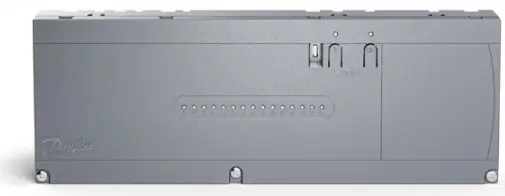
Specifications
- Product Name: Danfoss Icon2TM
- App Software: Danfoss Icon2TM App
- Firmware Versions: 1.14, 1.22, 1.46, 1.50, 1.60
Danfoss Icon2TM App Usage
The Danfoss Icon2TM App allows you to control your heating system remotely through your mobile device.
App Versions and Updates
Make sure to keep your app updated to the latest version to access new features and improvements.
Connection and Pairing
Follow the on-screen instructions to pair the app with your Danfoss Icon2 Main Controller (MC) for seamless control.
Danfoss Icon2 Main Controller (MC)
The main controller acts as the central hub for your heating system.
Pairing with Room Thermostat
Pair the main controller with the Danfoss Icon2 Room Thermostat (RT) for precise temperature control.
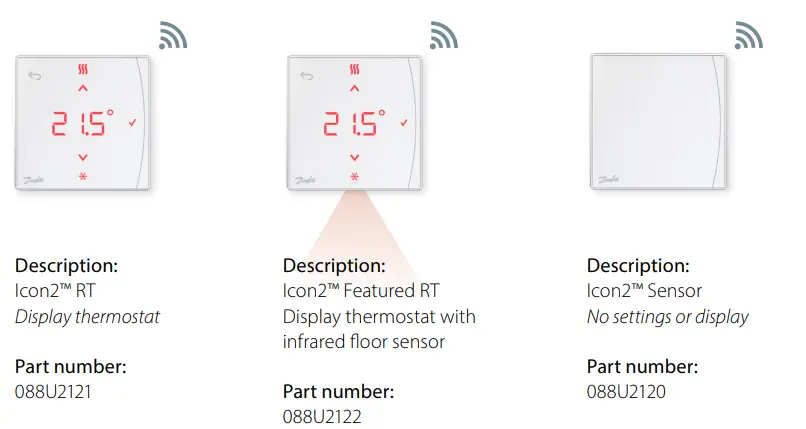
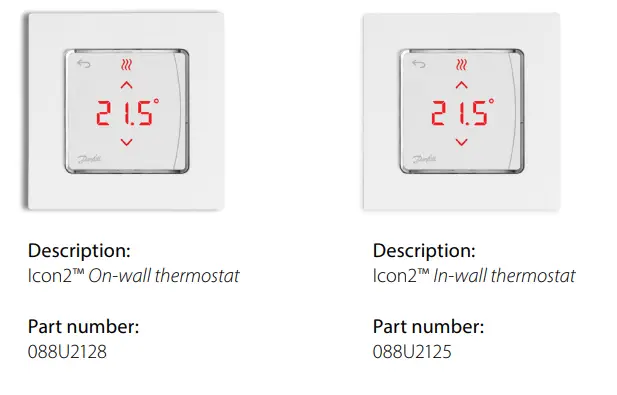
Danfoss Icon2 Room Thermostat (RT)
The room thermostat allows you to set and monitor the temperature in individual rooms.
Installation
Install the room thermostat in each room for customized heating settings.

Improvements to the network test · A progress bar informs about the test status for each device · Possibility to retest a single device, by pressing it when result icon is visible · When all results are green, a new summary page is shown with the overall test result · Test result icons have been updated
· Explanation of the Main Controllers Blinking Patterns is now available from the main app 1.3.4 2025-06-23 page under the (i) button
· Included a warning of the importance for specific firmware updates · Included reminder not to restart the main controller during firmware updates · Included new animations to better explain user actions and behaviour of the main
controller · Bugfix to avoid situations where a room thermostat is not connected to an output/room · Bugfixes in general
· Danfoss Icon2 release
Danfoss Icon2 Main Controller (MC) · Added support for naming the Danfos ZigBee repeater
1.22
1.22 (0.2.6)
20/09/2023
Danfoss Icon2 Room Thermostat (RT) · Icon 2 RT will display `Net Err’ if a repeater is connected to the system and Icon 2 MC is
offline.
· The default state for Icon 2 RT cooling enabled is set to ON. Before the change, the default
state was OFF.
Danfoss Icon2 Main Controller (MC)
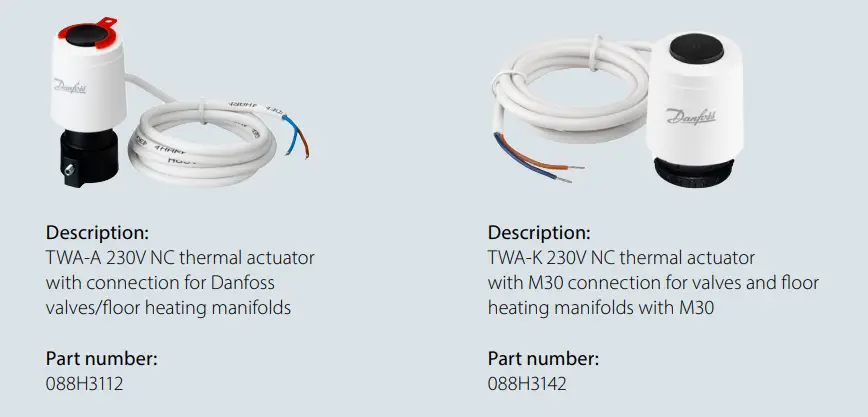
· Fixed issue with wrong error codes being sent to Ally (fix in Ally still pending) · Improved pairing range on ZigBee · Improved stability detection of TWA. · Improved handling of power loss to ensure proper storing of system settings. · Fixed issue with unwanted offset when using mixing shunt forward line temperature
control 1.38 1.38 (0.2.6) 11/07/2024 · Fixed issues where RTS’s would have a hard time joining the MC (Master Controller) during
pairing.
Danfoss Icon2 Room Thermostat (RT)
· Improved RTZ user experience more responsive user interface with less “busy” moments · Improved RTZ Temperature measurement more consistency · Fixed Battery drain issue when updating the RTZ firmware. (fixed after update) · Fixed issue where RT24V would not join MC
Danfoss Icon2 Main Controller (MC)
· Long Join Feature to allow MMC UX flow
· Improved Stability (fixed re-starts that were not so visible to the user, but happened any-
way)
1.46
1.46 (0.2.8)
13/11/2024
· Improved logging for easier support in case of crash · Fixed issue where the RT24V could change room name at Join
· Workaround for issue where the network lose its NW ID when a conflict is detected by a
repeater
· Temperature reporting at rejoin (preventing Ally to show units offline when they are not)
· Improved stability of temperature reporting in MMC Systems
Danfoss Icon2 Main Controller (MC)
· Fix to avoid that an Secondary MC in a MMC system could enter Idle mode when changing from installation to run mode
· Fix of the device ping, which makes that the RT and the MC output blinks at the same time during a ping test
1.50 1.50 (0.2.10) 04/12/2024
Danfoss Icon2 Room Thermostat (RT)
· Fix to avoid that the RT reported a wrong setpoint when the panel was activated by a user, which in some cases was sent to Ally instead of the right one (sent few seconds after but maybe lost or coming earlier than the wrong one)
· The wired RT 24V can now set Child lock locally (the feature was not enabled before)
Danfoss Icon2 Main Controller (MC)
1.60
1.60(0.2.12)
22/04/2025
· Fix to solve a challenge with firmware update of Danfoss ZigBee Repeaters connected to the main controller, to version 1.17.
· Various other bugfixes.
2 | AM521338046656en-000201
© Danfoss | Climate Solutions | 2025.06
Technical Paper
Overview – Danfoss Icon2TM App and Firmware versions
3 | AM521338046656en-000201
© Danfoss | Climate Solutions | 2025.06
Documents / Resources
 | Icon2 Main Controller Basic |
References
- User Manualmanual.tools