1. Rhagymadrodd
Thank you for choosing the TOPTRO X7 Smart Projector. This manual provides essential information for setting up, operating, and maintaining your device. The TOPTRO X7 offers advanced features including auto focus, auto keystone correction, native 1080P resolution with 4K support, ultra-fast WiFi 6, and Bluetooth 5.2 for an immersive viewing profiad.
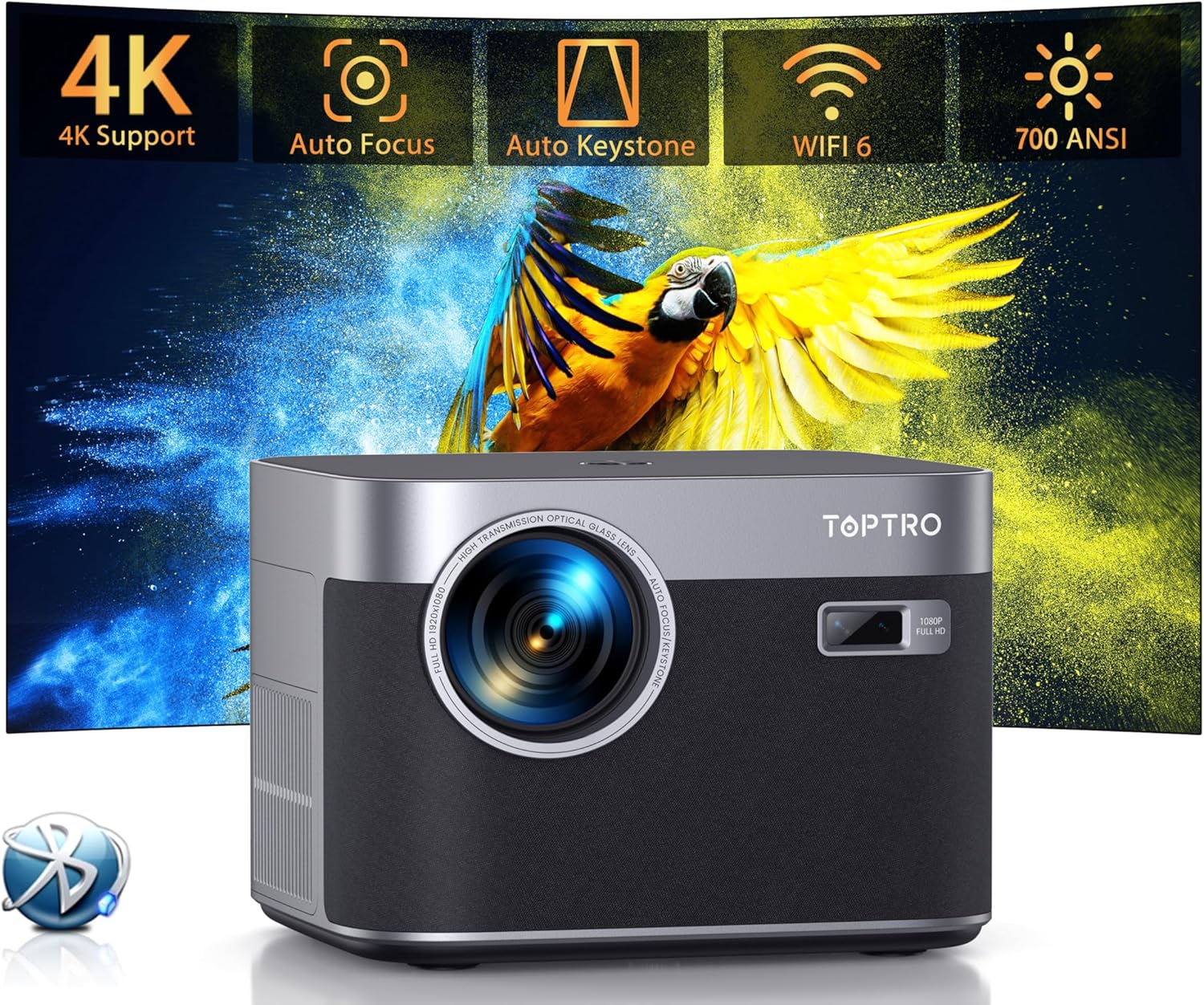
Delwedd 1.1: Blaen view of the TOPTRO X7 Smart Projector highlighting key features.
2. Beth sydd yn y Bocs
- TOPTRO X7 Smart Projector
- Rheolaeth Anghysbell
- Cebl HDMI
- Cord Pŵer
Video 2.1: Unboxing the TOPTRO X7 Projector, showing included accessories.
3. Cynnyrch Drosview a Nodweddion Allweddol
3.1 Auto Focus & Auto Keystone Correction
The projector features advanced auto focus and auto keystone correction. Upon power-on, it automatically adjusts for a clear, rectangular image within 3 seconds. A manual mode is also available for precise adjustments.

Image 3.1: Visual representation of the projector's auto focus, auto keystone, and zoom capabilities.
Video 3.1: Demonstration of how to operate the auto focus feature on the TOPTRO X7 projector.
Video 3.2: Explanation of how the TOPTRO X7 projector performs keystone correction.
3.2 Native 1080P Resolution with 4K Support
The projector delivers vivid, clear HD images with native 1080P resolution and supports 4K movie playback. Its 25000:1 contrast ratio and dynamic image processing technology enhance detail and color accuracy.

Image 3.2: Illustrates the superior brightness and resolution of the TOPTRO X7 compared to other projectors.
3.3 Ultra-fast WiFi 6 and Bluetooth 5.2
Equipped with upgraded WiFi 6 technology, the projector offers speeds up to 9.6 Gbps for smoother streaming and gaming. Bluetooth 5.2 allows seamless wireless connection to external audio devices.

Image 3.3: Highlights the benefits of WiFi 6 technology for projector performance.

Image 3.4: Demonstrates the projector's Bluetooth 5.2 connectivity with external audio devices.
Video 3.5: Instructions on how to connect the TOPTRO X7 projector to Bluetooth devices.
3.4 Built-in Hi-Fi Speakers and Zoom Function
The projector includes built-in HiFi dual stereo speakers with an SRS sound system for 360-degree surround sound. The zoom function allows screen size adjustment from 50% to 100% without moving the projector, along with automatic obstacle avoidance and screen alignment.
3.5 Advanced Dustproof Design
The IP5X dustproof design features a fully sealed optical engine, preventing dust accumulation and black spots, ensuring long-term clear image quality.

Image 3.5: Shows the internal dustproof structure of the projector.
3.6 AI Color Optimization and Smart Eye Protection
AI Color Optimization technology enhances clarity, revivifies colors, and reduces image noise. The projector also features Smart Eye Protection, certified for low blue light emission, to protect viewers' eyes.
4. Cyfarwyddiadau Gosod
4.1 Lleoliad Cychwynnol
Place the projector on a stable, flat surface or mount it using a compatible bracket. Ensure there are no obstructions in front of the lens. The projector can be placed on a table, tripod, or ceiling mounted.
4.2 Cysylltiad Pwer
Connect the power cord to the projector's power input and then plug it into a power outlet.
4.3 Addasiad Sgrin
Upon powering on, the projector will automatically perform auto focus and auto keystone correction. If further adjustments are needed, use the remote control or the projector's settings menu to manually adjust focus, keystone, or zoom (50-100%).
5. Cyfarwyddiadau Gweithredu
5.1 Navigation and App Access
Use the remote control's directional buttons and 'OK' button to navigate the on-screen menu. The projector has a built-in smart system with pre-installed streaming apps like Netflix, YouTube, and Prime Video. Simply select the desired app from the home screen.

Image 5.1: The projector's interface showing available streaming applications.
5.2 Adlewyrchu Sgrin
The projector supports screen mirroring for iOS and Android devices via Wi-Fi. Navigate to the 'Screen Mirroring' option in the menu and follow the on-screen instructions to connect your device.
Video 5.1: Guide on how to mirror an Android phone to the TOPTRO X7 projector.
Video 5.2: Instructions for mirroring an iPhone to the TOPTRO X7 projector.
5.3 Playing Video
Select your desired app or input source (HDMI, USB) to play videos. The projector supports various video formats and resolutions up to 4K.
Video 5.3: Tutorial on how to play video content using the TOPTRO X7 projector.
6. Cysylltedd
The TOPTRO X7 offers multiple connectivity options:
- WiFi 6/5G/2.4G: For high-speed internet access and screen mirroring.
- Bluetooth 5.2: For connecting to Bluetooth headsets, speakers, or earphones.
- HDMI: For connecting external devices like laptops, gaming consoles, or TV sticks.
- USB: For playing media directly from USB drives.
- Sain 3.5mm: Ar gyfer cysylltu clustffonau â gwifrau neu siaradwyr allanol.
7. cynnal
To ensure optimal performance and longevity of your TOPTRO X7 projector, follow these maintenance guidelines:
- Glanhau Lens: Use a soft, lint-free cloth or lens cleaning paper to gently wipe the projector lens. Avoid abrasive materials or harsh chemicals.
- Tynnu Llwch: The projector features an advanced dustproof design. However, for general cleaning, use a soft brush or compressed air to remove dust from the vents and exterior surfaces.
- Storio: When not in use, store the projector in a cool, dry place, away from direct sunlight and extreme temperatures. Use the provided lens cover to protect the lens from dust and scratches.
8. Datrys Problemau
If you encounter any issues with your TOPTRO X7 projector, refer to the following common troubleshooting tips:
- Dim pŵer: Ensure the power cord is securely connected to both the projector and the power outlet. Try a different outlet.
- Dim Delwedd: Check that the correct input source is selected in the projector's menu. Verify HDMI or USB connections are secure.
- Delwedd aneglur: Allow the auto focus feature to complete its cycle. If needed, manually adjust the focus using the settings menu. Ensure the projection surface is flat.
- Delwedd wedi'i Gwyrdroi: The auto keystone correction should correct image distortion. If the image is still distorted, manually adjust keystone settings in the menu.
- Dim Sain: Check the volume settings on both the projector and the connected device. Ensure Bluetooth audio is correctly paired or wired audio cables are securely connected.
- Problemau Adlewyrchu Sgrin: Ensure both the projector and your mobile device are connected to the same Wi-Fi network. Restart both devices and try again.
9. manylebau
| Nodwedd | Manylyn |
|---|---|
| Brand | TOPTRO |
| Rhif Model | X7 |
| Cydraniad Arddangos | Native 1920 x 1080P (Supports 4K) |
| Disgleirdeb | 700 ANSI Lumens |
| Cymhareb Cyferbyniad | 25000:1 |
| Technoleg Cysylltedd | WiFi 6/5G/2.4G, Bluetooth 5.2, HDMI, USB, 3.5mm Audio |
| Nodweddion Arbennig | Auto Focus, Auto Keystone, Built-In Speaker, Zoom Function (50-100%), Dustproof Design (IP5X), AI Color Optimization, Smart Eye Protection |
| Pwysau Eitem | 5.28 pwys |
| Dimensiynau Cynnyrch | 8.32 x 7.25 x 6.28 modfedd |
| Lliw | Llwyd |
| Defnyddiau a Argymhellir | Home Cinema, Outdoor Activities, Conference Presentations, Gaming |
10. Gwarant a Chefnogaeth
TOPTRO provides a standard manufacturer's warranty for this product. For detailed warranty information, product support, or service inquiries, please refer to the warranty card included in your product packaging or visit the official TOPTRO website. Contact customer service for any technical assistance or troubleshooting beyond the scope of this manual.


