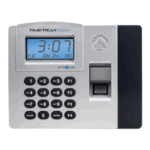
📘 TimeTrax manuals • Free online PDFs
TimeTrax logo

TimeTrax Manuals & User Guides

TimeTrax by Pyramid Time Systems offers employee time clocks and attendance software to record punches, calculate work hours, and simplify payroll reporting.

Tip: include the full model number printed on your TimeTrax label for the best match.

About TimeTrax manuals on Manuals.plus

TimeTrax is a Pyramid Time Systems product line for employee time and attendance management, combining swipe card, RFID proximity, and biometric time clocks with attendance software.

Find user guides for terminal installation, software setup, employee enrollment, time card editing, and payroll reporting. Match your terminal model and software version to the guide before starting, as requirements and features vary.

TimeTrax manuals

Selected manuals from manuals+ curated for this brand.

V5 TimeTrax Software User Guide

August 30, 2024
V5 TimeTrax Software Specifications Compatibility: Windows 10 or higher Web Browser Recommendation: Google Chrome or Mozilla Firefox Installation Type: Single User, not for server use Frequently Asked Questions Q: Can…

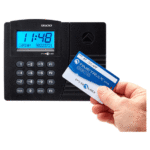
TIMETRAX EZ Swipe Card Time Clock System User Guide

December 18, 2022
TIMETRAX EZ Swipe Card Time Clock System User Guide Instructions EZ to work with. Exceptional analytical skills. The TTEZEK Swipe Card Time Clock system simplifies and automates employee time and…

TIMETRAX PPDLAUBKN Proximity Time Clock System User Guide

December 17, 2022
TIMETRAX PPDLAUBKN Proximity Time Clock System CONTENTS PPDLAUBKN Terminal PPDLAUBKN Quick Start Guide Mounting Hardware TimeTrax™ Proximity Badges (15) Part #42454 Ethernet Cable (CAT5)  Power Supply Security Bracket & Key…

PYRAMID TimeTrax Sync ToneQ Tone Generator User Guide

February 12, 2025
PYRAMID TimeTrax Sync ToneQ Tone Generator PRODUCT OVERVIEW Thank you for choosing the TimeTrax™ Sync ToneQ Tone Generator. TimeTrax™ Sync ToneQ Tone Generator and TimeTrax™ Sync Software empowers a business…

TimeTrax support FAQ

Common questions about manuals, registration, and support for this brand.

  • Where can I find TimeTrax manuals and software downloads?

    Pyramid Time Systems lists user guides at https://www.pyramidtimesystems.com/resources/user-guides and TimeTrax downloads at https://www.pyramidtimesystems.com/support/downloads/timetrax. Match the guide to your terminal model and software version.

  • What computer does TimeTrax V5 require?

    The supplied V5 guide specifies Windows 10 or higher, administrator access, and a single-user installation on one computer. Server installation is not supported. Chrome or Firefox is recommended.

  • How do I open the manual inside TimeTrax software?

    The V5 guide states that pressing F1 anywhere in the software opens the manual with information relevant to the current page.

  • Who provides technical support for TimeTrax?

    Contact Pyramid Time Systems at +1-888-479-7264, option 1, or email customersupport@ptitime.com.

  • Why does my time clock display needs setup?

    In the V5 software, open Clock, then Hardware Manager. If the connected clock appears online, mark it active and confirm. Refer to your model's guide if the clock is not listed.

  • What warranty applies to TimeTrax time clocks?

    The supplied Elite and EZ system guides list a one-year limited hardware warranty and 90 days of free software support, with extended options available. Check your specific product documentation and Pyramid Time Systems warranty page for applicable terms.