Spectrum, is an American trade name of Charter Communications, used to market consumer and commercial cable television, internet, telephone, and wireless services provided by the company. Their official website is Spectrum.com.
A directory of user manuals and instructions for SPECTRUM products can be found below. SPECTRUM products are patented and trademarked under the brand’s Spectrum
Contact Info:
Address: 400 Atlantic St, Stamford, CT 06901, United States Phone Number:+1 314 965 0555 Email:PriorityEscalationTeam@Chartercom.Com Number Of Employees: 98,000 Established: 1993 Founder: Barry Babcock, Jerald Kent & Howard Wood Key People: Thomas M. Rutledge
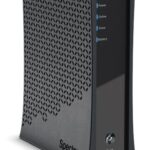
Learn how to install and reset the D3.1 Advanced Voice Modem for Spectrum Business eMTA. Find detailed instructions on connecting Ethernet, coaxial cable, and analog telephone. Discover how to mount the device on a wall and troubleshoot common issues with the modem. Get insights on checking your voice service provision and power adapter compatibility.
Learn all about the 09068V2 LED Emergency 6 in 1 Exit Blade and its specifications, installation, operation modes, maintenance, and warranty. Find out how to mount it in various ways and ensure optimal performance with self-test or manual emergency options.
Discover how to program and operate the UR5U-8780L & UR5U-8790L Cable Remote Control with ease. This user manual provides step-by-step instructions for replacing batteries, programming the remote, and compatibility with various devices. Unlock the full potential of your remote control today.
Discover the features and functions of the FieldScout TDR 250 Soil Moisture Meter with this comprehensive user manual. Learn about its specifications, button functions, data logging capabilities, maintenance tips, and more. Find out how to calibrate and update the device for accurate soil moisture measurements.
Discover how to set up and utilize the Spectrum D3.1 eMTA DOCSIS 3.1 Advanced Voice Modem with this comprehensive user manual. Learn about connecting cables, mounting instructions, and troubleshooting FAQs for optimal performance.
Learn all about the RAC2V1S WiFi 5 Wave 2 Router with these detailed product specifications and usage instructions. Discover features like concurrent 2.4 GHz and 5 GHz frequency bands, WPA2 security, and troubleshooting tips for optimal performance. Get started with the My Spectrum App and personalize your network settings easily. For any assistance, contact Spectrum support or visit their official website.
Discover comprehensive installation instructions for the 3-1601-0 Oxygen LED Mirror Sensor and Spectrum products. Learn about proper usage, maintenance tips, and FAQs to ensure optimal functionality for your indoor LED mirrors.
Discover the comprehensive user manual for the SP250/300/350 Spectrum Plus Infrared Heater Panel Kit. Learn about installation guidelines, heater dimensions, required circuits, and more for optimal performance.