📘 SK Pang Electronics manuals • Free online PDFs
SK Pang Electronics logo

SK Pang Electronics Manuals & User Guides

SK Pang Electronics supplies CAN bus boards, Raspberry Pi interfaces and Teensy-based simulators for engineers and hobbyists developing and testing electronic systems.

Tip: include the full model number printed on your SK Pang Electronics label for the best match.

About SK Pang Electronics manuals on Manuals.plus

SK Pang Electronics supplies electronic boards and components for engineers and hobbyists, including Raspberry Pi CAN bus interfaces, CAN-to-UART converters and Teensy-based test simulators.

Browse user guides for hardware installation, connector pinouts, power requirements, bus termination and software setup. Check your product model and board revision before following instructions.

For assistance, visit the official contact page.

SK Pang Electronics manuals

Selected manuals from manuals+ curated for this brand.

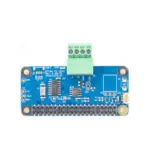
SK Pang electronics PiCAN FD with RTC User Guide

October 27, 2022
SK Pang electronics PiCAN FD with RTC Product name PICAN FD CAN-Bus Board for Raspberry Pi 3/4 Model number RSP-PICAN FD Manufacturer SK Pang Electronics Ltd Introduction This PiCAN FD…

SK Pang Electronics support FAQ

Common questions about manuals, registration, and support for this brand.

  • How do I choose the correct SK Pang Electronics manual?

    Match the model number and board revision printed on your product with the guide. Similar PiCAN boards can have different connectors, power options and driver requirements.

  • What should I check before installing a PiCAN board?

    Switch off the Raspberry Pi before fitting the board. Follow the model-specific guide for header alignment, spacers, power connections and bus termination. Some installations on Raspberry Pi 5 with a fan require a header extender.

  • Where can I find firmware examples for SK Pang Electronics products?

    The supplied guides link to model-specific repositories under github.com/skpang, including PiCAN FD Python examples and Teensy simulator firmware. Use the repository specified in your product guide.

  • How can I contact SK Pang Electronics?

    Visit https://www.skpang.co.uk/pages/contact-us or call +44 20 3286 6988. The company states that orders must be placed online, not by telephone.