Phyn Manuals & User Guides
Phyn designs intelligent water monitoring systems that detect leaks, track usage patterns, and provide automatic shutoff capabilities to protect homes from water damage.
About Phyn manuals on Manuals.plus
Phyn is a pioneering leader in smart water technology, dedicated to protecting homes and businesses from costly water damage while promoting conservation. Built upon years of research and patented technological advancements, Phyn's intelligent water solutions analyze pressure and flow dynamics 240 times per second to identify leaks—from pinhole drips to major pipe bursts—in real-time.
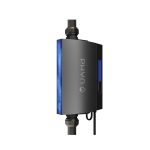
The company’s flagship products, such as the Phyn Plus Smart Water Assistant + Shutoff, empower users with the ability to monitor water usage and remotely control their water supply via a mobile app. Engineered in Torrance, California, Phyn combines advanced sensor hardware with machine learning to provide unparalleled insight into plumbing systems, helping property owners save money and conserve vital resources.
Phyn manuals
Latest manuals from manuals+ curated for this brand.
Phyn Plus Smart Water Assistant User Guide
PHYN App User Guide
PHYN Smart Home Water Leak Detector Installation Guide
PHYN Plus Smart Home Water Leak Detector Installation Guide
PHYN Plus Smart Water Assistant + Shutoff Water Leak Detector Installation Guide
PHYn PHYCF006 Smart Water Sensor Instructions
PhynPlus Smart Water Assistant Installation Guide
Phyn-Plus-V2 Smart Water Assistant + Automatic Shut Off Installation Guide
PHYN PHYPF007-V2 Smart Home Water Monitor Installation Guide
Phyn Plus Installer Guide
Phyn Plus Smart Water Assistant Installation Guide
Phyn Plus Installer and Homeowner Guide
Phyn Smart Water Device Installer Guide - Installation and Setup
Phyn Smart Water Controller Installation Guide
Phyn Protect Homeowner Guide: Smart Water Assistant
Phyn Plus Smart Water Leak Detector: Installation and Homeowner Guide
Phyn Water Sensor: Installation and Setup Guide
Phyn support FAQ
Common questions about manuals, registration, and support for this brand.
-
How do I reset my Phyn Plus to factory settings?
To restore Phyn Plus to factory settings, tap the action button on the device 3 times, then press and hold it for 5 seconds. You will need to reconnect to Wi-Fi after the reset.
-
What should I do if my Phyn device is not connecting to Wi-Fi?
Ensure your device is within range of your router and that you are using a 2.4GHz network. Verify your network credentials in the app and try restarting your router if issues persist.
-
How can I manually control the shutoff valve?
You can control the valve via the Phyn app or physically at the device. To operate manually without power, insert a flat-bladed screwdriver into the access port on the underside and turn slowly approx. 15 turns.
-
Where can I find the Phyn privacy policy?
Phyn is committed to data privacy. You can view the full Privacy Policy at https://phyn.com/policies/privacy-policy.