
OPEN AC601 Sport Earbuds User Guide
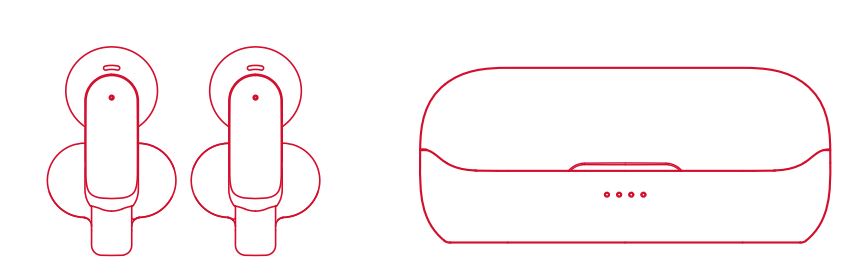
OPEN AC601 Sport Earbuds User Guide Please read this Quick Start Guide carefully and keep it for future use. Product Overview Charging Before using the Open AC601…

OPEN provides a range of consumer electronics and electrical components, including wireless sport earbuds, smart circuit breakers, and voltage protectors.
Welcome to the OPEN manuals page. OPEN is a manufacturer specializing in versatile electronic devices and electrical safety equipment for home and commercial use. Their product lineup features personal audio solutions like the AC601 Bluetooth Sport Earbuds, designed for active lifestyles, secure fits, and convenient wireless connectivity.
In addition to consumer audio, OPEN produces a robust range of smart electrical devices, including Tuya-compatible WiFi smart circuit breakers and adjustable three-phase over and under-voltage protectors. These manuals and quick-start guides provide essential information on product setup, wiring, pairing, troubleshooting, and FCC compliance to ensure reliable and safe operation.
Latest manuals from manuals+ curated for this brand.


Watch setup, installation, and troubleshooting videos for this brand.
Common questions about manuals, registration, and support for this brand.
Take the earbuds out of the charging case; they will turn on and pair with each other automatically. Turn on Bluetooth on your device, choose 'Open AC601' from the Bluetooth list, and connect. If previously paired, they will connect to the last used device automatically.
While the earbuds are powered on, tap the Multi-Function Button (MFB) on both earphones 5 times simultaneously. The earbuds will automatically enter pairing mode to reset.
Connect the Type-C USB cable to the charging case and plug it into a 5V/1A power adapter. Ensure you fully charge the earphones and the charging case before using them for the first time.
Detailed wiring diagrams and setup instructions for OPEN circuit breakers and voltage protectors, including Tuya APP integration, can be found in the specific product manuals available on this page.