📘 NOMVDIC manuals • Free online PDFs
NOMVDIC logo

NOMVDIC Manuals & User Guides

NOMVDIC specializes in high-quality portable and home theater projectors, offering innovative visual and audio experiences with built-in Harman Kardon speakers.

Tip: include the full model number printed on your NOMVDIC label for the best match.

About NOMVDIC manuals on Manuals.plus

NOMVDIC is an innovative brand dedicated to providing premium visual and audio experiences through its versatile range of projectors. From portable mini projectors like the R150 to high-end 4K UHD and ultra-short throw triple laser projectors such as the P1000 and P2000UST, NOMVDIC combines advanced technology with sleek design.

Many of their devices feature built-in Harman Kardon speakers, seamless wireless connectivity, and intuitive streaming capabilities. Whether for outdoor entertainment or building a sophisticated home theater, NOMVDIC aims to elevate how you watch movies, play games, and consume media.

NOMVDIC manuals

Latest manuals from manuals+ curated for this brand.

NOMVDIC R150 Mini Projector User Guide

November 28, 2023
NOMVDIC R150 Mini Projector Specifications FCC Compliance Industry Canada ICES-003 Compliance CE Conformity for European Countries Compliance with EMC Directive 2014/30/EU, Low Voltage Directive 2014/35/EU, Ecodesign Directive 2009/125/EC, and Radio…

NOMVDIC P1000 4K Projector User Guide

November 19, 2023
NOMVDIC P1000 4K Projector User Guide Compliance info FCC Compliance Statement This device complies with part 15 of FCC Rules. Operation is subject to the following two conditions: (1) this…

NOMVDIC L500 RGB Triple Laser Projector User Guide

November 15, 2023
NOMVDIC L500 RGB Triple Laser Projector  Compliance info FCC Compliance Statement This device complies with part 15 of FCC Rules. Operation is subject to the following two conditions: this device…

NOMVDIC P2000UST Throw Triple Laser Projector User Guide

November 15, 2023
NOMVDIC P2000UST Throw Triple Laser Projector Product Information Specifications Model: P2000UST-RGB Compliance: FCC, Industry Canada ICES-003, CE Conformity for European Countries Overview Lens Eye Protection Sensor Power Harman Kardon Speaker…

NOMVDIC P1000 4K UHD Home Projector User Guide

September 4, 2023
P1000 Quick Start Guide Compliance info FCC Compliance Statement This device complies with part 15 of FCC Rules. Operation is subject to the following two conditions: (1) this device may…

NOMVDIC ND10005 RF Module User Manual

July 14, 2022
NOMVDIC ND10005 RF Module General Description The RTL8821CU-CG is a highly-integrated IEEE 802.11 a/b/g/n/ac MAC/Baseband/RF WLAN and Bluetooth Baseband/RF single chip. For Wireless LAN (WLAN) operation, it supports 1-stream 802.11ac…

NOMVDIC RP100 Bluetooth/Voice Remote Control Instructions

June 3, 2022
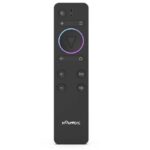
NOMVDIC RP100 Bluetooth/Voice Remote Control Instructions ♦ Bluetooth pairing method description: IR power on/off function Remote control pairing broadcast Bluetooth name: (NOMVDIC) Pairing specific operations: When the remote control need…

NOMVDIC X300 Projector User Guide

manual
Comprehensive user guide for the NOMVDIC X300 smart outdoor portable projector. Includes setup instructions, safety precautions, connection guides, and troubleshooting tips.

NOMVDIC P1000 Projector Quick Start Guide

manual
Comprehensive quick start guide for the NOMVDIC P1000 projector, covering setup, remote control pairing, projection methods, gaming optimization, and warranty information.

NOMVDIC P2000UST-RGB User Guide: Setup and Operation

user guide
This user guide provides detailed instructions for the NOMVDIC P2000UST-RGB Ultra Short Throw 4K Triple Laser Projector. Learn about setup, connections, operation, specifications, and troubleshooting for your home cinema experience.

L500 RGB World's Smallest Triple Laser Projector

User Guide
L500 RGB World s Smallest Triple Laser Projector, L500, RGB World s Smallest Triple Laser Projector, World s Smallest Triple Laser Projector, Smallest Triple Laser Projector, Triple Laser Projector, Laser…

P2000UST-RGB 4K UST Triple Laser TV Projector

User Guide
P2000UST-RGB 4K UST Triple Laser TV Projector, P2000UST-RGB, 4K UST Triple Laser TV Projector, UST Triple Laser TV Projector, Triple Laser TV Projector, Laser TV Projector, TV Projector

NOMVDIC manuals from online retailers

NOMVDIC support FAQ

Common questions about manuals, registration, and support for this brand.

  • How do I clean my NOMVDIC projector?

    Use a microfiber cloth to clean the projector lens to prevent scratches. Do not use chemical cleaners. Wipe the projector body with a slightly damp towel.

  • Can I screen mirror my mobile device to a NOMVDIC projector?

    Yes. For iOS, access the control menu and select Screen Mirroring. For Android, download and use the Google Home application or use direct casting.

  • How long is the warranty on NOMVDIC projectors?

    NOMVDIC projectors generally come with a 1-year limited warranty, while the remote control and AC adapter have a 6-month limited warranty.

  • How do I pair the NOMVDIC remote control via Bluetooth?

    Go to Apps Center > RC BT Pairing, then press and hold the Return and Menu buttons simultaneously for 3 seconds until the light indicates pairing is successful.

  • How can I contact NOMVDIC customer support?

    You can contact NOMVDIC support via email at hello@nomvdic.io. Their Customer Success team usually responds within 24 hours on business days.