e-LOOP Manuals & User Guides
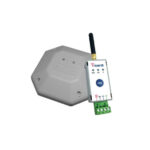
e-LOOP manufactures advanced wireless vehicle detection systems and commercial loops designed to replace traditional wired inductive loops for gates and parking.
About e-LOOP manuals on Manuals.plus
e-LOOP Wireless Vehicle Detection
e-LOOP specializes in innovative wireless vehicle detection technology designed for commercial, industrial, and domestic applications. By replacing traditional wired inductive loops, e-LOOP systems save installation time and reduce costs while improving reliability.
The product lineup includes the e-LOOP Light Industrial and Commercial series, which offer various operational modes such as Exit, Presence, and Parking. With the e-CONNECT mobile app, installers and users can easily configure settings, manage pairings with e-TRANS receivers, and access advanced diagnostics directly from their smartphone.
e-LOOP manuals
Latest manuals from manuals+ curated for this brand.
e-LOOP EL00C Commercial Wireless Loop User Guide
AES e-LOOP LED Displays Instruction Manual
Microtech DESIGNS e-LOOP Micro Wireless Vehicle Detection System Instructions
microtech e-LOOP Wireless Vehicle Detection User Manual
AES e-Loop Mini Residential Wireless Loop Vehicle Detection Kit Instructions
AES GLOBAL E-loop Commercial Radar Kit Instructions
AES-GLOBAL e-Loop Mini Wireless Vehicle Detection System User Guide
e-LOOP Light Industrial Instruction Manual (Model EL00LI)
e-LOOP Commercial (EL00C) Instruction Manual
e-LOOP Light Industrial Instruction Manual
e-LOOP Installation and Configuration Guide
e-LOOP LED Displays: Quick Reference Guide for Operation and Calibration
E33 Power Bank
e-LOOP support FAQ
Common questions about manuals, registration, and support for this brand.
-
How do I pair my e-LOOP to an e-TRANS receiver?
For short-range coding, hold the CODE button on the receiver until the Blue LED illuminates. Hold the magnet in the e-LOOP CODE recess until the Yellow LED flashes and the receiver's Blue LED flashes 3 times, indicating successful pairing.
-
How do I calibrate the e-LOOP sensor?
Ensure all metallic objects are away from the sensor. Hold the magnet in the SET recess until the Red LED flashes twice, then remove it. Calibration takes about 5 seconds, indicated by 3 flashes of the Red LED.
-
What operational modes does the e-LOOP support?
e-LOOP sensors feature three modes: Exit Mode (single pulse trigger), Presence Mode (latches relay open while vehicle is detected), and Parking Mode (slower latch and release with lower power use).
-
How do I reset the e-LOOP to factory defaults?
To reset your e-LOOP, hold the magnet on the CODE recess for 10 seconds until the Yellow LED flashes 3 times.
-
Where can I download the e-CONNECT app?
The e-LOOP Connect mobile application is available for download on both Android and iPhone devices, allowing access to advanced settings and diagnostics over Bluetooth or Wi-Fi.