
WANBO WPC14
WANBO Vali 1 Android TV Projector User Manual
Model: WPC14
1. Introduction
The WANBO Vali 1 is a smart home theater projector designed for versatile projection in various spaces. It features a portable design with a flexible built-in stand, allowing for adjustable projection angles. Running on Android TV 11, it supports popular streaming applications and offers wireless content sharing via Chromecast. This manual provides essential information for its proper use and maintenance.
2. Package Contents
Upon unboxing your WANBO Vali 1 projector, please ensure all the following items are present:
- WANBO Vali 1 Android TV Projector
- Power Adapter
- Remote Control
- User Manual (this document)
3. Product Overview
The WANBO Vali 1 features a minimalist white matte finish and a unique gimbal-style stand for flexible positioning. Its compact and lightweight design enhances portability.
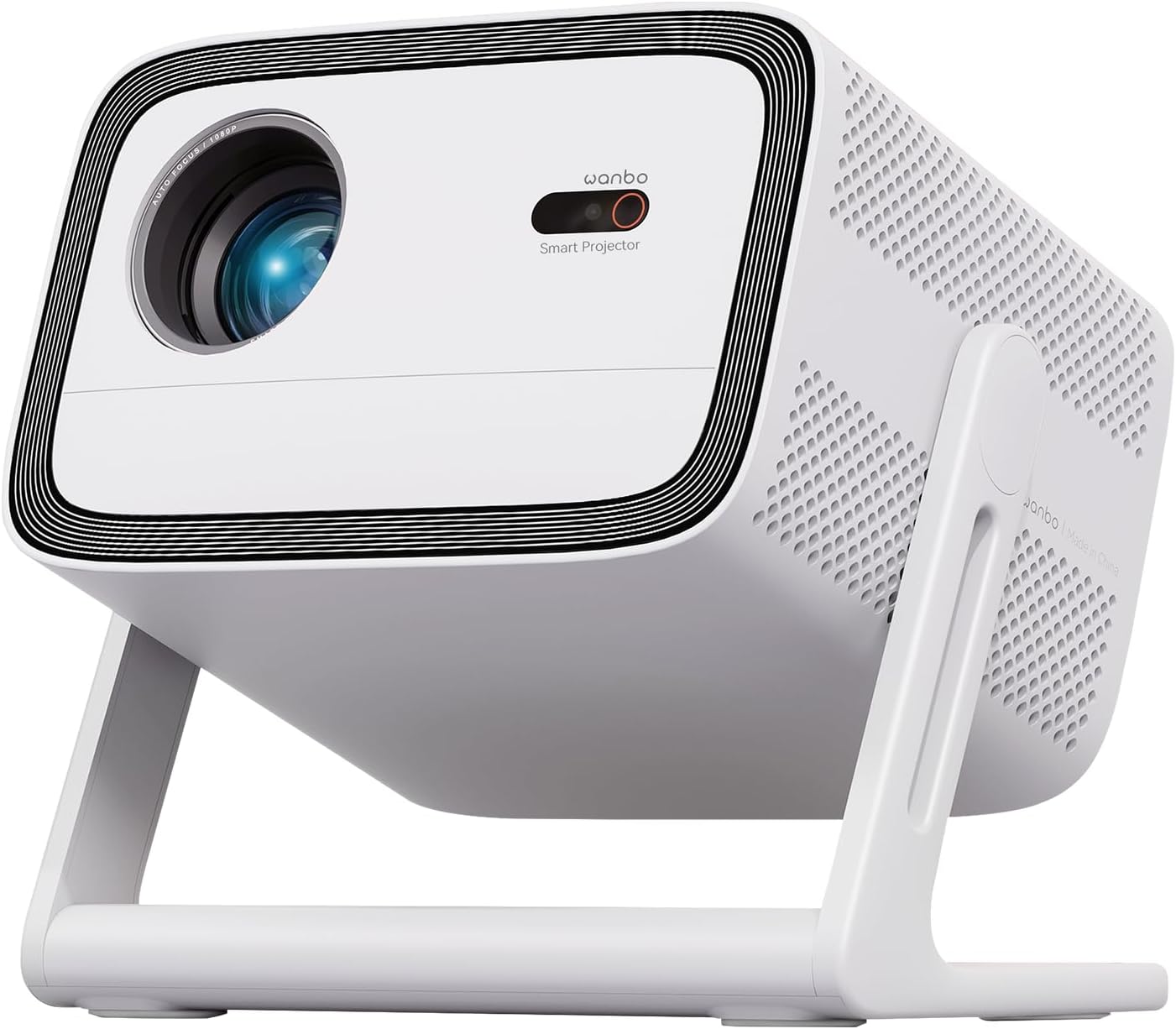
Figure 1: Front view of the WANBO Vali 1 projector, showcasing its lens, smart projector sensor, and integrated gimbal stand.

Figure 2: The WANBO Vali 1 projector positioned to project onto a ceiling, demonstrating its 200-degree flexible gimbal stand.
The rear of the projector houses essential ports for connectivity and ventilation. The power port is strategically placed to keep cables tidy.
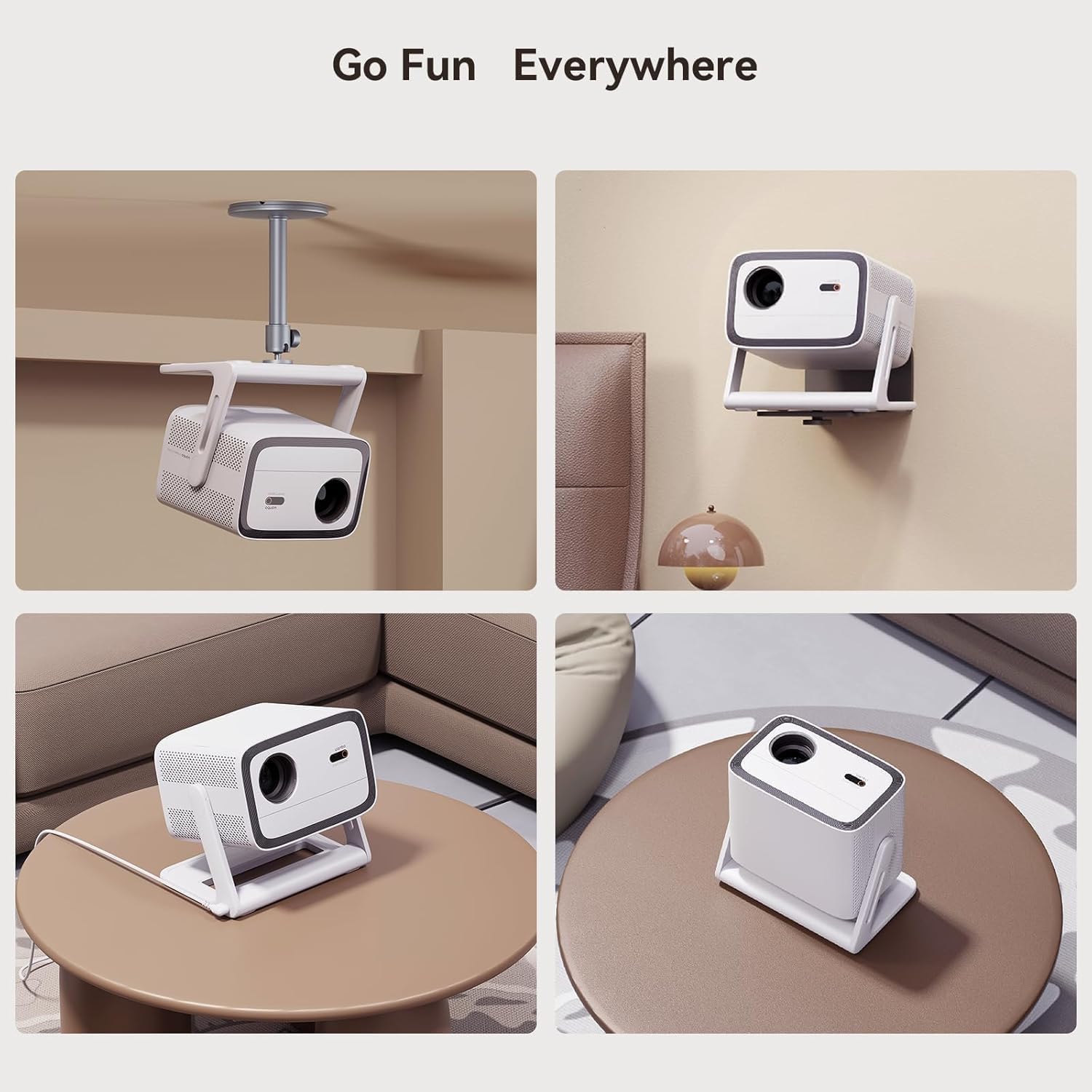
Figure 3: Various setup options for the WANBO Vali 1, including ceiling, wall, and tabletop placements, highlighting its adaptable design.
4. Initial Setup
To begin using your WANBO Vali 1 projector, follow these steps:
- Power Connection: Connect the power adapter to the projector's AC power port and then to a power outlet. The smart placement of the power port helps manage cables efficiently.
- Placement: Position the projector on a stable surface. Utilize the 200-degree gimbal stand to adjust the projection angle as needed, whether projecting onto a wall or ceiling.
- First-Time Boot: Power on the projector using the power button on the device or the remote control. The system will initiate the Android TV 11 interface.
5. Operating System & Interface
The WANBO Vali 1 runs on Android TV 11, providing a user-friendly and responsive interface. It offers access to over 7,000 downloadable apps, including popular streaming services.
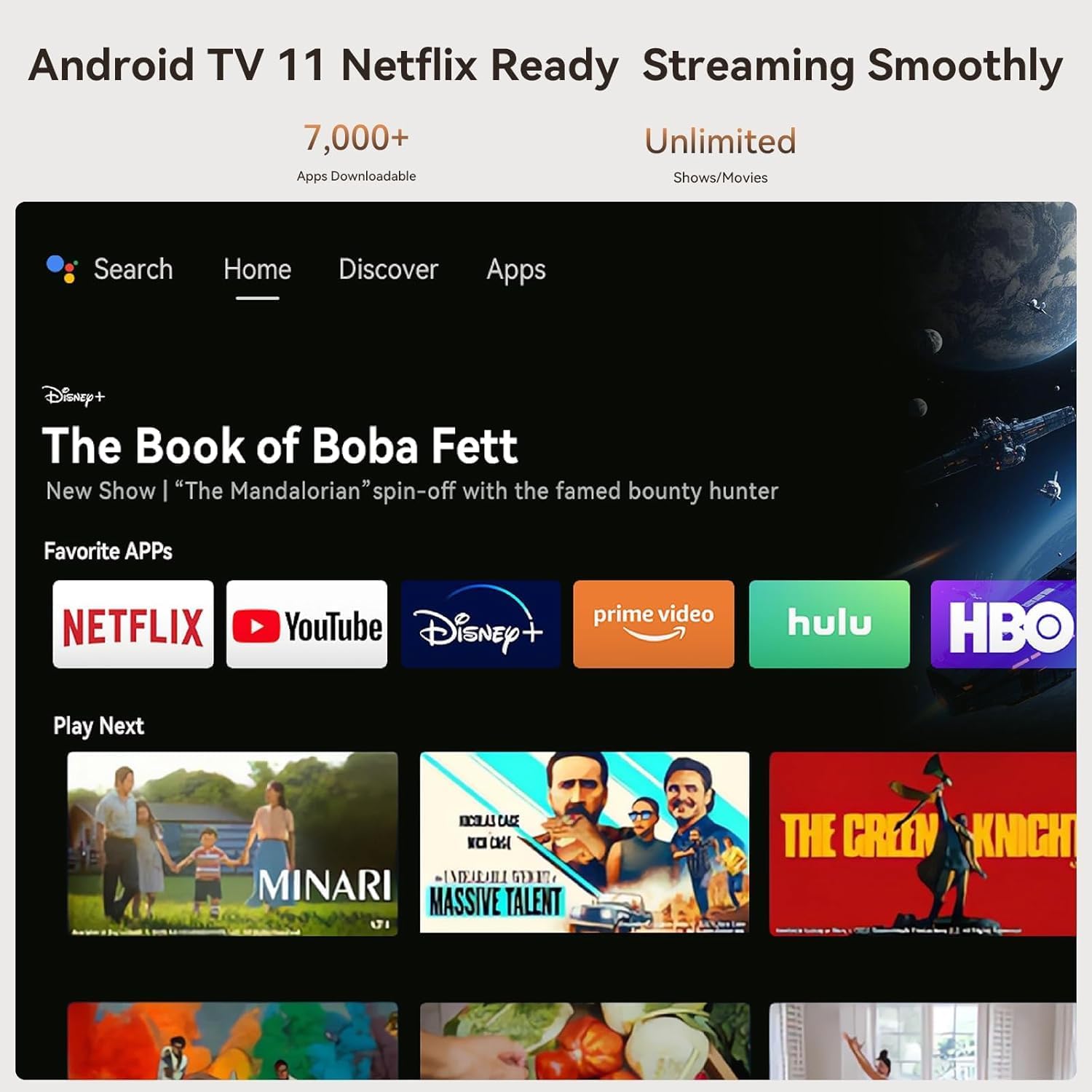
Figure 4: The Android TV 11 home screen, showing a selection of streaming applications and recommended content.
The interface is clean, fast, and free from bloatware or spammy pre-installed apps. You can easily navigate using the remote control or voice commands via Google Assistant.

Figure 5: Demonstrating Google Assistant integration for content discovery and control.
6. Projection & Image Quality
The WANBO Vali 1 projects crisp, bright images with a native 1080p Full HD resolution and 900 ANSI Lumens brightness. It supports projection sizes up to 120 inches.

Figure 6: Brightness comparison of the WANBO Vali 1 in day and night conditions, illustrating its 900 ANSI Lumens output.
Colors are generally neutral, though they may appear slightly washed out in very bright scenes. The sharpness is adequate for its price range. The projector offers basic picture adjustments such as brightness, contrast, saturation, and sharpness, accessible through the settings menu.
7. Automatic Adjustments
The projector is equipped with Smart ASA 3.0 Technology, which includes automatic focus, keystone correction, and obstacle avoidance for convenient setup.
- Autofocus: The projector automatically adjusts the focus for a clear image. While the process may be noticeably slow, the accuracy is reliable.
- Auto Keystone: This feature corrects image distortions when the projector is placed at an angle, ensuring a rectangular projection. Similar to autofocus, it may take some time but provides excellent results.
- Auto Object Avoid: The projector can detect and avoid obstacles in the projection path, automatically adjusting the image size or position.
8. Audio Features
The WANBO Vali 1 features built-in 12W Hi-Fi stereo speakers with a 500cc sound chamber, providing surround sound. While suitable for dialogue, connecting an external Bluetooth speaker is recommended for an enhanced movie or music experience.

Figure 7: The projector's audio capabilities, emphasizing its 12W Hi-Fi stereo speakers.
Audio delay over Bluetooth is minimal, ensuring a synchronized audio-visual experience when using external speakers.
9. Connectivity
The projector offers various connectivity options:
- HDMI: One HDMI 1.4 input for connecting external devices like gaming consoles or laptops.
- USB: One full-sized USB 2.0 port for media playback from USB drives.
- Wi-Fi: Dual-band Wi-Fi support for streaming and internet access. While not Wi-Fi 6, it provides sufficient speed for most streaming needs.
- Bluetooth: For connecting wireless audio devices and other peripherals.
- Screen Mirroring: Supports casting from both Android and iOS devices.
10. Gaming Mode & Performance
The WANBO Vali 1 includes a dedicated gaming mode that slightly reduces latency, making it suitable for casual gamers or light gaming sessions with handheld consoles. For hardcore console players, the latency reduction might not be significant enough.
The projector is powered by a quad-core CPU and 1GB of RAM, with approximately 4GB of available internal storage. While the interface is snappy, for demanding applications or games, relying on external inputs like a mini PC or a console is recommended due to the modest internal computing power.
11. Power Consumption & Cooling
At maximum load, the projector consumes approximately 106 watts, indicating efficient power usage. The cooling fan is always active and may be audible during quiet moments, though it is not loud enough to significantly disrupt viewing.

Figure 8: Internal cooling system of the projector, designed for efficient heat dissipation and low noise.
12. Remote Control
The included remote control is functional and features all necessary buttons for navigation and control. However, it lacks backlighting, which can make it challenging to use in dark environments.
13. Troubleshooting
If you encounter any issues with your WANBO Vali 1 projector, consider the following general troubleshooting steps:
- No Power: Ensure the power adapter is securely connected to both the projector and a working power outlet.
- No Image: Check the input source settings to ensure the correct source (e.g., HDMI, internal Android TV) is selected. Verify that the lens cap is removed.
- Blurred Image: Allow the automatic focus to complete its process. If the issue persists, try manually adjusting the focus via the settings.
- Distorted Image: Ensure the auto keystone correction is enabled in the settings. If necessary, manually adjust keystone settings.
- No Sound: Check the volume levels on both the projector and any connected external audio devices. Ensure the correct audio output is selected in the settings.
- Wi-Fi/Bluetooth Connectivity Issues: Restart the projector and your router/Bluetooth device. Ensure the projector is within range of the network/device.
For persistent issues, refer to the detailed troubleshooting section in the full user manual or contact customer support.
14. Specifications
| Brand | WANBO |
| Model Number | WPC14 |
| Brightness | 900 ANSI Lumens |
| Resolution | 1080p Full HD |
| Operating System | Android TV 11 |
| CPU | Quad-core |
| RAM | 1GB |
| Internal Storage | Approx. 4GB available |
| Connectivity | HDMI 1.4, USB 2.0, Dual-band Wi-Fi, Bluetooth |
| Audio | 12W Hi-Fi Stereo Speakers |
| Dimensions | 8.94 x 7.4 x 10 inches |
| Weight | 7.26 pounds |
15. Warranty & Support
For warranty information and customer support, please refer to the documentation included with your product or visit the official WANBO website. Protection plans may be available for extended coverage.
Related documentsWPC14


Ask a question about this manual
Ask about setup, troubleshooting, compatibility, parts, safety, or missing instructions. Manuals+ will review the question and use this page’s manual context to help answer it.