
Xiaomi Redmi 17C 5G
Contents
Xiaomi Redmi 17C 5G Smartphone User Manual
Model: Redmi 17C 5G
1. Introduction
The Xiaomi Redmi 17C 5G is a powerful smartphone designed for seamless performance and an immersive user experience. It features a large display, a robust battery, and an advanced camera system. This manual provides essential information to help you get started and make the most of your device.
2. What's in the Box
Verify that your package contains the following items:
- Xiaomi Redmi 17C 5G Smartphone
- USB-C Cable
- SIM Ejector Tool
- 33W TurboCharge Fast Charger (if included with your specific variant)

Image: The contents of the Redmi 17C 5G package, showing the smartphone, a USB-C charging cable, and a SIM ejector tool.
3. Setup
3.1 Inserting the SIM Card
- Locate the SIM card tray on the side of your device.
- Insert the SIM ejector tool into the small hole next to the tray and press firmly until the tray pops out.
- Place your Nano-SIM card(s) and/or microSD card into the tray with the gold contacts facing down.
- Carefully push the tray back into the slot until it is flush with the device.
3.2 Powering On/Off
- To power on: Press and hold the Power button until the Xiaomi logo appears.
- To power off: Press and hold the Power button, then select "Power off" from the options.
- To restart: Press and hold the Power button, then select "Restart" from the options.
3.3 Initial Configuration
Follow the on-screen prompts to complete the initial setup, including language selection, Wi-Fi connection, Google account login, and security settings.
4. Operating Your Device
4.1 Immersive 6.9-inch 120Hz Display
The Redmi 17C 5G features a large 6.9-inch LCD display with an adaptive refresh rate of up to 120Hz. This ensures smooth scrolling and seamless streaming, adapting dynamically to your content for an optimal viewing experience.

Image: The front view of the Redmi 17C 5G, highlighting its expansive 6.9-inch display.
4.2 50MP AI Camera System
Capture stunning photos with the 50MP AI camera. This system is designed to capture fine details and vibrant colors, making your memories vivid and clear, whether it's landscapes, portraits, or everyday moments.
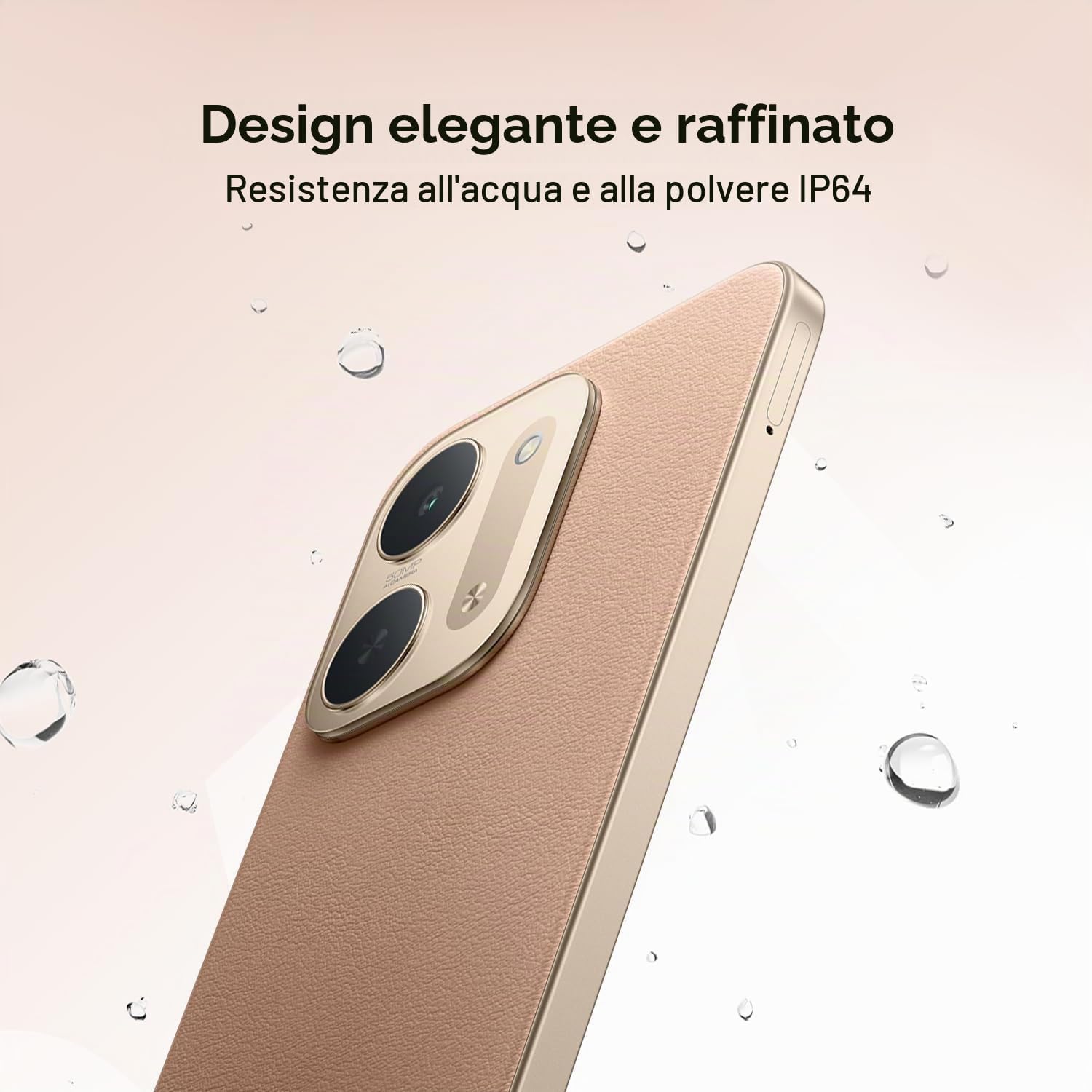
Image: A close-up of the rear camera module of the Redmi 17C 5G, emphasizing its 50MP AI capabilities.
4.3 Powerful MediaTek Dimensity 6300 5G Processor
The device is powered by an efficient 6nm MediaTek Dimensity 6300 5G processor, ensuring smooth multitasking and high energy efficiency for long-lasting performance.

Image: A visual representation of the MediaTek Dimensity 6300 5G processor, highlighting its advanced technology.
4.4 Long-lasting 6000mAh Battery
Equipped with a massive 6000mAh battery, the Redmi 17C 5G provides extended battery life without compromising its slim design. Enjoy superior endurance to keep up with your daily activities.

Image: An exploded view diagram illustrating the large 6000mAh battery integrated into the Redmi 17C 5G.
4.5 33W TurboCharge Fast Charging
Recharge your device quickly with 33W TurboCharge technology. This feature allows for rapid charging, providing an ideal balance between speed and battery longevity.

Image: The Redmi 17C 5G connected to a charger, with the screen displaying a fast-charging indicator and 86% battery level.
5. Maintenance
5.1 Cleaning Your Device
- Use a soft, lint-free cloth to wipe the screen and body of the phone.
- Avoid using harsh chemicals, abrasive cleaners, or aerosol sprays.
- For stubborn smudges, slightly dampen the cloth with water or a screen cleaner specifically designed for electronics.
5.2 Water and Dust Resistance
The Redmi 17C 5G features IP64 water and dust resistance. This means it is protected against dust ingress and splashing water from any direction. However, it is not waterproof and should not be submerged in water. Damage caused by liquid immersion is not covered under warranty.

Image: The Redmi 17C 5G with water droplets on its surface, demonstrating its IP64 rating for splash resistance.
5.3 Battery Care
- Avoid exposing the device to extreme temperatures.
- Use only original or certified chargers and cables.
- Do not fully discharge the battery frequently; aim to keep it between 20% and 80% for optimal longevity.
5.4 Software Updates
Regularly check for and install software updates to ensure your device has the latest features, security patches, and performance improvements. Go to Settings > About phone > MIUI version to check for updates.
6. Troubleshooting
6.1 Device Not Turning On
- Ensure the battery is charged. Connect the charger and wait a few minutes before attempting to power on.
- Press and hold the Power button for at least 10-15 seconds to force a restart.
6.2 Apps Crashing or Freezing
- Close and reopen the app.
- Clear the app's cache and data (Settings > Apps > [App Name] > Storage > Clear cache/Clear data).
- Restart your device.
- Ensure the app and your device's operating system are up to date.
6.3 Poor Battery Life
- Reduce screen brightness.
- Disable unused features like Wi-Fi, Bluetooth, GPS when not needed.
- Identify and close power-hungry apps running in the background.
- Check for software updates.
6.4 Network Connectivity Issues
- Toggle Airplane Mode on and off.
- Restart your device.
- Check your SIM card insertion.
- Reset network settings (Settings > Connection & sharing > Reset Wi-Fi, mobile networks, and Bluetooth).
7. Specifications
| Feature | Specification |
|---|---|
| Brand | Xiaomi |
| Model Name | Redmi 17C 5G |
| Operating System | HyperOS |
| CPU Model | MediaTek Dimensity 6300 |
| Internal Storage | 128 GB |
| Screen Size | 6.9 Inches |
| Refresh Rate | 120 Hz |
| Cellular Technology | 5G |
| Rear Camera Resolution | 50 MP |
| Battery Capacity | 6000 mAh |
| Water Resistance Level | IP64 (Splash resistant) |
| UPC | 190997084210 |

Image: The official product data sheet and energy efficiency label for the Redmi 17C 5G, detailing various technical specifications and environmental ratings.
8. Warranty and Support
8.1 Warranty Information
Your Xiaomi Redmi 17C 5G device comes with a standard manufacturer's warranty. Please refer to the warranty card included in your product packaging or visit the official Xiaomi website for detailed terms and conditions. The warranty typically covers manufacturing defects but does not cover damage caused by misuse, accidents, or unauthorized modifications.
8.2 Customer Support
For technical assistance, service, or further inquiries, please contact Xiaomi customer support through their official website or the contact information provided in your warranty documentation. You can also visit the Xiaomi Store on Amazon for additional product information and resources.
Documents and downloads
Ask a question about this manual
Ask about setup, troubleshooting, compatibility, parts, safety, or missing instructions. Manuals+ will review the question and use this page’s manual context to help answer it.