
1. Introduction
Thank you for choosing the ALLDOCUBE iPlay 80E Android 17 Tablet. This manual provides essential information for setting up, operating, and maintaining your device. Please read it carefully to ensure optimal performance and longevity of your tablet.
The iPlay 80E features an 11-inch 2.5K 90Hz display, powered by an 8-core UNISOC T7300 processor, offering a smooth and responsive user experience. It supports 4G LTE connectivity, GPS, and includes an 8800mAh battery with PD18W fast charging. Advanced features like Gemini AI, face recognition, and various sensors enhance its functionality for entertainment, learning, and productivity.

Image: The ALLDOCUBE iPlay 80E tablet, showcasing its sleek design and large display.
2. Package Contents
Ensure all items are present in the box:
- ALLDOCUBE iPlay 80E Tablet Unit
- Charger (PD20W)
- Charging Cable
- SIM Card Pin
- Instruction Manual

Image: A visual representation of the ALLDOCUBE iPlay 80E tablet and its included accessories: charger, cable, SIM pin, and manual.
3. Device Layout
Familiarize yourself with the physical components of your tablet:
- Rear Camera
- Front Camera
- Power Switch
- Volume +/- Buttons
- SIM/SD Card Slot
- Charging Port (Type-C)
- Speakers (4 speakers)

Image: Diagram illustrating the location of buttons, ports, and cameras on the ALLDOCUBE iPlay 80E tablet.
4. Setup
4.1. Initial Power On
- Press and hold the Power Switch until the ALLDOCUBE logo appears.
- Follow the on-screen prompts to select your language, connect to Wi-Fi, and set up your Google account.
4.2. Inserting SIM and MicroSD Cards
The iPlay 80E supports 4G LTE connectivity and expandable storage up to 1TB via microSD.
- Locate the SIM/SD Card Slot on the side of the tablet.
- Use the provided SIM Card Pin to gently eject the tray.
- Place your Nano-SIM card(s) and/or microSD card into the designated slots on the tray. Ensure they are correctly oriented.
- Carefully reinsert the tray into the tablet.

Image: A close-up view of the SIM/SD card tray, demonstrating how to insert the cards.
5. Operating Instructions
5.1. Android 17 Operating System
The iPlay 80E runs on Android 17, offering enhanced features for multitasking, privacy, and user experience. Key features include:
- Bubble Function: Display apps in small windows for seamless multitasking, allowing you to respond to messages while browsing.
- Privacy Management: Granular control over app permissions, ensuring your data is protected.
- Power Saving: Optimized battery management to reduce consumption during standby.
- Large Screen Optimization: Flexible display adjustments for various screen sizes and orientations.

Image: Visual representation of Android 17 features, including app bubbles and privacy controls.
5.2. Display Features
The 11-inch IPS In-cell display offers a 2560x1600 resolution and a 90Hz refresh rate for clear and smooth visuals. It also features:
- Automatic Brightness Adjustment: Adjusts screen brightness based on ambient light conditions.
- Widevine L1 Support: Enables HD streaming from platforms like Netflix, Prime Video, Hulu, and YouTube.
- Eye Care Mode: Reduces blue light emission for comfortable reading, especially at night.
- Dark Theme: Reduces screen glare in dark environments.
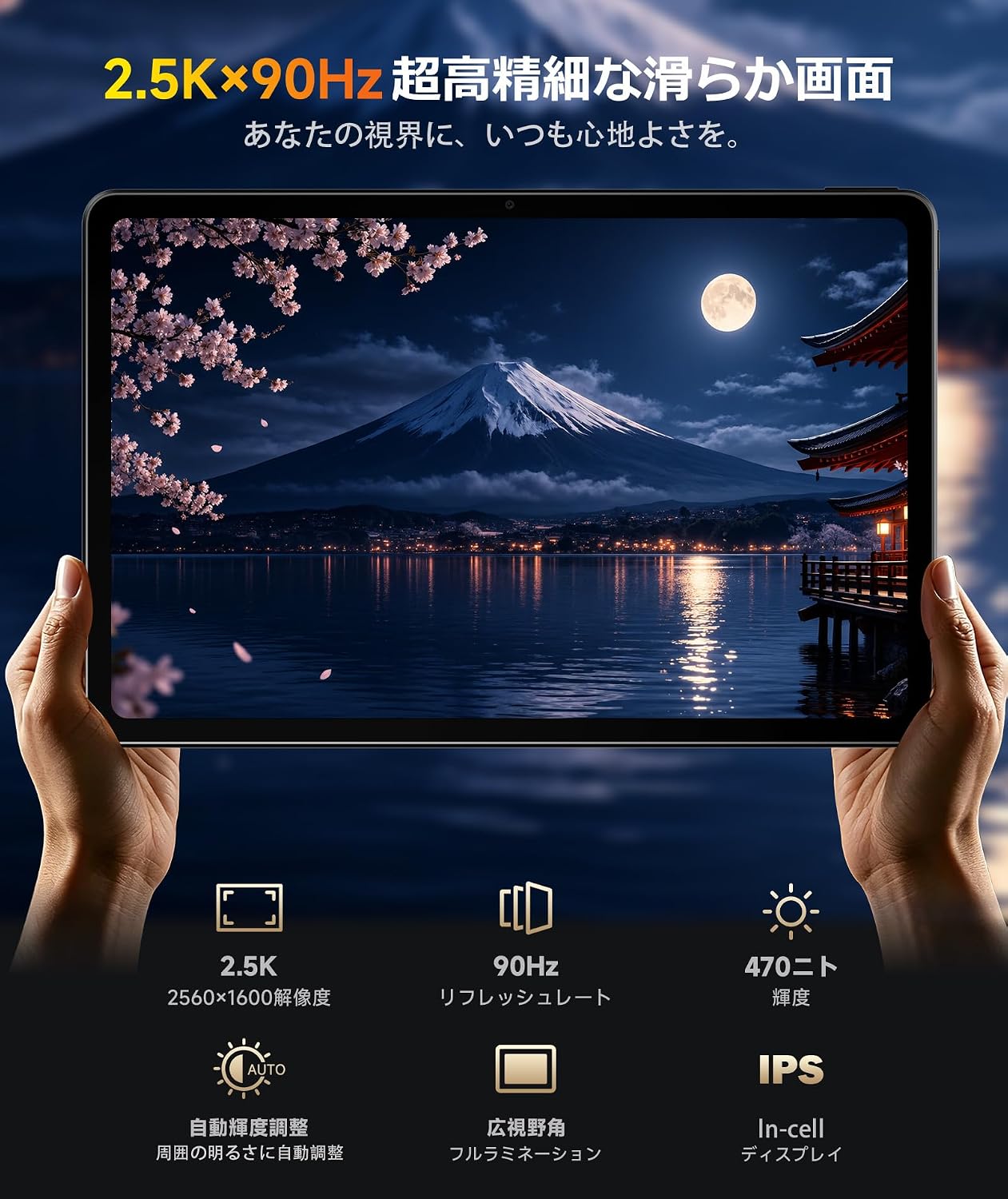
Image: The tablet displaying vibrant content, highlighting its 2.5K resolution and 90Hz refresh rate.
5.3. Performance and Storage
Equipped with a UNISOC T7300 8-core processor and 8GB of physical RAM (with support for 8GB virtual RAM expansion), the tablet handles web browsing, video playback, learning apps, and casual gaming smoothly. It comes with 128GB of internal storage, expandable up to 1TB via a microSD card.

Image: Diagram showing the UNISOC T7300 processor and memory specifications, including 8GB RAM and 128GB ROM with 1TB expansion.
5.4. Connectivity
- 4G LTE: Stay connected even without Wi-Fi. Supports voice calls and data for browsing, navigation, and messaging.
- GPS: Integrated GPS, GLONASS, Galileo, and Beidou for accurate location tracking and navigation. The 11-inch screen makes map viewing clear and easy.
- Wi-Fi 5 & Bluetooth 5.4: High-speed wireless connectivity for internet access and pairing with accessories like wireless headphones and keyboards.
- Electronic Compass: Assists with orientation on maps.

Image: The tablet being used for navigation in a car, demonstrating its GPS and large screen capabilities.
5.5. Stylus Support
The tablet supports a stylus (sold separately) with 4096 levels of pressure sensitivity, allowing for note-taking, document annotation, and creative drawing. This feature enhances productivity for students and professionals.

Image: A hand using a stylus on the tablet screen for drawing, illustrating its creative potential.
5.6. Sensors and AI Features
- Gravity Sensor: Supports automatic screen rotation.
- Hall Sensor: Allows for automatic sleep/wake functionality with compatible covers.
- Face Recognition: Securely unlock your device using facial recognition in approximately 0.2 seconds.
- Gemini AI: Integrated AI for enhanced information retrieval, content creation, organization of ideas, translation, and code generation.
5.7. Accessibility Features
The tablet includes features to improve usability for all family members:
- Text and Display Size Adjustment: Customize text and display element sizes for better readability.
- Parental Controls: Utilize Google Family Link to manage screen time, app usage, and content for children.
- Read Aloud: Select text to be read aloud.
- Screen Magnification: Enlarge small text or images.
- User Assist Menu: Quick access to screen lock, volume, brightness, and screenshots.
- Automatic Subtitles: Real-time display of subtitles for calls and videos.

Image: An elderly person comfortably reading on the tablet, demonstrating its user-friendly display options.

Image: A child using the tablet for educational content, highlighting its suitability for family use with parental controls.
6. Maintenance
6.1. Battery and Charging
The iPlay 80E is equipped with an 8800mAh large-capacity battery and supports PD18W fast charging. This allows for extended use and quick recharging.
- Use the provided charger and cable for optimal charging performance.
- Avoid exposing the tablet to extreme temperatures.
- For prolonged storage, charge the battery to around 50-60% to maintain battery health.

Image: Illustration of the tablet's 8800mAh battery and PD18W fast charging capability, showing its slim 7.6mm design.
6.2. Cleaning
To clean your tablet, use a soft, lint-free cloth. Avoid using harsh chemicals or abrasive materials that could damage the screen or casing.
7. Troubleshooting
7.1. Common Issues and Solutions
- Tablet not turning on: Ensure the battery is charged. Connect the charger and try again.
- Screen unresponsive: Restart the tablet by holding the power button. If unresponsive, force restart (refer to device layout for power button location).
- Wi-Fi/4G connectivity issues: Check network settings, ensure SIM card is properly inserted, or restart your router/tablet.
- Apps crashing: Clear the app's cache or reinstall the app. Ensure your system software is up to date.
For more complex issues, please refer to the support section.
8. Specifications
| Feature | Specification |
|---|---|
| Brand | ALLDOCUBE |
| Model Name | iPlay80E |
| Operating System | Android 17 |
| Display Size | 11 inches |
| Display Resolution | 2560x1600 pixels |
| Refresh Rate | 90Hz |
| Processor | UNISOC T7300 (8-core) |
| RAM | 8 GB (supports 8GB virtual expansion) |
| Internal Storage | 128 GB |
| Expandable Storage | Up to 1 TB via microSD |
| Rear Camera | 13 MP |
| Front Camera | 5 MP |
| Battery Capacity | 8800 mAh |
| Charging | PD18W Fast Charging |
| Connectivity | 4G LTE, Wi-Fi 5, Bluetooth 5.4, GPS, GLONASS, Galileo, Beidou |
| Sensors | Gravity Sensor, Hall Sensor, Electronic Compass, Face Recognition |
| Dimensions (L x W x H) | 29 x 24 x 3.5 cm (Product dimensions) |
| Color | Gray |
9. Warranty and Support
Your ALLDOCUBE iPlay 80E tablet comes with an 18-month manufacturer's warranty, ensuring peace of mind after your purchase. ALLDOCUBE is committed to providing excellent customer experience and quality products.
9.1. Warranty Details
- 18-month product warranty.
- Japanese customer service available.
- Free return shipping for quality-related issues.
- After-sales repair center located in Tokyo.

Image: A visual representation of the 18-month manufacturer's warranty, symbolizing reliable support.
9.2. Contact Support
For setup assistance, operational guidance, or any malfunctions, please contact customer support through one of the following methods:
- Official LINE: @175lhsbh
- Product Page: On the product page, click the store name and then select "Ask a question."
- Amazon Account: Go to "Order History," select the relevant order, and then choose "Contact seller."