
1. Introduction
Thank you for choosing the Parrot Uncle 122cm Ceiling Fan with Dimmable LED Light. This manual provides essential information for the safe installation, operation, and maintenance of your new ceiling fan. Please read all instructions carefully before assembly and use, and retain this manual for future reference.
Safety Information:
- Ensure the power supply is disconnected before installation or maintenance.
- Installation should be performed by a qualified electrician.
- Mount the fan to a ceiling structure capable of supporting its weight.
- Keep hands and objects clear of the fan blades during operation.
2. What's in the Box
Carefully unpack all components and ensure you have received the following items:
- Ceiling Fan Unit
- Integrated LED Light
- Remote Control
- Solid Wood Blades (3 pieces)
- Mounting Material (screws, brackets, etc.)
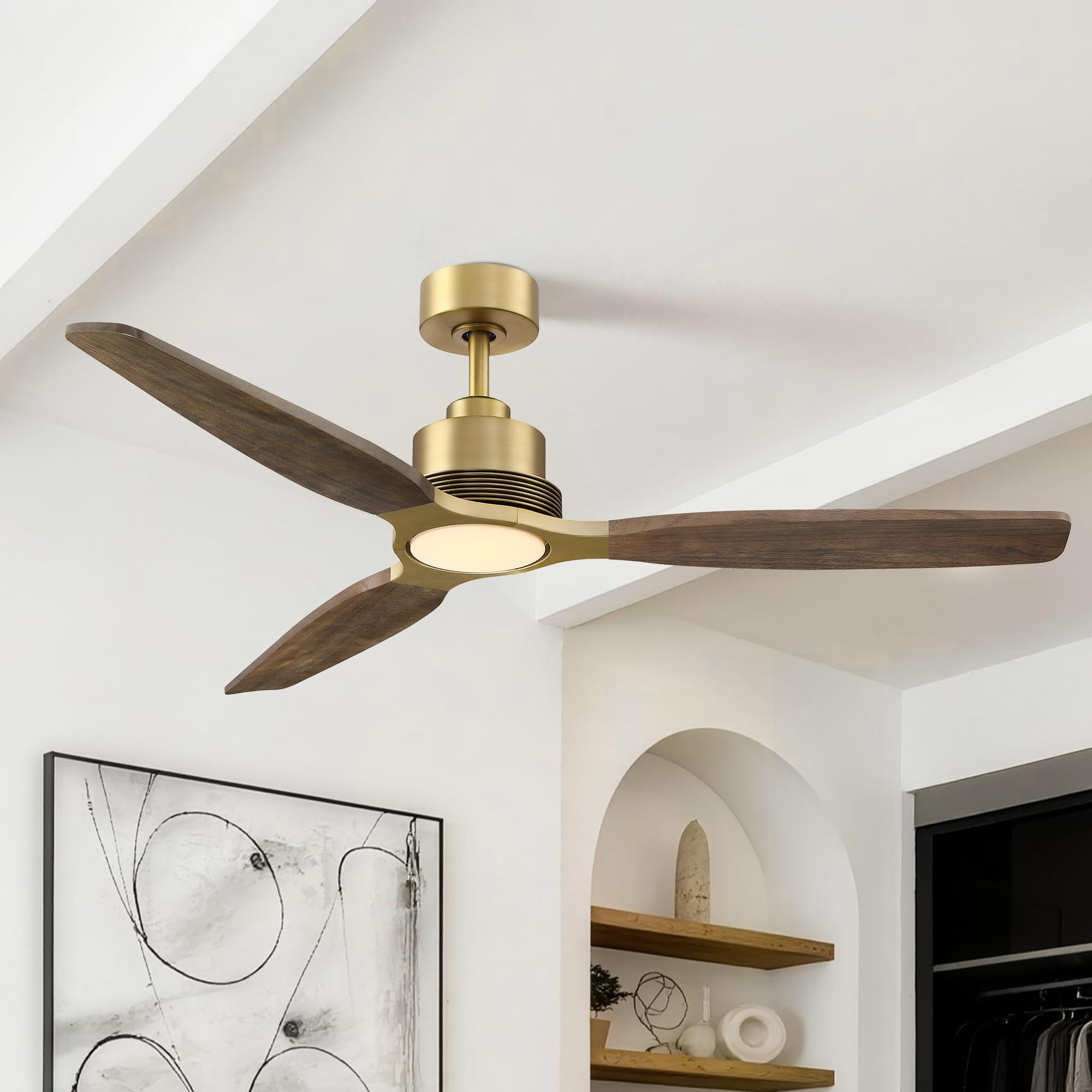
Image: Overview of the Parrot Uncle 122cm Ceiling Fan with Light.
3. Setup and Installation
Most components of this ceiling fan come pre-assembled for easier installation. However, professional installation by a certified electrician is highly recommended to ensure safety and proper functioning.
3.1 Dimensions
Before installation, verify the fan dimensions to ensure it fits your intended space.
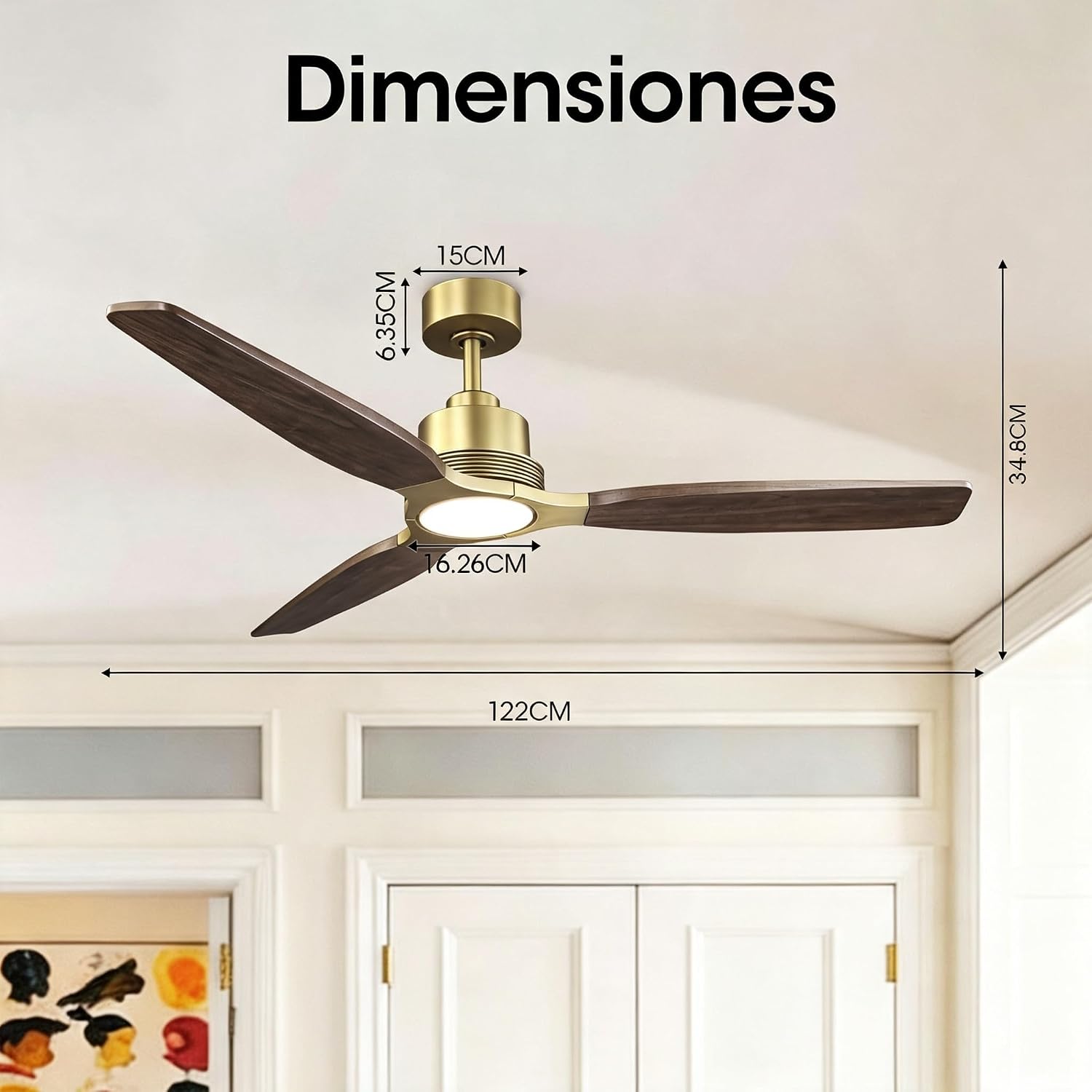
Image: Detailed dimensions of the 122cm ceiling fan, showing a width of 122cm and a height of 33.3cm from ceiling to bottom of light.
3.2 Mounting
Mount the fan securely to a ceiling joist or a suitable electrical junction box rated for ceiling fan support. Follow the detailed instructions provided in the separate installation guide included with your product for wiring and assembly steps.
4. Operating Instructions
Your Parrot Uncle ceiling fan is controlled via the included remote control, offering various functions for optimal comfort.
4.1 Remote Control Functions
The remote control allows you to manage all fan and light settings. Ensure batteries are correctly inserted.

Image: Diagram of the remote control, indicating buttons for power, fan speed adjustment, light on/off, light color temperature (CCT) adjustment, brightness increase/decrease, and timer settings.
- On/Off Switch: Powers the fan and light on or off.
- Fan Speed Adjustment: Cycles through 6 speed settings.
- Light On/Off & CCT Adjustment: Controls the light and changes color temperature.
- Brightness Control: Increases or decreases light intensity.
- Timer Settings: Sets the fan to turn off automatically after 1, 2, 4, or 8 hours.
- Forward/Reverse Switch: Changes the direction of blade rotation for summer or winter mode.
4.2 Fan Speed Settings
The fan offers 6 adjustable speed levels, from a gentle breeze to a powerful airflow, to suit your comfort needs.

Image: Visual representation of the 6-level fan speed adjustment, categorizing speeds 1-2 as soft wind, 3-4 as natural wind, and 5-6 as fresh wind.
4.3 Dimmable LED Light with 3 Color Temperatures
The integrated LED light features adjustable brightness from 1% to 100% and three color temperature modes: Warm Light (3000K), Neutral Light (4000K), and Cool White Light (6000K). Use the remote to cycle through these options and adjust brightness.

Image: Illustration showing the fan light at 3000K (warm), 4000K (neutral), and 6000K (cool white), along with a dimmer scale from 10% to 100% intensity.
4.4 Reversible Winter-Summer Function
The fan includes a reversible motor function to optimize air circulation year-round. In summer, blades rotate counter-clockwise to create a cooling downdraft. In winter, they rotate clockwise at a low speed to circulate warm air trapped near the ceiling.

Image: Depiction of the fan's reversible function, showing downward airflow for summer cooling and upward airflow for winter heat circulation. To change direction, turn off the fan, then turn it back on and press the direction button on the remote.
4.5 Timer Function
Set the fan to automatically turn off after 1, 2, 4, or 8 hours using the timer button on the remote control. This feature is ideal for nighttime use, ensuring quiet operation and energy saving.

Image: A baby sleeping peacefully in a crib, illustrating the fan's quiet operation (35dB) and timer settings (1H, 2H, 4H, 8H).
5. Maintenance
Regular maintenance ensures the longevity and optimal performance of your ceiling fan.
- Cleaning: To clean the fan, wipe with a soft, damp cloth. Do not use abrasive cleaners or solvents, as these may damage the finish.
- Blade Inspection: Periodically check the fan blades for any signs of damage or looseness. Ensure all screws are tightened.
- Light Source: The LED light is integrated and generally does not require replacement. If issues arise, contact customer support.
- Safety: Always disconnect power to the fan before performing any cleaning or maintenance.

Image: Close-up view highlighting the high-quality materials, including solid wood blades and an iron casing, which contribute to the fan's durability.
6. Troubleshooting
If you encounter any issues with your ceiling fan, refer to the following common problems and solutions:
| Problem | Possible Cause | Solution |
|---|---|---|
| Fan does not start | No power supply; Loose wiring; Remote control battery dead. | Check circuit breaker; Verify wiring connections; Replace remote control batteries. |
| Light does not work | No power to light; Faulty connection. | Check wiring to light; Ensure light is switched on via remote. |
| Fan wobbles | Loose blades; Improper mounting; Unbalanced blades. | Tighten all blade screws; Ensure mounting bracket is secure; Use balancing kit if necessary. |
| Remote control not working | Dead batteries; Remote not paired. | Replace batteries; Refer to pairing instructions in the full manual. |
If the problem persists after attempting these solutions, please contact customer support.
7. Specifications
| Feature | Detail |
|---|---|
| Model Number | F6017S48GD-EU |
| Dimensions (L x W x H) | 122 x 122 x 33.3 cm |
| Weight | 5 kg |
| Material | Solid Wood (Blades), Metal, ABS Plastic |
| Motor Type | DC Silent Motor |
| Power Consumption | 35 Watts |
| Voltage | 220 Volts (AC) |
| Light Type | Integrated LED |
| Color Temperature | 3000K (Warm), 4000K (Neutral), 6000K (Cool White) |
| Fan Speeds | 6 Speeds |
| Special Features | Dimmable LED, Reversible Winter-Summer Function, Timer (1/2/4/8H), Remote Control |
| Certifications | CE, RoHS |
| Recommended Room Size | 20-30 m² (approx.) |
8. Warranty and Support
Your Parrot Uncle ceiling fan is covered by a warranty for spare parts availability in the EU for 2 years from the date of purchase. Please retain your proof of purchase for warranty claims.
For technical assistance, troubleshooting beyond this manual, or warranty inquiries, please contact Parrot Uncle customer support through the retailer where you purchased the product or visit the official Parrot Uncle website for contact information.
We are committed to providing excellent service and support for your product.


