
Introduction
Thank you for choosing the ODSD Cat Water Fountain P200. This automatic pet water dispenser is designed to provide fresh, clean water for your cat with innovative features such as wastewater separation, app monitoring, and dual power modes. This manual provides detailed instructions for setup, operation, maintenance, and troubleshooting to ensure optimal performance and the well-being of your pet.
Important Safety Information
- This cat water fountain is designed for small animals like cats and is not suitable for large dogs.
- The main unit of the fountain is not washable. Do not immerse it in water or rinse it directly. Clean only with a soft, damp cloth.
- Ensure the power adapter and charging cable are used in dry conditions and are not damaged.
- Keep the appliance away from heat sources and direct sunlight.
- Always unplug the fountain before cleaning or performing maintenance.
Package Contents
Verify that all items are present in the package:
- ODSD Cat Water Fountain (Main Unit, Clean Water Tank, Wastewater Tank, Drinking Water Tray)
- Power Adapter
- Charging Cable
- Instruction Manual
Product Overview
Familiarize yourself with the components of your ODSD Cat Water Fountain:

Figure 1: Exploded view of the ODSD Cat Water Fountain components.
- Clean Water Tank: Holds 101oz (3L) of fresh water.
- Wastewater Tank: Collects 46oz (1.35L) of drained water, preventing recirculation.
- Drinking Water Tray: The surface where your pet drinks.
- Pumping Pipe: Transports water from the clean tank to the tray.
- Sensors: Detect pet presence for smart-sensing mode and water levels.
- Control Panel: Includes Power Button, Mode Button, and indicators for battery and Wi-Fi.
- Black Sponge: Located in the water tray to catch hair and debris, preventing pipeline blockage. This sponge is reusable and does not filter the water.

Figure 2: Wastewater separation system diagram.
Setup
- Unpack Components: Carefully remove all parts from the packaging.
- Assemble Tanks: Place the clean water tank and wastewater tank into the main unit. Ensure they are seated correctly.
- Install Drinking Tray: Place the drinking water tray on top of the main unit, ensuring the pumping pipe aligns with the water outlet. Confirm the black sponge is correctly positioned in the water tray to catch debris.
- Fill with Water: Fill the clean water tank with fresh water. Do not overfill.
- Power Connection:
- Plug-in Mode: Connect the charging cable to the fountain and the power adapter, then plug the adapter into a wall outlet. This mode enables full functionality, including app control and continuous flow.
- Battery Mode: The fountain has a built-in 5000mAh rechargeable battery. It will automatically switch to battery power during outages or can be used wirelessly. Note that app functionality and continuous flow mode are disabled when running on battery power.
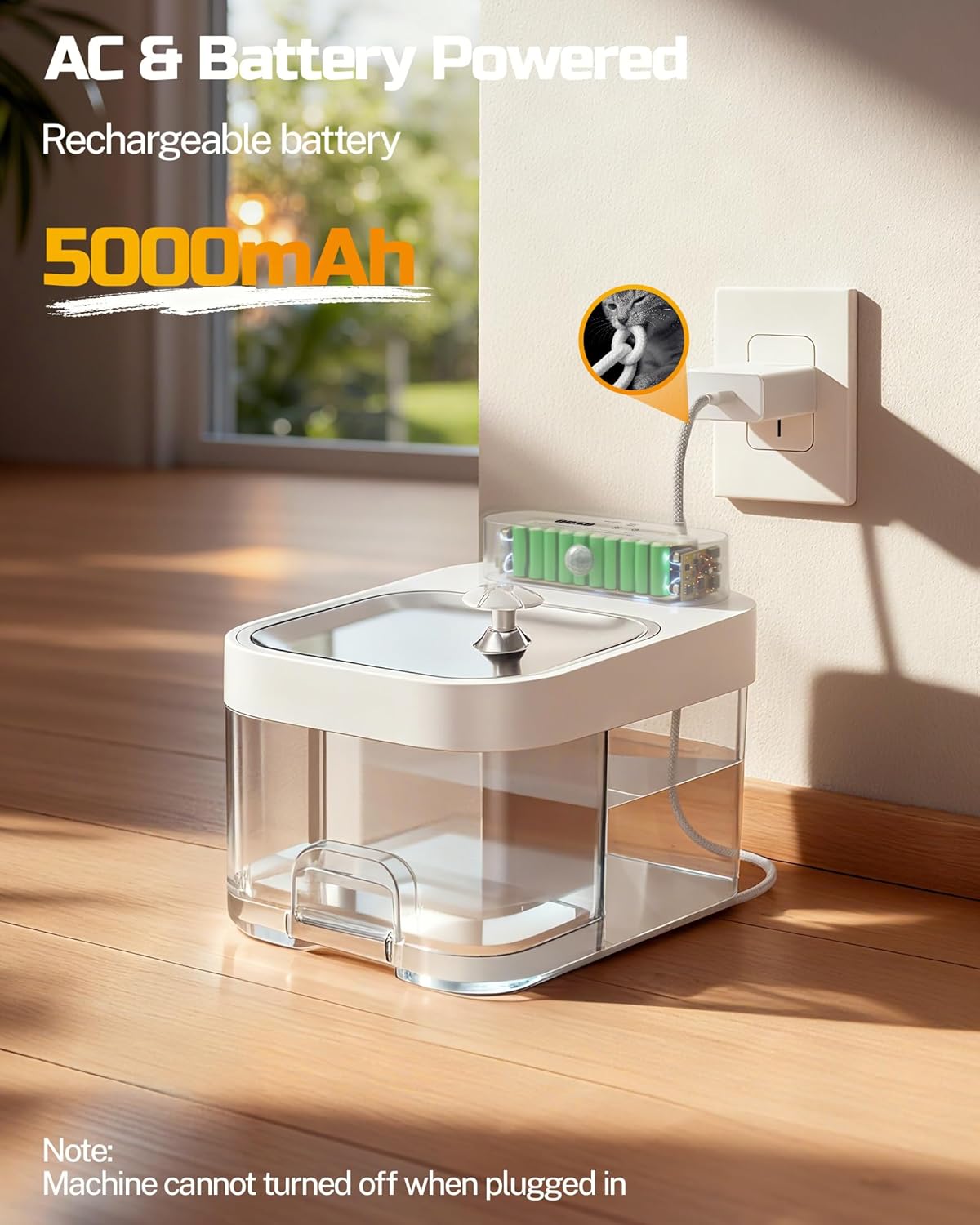
Figure 3: Fountain connected to power.
- App Connection (2.4G Wi-Fi):
- Download the ODSD app from your smartphone's app store.
- Ensure your smartphone is connected to a 2.4G Wi-Fi network. The fountain only supports 2.4G Wi-Fi.
- Follow the in-app instructions to pair your fountain.
For a visual guide on connecting the app, please watch the video below:
Video 1: How to connect the ODSD Cat Water Fountain to the app.
Operating Instructions
Water Flow Modes
- Smart-Sensing Mode: Water flows when your cat approaches the fountain. This mode conserves battery power and is available in both plug-in and battery modes.
- Continuous Flow Mode: The fountain provides a continuous stream of water. This mode is only available when the fountain is plugged into a power source.

Figure 4: Dual Flow Mode illustration.
App Monitoring & Smart Notifications
When the fountain is plugged in and connected to the app, you can access advanced features:
- Real-time Water Levels: Monitor both clean water and wastewater levels.
- Custom Drainage Schedules: Set automatic wastewater drainage for every 24 or 48 hours.
- Manual Water Refresh: Trigger a water refresh cycle remotely.
- Personalized Scenarios: Create custom operational settings.
- Push Notifications: Receive alerts for low water levels, cleaning reminders, and other important information.

Figure 5: App monitoring interface.
Dual Power Modes
The fountain offers flexibility with its power options:
- Plug-in Operation: Provides continuous power and enables all smart features.
- Battery Operation: The built-in 5000mAh rechargeable battery allows for wireless placement. In smart-sensing mode, it can last over 14 days. In case of a power outage, the fountain automatically switches to battery power.
For a demonstration of the app's features and wastewater separation, please watch the video below:
Video 2: ODSD Wastewater Separation and App Monitoring features.
Maintenance
Regular cleaning is essential for the longevity and hygiene of your ODSD Cat Water Fountain. We recommend cleaning once a week.
- Disassembly: Unplug the fountain. Carefully remove the drinking water tray, clean water tank, and wastewater tank.
- Clean Detachable Parts: Rinse the drinking water tray, clean water tank, and wastewater tank thoroughly with water.
- Clean Black Sponge: The black sponge in the water tray is reusable. Rinse it under running water to remove trapped hair and debris.
- Clean Sensor Probe: To ensure accurate water level detection, keep the surface of the sensor probe inside the water tray clean. Wipe it gently with a soft cloth.
- Clean Main Unit: Wipe the exterior of the main unit with a soft, damp cloth. Do not wash the main unit directly with water or immerse it.
- Reassembly: Once all parts are clean and dry, reassemble the fountain in reverse order of disassembly.

Figure 6: Easy disassembly for cleaning.

Figure 7: No filter cotton needed, featuring a reusable sponge.
Troubleshooting
If you encounter issues with your ODSD Cat Water Fountain, refer to the following common solutions:
| Problem | Possible Cause | Solution |
|---|---|---|
| App not connecting or features unavailable | Fountain is running on battery power; Not connected to 2.4G Wi-Fi. | Ensure the fountain is plugged into a power source. Verify your Wi-Fi network is 2.4G and the fountain is paired correctly. |
| Continuous flow mode not working | Fountain is running on battery power. | Continuous flow mode is only available when the fountain is plugged into a power source. |
| Inaccurate water level detection | Sensor probe surface is dirty. | Clean the sensor probe surface inside the water tray as described in the Maintenance section. |
| Fountain not dispensing water | Low water level; Pumping pipe blockage; Power issue. | Refill the clean water tank. Check for any blockages in the pumping pipe. Ensure the fountain is powered (either plugged in or battery charged). |
| Unusual noise during operation | Low water level; Debris in pump/pipe. | Ensure the water level is adequate. Disassemble and clean the pump and pipes to remove any debris. |
For additional troubleshooting tips, please refer to the video below:
Video 3: ODSD Cat Water Fountain Troubleshooting Guide.
Specifications
| Feature | Detail |
|---|---|
| Model Number | P200 |
| Brand | ODSD |
| Clean Water Capacity | 3 Liters (101 oz) |
| Wastewater Capacity | 1.35 Liters (46 oz) |
| Battery | 5000mAh Rechargeable |
| Noise Level | Under 25dB |
| Connectivity | 2.4G Wi-Fi |
| Material | Acrylonitrile Butadiene Styrene (ABS) |
| Dimensions | 11 x 9 x 9 inches |
| Weight | 3.95 pounds |
| Indoor/Outdoor Usage | Indoor |
Warranty and Support
For warranty information, please refer to the documentation included with your purchase or contact ODSD customer support directly. If you require further assistance or have questions not covered in this manual, please reach out to the manufacturer's customer service department. Contact details can typically be found on the product packaging or the official ODSD website.