
Introduction
This manual provides detailed instructions for the safe and effective use of your MILESEEY S50C Green Laser Measure with Camera. The S50C is a high-precision laser distance meter designed for various measurement tasks, featuring an 8x digital zoom camera, a sunlight-readable AMOLED display, and advanced measurement functions. Please read this manual thoroughly before operating the device.
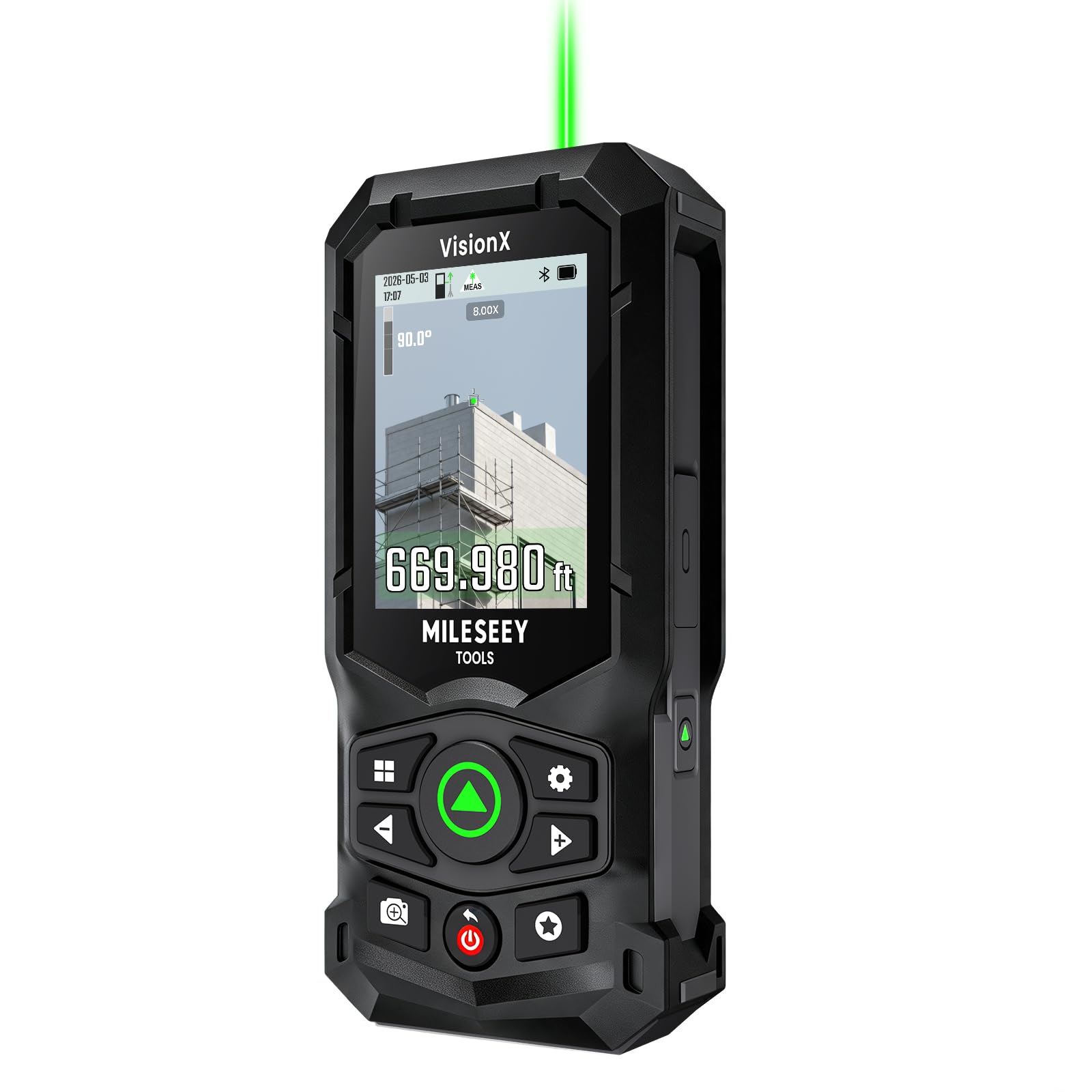
Image: The MILESEEY S50C Green Laser Measure, showing its compact design and display.
Product Features
- 8x Zoom Camera & Precision Target Lock: The integrated 8x zoom viewfinder with crosshairs assists in identifying and measuring targets up to 200m (670ft). VisionX dynamic Targeting Tech and the green laser enhance visibility and aiming precision for outdoor projects.
- Sunlight-Readable AMOLED Display & Touch Control: The S50C features a 2.4" AMOLED touchscreen with up to 1000 nits peak brightness, ensuring clear viewing even in bright sunlight. The responsive touchscreen allows for smooth zoom adjustment, and auto-brightness adapts to changing light conditions.
- PowerBurst + Green Laser for Outdoor Precision: PowerBurst technology provides a high-performance green laser with up to 4x greater visibility compared to standard red lasers. This enables faster targeting and reliable measurements in challenging environments such as rain, fog, dust, snow, and on low-reflective surfaces.
- Revolutionary P2P Technology: Advanced Point-to-Point Technology allows calculation of the distance between any two points from a single position, even for high, distant, or inaccessible targets. This feature enhances safety by reducing the need for ladders or risky maneuvers.
- Smarter Data, Smoother Workflow: The device includes built-in storage for 1000 records, with up to 600 images. Bluetooth 5.1 connectivity enables seamless data syncing with the MILESEEY App and magicplan, facilitating data transfer, floor plan creation, and team collaboration.
- 18 Functions & 4 References: The S50C handles complex measuring tasks with 18 functions and 4 reference points (front, rear, tripod, and side-laser alignment). It can calculate distance, area, volume, and indirect measurements for various applications.
- Laser Classification: CLASS II GREEN LASER: 500~530mm, <1 mW; CLASS II SIDE LASER (RED LASER): 630~670nm, <1 mW.
- Convenient Carrying Accessories: The S50C includes a lanyard and a lightweight storage pouch with a durable shoulder strap for easy transport and quick access on job sites.
Setup
1. Unboxing and Initial Inspection
Carefully remove all components from the packaging. Inspect the device and accessories for any signs of damage. Refer to the 'What's in the Box' section to ensure all items are present.
Video: MILESEEY S50C Unboxing - This video demonstrates the unboxing process and initial look at the device and its accessories.
2. Charging the Device
Before first use, fully charge the S50C. Connect the provided USB-C cable to the device's charging port and to a compatible USB power adapter. The battery indicator on the display will show charging status. A full charge provides up to 6 hours of continuous operation.

Image: The MILESEEY S50C connected via USB-C for charging, highlighting its rechargeable battery.
3. Powering On/Off
Press and hold the power button (usually marked with a circle and line) to turn the device on or off. The AMOLED display will illuminate upon startup.
Operating Instructions
1. Basic Distance Measurement
Point the device at the target. Press the measurement button (green button) to activate the laser. Press it again to take a measurement. The result will be displayed on the screen.
2. Using the 8x Zoom Camera
For distant targets, activate the 8x zoom camera viewfinder. This feature allows you to precisely aim the laser using the crosshairs on the display, improving accuracy and visibility, especially outdoors.

Image: The S50C display showing the 8x zoom camera viewfinder with crosshairs for precise targeting.
3. Measurement Modes
The S50C offers 18 different measurement functions, including:
- Single Distance Measurement
- Continuous Measurement (Tracking)
- Area Calculation
- Volume Calculation
- Pythagorean Functions (indirect height/distance)
- Point-to-Point (P2P) Measurement
- Stake Out Function
Navigate through the modes using the touchscreen or physical buttons. The device will guide you through the necessary steps for each function.

Image: A user demonstrating Point-to-Point (P2P) measurement with the S50C, measuring between two elevated points from a single position.
4. Reference Points
Select the appropriate reference point for your measurement: front, rear, tripod, or side-laser alignment. This ensures accurate measurements based on where the device is positioned.
5. Data Storage and App Connectivity
The S50C can store up to 1000 records, including 600 images. Connect the device via Bluetooth 5.1 to the MILESEEY App or magicplan for data syncing, floor plan creation, and project management.

Image: Illustration of the MILESEEY S50C connecting to the MILESEEY TOOLS App and magicplan for data synchronization.
Video: MILESEEY S50C Green Laser Measure with Camera - This video provides an overview of the S50C's features and operational capabilities.
Maintenance
1. Cleaning
Wipe the device with a soft, damp cloth. Do not use abrasive cleaners or solvents. Ensure the camera lens and laser aperture are clean for optimal performance.
2. Storage
Store the S50C in its protective pouch in a dry, cool place away from direct sunlight and extreme temperatures. Remove the battery if storing for extended periods (though the internal battery is not user-removable, ensure it's charged periodically if stored for long durations).
3. Battery Care
To prolong battery life, avoid fully discharging the device frequently. Recharge the battery when the low battery indicator appears. Use only the provided USB-C cable for charging.
Troubleshooting
- Device does not power on: Ensure the battery is charged. Connect to a power source and try again. If the issue persists, contact support.
- Inaccurate measurements: Check that the laser aperture and camera lens are clean. Ensure the correct reference point is selected. Avoid measuring through transparent surfaces or in conditions with heavy dust/fog if possible. For long distances, use a tripod for stability.
- Laser not visible: In bright outdoor conditions, rely on the 8x zoom camera viewfinder for targeting. The green laser is designed for enhanced visibility but may still be difficult to see directly in very strong sunlight.
- Bluetooth connectivity issues: Ensure Bluetooth is enabled on both the S50C and your mobile device. Make sure the device is within range and not paired with another device. Restart both devices if necessary.
- Display not clear in sunlight: The AMOLED display has auto-brightness. Ensure the screen is clean and free from smudges.
Specifications
| Feature | Detail |
|---|---|
| Brand | MiLESEEY |
| Model Number | S50C |
| Measuring Range | 670ft (200m) |
| Magnification Maximum | 8x |
| Display Type | AMOLED Touchscreen |
| International Protection Rating | IP65 (Dust & Water Protection) |
| Drop Resistance | 2m |
| Battery Type | Lithium-Ion Polymer |
| Continuous Operation | Up to 6 hours |
| Charging Port | USB-C |
| Item Weight | 520 g |
| Material | Plastic with Rigid Aluminum-Magnesium Alloy Base |
What's in the Box
The MILESEEY S50C package includes the following items:
- S50C Green Laser Measure with Camera (x1)
- Carrying Bag (x1)
- Lanyard (x1)
- USB-C Cable (x1)
- Shoulder Strap (x1)
- User Manual (x1)
- Quick Start Guide (x1)
- Support Guide (x1)
- Cleaning Cloth (x1)

Image: All items included in the MILESEEY S50C product box, including the device, carrying bag, and accessories.
Warranty and Support
The MILESEEY S50C comes with a 2-year warranty. For warranty claims, technical support, or any inquiries regarding your device, please refer to the contact information provided in the included Support Guide or visit the official MiLESEEY website.


